Warmerly, both channels
One queue of everyone who replied, across email and LinkedIn.
One row, in depth: what each tool does, the verified numbers, and who each suits.
Expandi details read from its pricing page, FAQ, home page and help centre on 19 October 2026.
One queue of everyone who replied, across email and LinkedIn.
A central dashboard, with tags and notes on conversations.
Both put replies in one place, but they are built for different conversations. Warmerly's inbox defaults to a 'Needs reply' queue of people who replied and have not heard back, labels each message as lead, not relevant or spam, and shows email and LinkedIn replies in one list. Expandi's Global Inbox is a LinkedIn conversation inbox across many accounts, with filters, tags, notes, scheduled replies and up to 20 AI-generated replies a day in English. Email in Expandi's inbox is view only. Last checked 19 October 2026.
One queue of everyone who replied, across email and LinkedIn.
A central dashboard, with tags and notes on conversations.
Press a filter or a row. Warmerly's queue is built around who needs an answer; Expandi's is a conversation list for LinkedIn accounts
Suggested reply
Open a thread to see the draft.
Under 120 words, plain text, signed with the sender's first name. Saved for you to edit and send.
Needs reply: 3 conversations where the newest message is theirs and is a lead or unlabelled.
Reply
Open a thread to see what you can do with it.
AI-generated replies: up to 20 a day, English only.
Showing all 4 example conversations.
The threads, names and labels are invented for illustration. Warmerly: its inbox list and classification docs. Expandi: its Global Inbox and Inbox help articles, read 19 October 2026. Tags and notes are documented in Expandi's Inbox article, not in its Global Inbox article.
| Warmerly | Expandi | |
|---|---|---|
| Default view | Needs reply | Not stated |
| Filters | Workspace, account, channel, category, unread, search | Search, company, account, status, messages, interaction |
| Email replies | In the inbox | View only |
| Tags and notes | None found | Yes, in the Inbox article |
A count a day on one side, a length on the other. They are not the same thing, so they are drawn apart
Length of a suggested email reply
Under 120 words, plain text. We found no daily number of drafts in the code.
Up to 20 a day, English only. Example count.
| Warmerly | Expandi | |
|---|---|---|
| Limit | Under 120 words per draft | Up to 20 a day, English only |
Where each product lets you answer
Expandi: its help centre says emails are view only and that it does not mirror a mailbox. Warmerly: the inbox has a compose route for sending replies.
| Step | Warmerly | Expandi |
|---|---|---|
| 1 | Reply arrives | Campaign email sent |
| 2 | Labelled | Shows in the chat |
| 3 | Needs reply | View only |
| 4 | Draft | Open your mailbox |
| 5 | Send | Back in Expandi |
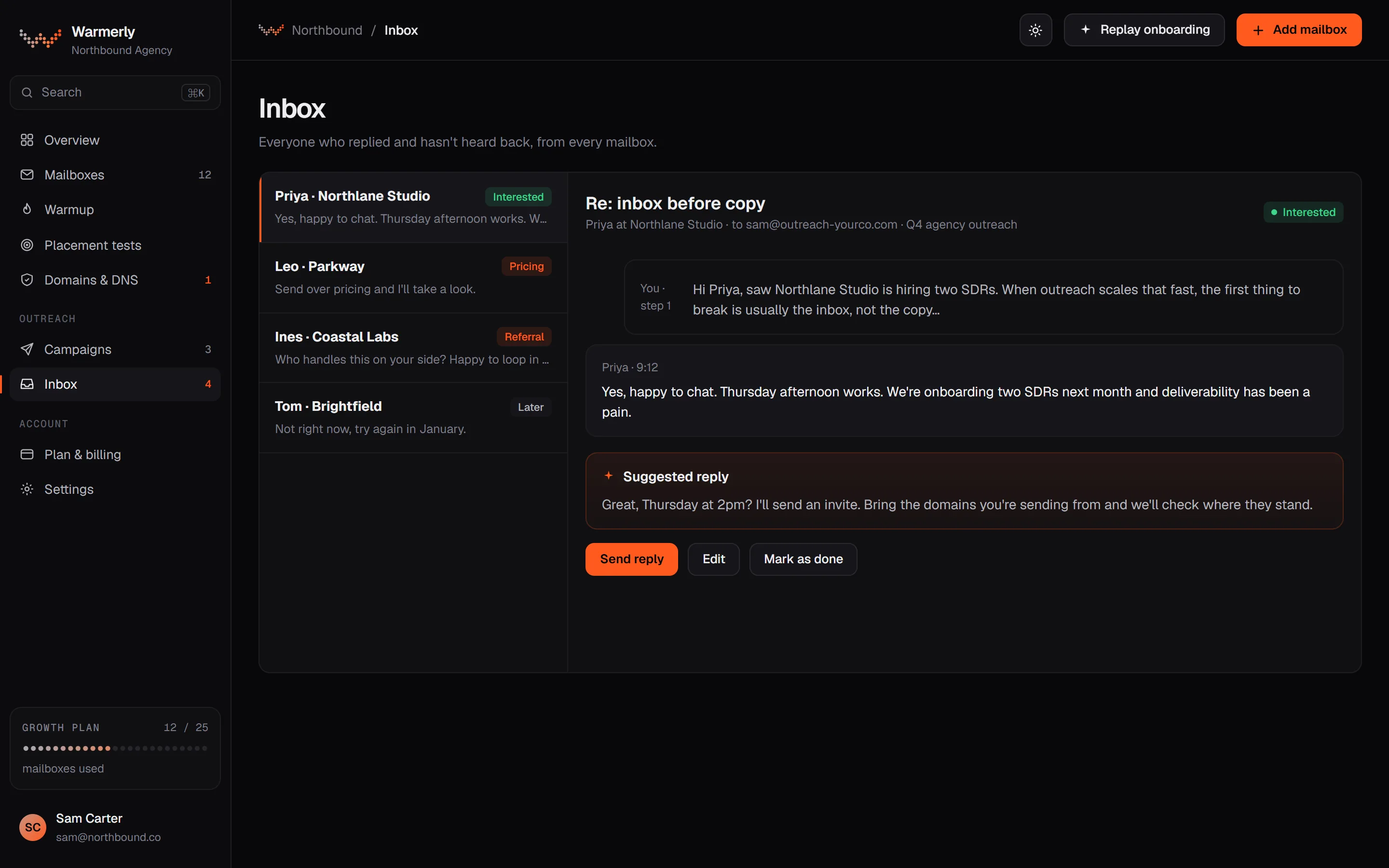
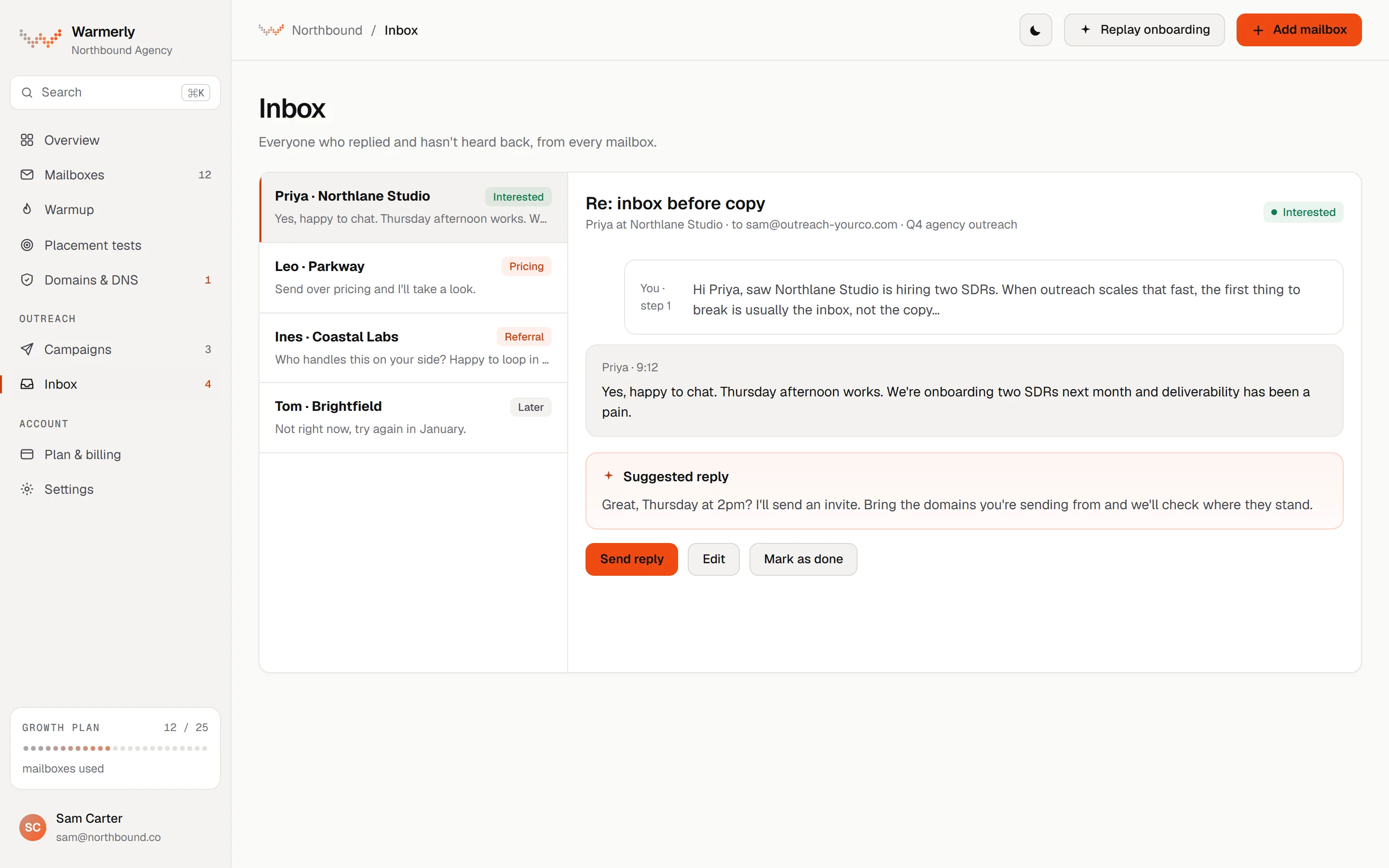
A reply queue first: a 'Needs reply' view, labels with rules and AI, email and LinkedIn in one list, and a suggested reply for the latest inbound email.
The default view is conversations where the newest message is theirs and it is either labelled a lead or not labelled at all. Other views are All and Archived, and the list can be searched by name, email, company or message text with a prefix match, so 'invo' finds 'invoice'.
Warmerly product, checked 19 October 2026
Mail is labelled lead, not relevant or spam. Free rules at ingest catch own-domain mail, no-reply senders, bulk and auto-reply headers, unsubscribe mail and the spam folder. An AI step labels campaign replies only, and your own override sticks. Warmerly does not list reply intents such as 'meeting booked' for email.
Warmerly product, checked 19 October 2026
LinkedIn replies land in the same inbox as email replies. LinkedIn campaign replies are labelled by their reply label: interested, question and referral count as leads, and not interested, stop and out of office as not relevant.
Warmerly product, checked 19 October 2026
Warmerly can draft a reply to the latest inbound email: under 120 words, plain text, signed with the sender's first name. The draft is saved for you to edit and send. The same draft function is available to AI assistants through the Warmerly MCP server.
Warmerly product, checked 19 October 2026
Connected mailboxes are synced every five minutes, and the Refresh button syncs the workspace's mailboxes within a 60-second budget. Warmup traffic is hidden from the list.
Warmerly product, checked 19 October 2026
The code names workspace, account, channel, category and Unread filters, plus search. Every filter is applied in SQL before the list is paged, so a match is never hidden beyond the first page.
Warmerly product, checked 19 October 2026
On the Agency plan each client workspace keeps its own mailboxes, campaigns and replies separate.
Warmerly product, checked 19 October 2026
The inbox has no snooze, star or notes: its own test asserts that those controls are absent. We also found no tags on a conversation, no scheduled reply, and no single inbox that spans many LinkedIn accounts with role-based access.
Warmerly product, checked 19 October 2026
A LinkedIn-first inbox with a Global Inbox for workspaces, role-based visibility, filters, tags, notes, sentiment, scheduled replies, snooze, archive and AI replies. Email is shown but view only.
"Using the Global Inbox, you do not have to switch to each account individually to manage the messages." The newest message is at the top and each lead shows how long ago the last message was sent or received.
help.expandi.io/en/articles/5405235-global-inbox · read 19 October 2026
The article names "Type to search", "Company", "Account", "Status", "Messages" and "Interaction". Interaction covers states such as 'Awaiting lead reply', 'Lead replied' and 'No Interaction'.
help.expandi.io/en/articles/5405235-global-inbox · read 19 October 2026
Workspace admins and members see all accounts in the workspace. A company manager sees only the accounts of the company they manage. A LinkedIn account manager with edit access can act only in the inbox, and one with view-only access can only see the accounts they were invited to.
help.expandi.io/en/articles/5405235-global-inbox · read 19 October 2026
"Expandi allows up to 20 AI-generated replies per day." and "(this feature is only available in English)". The inbox article says "You can generate up to 20 AI replies per day."
help.expandi.io/en/articles/5405235-global-inbox · read 19 October 2026
The Inbox article says "Tags help you organise leads, identify specific groups, and filter conversations more efficiently." and "Open the notes panel to add personal notes about the lead." A reply can be scheduled for a set date and time, a conversation can be snoozed, and archived for 1 year.
help.expandi.io/en/articles/5405244-inbox · read 19 October 2026
"Automatic ratings are only available when Sentiment Analysis is enabled in the campaign settings."
help.expandi.io/en/articles/5405244-inbox · read 19 October 2026
"Emails are view only." "You can read them in the Global Inbox, but you can't reply to an email from Expandi." "Expandi doesn't mirror a mailbox." Emails sent from campaigns appear in the same conversation, labelled 'Email'.
help.expandi.io/en/articles/5405235-global-inbox · read 19 October 2026
Messages sent from Sales Navigator are labelled 'Sales Navigator Inbox', and "you can only send a message through Sales Navigator if you already have a conversation with the lead".
help.expandi.io/en/articles/5405235-global-inbox · read 19 October 2026
We looked, and found no statement on these. That is about its published pages only, not about the product.
We report each version rather than pick one.
| Measure | Warmerly, both channels | Expandi |
|---|---|---|
| Reply inbox | One queue of everyone who replied, across email and LinkedIn. | A central dashboard, with tags and notes on conversations. |
| Default view | Needs reply | Not stated |
| Named filters in the article | 5 (workspace, account, channel, category, unread) plus search | 6 (search, company, account, status, messages, interaction) |
| AI reply drafts | Under 120 words each | Up to 20 a day, English only |
| Mailbox sync | Every 5 minutes | Not stated |
| Replying to email | In the inbox | View only |
| Tags and notes | None; no notes or snooze in the inbox | Yes, in the Inbox article |
Our reading of the facts above. Not a promise, and not the only reasonable reading.
Tags, notes, scheduled replies, snooze and role-based visibility across many accounts are all in Expandi's help centre. Warmerly's inbox has none of those that we found.
In Warmerly you read and answer an email reply in the same place. In Expandi you read it, then switch to your own mailbox to reply.
Warmerly's drafts are short and unmetered by a daily number we found. Expandi's AI replies stop at 20 a day and work in English only.
No. Its help centre says emails are view only and you reply from your own mailbox.
Its Inbox article describes both, and its pricing page lists tags and notes on conversations. The Global Inbox article does not mention them.
Up to 20 a day, in English only, according to its help centre.
Expandi pages were read on 19 October 2026. Plans and wording change, so check the vendor's own page before you decide. Warmerly details come from the product as it runs today.
Connect a mailbox. Warmerly runs alongside whatever you send from now, so you can compare before you move anything.
Free plan, no card. Paid plans: 7-day trial, first charge on day 8.