Email warmup is the process of building a sending mailbox's reputation before you use it for cold outreach: the mailbox exchanges a small, slowly rising volume of warmup emails with other mailboxes, and the warmup tool opens them, replies to them and rescues them from spam automatically. The aim is a history of mail that is opened and answered. Warmerly's ramp takes 30 days to reach full warmup volume, counted in days the mailbox has been warming.
On this page
- Why mailbox providers need to see warmup
- How email warmup works
- How long email warmup takes
- Warmup by provider
- The mistakes that burn a domain during warmup
- Warmup by hand, or with a tool
- Warmup is one of three jobs
- What Google and Yahoo ask of senders
- When warmup is not the fix
- Quick answers on warmup and authentication
- Terms used in email warmup
- Where to start
Why mailbox providers need to see warmup#
Gmail and Microsoft decide where your mail lands from how recipients have treated mail from your domain before. A new domain has no history, so it is treated as suspicious by default. Send a burst of cold messages on day one and you trip every bulk-sender heuristic at once: the mailbox is flagged, and almost everything it sends afterwards is filtered.
The damage does not stay with the mailbox. Negative reputation attaches to the sending domain, so every other mailbox on it inherits the filtering. A burnt domain rarely recovers fully; most senders register a new one and start again, and if they skip warmup a second time they burn that one too.
How email warmup works#
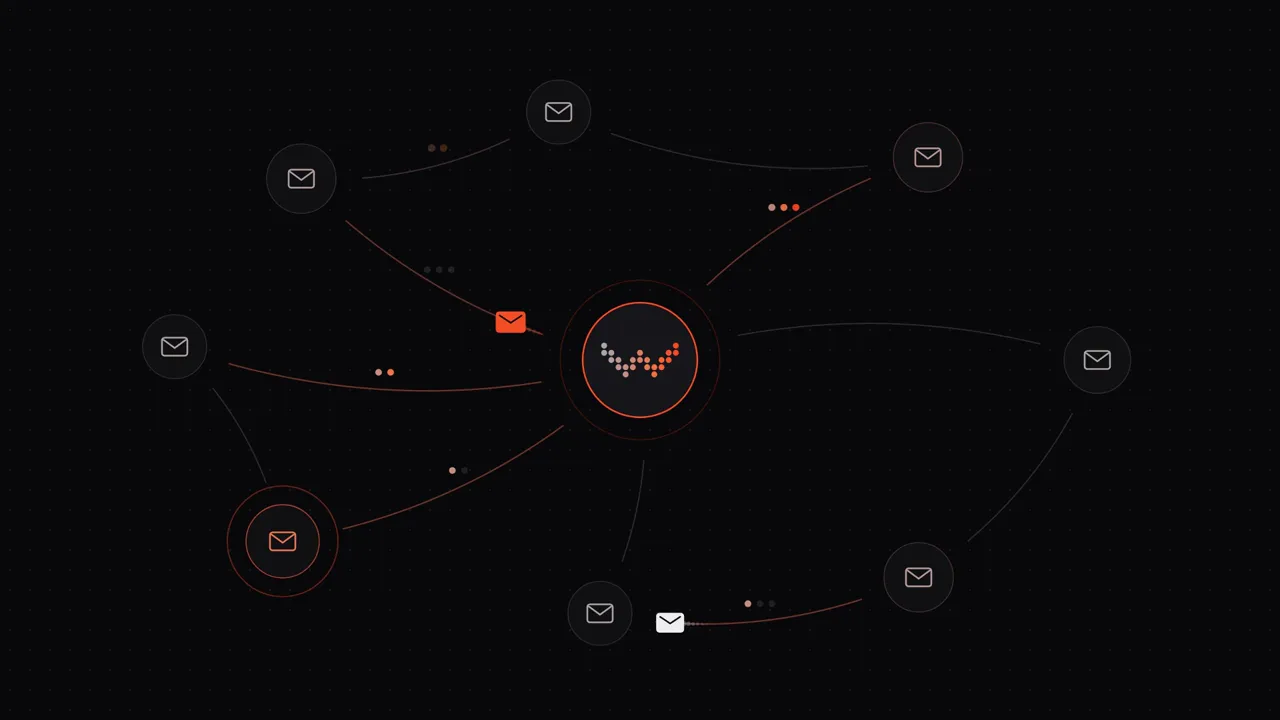
Warmup software (Warmerly included) connects your mailbox to a network of other mailboxes. Through the day your mailbox sends a few short warmup emails to them; the tool opens them, marks some important, replies to them and moves them out of spam if they land there, all automatically. Volume starts at a handful a day and rises with each day the mailbox has been warming.
Illustration: a mailbox exchanging warmup mail with a pool of other verified mailboxes, which open, reply to and rescue each message.
Not every action counts the same. The signals that move reputation in 2026, roughly in order of weight:
- Spam-folder rescue. A recipient moving your message out of spam and into the inbox is the strongest positive signal Gmail tracks. Many warmup tools skip it; Warmerly does it on every peer.
- A reply with quoted history. A real reply that quotes the original message is what people actually do, and filters reward it well above an open.
- Star, label, mark important. Explicit user actions people take on mail they care about.
- Open. Worth less than it used to be (Apple Mail Privacy Protection makes opens noisy), but still positive.
- Cross-provider engagement. Gmail peers replying to Outlook senders and the other way round builds reputation at both providers, which is why the peer mix matters.
Warmup builds the reputation layer and nothing else. It cannot rescue a domain without SPF, DKIM and DMARC, an unverified list with a 10% bounce rate, or copy people mark as spam. Fix those first, then warm.
How long email warmup takes#
Time. Warmerly's warmup ramp runs on days spent warming, not on domain age: 4 messages a day on day 0, rising to 50 a day by day 30, with a ceiling of 40 a day for a Gmail mailbox and 30 for an Outlook mailbox. The chapter on how long warmup takes has the full curve.
Calendar days are only a guide. A mailbox is ready when its health score has held above 80 for three days, seed tests show 95% or better inbox placement at the provider your prospects use, and the spam-rescue rate is falling because fewer messages land in spam to begin with. The full timeline, with the ramp that follows it, is in the chapter on how long warmup takes.
Warmup by provider#
The mechanics are the same everywhere; what each provider weighs, and the tool you check it with, is not.
- Gmail weighs domain reputation above everything, reacts to a complaint spike within 24 to 48 hours, and takes weeks to forgive it. Google Postmaster Tools shows where you stand.
- Google Workspace runs on Google's servers, but that buys you nothing with the spam filter: reputation belongs to your domain, which starts at zero. DKIM has to be switched on in the Admin Console.
- Outlook and Microsoft 365 filter through Exchange Online Protection, which gives IP reputation nearly equal weight to domain reputation and treats 1024-bit DKIM keys as weak. SNDS and JMRP are the monitoring tools.
The mistakes that burn a domain during warmup#
- Warming your main business domain. Use a separate sending domain, so a mistake costs you an outreach domain and not your company's email.
- Skipping the DNS work. SPF, DKIM and DMARC must pass before warmup starts; warmup on a misconfigured domain is wasted time.
- Sending cold mail mid-warmup. Even a small cold batch resets progress and can flag the mailbox.
- A peer network made only of other new mailboxes. Closed loops of fresh accounts are detected within days; the pool needs aged, healthy mailboxes in it.
- Stopping warmup when campaigns start. Reputation decays in quiet weeks, so warmup keeps running at reduced volume for as long as the mailbox sends.
Warmup by hand, or with a tool#
You can warm a mailbox by hand, by trading a few emails a day with colleagues and friends who reply and rescue your mail from spam. It works for one mailbox for two weeks and falls apart after that: nobody keeps it up every day across a mixed-provider pool, and nobody runs it quietly for months alongside campaigns.
A warmup tool automates the cadence, the ramp and the rescue. Warmerly's plans are flat per workspace rather than per mailbox: free for one mailbox, $19 a month for 5 and $49 for 25, with warmup on every mailbox, daily SPF, DKIM and DMARC checks, and campaign sending with no cap. If you are comparing options, the chapter on the best warmup tools prices 14 of them side by side.
Warmup is one of three jobs#
Warmup is one of three things that decide whether cold or bulk email is accepted. The other two are authentication and the quality of what you send and who you send it to. Mixing them up is the commonest reason people blame a warmup tool for a problem it cannot touch.
| Job | What it does | What it cannot do | How to check it |
|---|---|---|---|
| Authentication (SPF, DKIM, DMARC) | Proves the mail comes from a server your domain allows, and was not altered | Make an unknown sender trusted | The free SPF, DKIM and DMARC checkers |
| Warmup | Builds a gradual sending history on a new or quiet mailbox | Fix bad authentication, a bad list or a listing | The warmup calculator for a ramp plan, and your own seed tests |
| List and content quality | Keeps bounces and spam complaints low | Replace history or authentication | Email verification and the spam rate in Google Postmaster Tools |
What Google and Yahoo ask of senders#
The two largest mailbox providers publish what they expect from senders. Both pages below were read on 24 October 2026, and both say their requirements can change, so treat them as a snapshot and check the source.
| Requirement | Google (Gmail) | Yahoo |
|---|---|---|
| Authentication, all senders | SPF or DKIM. A DKIM key of 1024 bits or longer for personal Gmail accounts, with 2048 bits recommended | SPF or DKIM at a minimum |
| Authentication, bulk senders | SPF, DKIM and DMARC for more than 5,000 messages a day, with the DMARC policy allowed to be none | SPF and DKIM, plus a DMARC policy of at least none that passes. The page gives no volume line for "bulk" |
| Spam complaint rate | Keep it below 0.3% in Postmaster Tools. The monitoring section recommends staying below 0.10% | Below 0.3%, calculated from mail delivered to the inbox |
| One-click unsubscribe | Required for marketing and subscribed messages from bulk senders | A working List-Unsubscribe header for bulk senders, and unsubscribes honoured within 2 days |
| DNS and transport | Valid forward and reverse DNS, and a TLS connection | Valid forward and reverse DNS |
Microsoft has also announced requirements for high-volume senders to Outlook.com addresses. Its own page could not be read in full on the day this was written, so the figures are not repeated here. Read Microsoft's announcement before you send at volume to Outlook.com, Hotmail and Live addresses.
None of this mentions warmup. That is the point: the published requirements are about authentication, complaint rates and unsubscribing. Warmup is the practice of building the history that lets a new mailbox reach a normal sending volume without those numbers going wrong.
When warmup is not the fix#
Warmup is the wrong first move in some situations. Fix these first, then warm.
- Authentication is failing. Run the checkers above. Warming a mailbox that fails SPF or DKIM builds history on a base that receivers cannot verify.
- The domain or IP is on a blocklist. The blacklist checker shows it. Warmup does not remove a listing.
- The list is old, bought or unverified. High bounce and complaint rates will undo warmup. Verify addresses before the first campaign.
- The domain is a brand-new one with no records. Publish SPF, DKIM and DMARC, and read how to warm up a new domain before you start.
- You plan to send from a personal @gmail.com or @outlook.com address. Read how Gmail warmup works first.
When these are in order, a gradual ramp is what is left to do. A new mailbox starts at a handful of messages a day and rises over weeks, and the how long warmup takes guide shows the typical range by mailbox type. To compare tools, see the email warmup tools compared.
Quick answers on warmup and authentication#
Does warmup replace SPF, DKIM and DMARC? No. They do different jobs. Google asks for SPF or DKIM from all senders and SPF, DKIM and DMARC from anyone sending more than 5,000 messages a day to Gmail (read on 24 October 2026), and warmup does not stand in for any of it.
What spam complaint rate should I stay under? Google and Yahoo both say below 0.3%, per their own pages read on 24 October 2026, and Google's monitoring advice also says to aim for under 0.10%. Warmup does not lower this rate on its own: it depends on who you send to and what you send.
Can warmup fix a domain that is already on a blocklist? No. Warmup builds history for a clean mailbox and does not remove a listing. Find the cause, fix it, and follow the list's own removal steps.
Terms used in email warmup#
- Warmup: sending and receiving real-looking mail in small, rising amounts so a new mailbox builds history.
- Sender reputation: the record a mailbox provider keeps of how recipients and its own filters have treated mail from your domain and IP.
- Spam trap: an address used to catch senders with poor list hygiene. Sending to one is a sign the list was not clean.
- Placement: the folder a message lands in (inbox, promotions or spam), which is separate from whether it was delivered.
- Ramp: the schedule of daily volume. Warmerly's own ramp runs 30 days, from 4 warmup messages a day to 50.
- Alignment: the match between the domain that passed SPF or DKIM and the domain in the From address, which DMARC checks.
Where to start#
Today: publish SPF, DKIM and DMARC, register a separate sending domain if you have not, and start warming the mailboxes you intend to send from. Then read the chapter that matches your setup: a new domain, Gmail, Google Workspace or Outlook.