Warmerly, both channelsWarmerly ahead on this row
Checked every six hours per domain, with the exact record to add when one is missing.
One row, in depth: what each tool does, the verified numbers, and who each suits.
Expandi details read from its pricing page, FAQ, home page and help centre on 19 October 2026.
Checked every six hours per domain, with the exact record to add when one is missing.
Not listed on its pricing page.
Warmerly checks SPF, DKIM, DMARC and MX for every connected mailbox on a sweep that runs every 6 hours, writes each failure as a finding with a fix, and checks 6 domain blocklists and 10 IP blocklists. We found nothing on authentication on Expandi's pricing page or in the help pages we read: its only related page connects Gmail with an app password and says nothing about SPF, DKIM or DMARC. That is a statement about what is published, not about the product. Last checked 19 October 2026.
Checked every six hours per domain, with the exact record to add when one is missing.
Not listed on its pricing page.
SPF, DKIM, DMARC and MX
Warmerly explains each failing record in plain words. We found no authentication check on Expandi's pricing page or in the help pages we read; that is about what is published, not about the product.
Pick a record, then open a finding to see the fix Warmerly shows
Add a TXT record starting v=spf1 that lists your email provider. Your provider publishes the exact value.
A term receivers cannot read is a permanent error, so SPF is ignored. The usual slip is ip4: and ip6: mixed up; Warmerly suggests the swap.
Receivers treat two records as a permanent error. Merge every provider into a single v=spf1 record.
That authorises the entire internet. Change the ending to -all.
It takes no position on unknown senders. Move to -all once every legitimate sender is listed.
A safe and common setting. -all is slightly stronger once you are sure.
Add an ending (-all or ~all) so receivers know what to do with unlisted senders.
Every include: costs a lookup, and so does what those records include. Past 10 the standard says the record is a permanent error.
One more email tool could push you over, and receivers would then ignore SPF.
Ask your provider for its DKIM record and publish it. A provider that uses an unusual selector can read as missing until you enter the selector.
The t=y flag asks receivers to ignore the result. Remove it once signing works.
A key of 1024 bits or fewer is flagged. Ask your provider to rotate to 2048 bits.
Add a TXT record at _dmarc with p=none and a rua= address, then tighten once you have seen the reports.
p=none watches but does not protect. Shown as an advisory, never red.
The record has no p= tag, so receivers have nothing to apply.
A pct= under 100 is a rollout tool. Left in place, most forged mail is still delivered.
No rua= address is set, so you cannot see who sends as your domain.
A domain that cannot receive mail is a spam signal, and warmup needs replies. Add the MX records your provider gives you.
Findings are paraphrased from Warmerly's DNS code. Severity: Fails is red in the app, Warns amber, Advisory is shown but never alerts. Gmail and Outlook addresses are marked as provider-managed, not broken.
Plain DNS lookups, no API key. A refused query is never reported as a listing
Left out on purpose: SORBS, UCEPROTECT and Invaluement. Source: Warmerly's blocklist zone registry, read 19 October 2026.
| Kind | Lists |
|---|---|
| 6 domain lists | Spamhaus DBL, SURBL, URIBL, NordSpam DBL, Spam Eating Monkey URI, s5h |
| 10 IP lists | Spamhaus ZEN, SpamCop, Barracuda, PSBL, Mailspike, NordSpam, Spam Eating Monkey, Lashback UBL, DroneBL, GBUdb Truncate |
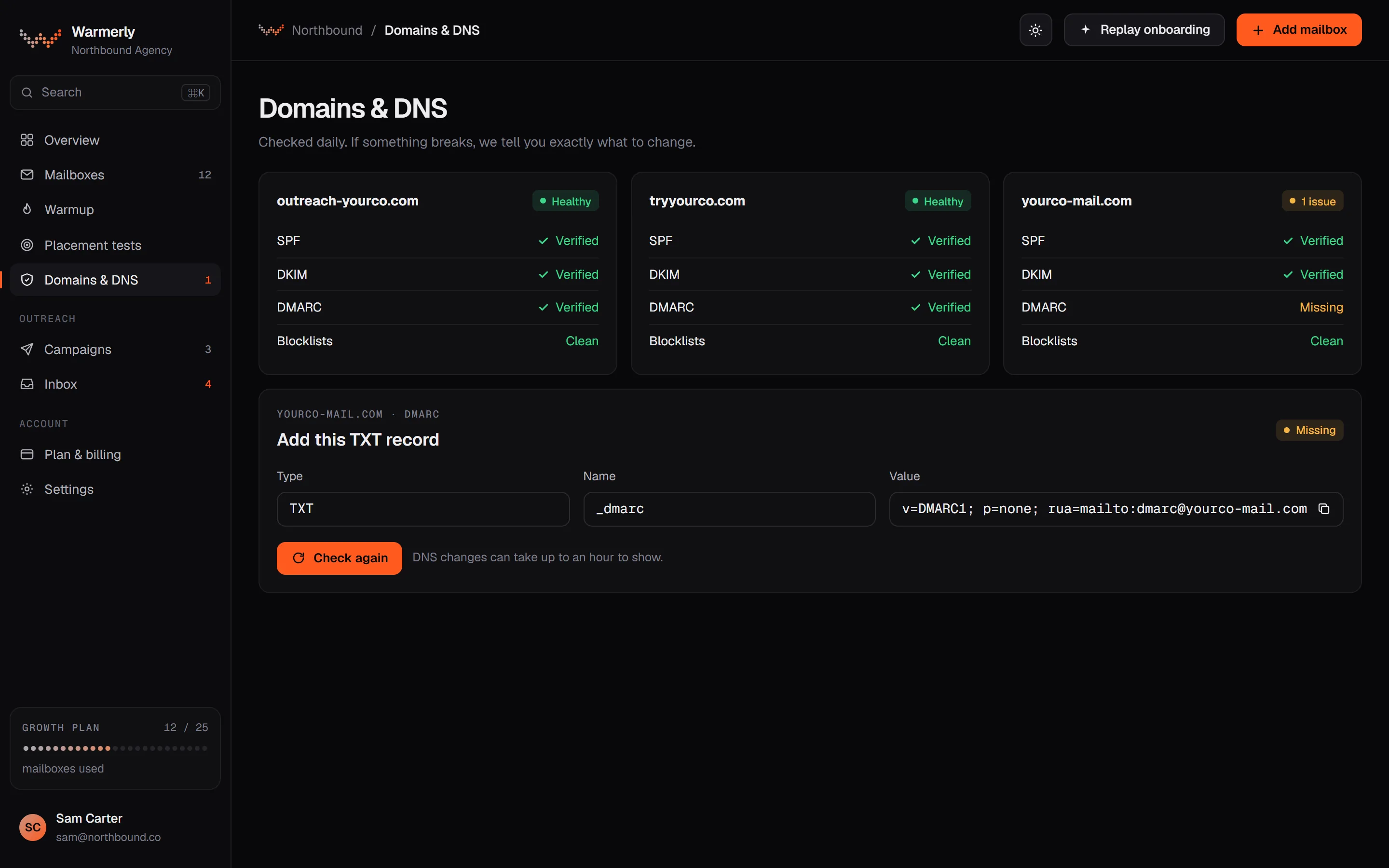
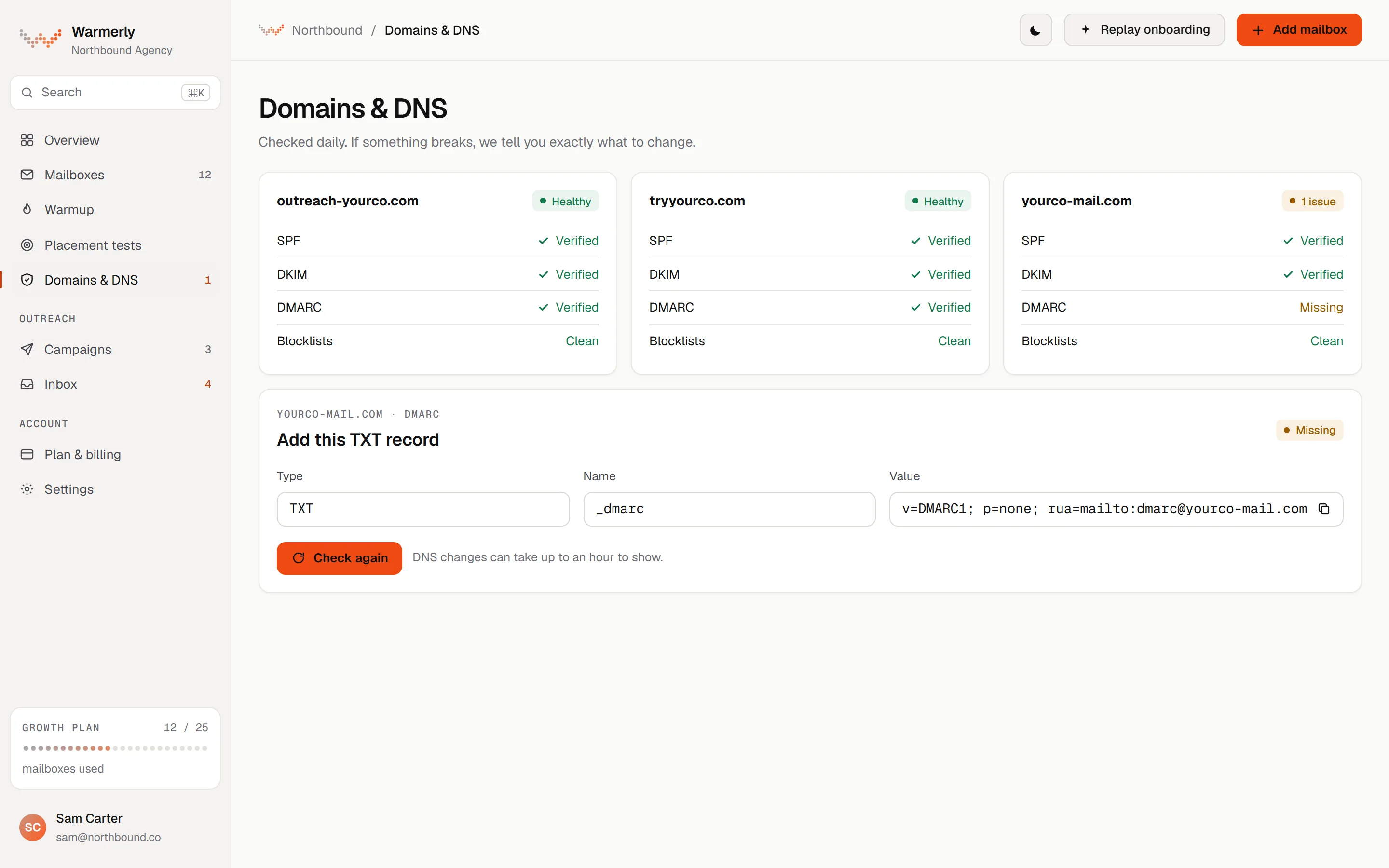
A records sweep every 6 hours across each mailbox that is not dead or paused. SPF, DKIM, DMARC and MX are each judged on quality, not just presence, and each finding comes with a fix.
SPF is checked for its ending (-all, ~all, ?all or +all), for the limit of 10 DNS lookups counted through include and redirect, and for broken terms. DKIM is checked for key length (a 1024-bit key or shorter is flagged) and for the t=y test-mode flag. DMARC is checked for p=, sp=, pct= and whether rua= is set. MX is checked for presence.
Warmerly product, checked 19 October 2026
The records sweep runs every 6 hours by default across every mailbox that is not dead or paused. The mailbox's Health tab has a Re-check now option. Blocklist checks run on their own 6-hourly sweep.
Warmerly product, checked 19 October 2026
Each finding has a title, an explanation and a fix. For example, SPF needing more than 10 lookups is explained as receivers treating the record as a permanent error. DKIM in test mode says to remove t=y once signing is confirmed. Advisories such as p=none are shown but never red.
Warmerly product, checked 19 October 2026
Under a failing SPF or DMARC chip the card can show the record itself with a copy button. SPF is suggested only for Google and Microsoft mailboxes, merged into the record published now. DMARC is a monitor-only p=none record when none exists. For DKIM the fix points you to your provider's record.
Warmerly product, checked 19 October 2026
A hard failure raises a DNS changed alert with a 24-hour cooldown and keeps alerting while it persists. Quality advisories never alert, and a check that could not run shows as unknown, never green. A known limit: DKIM is looked up by trying common selector names plus any selector you set, so a provider using another selector can read as no signature found until you enter it.
Warmerly product, checked 19 October 2026
Warmerly queries 6 domain lists (Spamhaus DBL, SURBL, URIBL, NordSpam DBL, Spam Eating Monkey URI, s5h) and 10 IP lists (Spamhaus ZEN, SpamCop, Barracuda, PSBL, Mailspike, NordSpam, Spam Eating Monkey, Lashback UBL, DroneBL, GBUdb Truncate) by plain DNS lookup. A refused query is never reported as a listing, and several well known zones are left out on purpose (SORBS, UCEPROTECT and Invaluement).
Warmerly product, checked 19 October 2026
The pre-launch checklist warns when a sending mailbox's DNS check came back warn or fail, or when more than 5 senders share one domain. It is a warning you can acknowledge, not a block. Free DMARC report monitoring is available for up to 10 domains per workspace.
Warmerly product, checked 19 October 2026
On a shared consumer domain such as gmail.com the records belong to the provider and Warmerly cannot read them reliably, so the card says the mailbox is connected with nothing to set up.
Warmerly product, checked 19 October 2026
No SPF, DKIM or DMARC check is listed on the pricing page or in the help pages we read. The closest page connects a Gmail account over SMTP and IMAP with an app password.
We read the pricing page for DNS, SPF, DKIM, DMARC, deliverability and inbox placement. None of these terms appears. Email appears once: "You can send connection requests, messages, and email follow-ups in just one sequence".
expandi.io/pricing · read 19 October 2026
To connect Gmail you must have 2-step verification on, generate an app password, and enter your address, name and the app password in the IMAP and SMTP fields. You click Test Credentials, then Connect. The article states no sending limit, no warm-up guidance and nothing about SPF or DKIM setup.
help.expandi.io/en/articles/6236088-how-to-adapt-your-gmail-and-expandi-integration · read 19 October 2026
Emails sent from campaigns appear in the lead's conversation, but only for leads that exist in Expandi and only from the mailbox linked to that lead. Emails are view only, so replies go from your own mailbox.
help.expandi.io/en/articles/16608436-how-are-emails-shown-in-the-inbox · read 19 October 2026
The help centre says a failed send usually means Expandi cannot log in over SMTP, for example after a provider changes its settings. That is a connection test, not an authentication check of your domain.
help.expandi.io/en/articles/6236088-how-to-adapt-your-gmail-and-expandi-integration · read 19 October 2026
LinkedIn is Expandi's core channel and a LinkedIn message is not an email, so these records only matter for the email follow-up step, which is sent from your own Gmail or SMTP mailbox.
expandi.io/pricing · read 19 October 2026
We looked, and found no statement on these. That is about its published pages only, not about the product.
| Measure | Warmerly, both channels | Expandi |
|---|---|---|
| SPF, DKIM and DMARC checks | Checked every six hours per domain, with the exact record to add when one is missing. | Not listed on its pricing page. |
| Records checked | SPF, DKIM, DMARC and MX | None listed |
| How often | Every 6 hours, or Re-check now | Not stated |
| SPF lookup limit flagged | More than 10 lookups | Not stated |
| DKIM key flagged | 1024 bits or shorter | Not stated |
| Domain blocklists | 6 | Not stated |
| IP blocklists | 10 | Not stated |
| Senders on one domain before a warning | More than 5 | Not stated |
Our reading of the facts above. Not a promise, and not the only reasonable reading.
If cold email is part of your outreach, a broken SPF, DKIM or DMARC record sends mail to spam. Warmerly looks every 6 hours and tells you the fix. If you only use Expandi for LinkedIn, these records are not in play.
Expandi sends email follow-ups from a Gmail or SMTP mailbox you connect, so the DNS records are your responsibility. Its pages we read do not tell you to check them.
Correct records are the floor for email. They do not decide inbox placement on their own, and Warmerly's own placement test has limits, covered on the placement page.
We found no such check on its pricing page or in the help pages we read. Its Gmail integration article covers connecting with an app password and says nothing about these records.
No. It explains each failure and, for some SPF and DMARC cases, shows the record to paste. You publish it at your DNS provider.
On a shared domain like gmail.com the records belong to the provider, so Warmerly cannot read them reliably and does not mark the mailbox as broken.
Expandi pages were read on 19 October 2026. Plans and wording change, so check the vendor's own page before you decide. Warmerly details come from the product as it runs today.
Connect a mailbox. Warmerly runs alongside whatever you send from now, so you can compare before you move anything.
Free plan, no card. Paid plans: 7-day trial, first charge on day 8.