






What deliverability actually means
Deliverability is the probability that a sent message lands in the recipient's primary inbox, not the spam folder, not the promotions tab, and not silently dropped at the gateway. It is not the same as 'sent successfully'. SMTP can return 250 OK while Gmail quietly files your message under Spam, and your campaign tool will still report it as delivered.
Every major provider, including Gmail, Microsoft 365, Yahoo, AOL, and ProtonMail, decides placement using a combination of authentication checks, content signals, behavioural signals, and sender reputation. Authentication and content are deterministic. Behaviour and reputation are probabilistic, scored over time, and they are where most cold senders lose the game.
The 2026 baseline: SPF, DKIM, DMARC, and MTA-STS
Since February 2024, Gmail and Yahoo require bulk senders (Gmail defines that as 5,000+ messages a day to Gmail accounts) to pass SPF and DKIM, publish a DMARC policy of at least p=none, keep spam complaint rates under 0.30% (Google asks for under 0.10%), and offer one-click unsubscribe on marketing mail. Microsoft followed with similar enforcement in 2025. Smaller senders are not formally covered, but the same authentication still shapes where their mail lands.
SPF authorises which IPs may send on your behalf. DKIM cryptographically signs your messages so receivers can verify they were not tampered with. DMARC tells receivers what to do when SPF and DKIM fail, and where to report results. MTA-STS forces TLS on inbound mail to your domain, which providers read as a signal of operational maturity.
If you take nothing else from this guide: configure all four. SPF with ~all (or -all once you are confident), DKIM with a 2048-bit key, DMARC starting at p=none with rua reports to a mailbox you actually read, and MTA-STS in enforce mode once your CDN of choice has been stable for a month.
Why domain warmup matters more than IP warmup
Five years ago, IP warmup was the conversation. In 2026, almost no cold sender controls their own IP, because they are on Gmail, Microsoft 365, or a shared sending platform. What matters now is domain reputation, which is mostly the cumulative behaviour of your sending domain over the trailing 90 days.
A brand-new domain has zero reputation. Filters treat it as suspicious by default. Sending 200 cold messages on day one is the single most reliable way to get the domain flagged before you have even closed your first deal. Warmup, properly done, generates organic-looking conversational traffic from and to your domain so providers learn it is a real sender before you ramp into cold outreach.
Warmup is not a magic trick. It does not let you skip the rules. It builds the baseline reputation you need so that when you do send legitimate cold mail, you have credit in the bank.
The signals Gmail's neural classifier actually weights
Gmail's spam filter has been a neural network since 2017 and has been retrained continuously since. From public statements, ML conference talks, and a lot of testing, we know it weights (roughly, in this order): user actions, sender history, authentication, content embeddings, and link reputation.
User actions dominate. A user moving your message from spam to inbox is the single strongest positive signal. A user marking as spam, or deleting without reading, is the strongest negative. Reply, star, label, and forward are all positive. The forward of a message to another Gmail user passes positive reputation between domains, which is why peer-network warmup with real reply behaviour works.
Sender history is computed at multiple granularities: by from-domain, by sending IP, by signing domain, and by user-perceived 'identity' (the human-readable from address, including display name). All four can be in good standing while one is bad, which is why a single spammy newsletter can drag down an entire domain.
The Microsoft SmartScreen reality
Microsoft is not Gmail and the differences matter. SmartScreen leans more heavily on bulk and complaint heuristics, IP reputation (via the Smart Network Data Services, SNDS, score), and content fingerprinting. Microsoft is also famously sensitive to volume spikes from new senders.
Best practices for Outlook delivery in 2026: ramp volume slowly, keep your spam complaint rate under 0.1% (the level Google recommends), set up the Junk Mail Reporting Program (JMRP) feedback loop if you control sending IPs, and use a consistent From address within a campaign.
List hygiene, bounces, and the 2% complaint trap
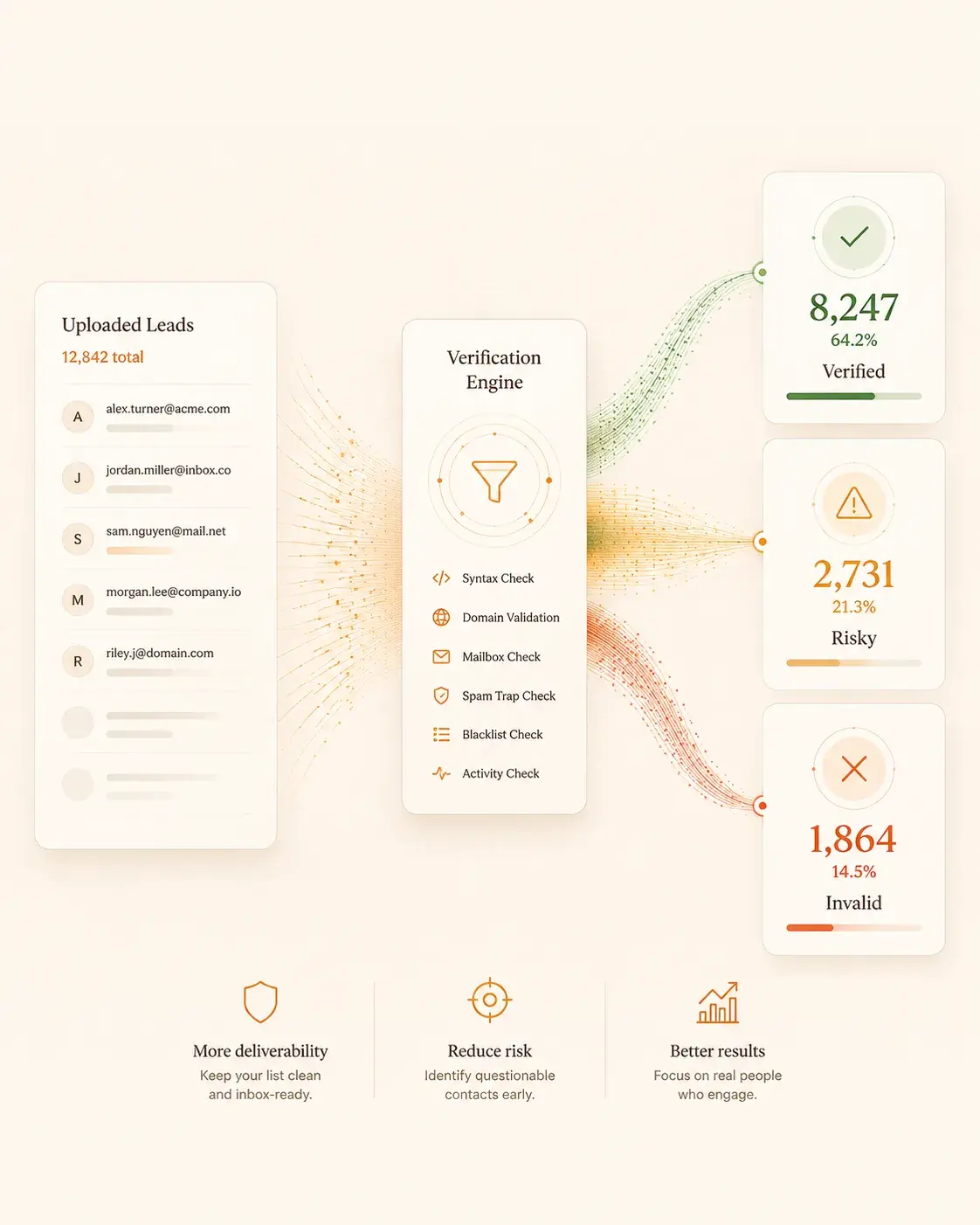
Anything above a 2% hard-bounce rate on a campaign will get you throttled. Anything above 5% will get you blacklisted. The fix is verification before send: use a syntax check, an MX lookup, an SMTP RCPT TO probe, and a catch-all detector. Reject role accounts (info@, support@, sales@) from cold lists entirely.
Complaints are worse than bounces. Google asks senders to keep their spam rate below 0.10% and never reach 0.30%. Spam rate is calculated daily, and at 0.30% or higher delivery support and mitigations are no longer available, so inbox placement drops quickly. List hygiene is the cheapest deliverability win you have.
Content patterns to avoid (and which 'rules' are myths)
Modern filters do not care about the word 'free'. They do not care about exclamation marks. They do not, mostly, care about colour, font, or HTML weight. Those are 2008-era rules. What they do care about: the embedding similarity of your message to known spam clusters, the link-to-text ratio, the proportion of base64-encoded content, and the use of URL shorteners that resolve to redirect chains.
Practically: write like a human. Cap links per message at 2. Avoid images-only emails. Do not hide text. Do not stuff invisible keywords. Use one tracking domain and warm it the same way you warm your sending domain. If you must send HTML, send a plain-text alternative that actually reads as a human message.
Cadence: how often to send, when to send, and when to stop
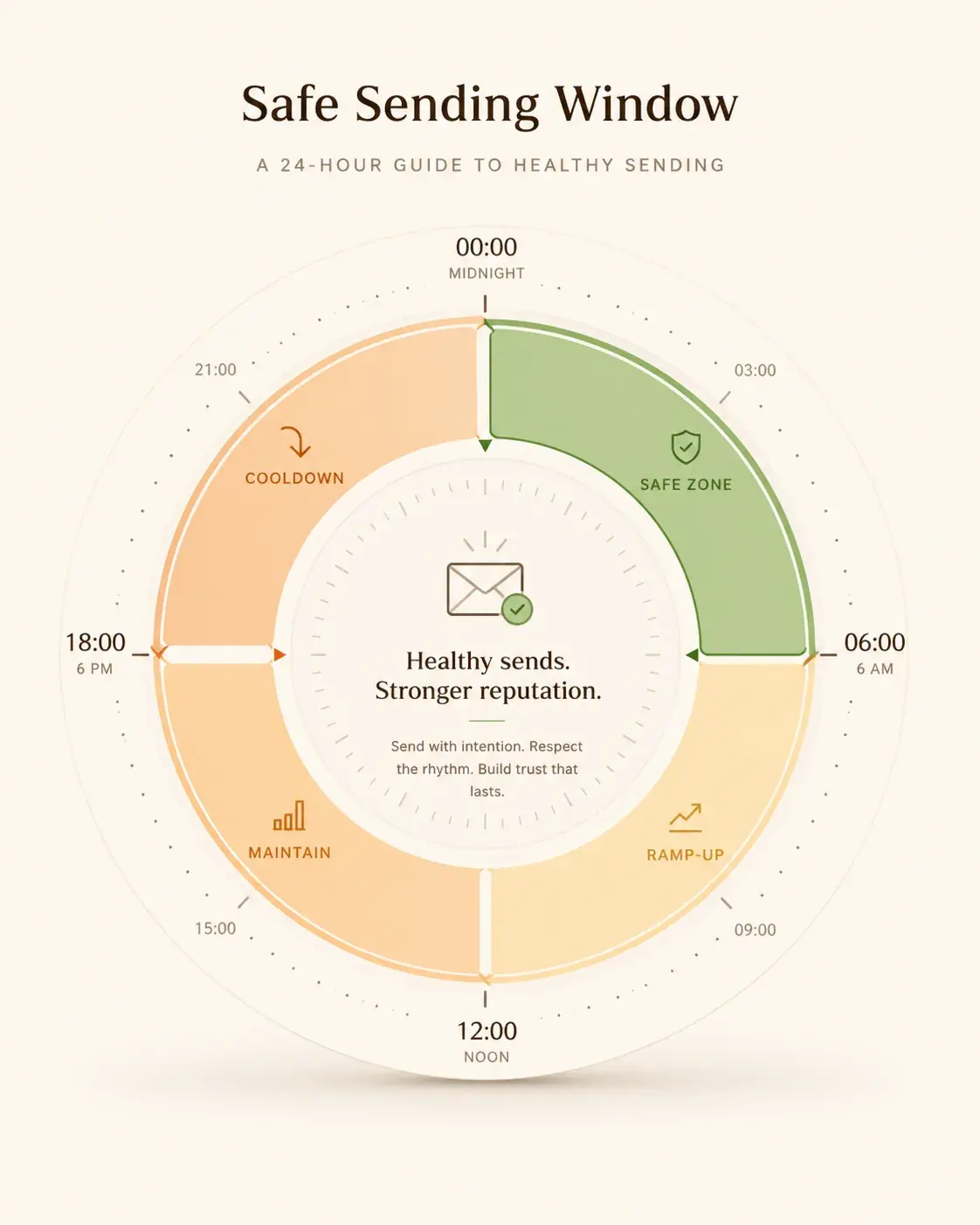
For a healthy mailbox with established reputation, a sustainable cold send rate is 30 to 50 personalised messages per day per mailbox. Higher than that and you trip rate-limit heuristics on most providers. Lower than that and you are underutilising your inventory.
Send during the recipient's working hours, weighted toward Tuesday through Thursday between 8:00 and 11:00 local time. Avoid Mondays before 10:00 (the morning inbox-clear) and Fridays after 13:00 (when nobody is reading). Stop sending entirely during the recipient's weekends, including their local calendar weekend if you can detect it.
When health drops, throttle. Do not push through. A week of zero sends to repair reputation is cheaper than a month of campaigns going to spam.
The cold-email-specific stack we recommend
Use a separate sending domain (e.g. yourbrand.io if your main domain is yourbrand.com). Mistakes on the cold-domain do not pollute your main brand reputation.
Use 3 to 5 mailboxes per sending domain, each on its own forward-facing alias. Spread send volume evenly. Rotate.
Warm every mailbox for at least 14 days before its first cold send. We may be biased but Warmflow does this part well.
Verify every list with a paid verifier before send. Even a 0.5% bounce reduction pays for the verifier 10x.
Use a campaign tool that supports per-mailbox rate limits, automatic pause on bounce spikes, and one-click unsubscribe headers.
Monitor postmaster.google.com and SNDS weekly. If something is off, you may see it there before your reply rate tanks, though the data is not real time and can be empty at low volume.
What to do when reputation drops
Stop sending. Pause the campaign. Throttle warmup down to 50% volume for 72 hours while you diagnose. Check postmaster.google.com for spam rate and compliance status, and the Domain Reputation panel where it is still available. Check SNDS for the IP. Check your bounce and complaint rates. Look at the last 200 messages sent and ask: would I, personally, complain about this?
Re-warm. Spend two weeks on warmup-only, ideally with peer-network reply and spam-recovery behaviour active. Then re-introduce campaigns at 25% of previous volume. If reputation holds for a week, return to full volume.
If reputation does not recover after 30 days of clean behaviour, the domain is likely a write-off. Cut your losses, register a new one, and apply everything in this guide from day zero.

- ✦ Configure SPF, DKIM, DMARC, and MTA-STS before anything else.
- ✦ Warm every mailbox for at least 14 days before cold sending.
- ✦ Use a separate domain for cold outreach.
- ✦ Verify every list. 0% tolerance for known-bad addresses.
- ✦ Cap at 30-50 personalised sends per mailbox per day.
- ✦ Stop sending the moment reputation drops, do not push through.
- ✦ Spam recovery and reply behaviour beat any other warmup tactic.
