Warm up now. Book January. New year head start: 30 days free on any paid plan. Claim 30 days freeConnect your own mailbox and we add a free one on our domain, for warmup and replies. See how it works

Skip to content
OneMail

Sending mailboxes, set up and warming for you.

OneMail is Warmerly's hosted mailboxes. Pick a domain and how many mailboxes you want. We publish the DNS records, create the mailboxes and start warmup on every one. $0.99 to $2.99 per mailbox a month, depending on your plan, and they never use one of your plan's mailbox slots.

Connect a mailbox of your own and we add a free one on our domain. No card to start.

One OneMail order, start to finishDiagram
  1. DomainBought through Warmerly, or one you own
  2. DNS recordsMX, SPF, DKIM and DMARC published for you
  3. MailboxesCreated with the names you choose
  4. WarmupStarts on its own, a little more each day
  5. SendingCampaigns from the same dashboard
Domain confirmed DNS configured Mailboxes created Warmup started Ready to send
In one line
Mailboxes on Warmerly's own mail servers, on a domain you choose.
Billing
Per mailbox, monthly

Added to your Warmerly subscription. No minimum order.

Plan slots
Never used

Your plan's mailbox limit stays free for the mailboxes you connect yourself.

Warmup
Already running

Each mailbox starts warming the moment it exists. Nothing to switch on.

Who it's for

For when you need more sending mailboxes, not more admin.

OneMail suits anyone who wants cold email on its own domain and would rather not buy, configure and warm each mailbox by hand.

Founders and freelancers

Start cold email on a new domain without opening a DNS panel or buying a mailbox seat elsewhere. Connect a mailbox of your own and we add a free one on our domain.

Agencies

Give each client their own sending domain and mailboxes. Hosted mailboxes sit outside your plan's mailbox limit, and the Agency plan has the lowest rate and client workspaces.

SDR and sales teams

Add sending capacity in a few clicks. New mailboxes appear next to your connected ones, with the same warmup, campaigns and reply inbox.

Anyone protecting a main domain

Keep cold email away from the domain your everyday inbox runs on. We do not touch your main company domain unless you ask us to.

How it works

Five stages, shown as they happen.

These are the stages the app shows for every order. You choose the domain and the names. The rest runs by itself.

  1. 01

    Pick a domain

    Search for a new one: you see whether it is free and its yearly price before anything is charged. Or connect a domain you own by changing two nameservers, or by adding the records by hand.

    Domain confirmed
  2. 02

    We set up DNS

    MX, SPF, DKIM and DMARC are published for you, plus the bounce records. On the manual route the app lists every record and carries on by itself once they resolve.

    DNS configured
  3. 03

    Mailboxes are created

    Type the names you want, from 1 to 100 in one order. Add more to the same domain later, with no DNS to touch.

    Mailboxes created
  4. 04

    Warmup starts

    Each mailbox joins warmup as soon as it exists and ramps up by itself: 4 messages a day at the start, growing with every day it has been warming.

    Warmup started
  5. 05

    Ready to send

    The mailboxes sit in the same list as every other mailbox. Campaigns start gently: the default daily campaign limit is 30, and warmup keeps running alongside.

    Ready to send

If a domain you connect already receives email, we stop before changing any MX record and suggest a separate sending domain, so your existing inboxes keep working.

OneMail

Watch a domain get set up.

Pick a domain, the records are published and checked, the mailboxes are created and warmup starts.

Inside the app

The Hosted mailboxes page, up close.

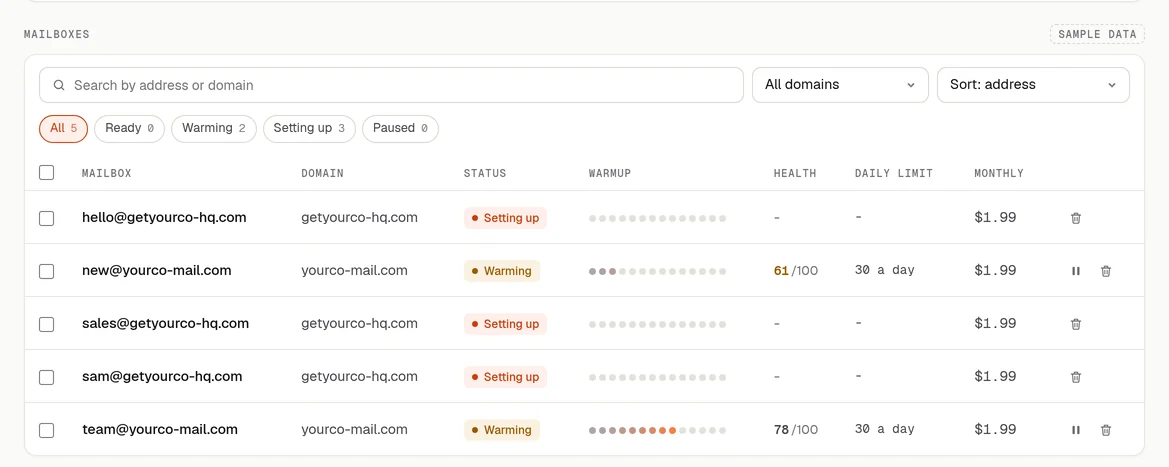
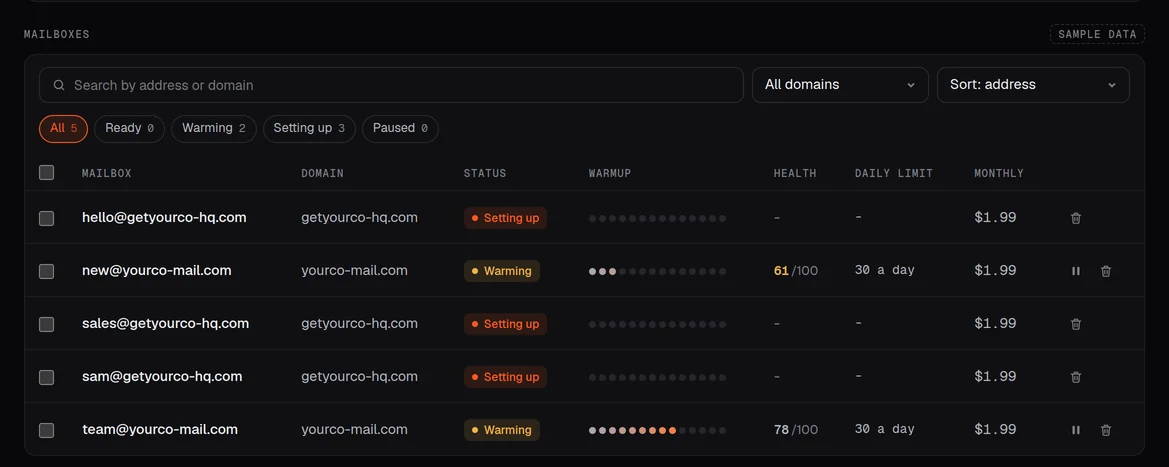
Hosted mailboxes have their own page, next to the mailboxes you connect yourself. These screens are from the app design and show sample data.
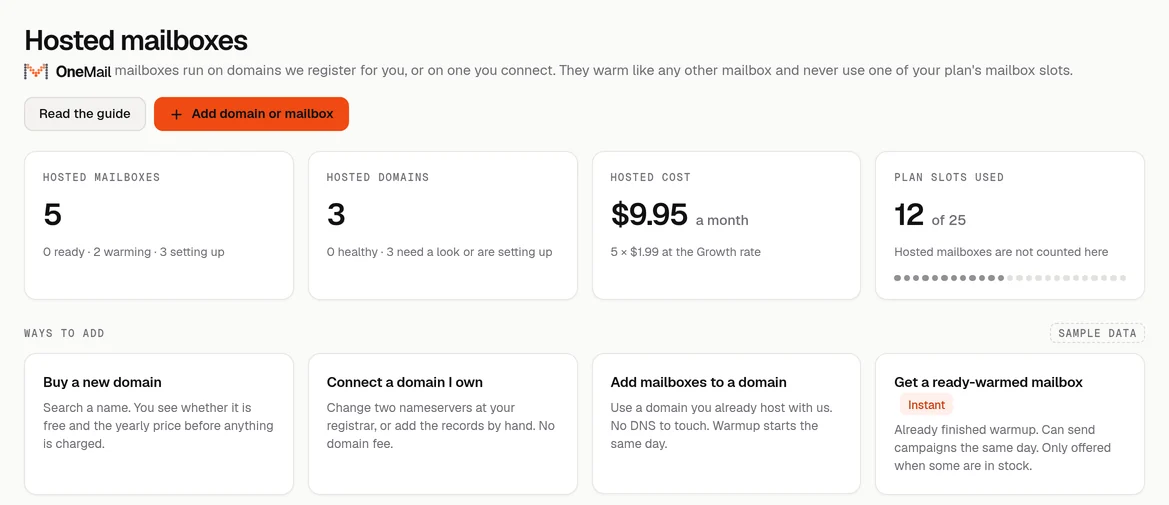
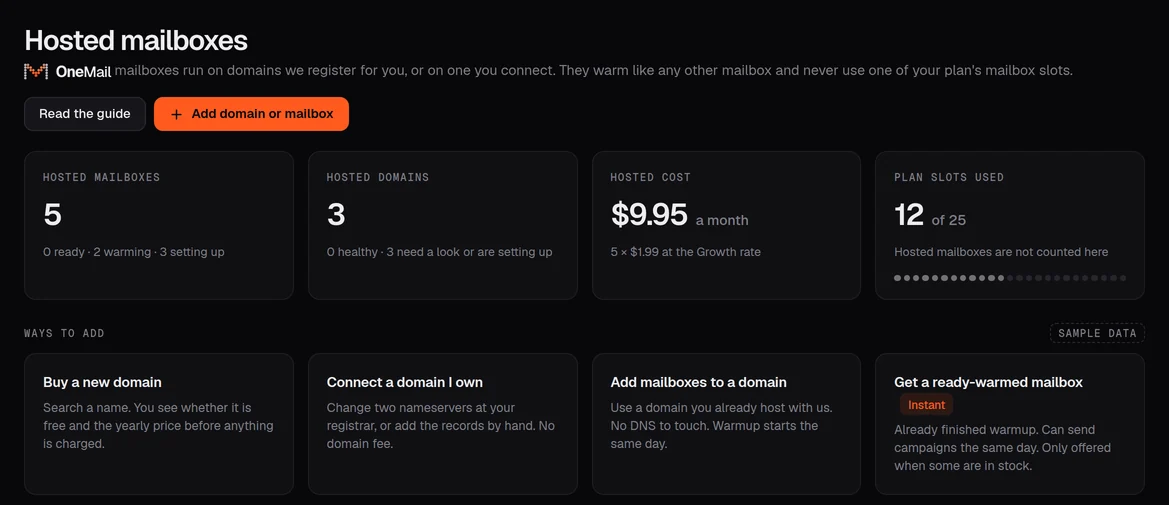
Hosted mailboxesSample data
Hosted mailboxes page, sample data: counts of hosted mailboxes and domains, the monthly hosted cost, plan slots used, and four ways to add mailboxes. Hosted mailboxes page, sample data: counts of hosted mailboxes and domains, the monthly hosted cost, plan slots used, and four ways to add mailboxes.

Hosted mailboxes, domains, the monthly hosted cost and plan slots in one row. Plan slots count only the mailboxes you connect yourself.
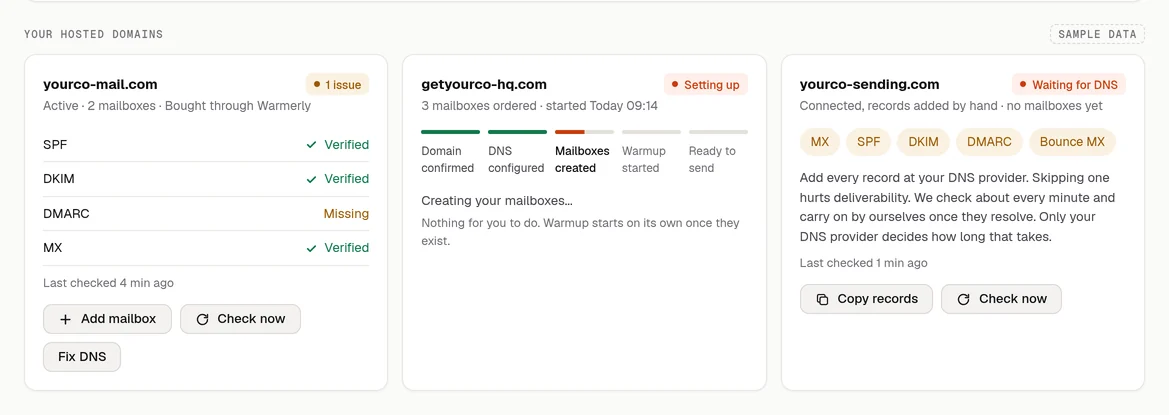
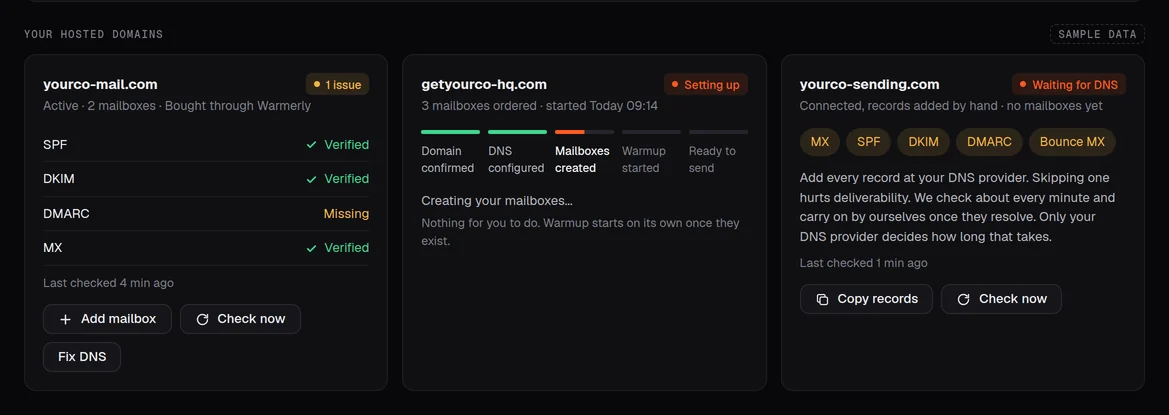
Four ways to add

Start from a new domain, yours, or ours.

Every route ends in the same place: mailboxes in your list, authenticated and warming.

01

Buy a new domain

Search a name. You see whether it is free and the yearly price before anything is charged. DNS is set up for you.

02

Connect a domain you own

Change two nameservers at your registrar, or add the records by hand. No domain fee.

03

Add mailboxes to a hosted domain

Use a domain you already host with us. No DNS to touch, and warmup starts on the new mailboxes straight away.

04

Get a ready-warmed mailbox Instant

A mailbox that has already finished warmup on a domain Warmerly runs, so it can send campaigns from the start. Same rate as any hosted mailbox. Only offered when some are in stock, and it is on our domain, not your own.
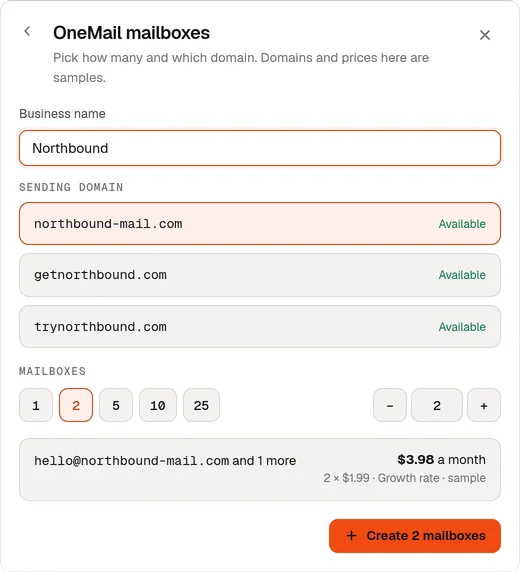
New OneMail orderSample data
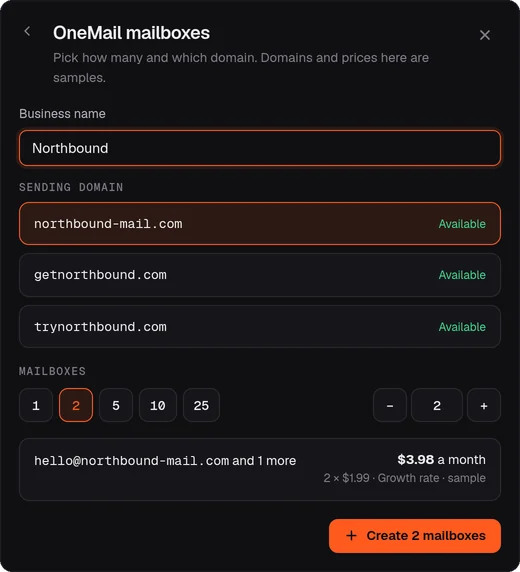
The OneMail order window with sample data: a business name, three suggested sending domains, a mailbox count of 2 and the monthly price at the Growth rate. The OneMail order window with sample data: a business name, three suggested sending domains, a mailbox count of 2 and the monthly price at the Growth rate.

Type your business name, pick a suggested sending domain and a count. The monthly price updates as you go. Domains and prices in this capture are samples.

Two ways to get mailboxes

Bring your own, or let us host them.

Both work the same way inside Warmerly: same warmup, same campaigns, same reply inbox. You can use both in one account.

Bring your own mailboxes
Where it lives
Your Google Workspace or Microsoft 365 account
Getting started
Google app password, or one-click Microsoft sign-in
DNS
You publish SPF, DKIM and DMARC. Warmerly checks them for every mailbox
Cost
Your provider's seat, plus your Warmerly plan
Plan slots
Each one uses a mailbox slot on your plan (1, 5, 25 or 100)
Warmup
Included. 4 a day at the start, up to 50 by day 30, with ceilings of 40 a day on Gmail and 30 on Outlook
Good for
Mailboxes you already own and want to keep using
OneMail
Where it lives
Warmerly's own mail servers. Not a Google or Microsoft account
Getting started
Nothing to connect. The mailboxes are created for you
DNS
MX, SPF, DKIM and DMARC published for you
Cost
$0.99 to $2.99 per mailbox a month on top of your plan, plus the domain if you buy one through us
Plan slots
Never uses one
Warmup
Starts on its own the moment the mailbox exists, on the same day-by-day ramp
Good for
New sending capacity on a separate domain, or a ready-warmed mailbox when one is in stock

Personal @gmail.com addresses are not supported for cold email.

Pricing

One rate per mailbox, set by your plan.

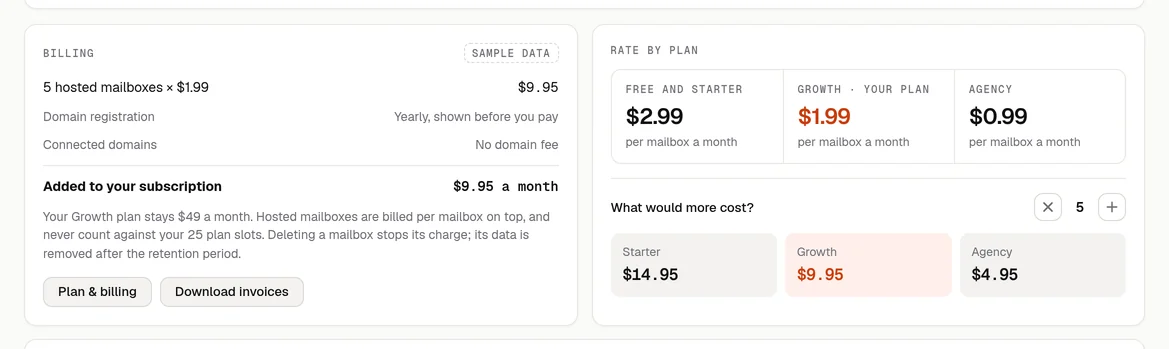
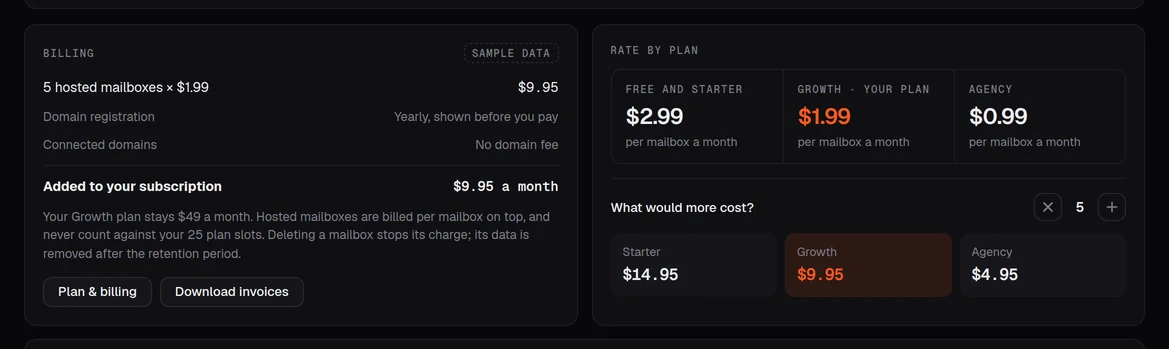
The bigger your Warmerly plan, the lower the per-mailbox rate. There is no minimum order, and ready-warmed mailboxes cost the same rate.

Sandbox
$0
Free, once you connect your own
A free mailbox on a Warmerly domain for testing, added once you connect your own. After 14 days of active warmup it can send a small first campaign, up to 3 emails a day.
Free and Starter
$2.99a month
per hosted mailbox
On the Free plan ($0) and Starter ($19 a month, 5 connected mailboxes).
Growth
$1.99a month
per hosted mailbox
On Growth ($49 a month, 25 connected mailboxes).
Agency
$0.99a month
per hosted mailbox
On Agency ($179 a month, 100 connected mailboxes, client workspaces).

Mailbox cost only, per month. Your plan and any domain fee are separate.

Free or Starter rate$29.90
Growth rate$19.90
Agency rate$9.90
Domains. A domain bought through Warmerly has its yearly registrar fee shown before you pay. A domain you already own costs nothing extra.
Billing. Charged per mailbox, monthly, on your Warmerly subscription. It recurs until you delete the mailbox.
Currency. Prices are in US dollars. Full plan details are on the pricing page.
What you get

A working sending mailbox, not a to-do list.

Sample

A domain, ready to send from

Bought through Warmerly or connected by you. Kept separate from your main domain.

DNS done for you

MX, SPF, DKIM and DMARC published, so mail is authenticated from the first send.

Mailboxes with your names

hello@, sam@, sales@: you choose. One order holds up to 100.

Warmup from day one

Threaded warmup emails with other mailboxes, answered automatically, growing each day the mailbox warms.

Health on every mailbox

SPF, DKIM, DMARC and MX status, blocklist checks and a health score out of 100.

Same campaigns and inbox

Send from them like any other mailbox. Replies land in your Inbox and stop that person's follow-ups.

What you control

Your domains, your count, your pace.

Domains

Buy, connect or reuse

Buy a new domain, connect one you own by nameservers or by hand, or add mailboxes to a domain you already host with us.

Count

As many as you need

1 to 100 mailboxes in one order, more whenever you like. Delete one and its charge stops; its data is removed after the retention period.

Warmup

Pause or resume

Pause and resume warmup for one mailbox or a selection. Warmup grows with the days a mailbox has been warming, not with the age of the domain.

Sending

A sensible daily limit

A new hosted mailbox sends campaigns from a few a day, climbing as it warms. The default daily campaign limit is 30. Do not raise it early.

The warmup rampMessages a day
Day 0Day 15Day 30

Warmup starts at 4 messages a day and reaches 50 a day by day 30. The two ceiling lines are for connected Gmail (40) and Outlook (30) mailboxes. One dot is two messages, and the slope between the two stated points is drawn as a straight line. Warmup messages are separate from the daily campaign limit.

Deliverability and safety

Authenticated from the start, watched after.

Hosted mailboxes share our servers, so we look after their reputation as closely as you do.

yourco-mail.comRecords OneMail publishes for a domain bought through Warmerly
Sample
MX@Warmerly mail serverPending
SPF@v=spf1 include:… -allPending
DKIMselector._domainkeyv=DKIM1; k=rsa; p=…Pending
DMARC_dmarcv=DMARC1; p=quarantine; …Pending
BouncebounceMX and TXT for bouncesPending

The right DMARC for the domain

A domain bought through Warmerly starts with DMARC at quarantine. A domain you connect starts at none, so nothing you already send is affected.

Your existing records respected

An existing SPF record is merged rather than replaced, an existing DMARC record is left alone, and we stop before changing MX on a domain that already receives mail.

DNS and blocklists checked

Every mailbox shows its SPF, DKIM, DMARC and MX status and blocklist results. On domains we manage, records that drift are put back.

Problems paused, not ignored

A mailbox that develops deliverability problems is paused automatically. To ask for a replacement, contact support with the address.

Rules that protect everyone

Outreach must follow the Acceptable Use Policy: lawful contact with businesses, no bought or rented lists.

Free with your own mailbox

A free mailbox beside your own.

Connect your own mailbox and Warmerly adds one free mailbox on a domain it owns.

  • Added once you connect your own mailbox, with no domain to buy and no DNS to set up
  • Sends only a few warmup messages a day
  • For warmup and testing, plus a small first campaign of up to 3 emails a day after 14 days of active warmup
  • Not billed, and not counted against your plan

Got an email from one of these addresses? Here is what they are.

Questions

OneMail, answered

What is OneMail?

OneMail is Warmerly's hosted mailboxes. You pick a domain and how many mailboxes you want. Warmerly publishes the MX, SPF, DKIM and DMARC records, creates the mailboxes on its own mail servers and starts warmup on each one. They appear in your mailbox list next to any mailboxes you connect yourself.

What does a OneMail mailbox cost?

$2.99 per mailbox a month on the Free and Starter plans, $1.99 on Growth and $0.99 on Agency. There is no minimum order. A domain bought through Warmerly has its registrar fee shown before you pay, and a domain you already own costs nothing extra.

Do hosted mailboxes use up my plan's mailbox limit?

No. Your plan's limit covers the mailboxes you connect yourself. A mailbox Warmerly hosts is billed per mailbox instead, so buying one never takes a slot you are already paying for.

Are OneMail mailboxes Google or Microsoft accounts?

Neither. They are mailboxes on Warmerly's own mail servers. If you would rather send from Google Workspace or Microsoft 365, connect those accounts instead. Warmup and campaigns work the same way.

Do I still need to warm them up?

Yes, every new mailbox needs warmup, but you do not have to start it. It begins automatically the moment the mailbox is created and ramps up by itself, from 4 messages a day at the start. When ready-warmed mailboxes are in stock you can buy one of those instead.

What is a ready-warmed mailbox?

A hosted mailbox that has already finished its warmup on a domain Warmerly runs, so it can send campaigns from the start. It costs the same rate as any hosted mailbox. It is on our domain rather than your own, and it is only offered when some are in stock.

Which DNS records do you publish?

MX, SPF, DKIM and DMARC, plus records for bounces. A domain bought through Warmerly starts with DMARC at quarantine; a domain you connect starts at none. An existing SPF record is merged, an existing DMARC record is left alone, and we stop before changing MX on a domain that already receives mail.

Can I use my main company domain?

We never touch your main company domain unless you ask us to. A separate sending domain keeps cold email away from your everyday inbox, and if a domain you connect already receives mail, we stop before changing its MX record and suggest a separate one.

How many mailboxes can I order?

From 1 to 100 in a single order, with no minimum. You can add more to a domain you already host with us at any time, with no DNS to touch.

What is the free sandbox mailbox?

Connect your own mailbox and Warmerly adds one free mailbox on a domain it owns. It sends only a few warmup messages a day, and at most a small first campaign of up to 3 emails a day after 14 days of active warmup. It is not billed and does not count against your plan.

What happens when I delete a mailbox?

Sending stops straight away and its monthly charge ends. The mailbox's data is removed after the retention period.

Who owns a domain I buy through Warmerly?

The domain is registered with you as the registrant, and Warmerly renews it while you have active mailboxes on it. The mailboxes and the mail servers stay Warmerly's.

What can I send from a OneMail mailbox?

Lawful outreach to businesses under the Acceptable Use Policy, with no bought or rented lists. Hosted mailboxes share Warmerly's servers, so a mailbox that develops deliverability problems is paused automatically. Contact support with the address to ask for a replacement.

Your sending mailboxes, set up for you.

Sign up free, open Accounts and add OneMail mailboxes. DNS and warmup are handled for you.

Get your mailboxesSee all pricing
  • Free plan, no time limit
  • 7-day trial on paid plans
  • 30-day warmup guarantee, with conditions
  • Customer data is hosted in the EU