



Warming up
Every account now comes with a free mailbox — warmed automatically, no domain to buy. See how it works
Transactional email API
Every account now comes with a free mailbox — warmed automatically, no domain to buy. See how it works
Check how warmup is going, pause it, change the daily volume, and see whether the message you have open is a warmup email, without leaving your inbox. It never reads your mail.
Listing in review with Google. It will appear in the Google Workspace Marketplace once approved.
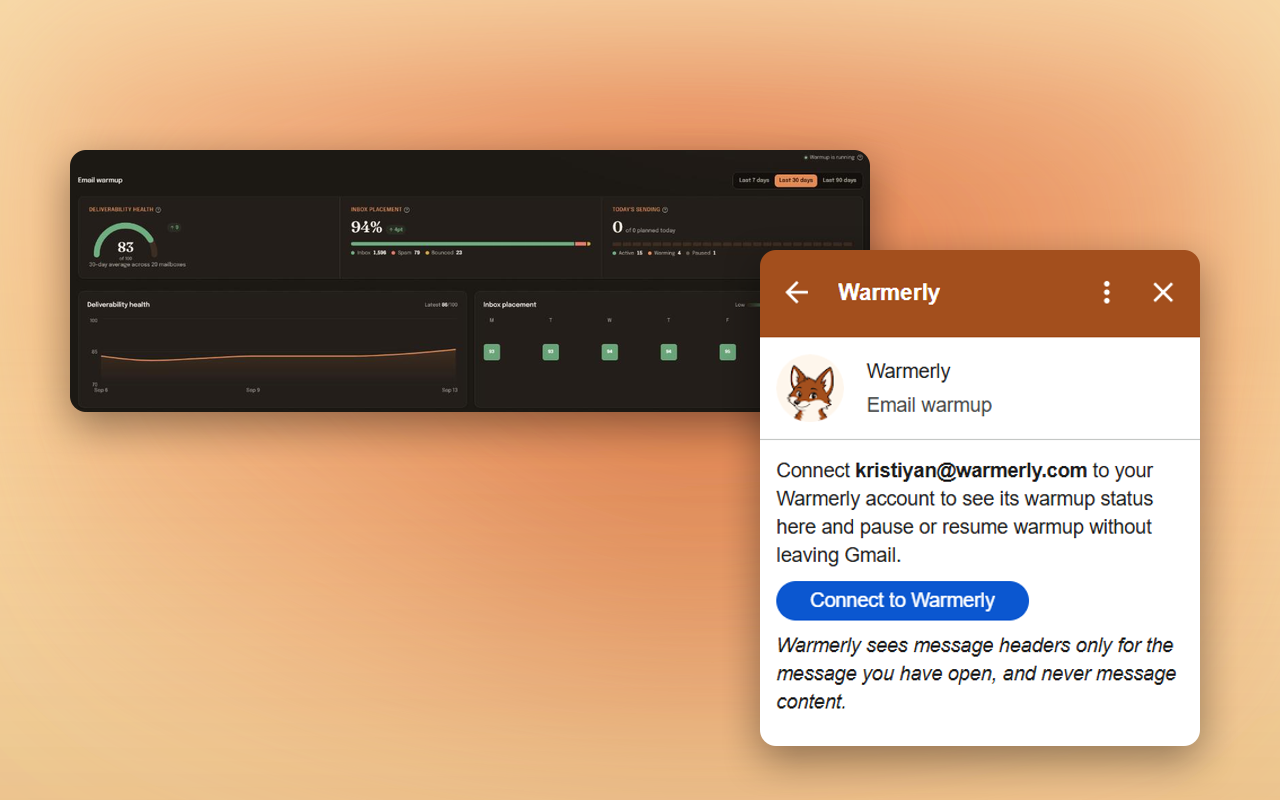
The Warmerly dashboard (demo data) and the add-on sidebar in Gmail.
Warmup runs on Warmerly’s servers all day. The add-on puts the part you check most, and the controls you reach for when something looks off, next to your inbox.
See whether warmup is running, which day it is on, today's sent and received counts, and the mailbox's health score, in the sidebar next to your inbox. No tab switching, no dashboard login.
Pause warmup the moment something looks wrong, resume it when it is fine, and choose how many warmup emails go out per day. The same controls as the Warmerly dashboard, one click from the message you are reading.
Open any message and the sidebar tells you whether it is one of Warmerly's own warmup emails. Warmup mail passes between mailboxes in the warmup network, so this saves you wondering whether a stray message needs an answer.
For a warmup message, the sidebar shows whether it reached the inbox, spam or promotions, and whether it was opened or replied to. That is the placement signal warmup is built to improve.
The first time you open the sidebar it offers a Connect button. You sign in to Warmerly, confirm, and the sidebar starts showing your mailbox. If the Gmail address is not yet a Warmerly mailbox, it shows a button to connect it.
Press Unlink in the sidebar and the connection is revoked immediately. A teammate removed from your workspace, or a suspended account, stops working through Gmail on the next request.
Add Warmerly from the Google Workspace Marketplace. It appears as an icon in the right-hand side panel of Gmail.
Open the sidebar, press Connect, sign in to Warmerly and confirm. A free Warmerly account is enough.
The sidebar shows the mailbox for the Gmail address you are signed in to: warmup on or off, ramp day, today's volume and health score.
Pause or resume warmup, change the daily volume, or check whether the open email is a warmup message. Everything is also written to your Warmerly audit log.
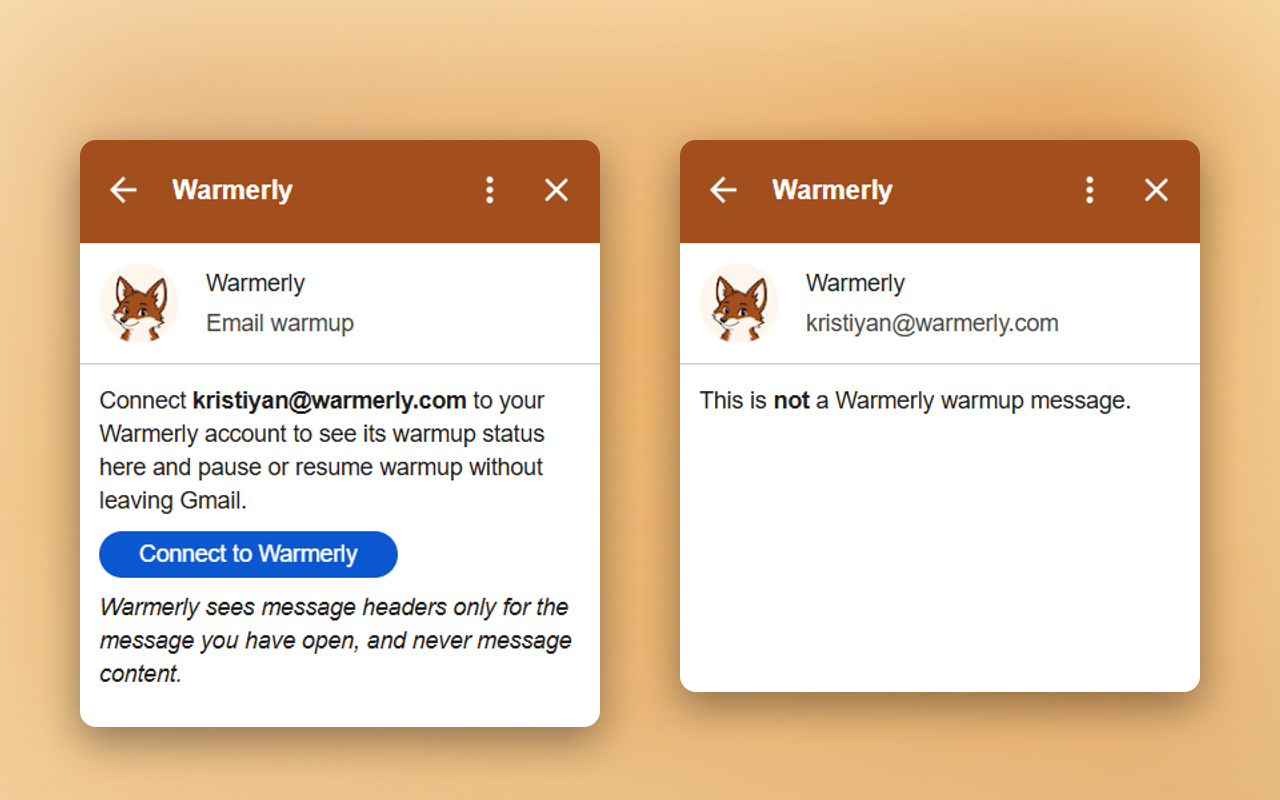
The sidebar is about one thing: the email account in front of you. It does not list your other mailboxes, your leads or your campaigns; those stay in the Warmerly app, where they belong.
Open a message and it answers a single question about it: is this one of Warmerly’s warmup emails? Either way it shows the answer and nothing else about the message.
The add-on is only a sidebar. It asks Google for three permissions, none of them a permission to read your mailbox, and it shows you exactly why.
| What it asks for | Why |
|---|---|
| Your Google account id and email address | To know which Gmail account you opened the sidebar on, so it can be linked, with your consent on warmerly.com, to your Warmerly account. |
| Run in Gmail | Required for any Gmail add-on to appear in the sidebar at all. |
| The Message-ID header of the message you have open | To check whether that one message is a Warmerly warmup message. Only that one header is requested; no body, subject, sender or recipients. It is compared with Warmerly's own warmup records and discarded. |
The full wording is in our privacy policy, section 5.
Connect a mailbox in one click and watch your reputation climb. Free plan, no card required. The Gmail add-on is free with any Warmerly account.