Black Friday: 50% off for your first 6 months on monthly plans, until 5 December. Claim 50% offWarm up now. Book January. New year head start: 30 days free on any paid plan. Claim 30 days freeConnect your own mailbox and we add a free one on our domain, for warmup and replies. See how it works

Skip to content
Warmerly Smartlead
Smartlead alternative: Warmerly vs Smartlead

Smartlead caps sends. Warmerly caps mailboxes.

Smartlead Base is $39 a month for unlimited mailboxes and 6,000 emails. Warmerly Starter is $19 a month for 5 warmed mailboxes with no cap on sends. Which limit you will hit decides which one is cheaper.

Warmerly Starter$19/ month5 mailboxes, no cap on sends. Free plan with no card.
Smartlead Base$39/ monthUnlimited mailboxes, 6,000 emails a month.

Smartlead prices read on smartlead.ai/pricing,

Two caps, one planeNot to scale
Emails a month
Mailboxes →
Warmerly Starter: 5 mailboxes, any volumeSmartlead Base: any mailboxes, 6,000 emails
Each plan is a different shape. Where they overlap is the size where both fit.
Your size

Where your numbers land.

Move the two sliders. The plane shows the plan each tool puts you on: Warmerly's bands are set by mailboxes, Smartlead's by emails a month. Monthly list prices, nothing else added.

That is about 100 emails per mailbox per day. Warmerly's no cap on sends means no meter: each mailbox still sends inside its own daily campaign limit (30 by default, and you can change it). Smartlead's plans also limit contacts, so check your list size too. More than 100 mailboxes? Email us.

WarmerlyGrowth
$49

SmartleadPro
$94

Price

Two staircases, one scale.

Bars share one scale, from $0 to $379. Warmerly steps up as you add mailboxes. Smartlead steps up as you send more. Near 100 mailboxes the two get close, which is worth knowing before you choose.

WarmerlyMailboxes · sends
Free$0
1 mailbox · capped sends · no card
Starter$19
5 mailboxes · no cap on sends
Growth$49
25 mailboxes · no cap on sends
Agency$179
100 mailboxes · client workspaces · no cap on sends
MoreOn request
More than 100 mailboxes · email us
SmartleadEmails · contacts · all unlimited mailboxes
Base$39
6,000 emails · 2,000 contacts · $32 a month billed yearly
Pro$94
90,000 emails · 30,000 contacts · $78 a month billed yearly
Unlimited Smart$174
150,000 emails · $144 a month billed yearly
Unlimited Prime$379
500,000 emails · $315 a month billed yearly

Per month, billed monthly. Smartlead lists yearly billing at about 17% less; Warmerly's annual billing is ten times the monthly price. Smartlead also advertises 50% off the first month on any plan, and says every plan has a free trial with no card (length not stated). Warmerly has a free plan with no card, and a 7-day trial on paid plans, first charge on day 8. Smartlead prices read on smartlead.ai/pricing on . Smartlead's separate SmartDelivery add-on starts at $49 a month.

Twelve months

What a year costs.

The same two sliders, now as a total over twelve months. Choose monthly or yearly billing to see how much each side saves by paying ahead.

Billing

Warmerly: Starter $19, Growth $49 and Agency $179 a month; yearly billing is ten times the monthly price. Smartlead: Base $39, Pro $94, Unlimited Smart $174 and Unlimited Prime $379 a month, or $32, $78, $144 and $315 a month billed yearly, as shown on its pricing page. Smartlead prices read on and again on . Both sides: plan price only, no add-ons, no tax, and Smartlead's contact limits are not part of this. Warmerly's Free plan (1 mailbox) is not shown.

WarmerlyGrowth
$588/ 12 months

SmartleadPro
$1,128/ 12 months

Features

Line by line, losses included.

An orange dot marks where Warmerly is ahead. A grey dot marks where Smartlead is. Where Smartlead's own pages don't say, the cell says that rather than guess.

Warmerly and Smartlead compared on price, limits, warmup, monitoring, campaigns, agencies and trials
FeatureWarmerlySmartlead
Starting price (per month)$19$39
Mailboxes on the starting plan5 ($19), 25 on Growth ($49)Unlimited
Most mailboxes on a published price100 on Agency ($179); more on requestNo limit on any plan
Emails per month on the starting planNo cap on sends6,000
Highest published send volumeNo meter; each mailbox has its own daily campaign limit, 30 by default500,000 a month on Unlimited Prime ($379)
Contacts on the starting plan5,000 active prospects on Starter2,000
WarmupOn every mailbox, threaded warmup emails with automated, quoted repliesBuilt-in warm-up with its own pool
Spam-folder rescueEvery spam-placed warmup message, after a human-like delayIts warmup help article says spam-placed warmup mail is moved to the inbox; no timing given
SPF, DKIM and DMARC monitoringScheduled checks every six hours, with remediation copySets up DNS, SPF, DKIM and DMARC automatically for its done-for-you mailboxes; daily checks not stated
Inbox placement testingPlacement test, limited accuracy (no dedicated Gmail or Outlook seed list yet)SmartDelivery add-on, from $49 a month
Built-in campaign senderYesYes
Shared reply inboxOne queue of everyone who replied and hasn't heard backMaster Inbox across campaigns and clients, with categories you set
LinkedIn steps in the same sequenceYes, as a paid add-on per accountNot on its pricing or home page; its help centre describes adding leads to a HeyReach campaign
Ready-made mailboxesHosted mailboxes, set up and warming for you, $0.99 to $2.99 a month by planSmartSenders: domains, DNS and mailboxes set up for you
Agency and white-labelAgency plan: client workspacesWhite-label named on its site, with agency positioning
IntegrationsAPI (every plan), docs, MCP serverHubSpot, Salesforce, Pipedrive, Clay, Zapier, Make and n8n listed
APIAgency planListed as a plan feature; which plans include it is not readable on the pricing page
Free plan or trialFree plan (no card), or a 7-day trialFree trial, no card; 14 days per its help centre; 50% off the first month on any plan
Warmerly is aheadSmartlead is ahead

Smartlead plan prices and limits read on smartlead.ai/pricing on ; other Smartlead details are what its home page says about itself, not our testing. Prices and features change, so check the vendor's site before you decide.

Honest ledger

Where each one is ahead.

Smartlead goes first. If your job is a large fleet of mailboxes, read that column twice.

Smartlead is ahead on

Smartlead

Where it fits you better than we do.

  1. Mailbox countNo limit on any plan. Warmerly publishes prices up to 100 mailboxes and takes requests by email beyond that.
  2. Top send volumeA published tier for 500,000 emails a month. Warmerly has no meter, but each mailbox still has its own daily campaign limit, 30 by default.
  3. Agency set-upIts site names white-label and done-for-you mailboxes. Warmerly Agency covers 100 mailboxes with client workspaces.
  4. IntegrationsA longer list of named CRM and automation connections.smartlead.ai home page, read 17 October 2026
Warmerly is ahead on

Warmerly

Where it fits you better than they do.

  1. Entry price$19 against $39 to start, and a free plan with no card.
  2. Sends are not meteredPast 6,000 emails you do not move to a $94 plan.
  3. Warmup that mimics a conversationThreaded replies with quoted history, and spam-placed warmup mail moved back to the inbox.
  4. Scheduled DNS checksSPF, DKIM and DMARC checked every six hours, with a plain fix when something breaks.
  5. LinkedIn in the sequenceSteps sit beside email steps, as a paid add-on per account.
Inside Warmerly

What every mailbox on the plan gets.

Four things each Warmerly mailbox gets from day one, shown the way they work in the app. The grey notes say what Smartlead's own pages state, read on 19 October 2026.

Warmup

Threaded warmup emails

Your mailbox exchanges messages with other mailboxes in the warmup network, and they write back with the earlier message quoted, so providers see a conversation and not a blast. Warmup covers every mailbox on the plan and is not a billing meter.Smartlead's help article lists settings you choose: total daily emails, a daily ramp-up and a reply rate, drawn from a pool of aged domains. Its own pages give different warmup volumes in different places.

sam@outreach-yourco.com09:14
Quick one before Thursday: are we still on for the Q3 planning notes? Happy to send a draft first.
priya@northlane.studio09:52
Yes, send the draft over. Thursday afternoon works.
> Happy to send a draft first.
sam@outreach-yourco.com10:03
Attached. Shout if anything's missing.
> Thursday afternoon works.
Thread · sample
Spam rescue

Out of spam automatically

When a warmup email lands in spam, the receiving mailbox moves it to the inbox and marks it as not spam. Every spam-placed warmup message is rescued, not a sample.Smartlead's warmup article says spam-placed mail is “manually” moved to the primary inbox. It gives no timing and does not say whether every message is moved.

Spam1
Re: Q3 planning notessam@outreach-yourco.com
Inbox2
Invoice questionalex@outreach-yourco.com
Thursday worksjo@tryyourco.com
Folders · sample
Authentication

SPF, DKIM, DMARC and MX, checked every 6 hours

Each domain is checked on a six hour sweep, and each finding comes with the record to add.Smartlead sets SPF, DKIM and DMARC for its SmartSenders mailboxes. Its SmartDelivery add-on, from $49 a month, checks SPF, DKIM and DMARC; how often it runs is not stated.

SPFchecking…
DKIMchecking…
DMARCchecking…
MXchecking…
DNS check · sample
Inbox and LinkedIn

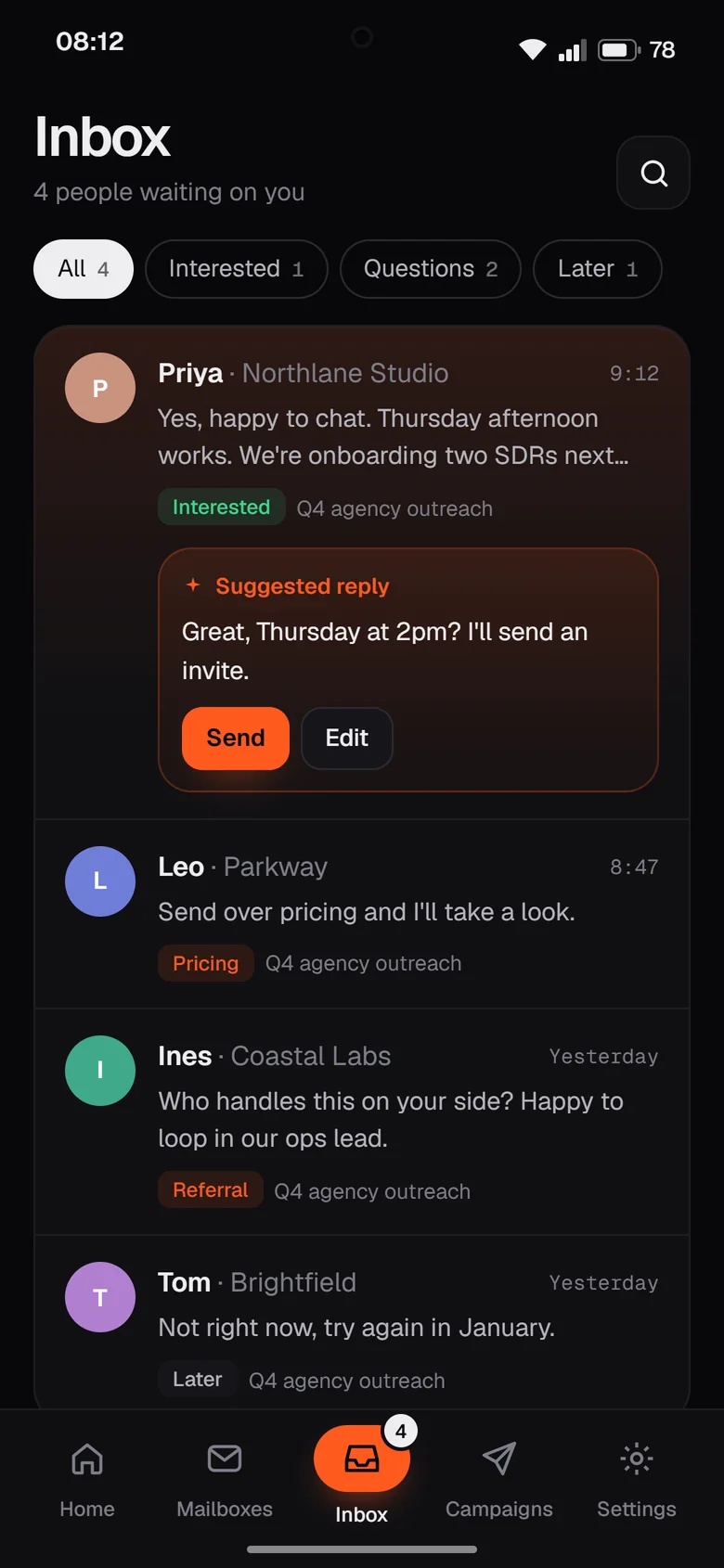
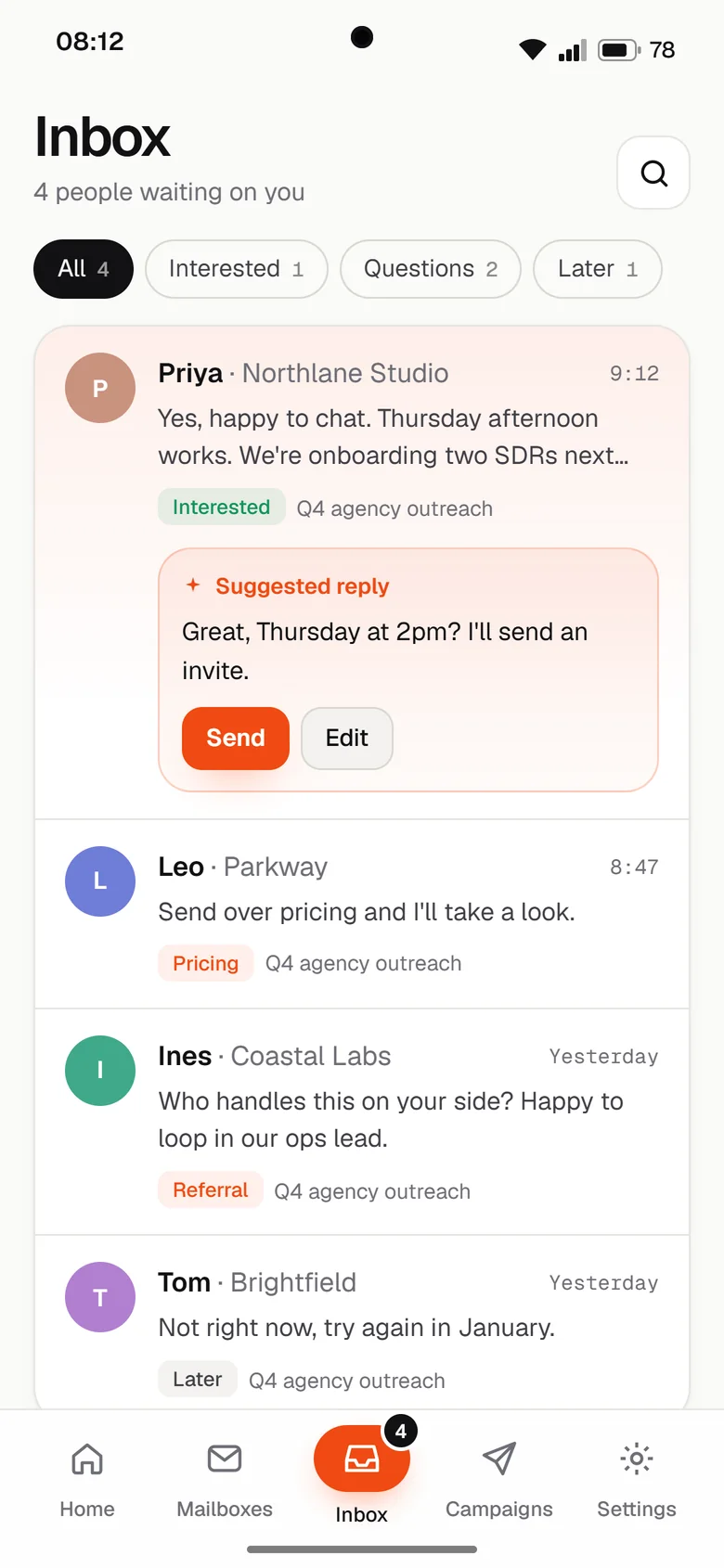
Every reply, one queue

Everyone who replied and has not heard back, from every mailbox, in one list with a suggested reply. LinkedIn steps can sit in the same sequence as email.Smartlead's Master Inbox spans every campaign and client, with categories, assignment, snooze, saved views and comments. That is a deeper inbox than ours.

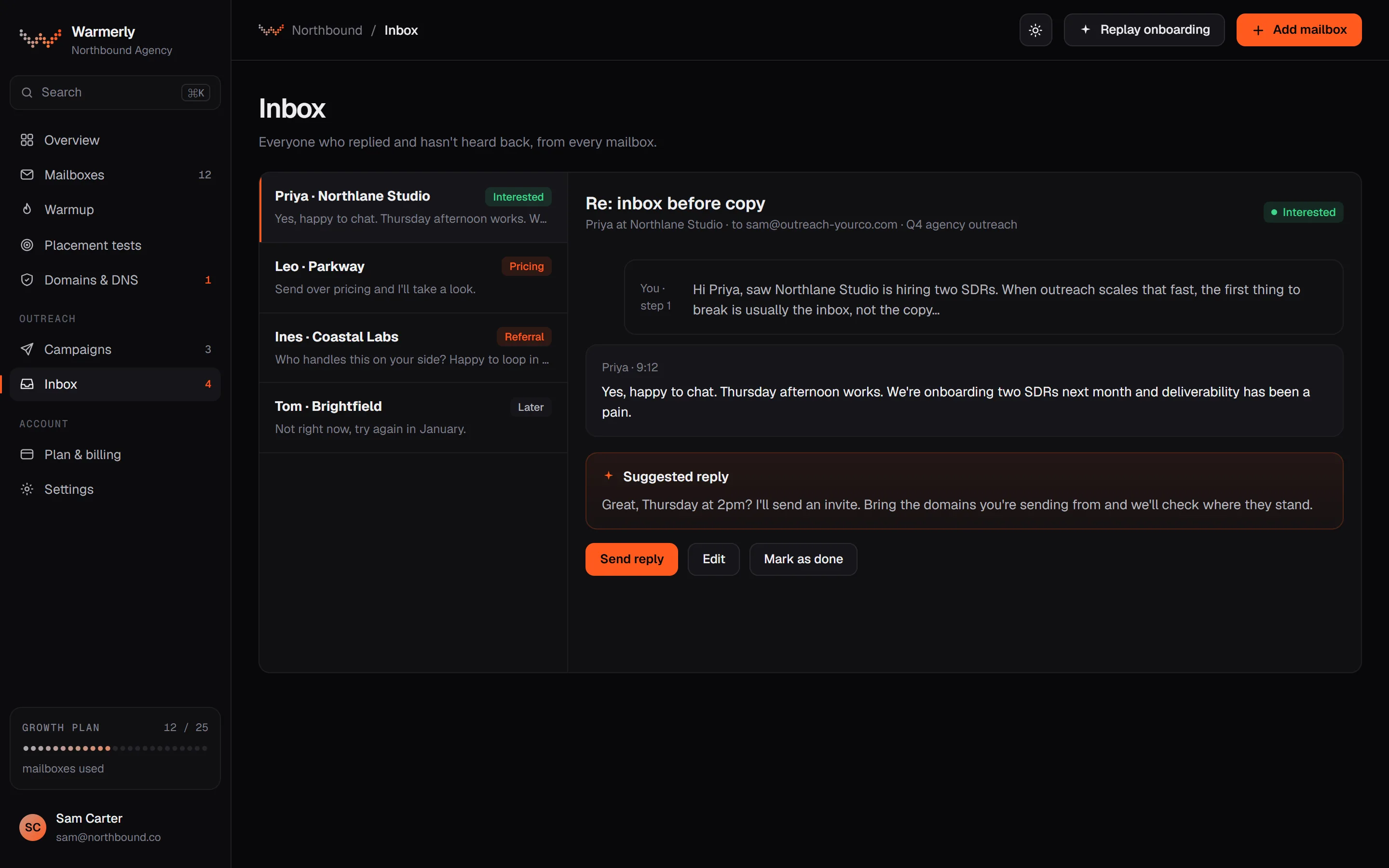
PPriya · Northlane StudioYes, happy to chat. Thursday afternoon?Interested
LLeo · ParkwaySend over pricing and I'll take a look.Pricing
IInes · Coastal LabsNot me, but try Tom in growth.Referral
Suggested replyGreat, Thursday at 2pm. I'll send an invite.
Inbox · sample
Who it is for

Three kinds of sender.

Not a ranking. The same three questions come up whichever tool you pick: how many mailboxes, how many emails, and who needs to see the replies.

A Founder or small team

3 to 25 mailboxes, a steady weekly send

You warm a handful of mailboxes and send a few thousand emails a month. A flat price that never meters sends is easier to plan than a plan tied to volume.

LeansWarmerly
B Agency or fleet

Dozens of client mailboxes, one team

Mailbox count drives your cost, and you may want white-label or ready-made mailboxes. Smartlead has no mailbox limit. Warmerly Agency covers 100 with client workspaces; more is on request by email.

LeansSmartlead
C Warm first, send elsewhere

You already send from Smartlead

You like your sender and want the mailboxes healthier. Warmerly can warm the same Gmail or Microsoft account underneath, with its own campaigns switched off.

LeansBoth together
Our verdict

Pick the one that fits.

Smartlead has no mailbox limit, a published tier up to 500,000 emails a month, and a longer list of integrations and agency tools. Warmerly costs less to start, does not meter sends, and checks DNS and warms every mailbox on the plan. If you send from Smartlead already and only want healthier mailboxes, the two can run side by side.

Pick

Warmerly if

  • You run 5 to 25 mailboxes and send more than 6,000 emails a month, and do not want a plan tied to volume
  • You want to start at $19 a month, or on a Free plan with no card, rather than $39
  • You want SPF, DKIM and DMARC checked every six hours with a written fix, and spam-placed warmup mail rescued
  • You want LinkedIn steps in the same sequence, at $19 an account
Pick

Smartlead if

  • You run more than 100 mailboxes, or want no mailbox limit on any plan
  • You need a published tier up to 500,000 emails a month
  • You want done-for-you mailboxes (SmartSenders), white-label and named CRM, Zapier, Make and n8n connections
  • You want a free trial with nearly every feature open: 14 days and 2,500 sends, per its help centre
Warmup ramp

A new mailbox warms before it sends.

Warmerly does not meter your sends. What shapes them is set per mailbox: a warmup ramp that grows from 4 a day to 50 by day 30 (held to 40 on Gmail and 30 on Outlook), and a daily campaign limit you set on each mailbox, 30 by default. Drag through the first month of warmup.

Provider
Mailboxes

This is the ramp from Warmerly's warmup code. It rises smoothly between its milestones (days 0, 3, 7, 14, 21 and 30), not in steps. It is a ceiling: weekends run lower, and a mailbox's limit drops if its health or spam placement slips. The app shows why today's limit is what it is.

One Gmail mailbox, warmup day 14
25a day
5 mailboxes, warmup day 14
125a day

Warmup ceiling for 5 Gmail mailboxes: up to 200 a day, reached on day 24.

This chart is warmup volume, the conversation that builds reputation. Campaign emails are separate: each mailbox has its own daily campaign limit (30 by default, set by you), and in a new account a young mailbox's first campaign day is 3 emails, climbing from there (the campaign ramp, on by default for mailboxes under 14 days of warmup). Curve drawn from the product's capacity settings.

Smartlead stops at 6,000 emails on Base. Warmerly stops at 5 mailboxes on Starter. Count yours, then pick the one that

fits.
Take the tour

The screens you would live in.

Four screens from the app and the Android app, all with sample data. Pick one to see what is on it.

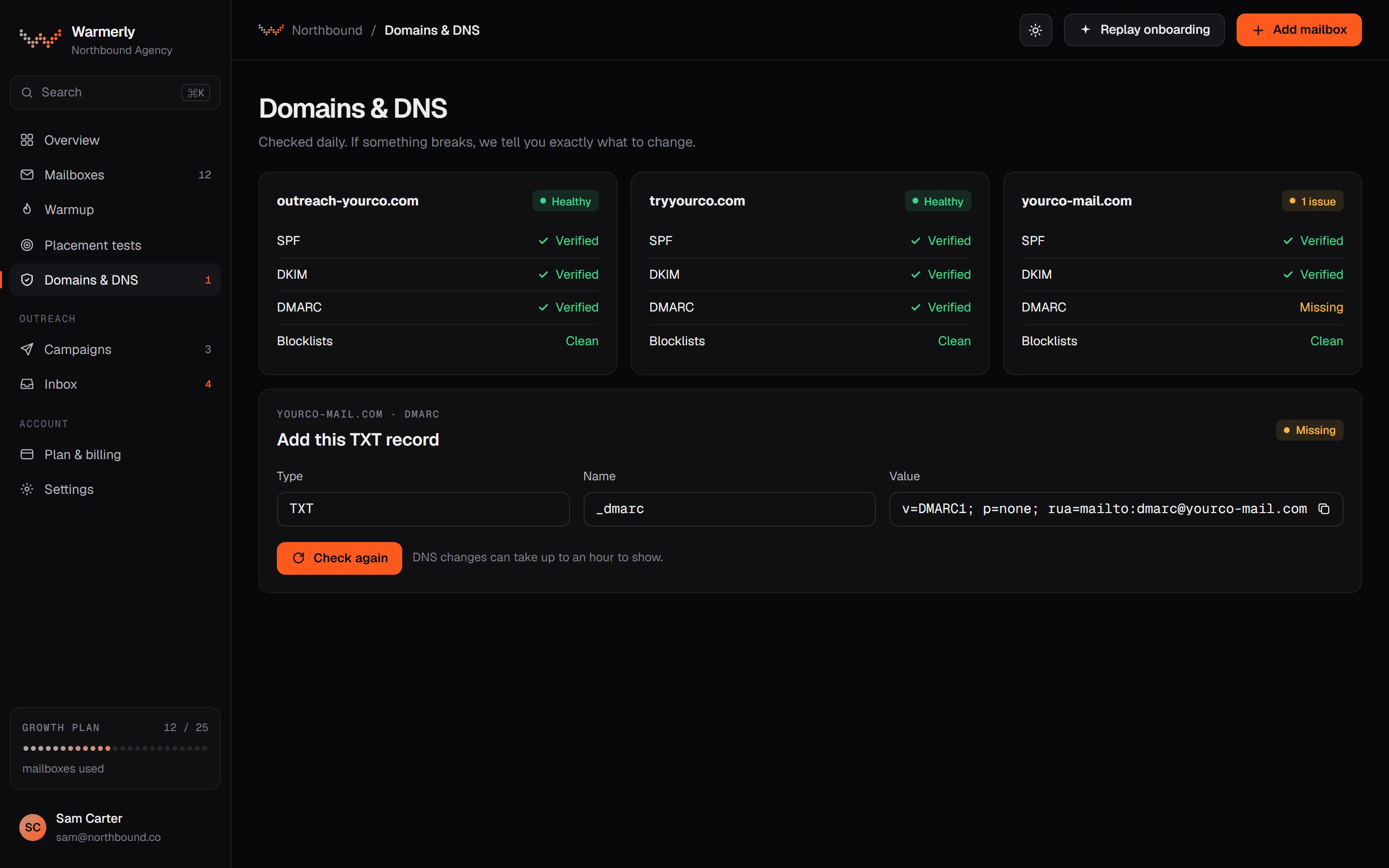
Every domain, checked every six hours

SPF, DKIM, DMARC and blocklists sit on one card per domain. When a record is missing, the screen shows the exact record to add.

  • The TXT record is filled in, ready to copy
  • A Check again button; changes can take up to an hour to show
  • Blocklist status beside each domain
warmerly · domains and dns
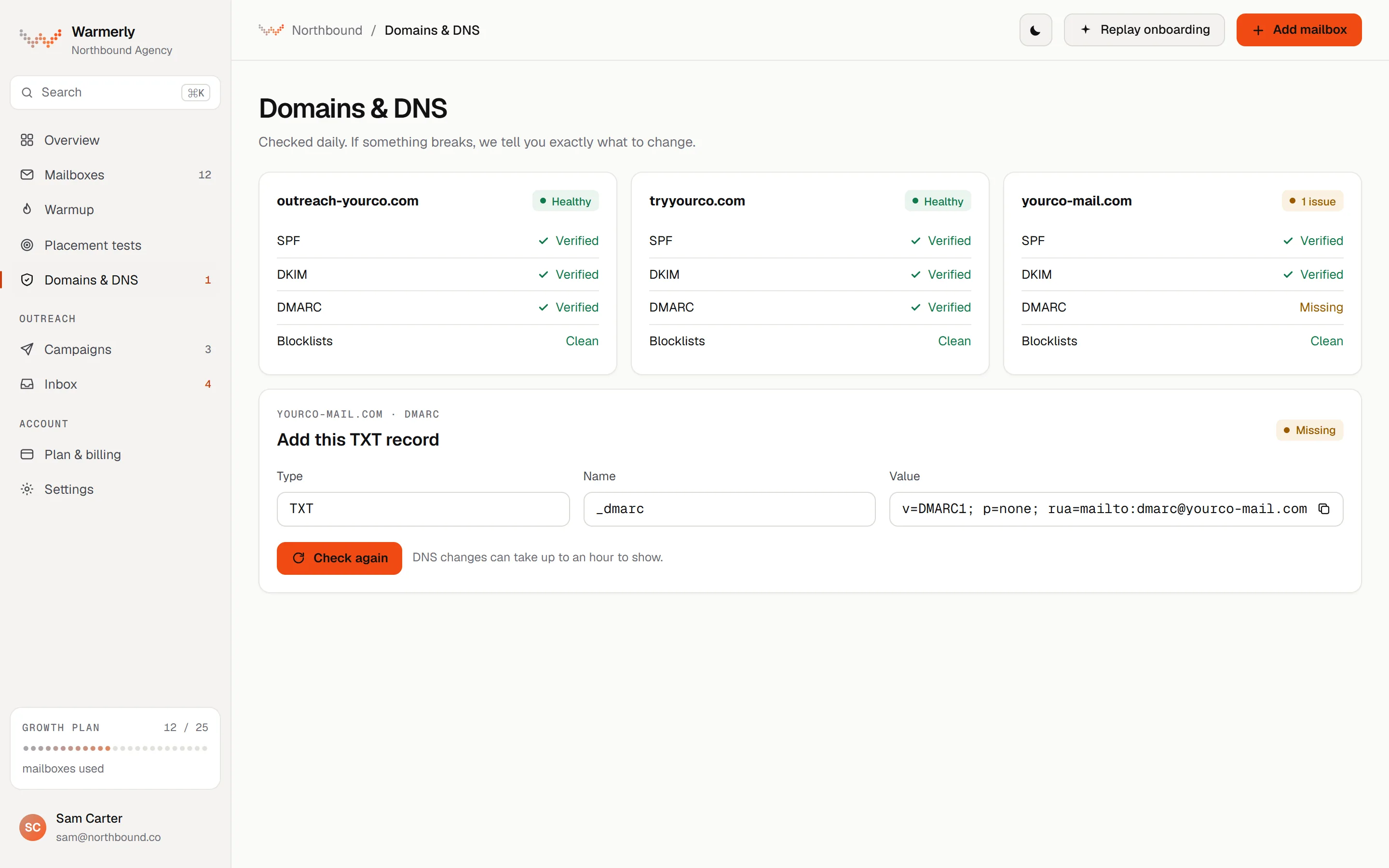
Domains and DNS: SPF, DKIM, DMARC and blocklist status for three sample domains, with a TXT record to add and a Check again button, sample dataDomains and DNS: SPF, DKIM, DMARC and blocklist status for three sample domains, with a TXT record to add and a Check again button, sample dataSample data

One queue for every reply

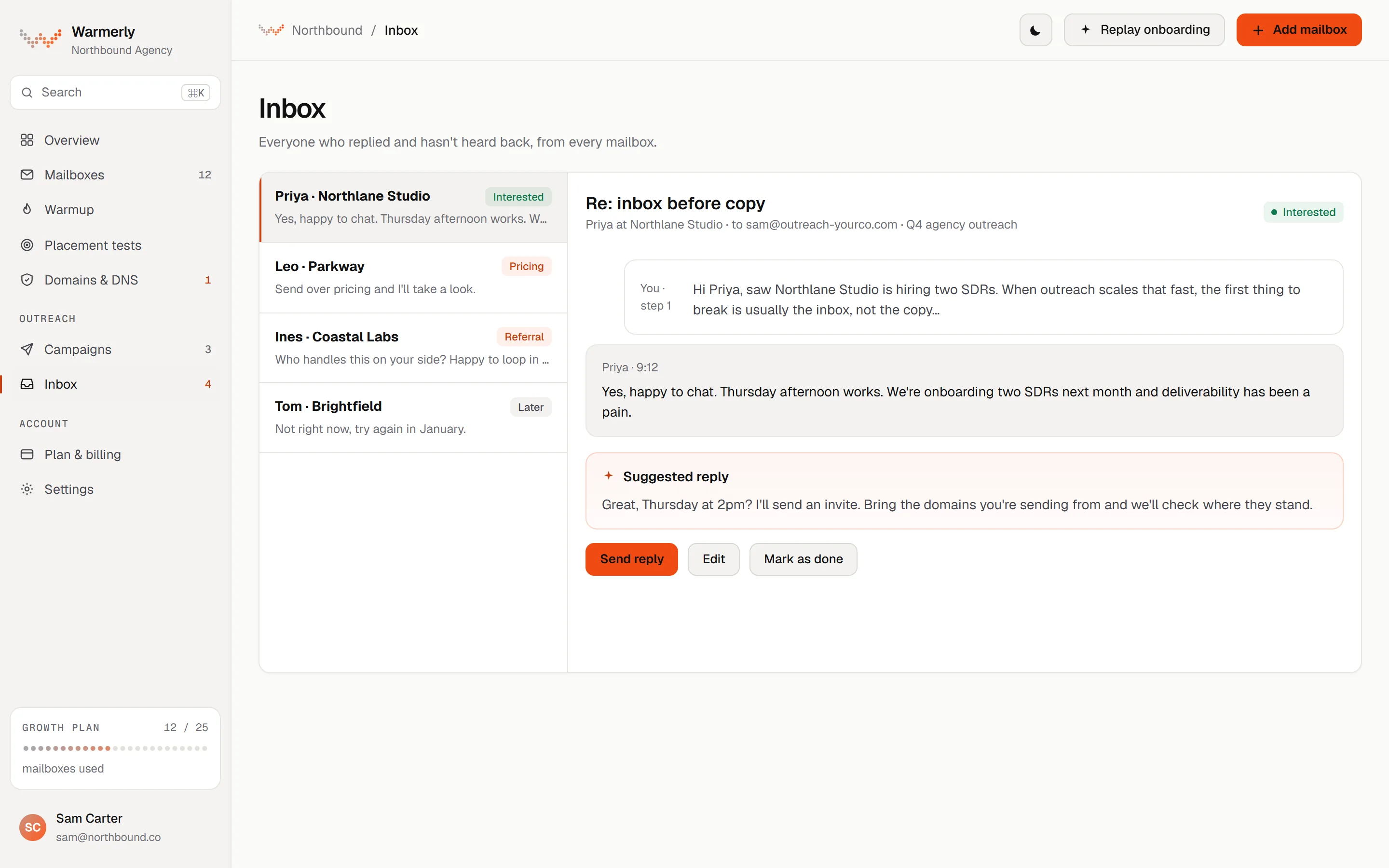
Everyone who replied and has not heard back, from every mailbox, in one list. This sample screen shows labels on each reply and a suggested reply you can send, edit or mark done.

  • Replies from all connected mailboxes in one place
  • Each thread opens beside the list
  • Mark done when it is handled
warmerly · inbox
Warmerly inbox: a list of people who replied with labels such as Interested and Pricing, an open thread and a suggested reply, sample dataWarmerly inbox: a list of people who replied with labels such as Interested and Pricing, an open thread and a suggested reply, sample dataSample data

Sequences with a launch check

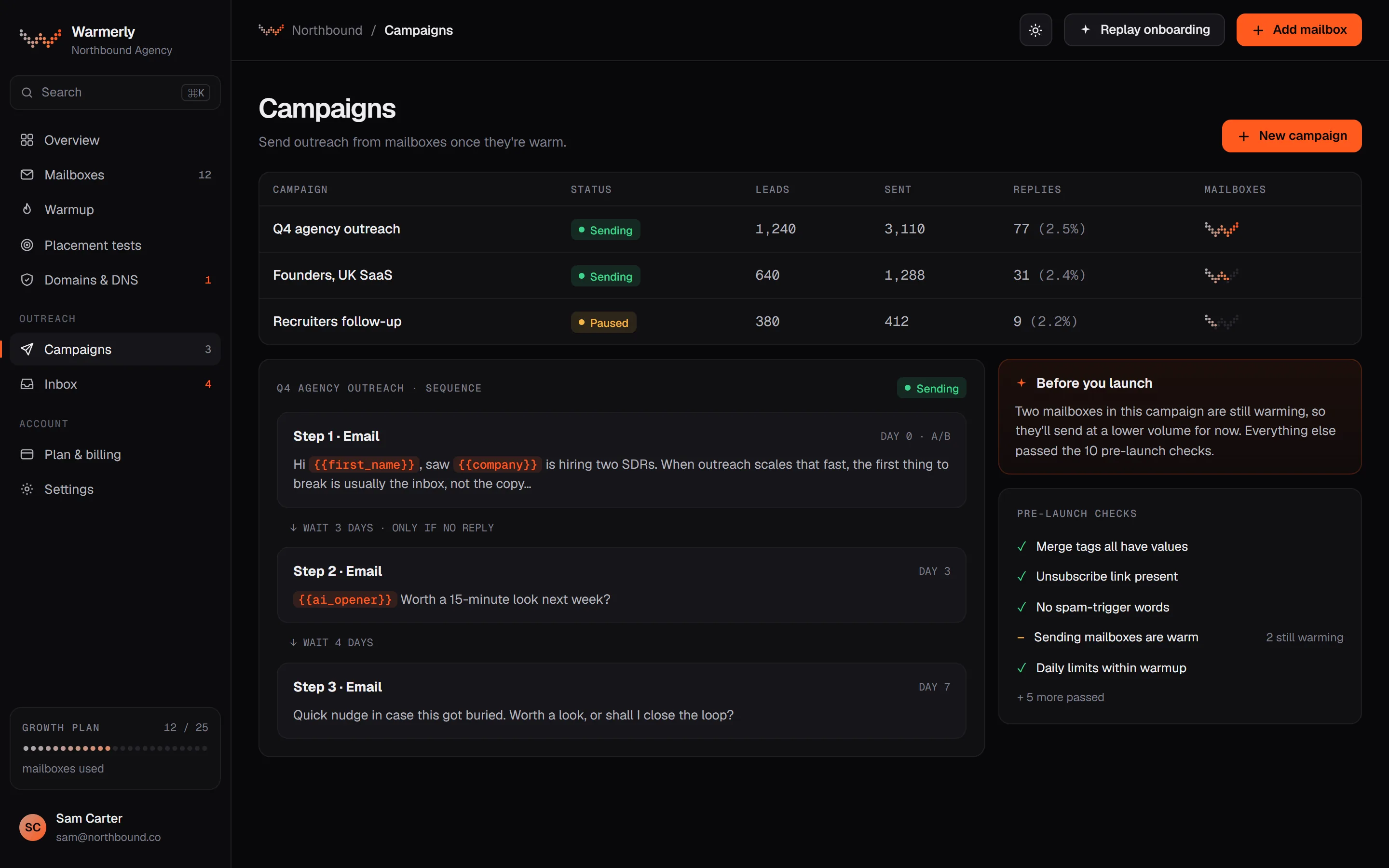
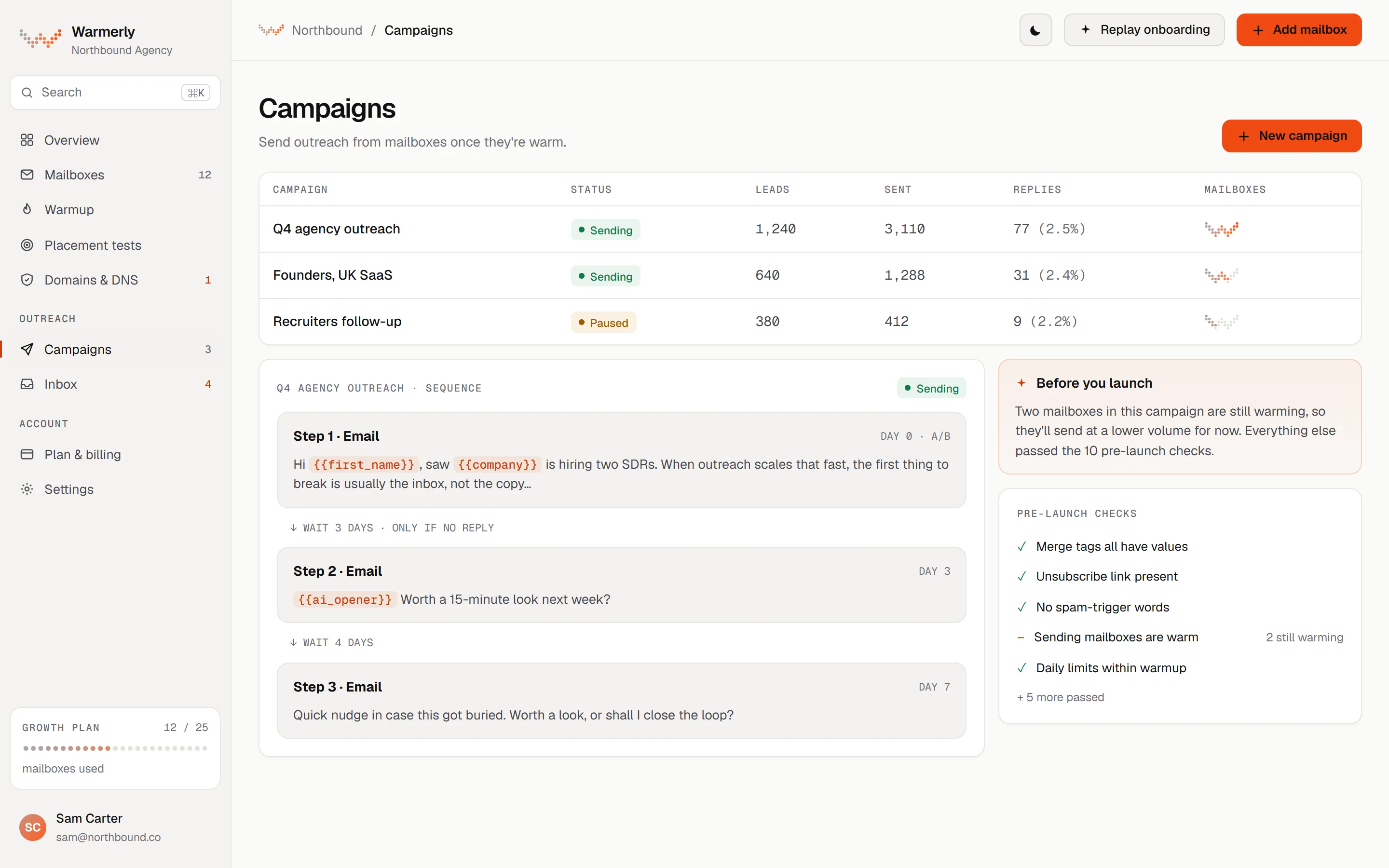
The sequence sits beside a list of pre-launch checks, so a missing merge tag or a mailbox that is still warming shows up before anything sends.

  • Pre-launch checks, shown as a short list
  • Merge tags like {{firstName}} that none of your leads has a value for are flagged before launch
  • Wait steps, with an option to send only if there is no reply
warmerly · campaigns
Warmerly campaigns: a list of campaigns with status, leads, sent and replies, a three step sequence and a Before you launch check, sample dataWarmerly campaigns: a list of campaigns with status, leads, sent and replies, a three step sequence and a Before you launch check, sample dataSample data

Placement tests, with limits

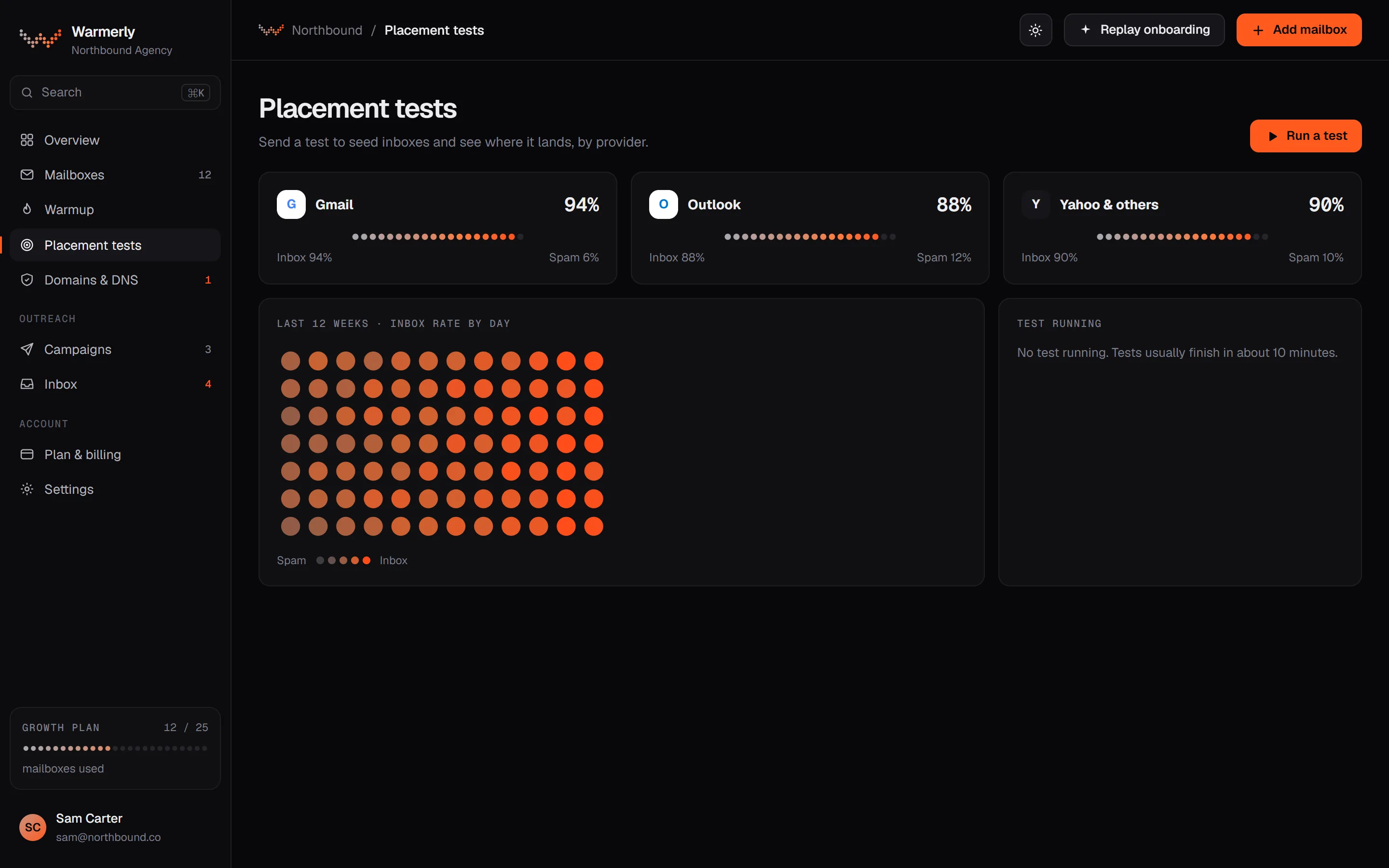
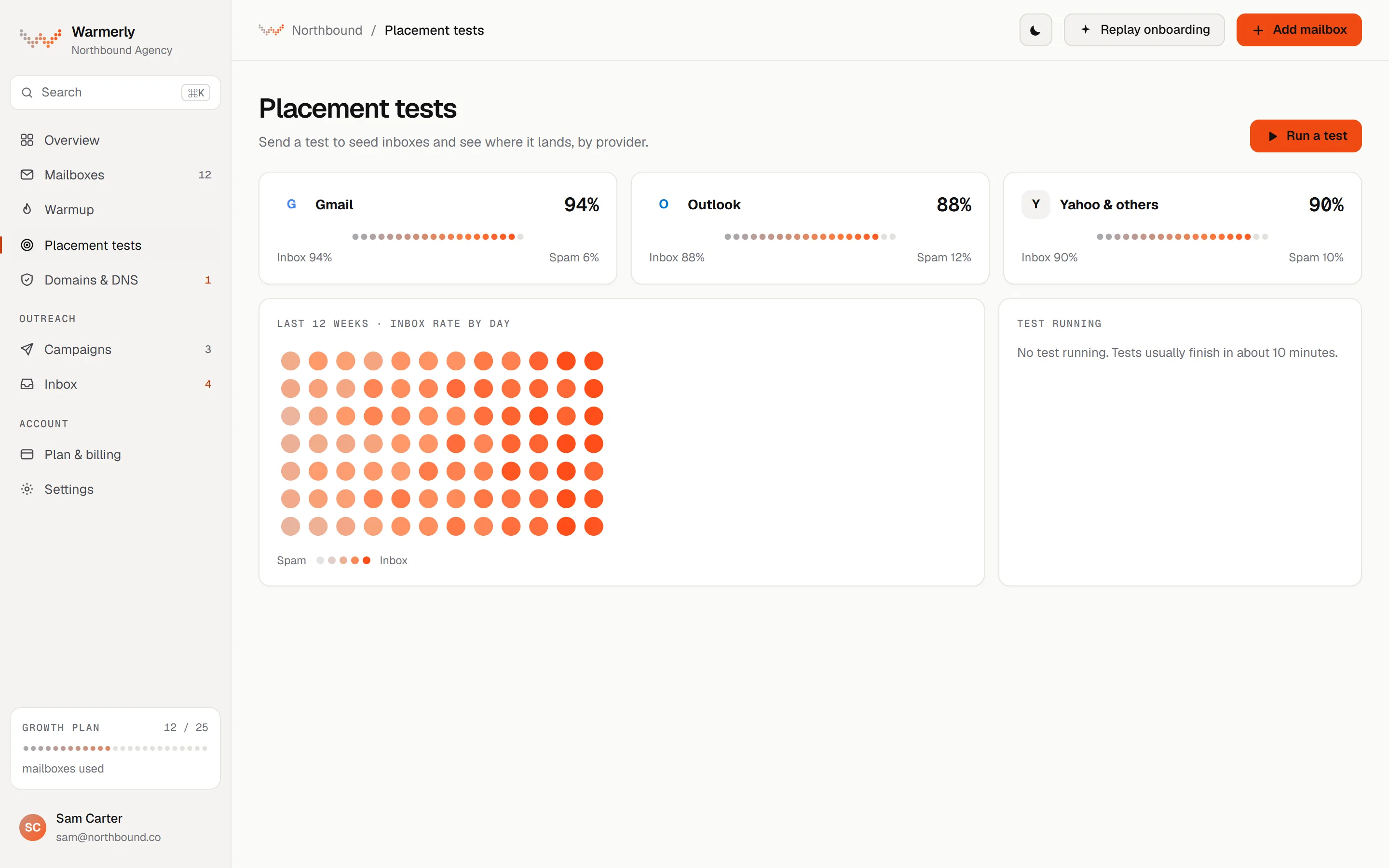
Send a test and see which folder it lands in. It is a guide, not a guarantee: there is no dedicated Gmail or Outlook seed list yet, so accuracy is limited.

  • One result per test, not split by provider yet
  • A history of recent tests
  • A test usually finishes in about ten minutes
warmerly · placement tests
Warmerly placement tests: inbox and spam results by provider for Gmail, Outlook and others, and a history of recent tests, sample dataWarmerly placement tests: inbox and spam results by provider for Gmail, Outlook and others, and a history of recent tests, sample dataSample data

Your replies in your pocket

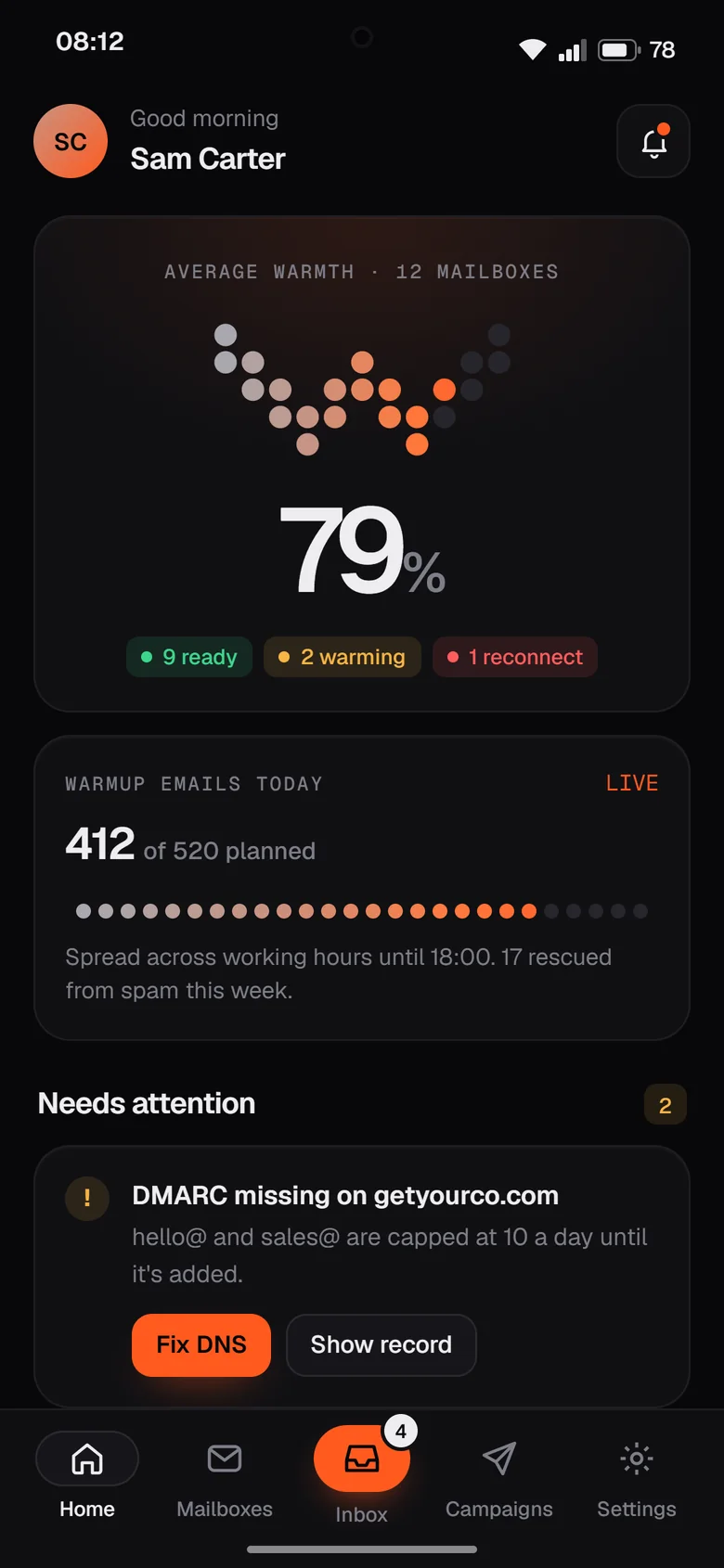
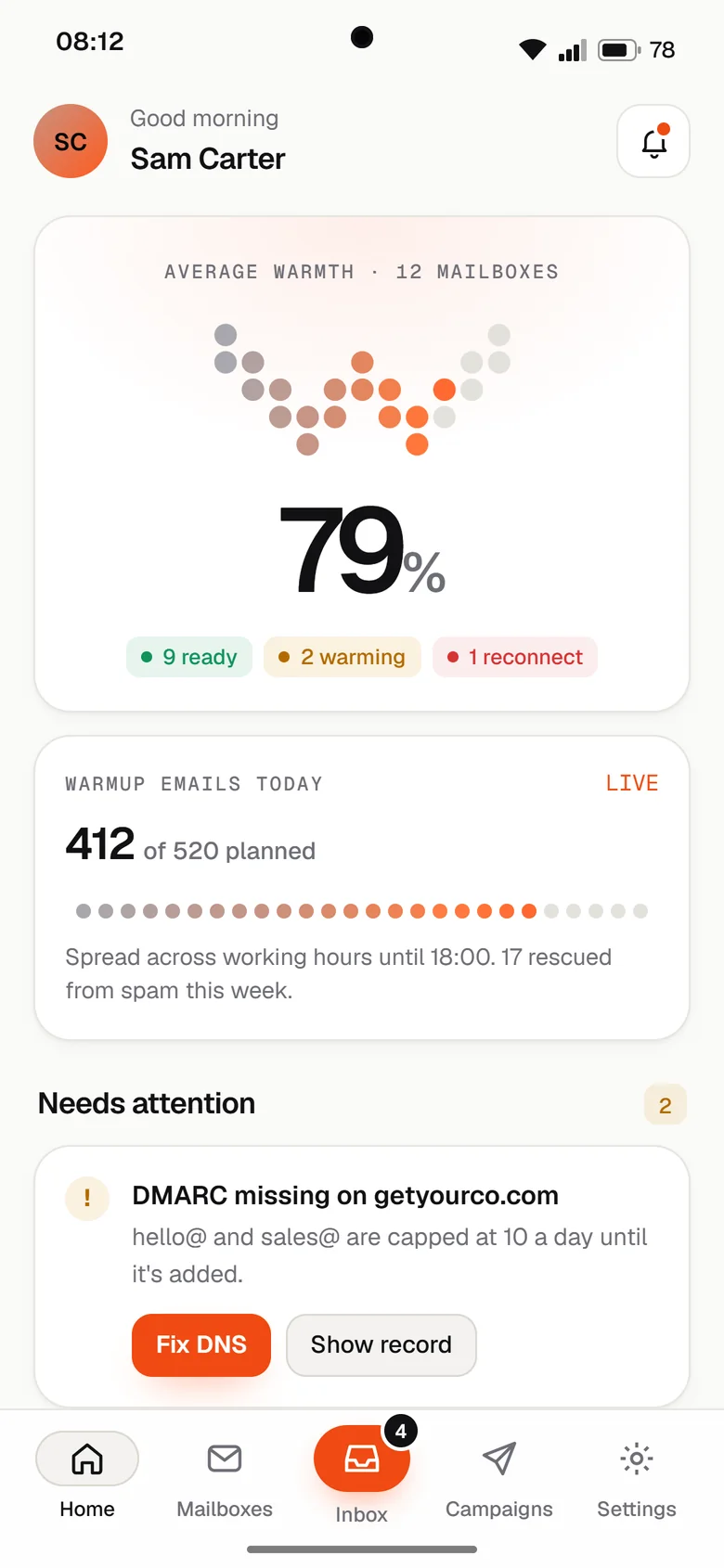
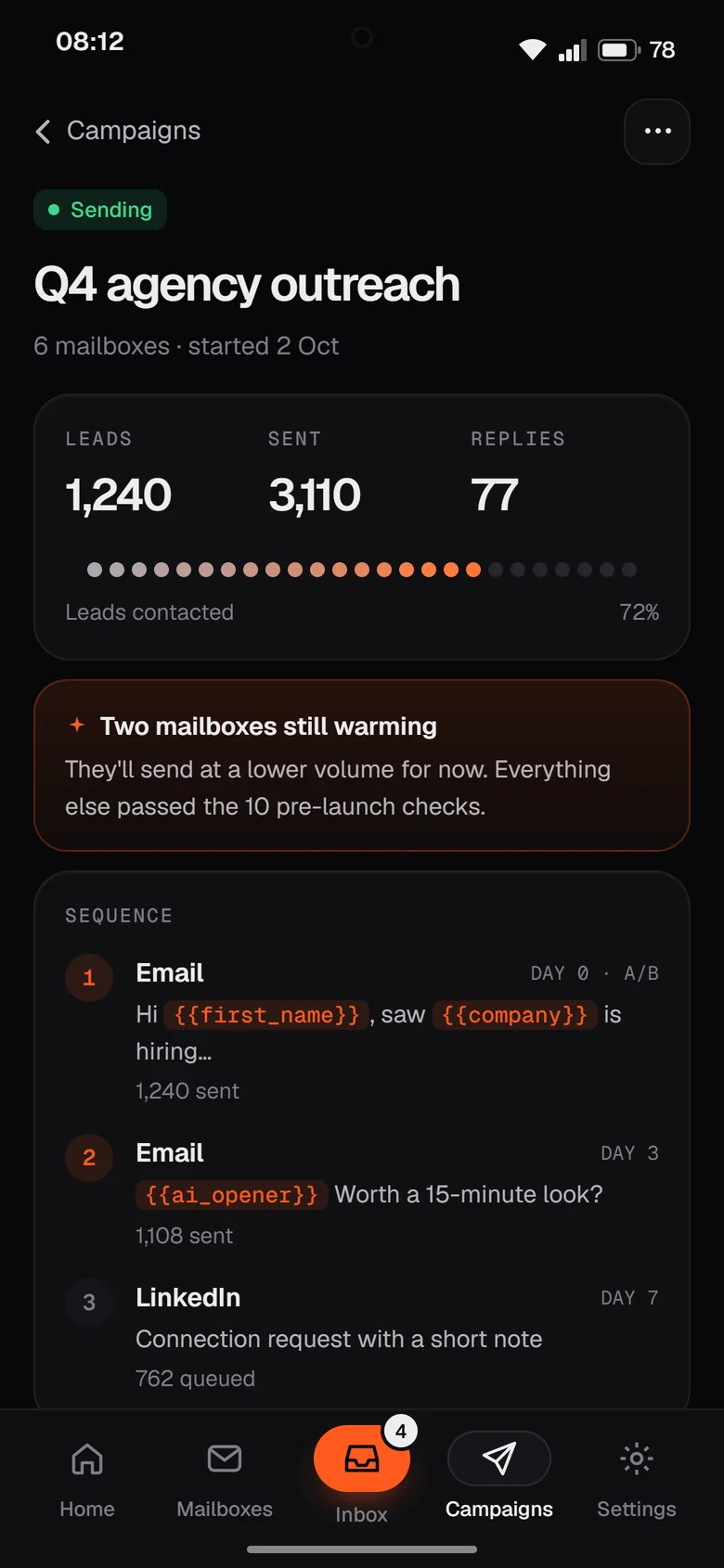
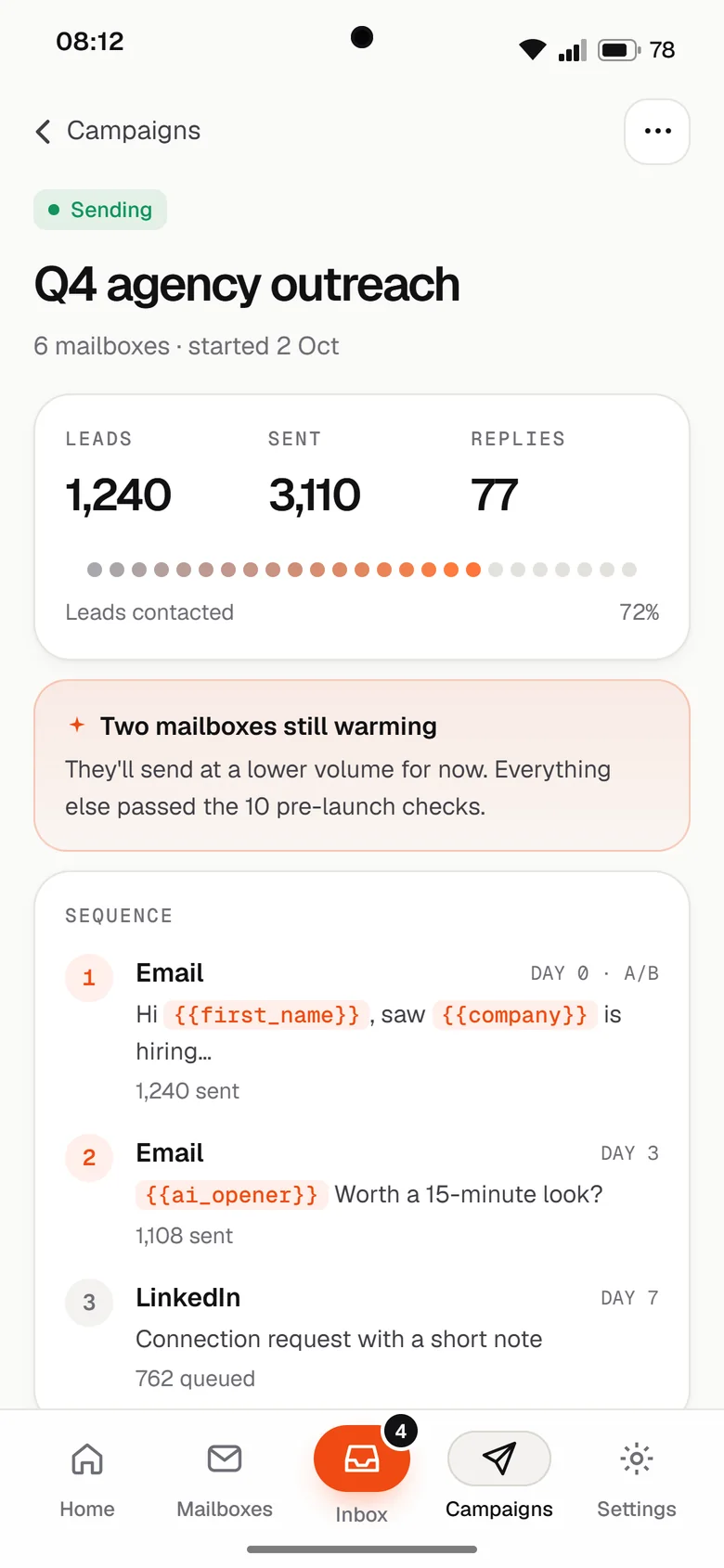
The Android app has Home, Accounts, Inbox, Campaigns and Settings. It is installed directly, not from the Play Store, and these are sample screens.

  • Reply from the inbox while you are away from a desk
  • See a campaign's leads, sent and replies
  • A warning card when a domain needs a DNS fix
Warmerly Android app home screen with average warmth and warmup emails today, sample dataWarmerly Android app home screen with average warmth and warmup emails today, sample data
Warmerly Android app inbox with labelled replies and a suggested reply, sample dataWarmerly Android app inbox with labelled replies and a suggested reply, sample data
Warmerly Android app campaign screen with leads, sent, replies and a sequence, sample dataWarmerly Android app campaign screen with leads, sent, replies and a sequence, sample data
Sample data
Running many mailboxes

A fleet you can read at a glance.

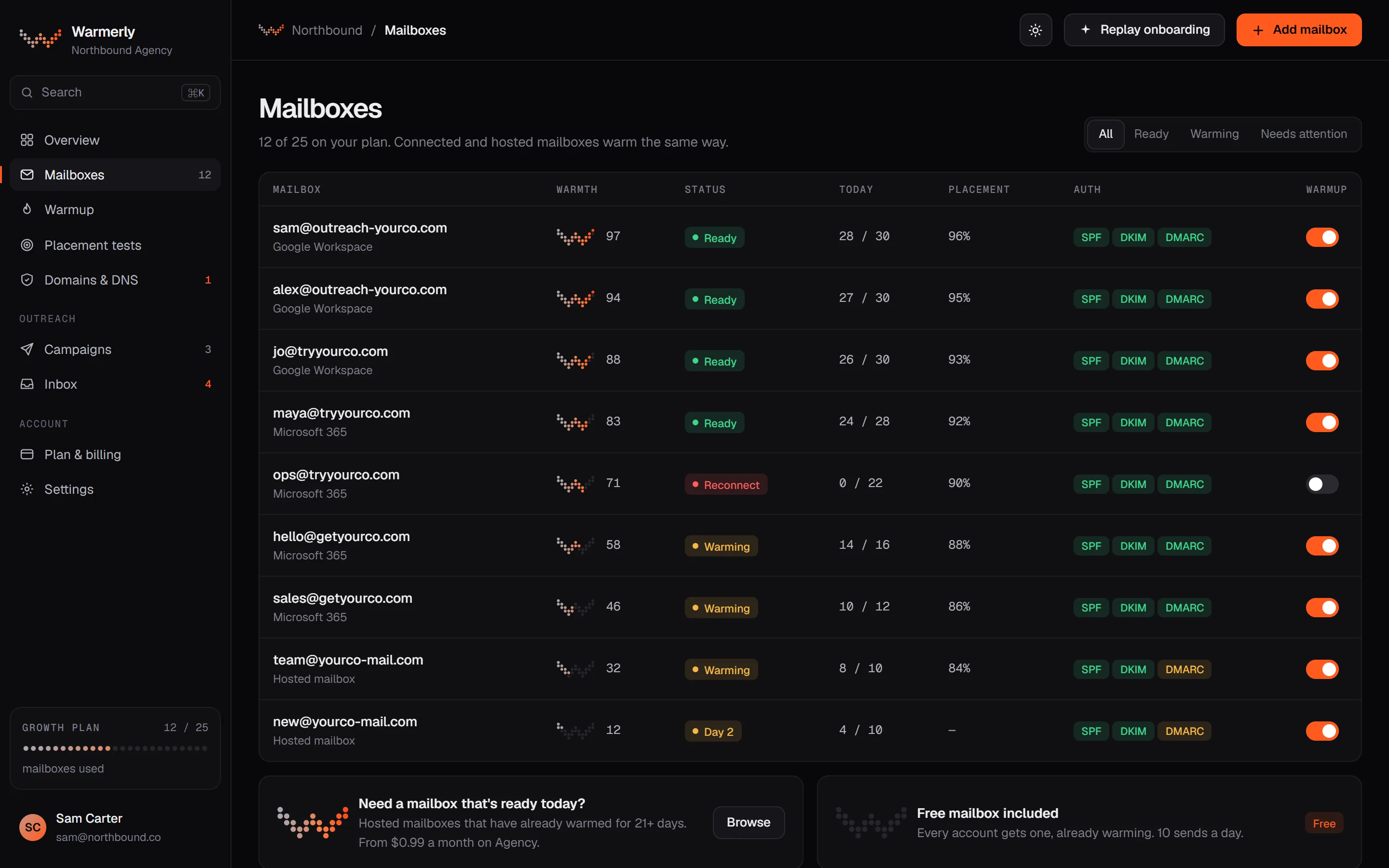
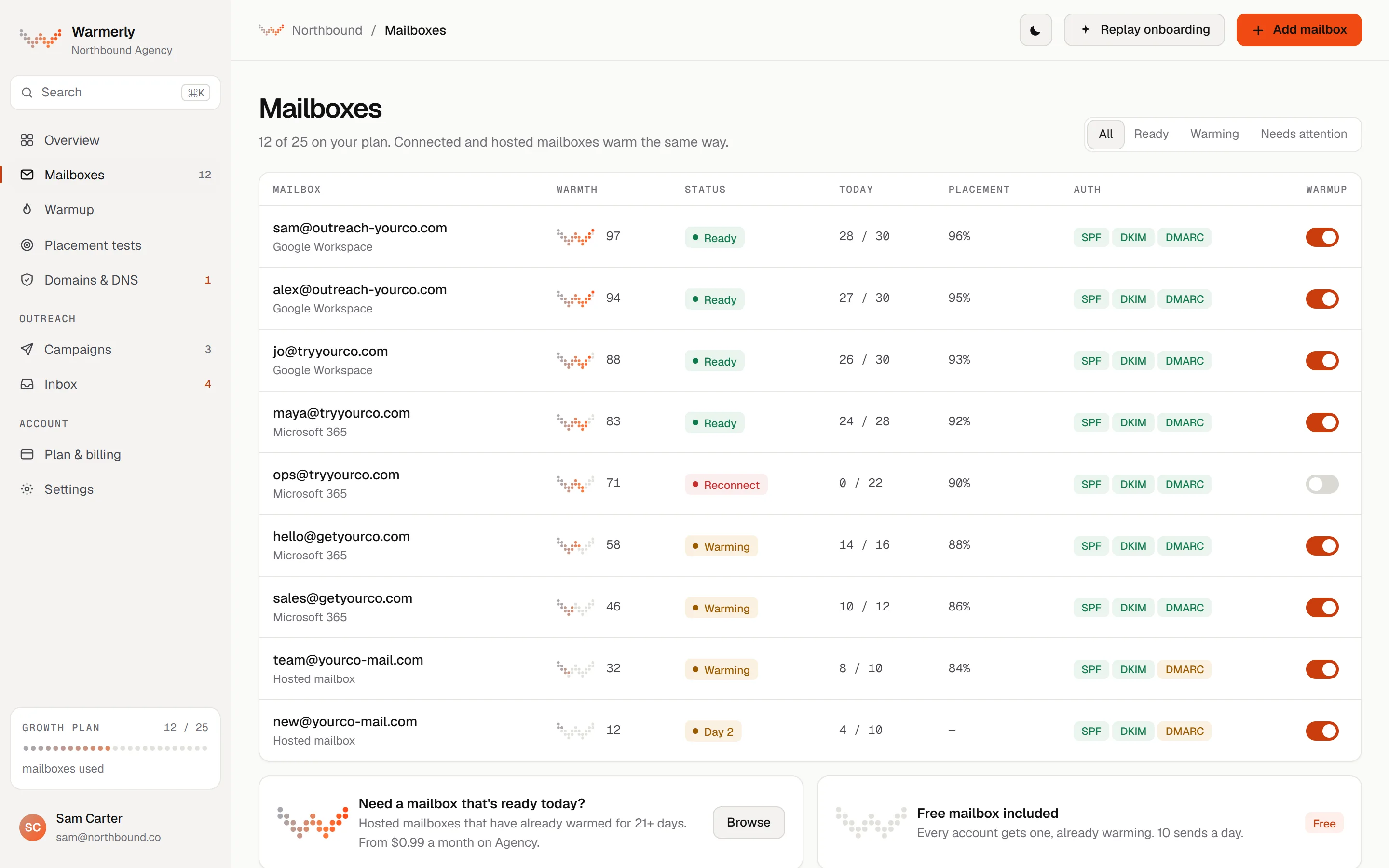
Every mailbox shows its warmth and state, so a paused or slow one stands out in a long list. This is how Warmerly lays out 24 mailboxes.

Mailboxes · sample data
0 active0 warming0 paused
Warmerly mailboxes screen listing connected Gmail and Microsoft 365 mailboxes with warmth and state, sample dataWarmerly mailboxes screen listing connected Gmail and Microsoft 365 mailboxes with warmth and state, sample data
Accounts, MailboxesThe real screen, with sample data. Active, warming and paused mailboxes in one list, per-mailbox DNS checks and today's limit explained.
Agency · one pool, many clients

100 mailboxes, shared by every client workspace.

55of 100 used
  • Dental group12
  • Law firm20
  • SaaS start-up8
  • Recruiter15

45 left in the pool. At this fill, $179 a month is $3.25 per mailbox.

Sample clients and counts. Client workspaces on the Agency plan ($179 a month) share one pool of 100 mailboxes. Smartlead sets no mailbox limit on any plan, so 100 is a real ceiling here; beyond it, ask us by email.

Layer it

Keep Smartlead. Warm underneath.

You do not have to choose on day one. Run Warmerly next to Smartlead on the same mailbox, compare, then decide.

01

Leave Smartlead sending

Nothing changes in Smartlead. The mailbox stays connected and your campaigns keep running.

02

Connect the mailbox

Connect Gmail or Google Workspace with an app password, or sign in with Microsoft 365, then pick a ramp. Free plan, no card, no DNS changes.

03

Compare, then decide

Keep Warmerly campaigns off for warmup only, or move sending across and drop the second subscription.

Your reputation stays put. It lives with Gmail and Microsoft, not with the tool, so it stays with the mailbox. Warmerly's first health snapshot reflects it within 24 hours.

Switching

Move your leads, or keep Smartlead sending.

Smartlead exports leads and campaign inbox data as CSV, and Warmerly imports a CSV with column mapping. There is no Smartlead importer, so sequences are rebuilt by hand. The lighter route is to leave Smartlead sending and warm the same mailbox underneath.

01

Export from Smartlead

Smartlead's help centre describes a lead list export (Download as CSV, filtered by email status and lead category) and an inbox export with the sent emails, timestamps and reply text. It describes no sequence export.

Lead listCSV, filtered by status and category
Campaign inboxCSV with sent emails and replies
02

Connect the mailbox to Warmerly

Connect Gmail or Google Workspace with an app password, or sign in with Microsoft 365. The Free plan has 1 mailbox and needs no card. Connecting needs no DNS change. Then import the lead CSV and map its columns.

Google WorkspaceApp password
Microsoft 365Sign in with Microsoft
03

Pick one warmup, not two

Warmup starts at 4 a day and rises to 50 by day 30 (held to 40 on Gmail, 30 on Outlook). If Smartlead's warmup is also on for that mailbox, turn one off, so two systems are not adding mail to the same account.

Day 04 a day
Day 1425 a day
Day 3050 a day
Not moved across

What you do by hand

  • Sequences, steps and templates, rebuilt in Warmerly's editor
  • Reply history beyond the inbox CSV, which stays in Smartlead
  • Smartlead's CRM, Zapier and webhook connections: Warmerly has an API on every plan and an MCP server, not the same list
Check with Smartlead

What its pages do not say

  • Whether SmartSenders mailboxes can be used outside Smartlead, or what happens to them if you cancel
  • What happens to your data and mailboxes when a trial ends without a plan
  • Whether a sequence can be exported in any form

Smartlead export options read on helpcenter.smartlead.ai, . Warmerly CSV import: src/lib/campaigns/csv-mapping.ts.

Questions

Warmerly vs Smartlead, answered.

Is Warmerly cheaper than Smartlead?

On the starting plans, yes. Warmerly Starter is $19 a month for 5 mailboxes with no cap on sends. Smartlead Base is $39 a month billed monthly, with unlimited mailboxes, 6,000 emails a month and 2,000 contacts (smartlead.ai/pricing, read 17 October 2026). At 100 mailboxes the picture changes: Warmerly Agency is $179 for 100, while Smartlead does not limit mailboxes on any plan.

What does Smartlead cost if I send more than 6,000 emails a month?

Pro is $94 a month for 90,000 emails and 30,000 contacts, Unlimited Smart is $174 for 150,000 emails and Unlimited Prime is $379 for 500,000 emails (monthly billing, read 17 October 2026). Warmerly's paid plans do not meter sends, but each mailbox has its own daily campaign limit, 30 by default, which you can change.

Does Smartlead have a free plan?

Smartlead's pricing page says every plan comes with a free trial and that no credit card is needed to start. It does not state the trial length, and it advertises 50% off the first month on any plan. Warmerly has a free plan with no card, or a 7-day trial on paid plans.

Can I keep Smartlead for sending and use Warmerly only for warmup?

Yes. Leave Warmerly's campaigns off and it only warms the mailbox, while Smartlead sends from the same Gmail or Microsoft account.

Can Warmerly run an agency's client mailboxes like Smartlead?

Partly. Warmerly Agency is $179 a month for 100 mailboxes with client workspaces, so each client's mailboxes, campaigns and replies stay separate. Beyond 100 mailboxes, more is on request by email. Smartlead does not limit the number of mailboxes on any plan and its site mentions white-label and done-for-you mailboxes, which suit very large fleets.

Will my mailbox reputation transfer from Smartlead?

The reputation lives with Gmail and Microsoft, not with the tool, so it stays with the mailbox. Warmerly's first health snapshot reflects it within 24 hours.

Count your mailboxes. Then compare.

Connect one mailbox. Warmerly runs alongside whatever you send from now, so you can compare placement side by side before you move anything.

Free plan, no card. Paid plans: 7-day trial, first charge on day 8.