Warmerly, both channelsWarmerly ahead on this row
Campaigns from your warmed mailboxes, with no cap on sends on paid plans.
One row, in depth: what each tool does, the verified numbers, and who each suits.
Expandi details read from its pricing page, FAQ, home page and help centre on 19 October 2026.
Campaigns from your warmed mailboxes, with no cap on sends on paid plans.
Email follow-ups as steps in a LinkedIn sequence; sending limits for email are not stated.
Warmerly is built to send cold email: a sequence with wait and branch steps, a daily limit per mailbox (30 by default), a volume ramp, a bounce brake and a set of pre-launch checks. Expandi sends email as one step inside a LinkedIn sequence. You connect a Gmail or other IMAP mailbox, add an 'If email exists' condition before the Email step, and replies to those emails are view only in its inbox. Expandi's pages we read state no email sending limit and no bounce handling, and its build checks cover campaign content and set-up, not deliverability. Last checked 19 October 2026.
Campaigns from your warmed mailboxes, with no cap on sends on paid plans.
Email follow-ups as steps in a LinkedIn sequence; sending limits for email are not stated.
Drag the slider, or press a step, to see what each step needs and what it does
Sent from a mailbox with its own daily limit, 30 by default.
Only for second and third degree connections with no pending request.
Both strips are examples of the steps each product documents, not a recommended sequence. Warmerly: sequence editor docs and pre-flight doc. Expandi: its campaign builder help article, read 19 October 2026.
| Step | Warmerly | Expandi |
|---|---|---|
| 1 | Email 1: Sent from a mailbox with its own daily limit, 30 by default. | Connection request: Only for second and third degree connections with no pending request. |
| 2 | Wait: A wait step. With Monday to Friday sending, weekends do not count as sending days. | If connected: Added automatically after a connection request. The example in the help article has a 7-day time delay set. |
| 3 | Email 2: Any email step can run A/B versions. The winner is picked on genuine replies first. | If email exists: Must come before the Email step. Leads with no address go down the negative path. |
| 4 | Condition: Branches on opened, clicked, replied or timeout. Only the canvas editor can build branches. | Email: Needs an integrated Gmail or IMAP mailbox first. We found no sending limit stated. |
| 5 | LinkedIn step: Connection and message steps sit in the same sequence. A LinkedIn account is a separate $19 a month add-on. | Same thread: Emails with the same subject go in the same thread. Pausing a lead stops the next email being scheduled. |
| 6 | Reply stops it: A genuine reply stops the lead's sequence by default, and unsubscribes go on a workspace-wide suppression list. | Reply in Expandi: A reply shows in the Global Inbox, labelled Email. Emails are view only: you reply from your own mailbox. |
Warmerly's campaign ramp over the first 13 sending days, against its mailbox limit
Day 1: up to 3 emails per mailbox.
Expandi's pages state no email sending limit and no email ramp.
Bounce rate over 7 days, at least 25 sends
Under 2%: a mailbox's daily cap is untouched.
Warmerly's ramp is the default: 3 a day on sending day 1, plus 1 a day, up to 15. It only tightens a mailbox's own limit, never raises it. The bounce brake and the 7 per cent pause need at least 25 sends in 7 days. Source: Warmerly's ramp and reputation docs.
| Sending day | Emails per mailbox |
|---|---|
| 1 | 3 |
| 2 | 4 |
| 3 | 5 |
| 4 | 6 |
| 5 | 7 |
| 6 | 8 |
| 7 | 9 |
| 8 | 10 |
| 9 | 11 |
| 10 | 12 |
| 11 | 13 |
| 12 | 14 |
| 13 | 15 |
13 kinds of pre-launch check: 7 block the launch, 6 warn and need one acknowledgement
Expandi's builder blocks activation for an empty required field, an unconnected branch, a broken placeholder or an Email step with no email set up, and warns on a message that needs reviewing. We found no check of sender authentication, content quality or bounce risk.
Showing all 13 kinds of check.
Warmerly: the pre-flight doc lists 13 kinds of check. The comparison table's shorter wording says 10, so we use the doc. Expandi: its Builder Campaign Issues help article, read 19 October 2026.
| Check | Effect |
|---|---|
| No usable step | Blocks launch |
| A channel the plan does not include | Blocks launch |
| No sending account | Blocks launch |
| No queued leads | Blocks launch |
| Unknown merge tag | Blocks launch |
| AI opener without a brief | Blocks launch |
| AI provider test call fails | Blocks launch |
| No postal address for the footer | Warns |
| Thin lead research for the opener | Warns |
| DNS warn or fail, or more than 5 senders on one domain | Warns |
| A free mailbox still in its warmup wait | Warns |
| No tracking domain for the unsubscribe link | Warns |
| Spam-style copy | Warns |
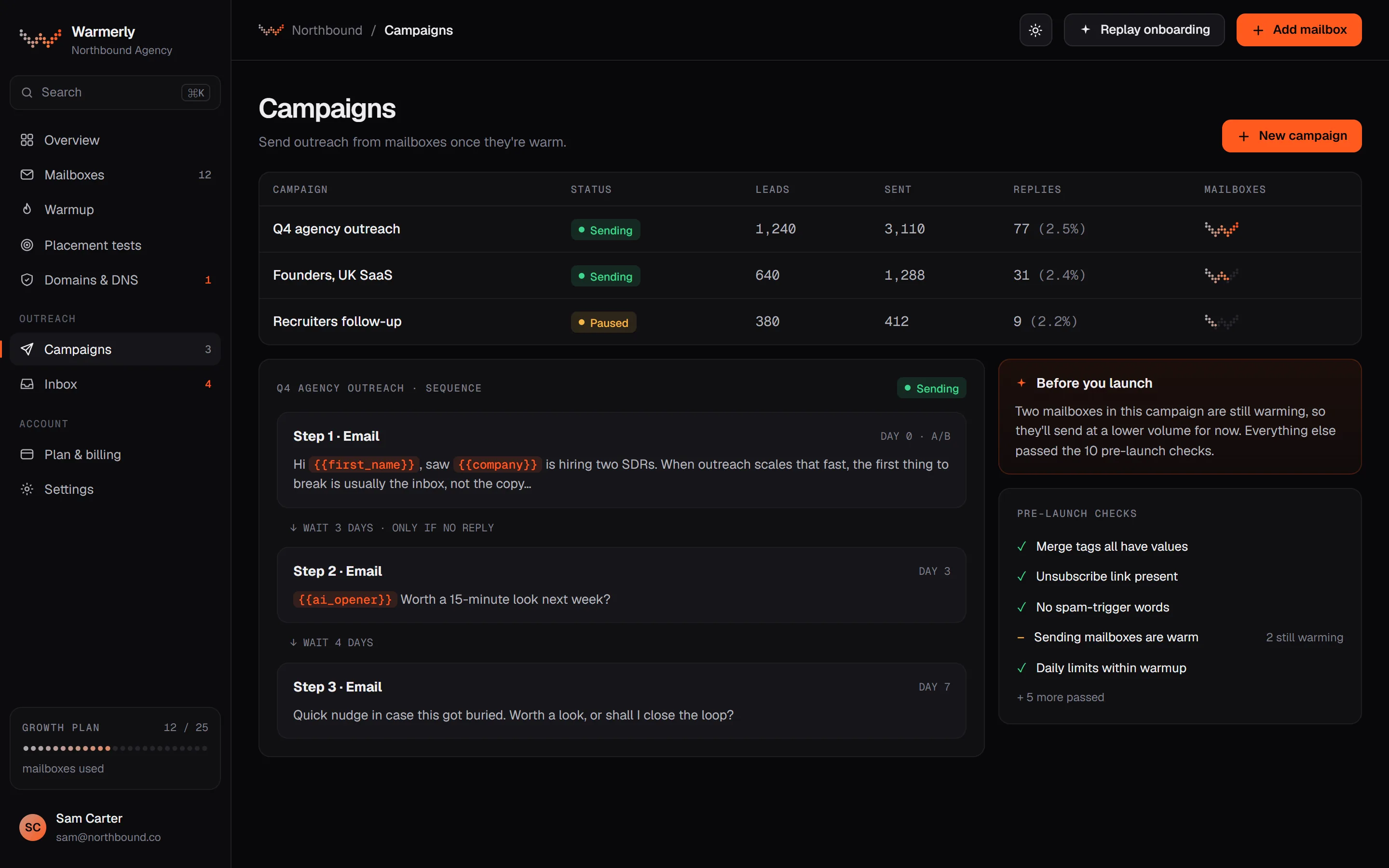
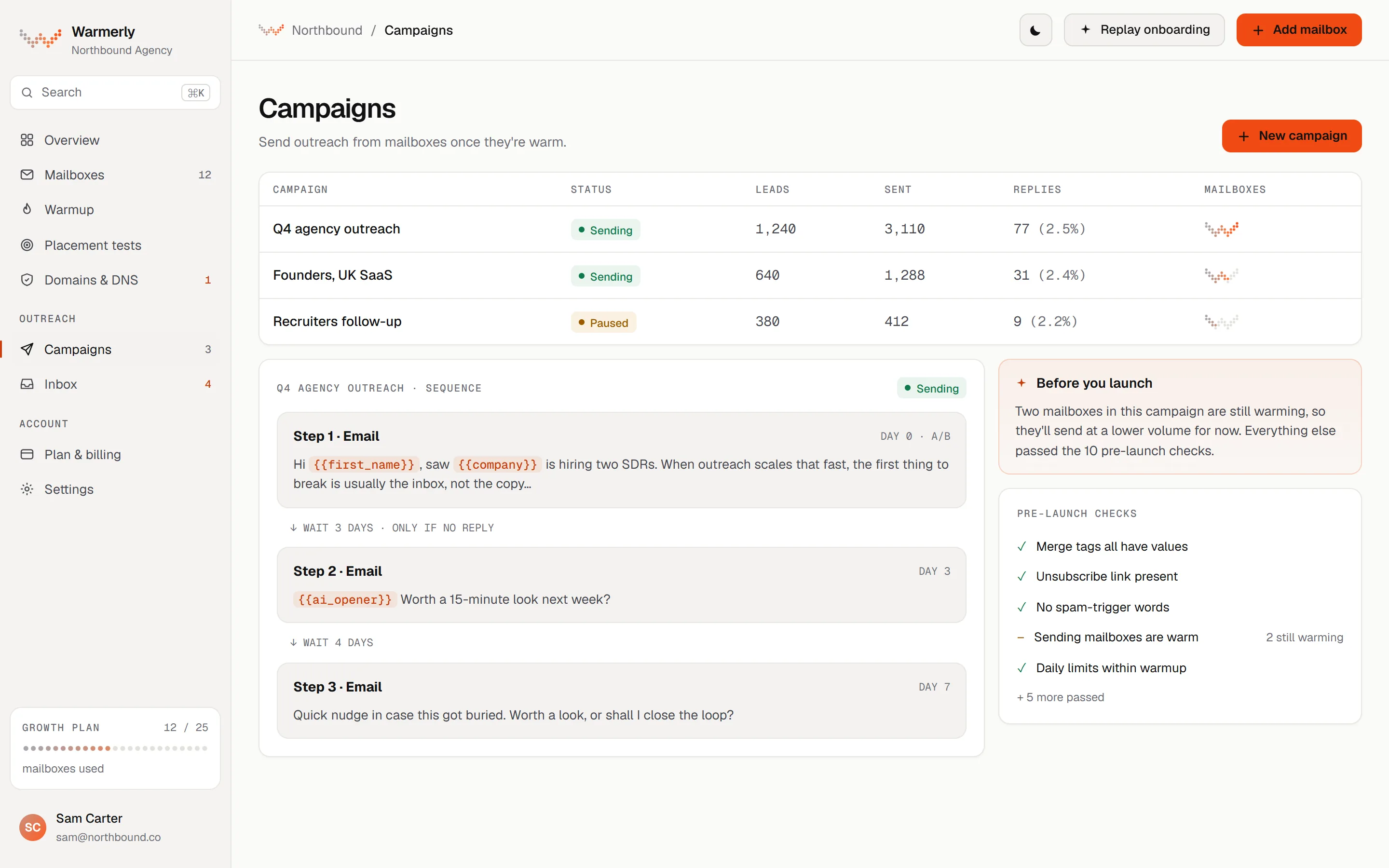
A full email campaign engine: sequence steps, scheduling, a 30 a day default per mailbox, a ramp from 3 to 15 a day, a bounce brake from 2 per cent, and 13 kinds of pre-launch check.
A sequence is made of email steps, wait steps, LinkedIn connection and message steps, and condition steps that branch on opened, clicked, replied or timeout. A list editor and a drag-and-drop canvas both exist, but only the canvas can build branches. Any email step can run A/B versions side by side.
Warmerly product, checked 19 October 2026
Each campaign has sending days (Monday to Friday by default), an hour window (09:00 to 17:00 by default) and a timezone. A recipient-local window can be applied in the lead's own timezone when it can be worked out from country and region.
Warmerly product, checked 19 October 2026
Each mailbox has its own daily campaign limit, 30 by default. A campaign has its own daily limit field too, also 30 by default. Sending is not metered on paid plans: what bounds volume is mailboxes times each mailbox's daily limit. The Free plan allows 100 campaign sends a month.
Warmerly product, checked 19 October 2026
A campaign can ramp each mailbox from 3 emails on sending day 1, adding 1 a day, up to 15 by default, so full volume arrives on the 13th sending day. It is switched on automatically for young mailboxes. A sending day means a day in the campaign's sending days, so weekends hold the cap flat. The ramp can only tighten a mailbox's own limit, never raise it.
Warmerly product, checked 19 October 2026
Over a rolling 7 days, below 2 per cent bounces a mailbox is untouched. From 2 per cent its daily cap is multiplied by 0.75, from 3 per cent by 0.5 and from 5 per cent by 0.25. At 7 per cent the mailbox is paused. A campaign also pauses when 30 per cent of the leads it tried were rejected outright. None of it applies under 25 sends.
Warmerly product, checked 19 October 2026
The readiness table in the pre-flight doc lists 13 kinds of check before Start: 7 that block (no usable step, plan gate, no sender, no queued leads, unknown merge tag, missing brief for an AI opener, failed AI provider probe) and 6 that warn (no postal address, thin lead research, DNS warn or fail or more than 5 senders on one domain, a free mailbox still waiting, no tracking domain for the unsubscribe link, spam-style copy). A warning needs one acknowledgement.
Warmerly product, checked 19 October 2026
Campaign emails carry List-Unsubscribe headers and a footer link. Unsubscribes go on a workspace-wide suppression list, and a genuine reply stops the lead's sequence by default. A winner in an A/B test is picked on genuine replies first and falls back to opens, and open tracking is off by default.
Warmerly product, checked 19 October 2026
Warmerly cannot start a sequence from LinkedIn activity such as a profile visit or a post engagement, which Expandi calls Signals. Its LinkedIn steps are connection and message steps inside the same sequence, and a LinkedIn account is a separate $19 a month add-on.
Warmerly product, checked 19 October 2026
Email is one action inside a LinkedIn builder campaign. It needs an integrated mailbox and an 'If email exists' condition before it. We found no email limits, warm-up, authentication or bounce handling on the pages we read.
The help centre says: "The 'Email' action allows you to send an email via the builder campaign." The pricing page lists "Multichannel sequences (requests, messages, email follow-ups)" on the Business plan.
help.expandi.io/en/articles/5391492-how-does-the-campaign-builder-work · read 19 October 2026
"To send an email via a builder campaign on Expandi, you must first integrate your email into the software." The article says "This works for Gmail and custom email providers that support IMAP."
help.expandi.io/en/articles/5391492-how-does-the-campaign-builder-work · read 19 October 2026
For Gmail, the guide says "you must have 2-step verification turned on", then you create an app password and enter it in the IMAP and SMTP fields under LinkedIn Settings, Integration apps. It names smtp.gmail.com with port 587 or 465 and a 'Test Credentials' button. It covers Gmail only.
help.expandi.io/en/articles/6236088-how-to-adapt-your-gmail-and-expandi-integration · read 19 October 2026
A connection request can only go to people who are "your 2nd, 3rd+ degree connections" with no pending request. "The 'If connected' condition will be added automatically before the 'Connection request' step." The example condition after it has "a 7-day time delay set", after which the system checks whether the lead accepted.
help.expandi.io/en/articles/5391492-how-does-the-campaign-builder-work · read 19 October 2026
"Before adding this action as a step in the campaign, you must first use the condition 'If email exists'" so the system can check whether the lead's address is available. A lead with an address goes down the positive path, and one without goes down the negative path.
help.expandi.io/en/articles/5391492-how-does-the-campaign-builder-work · read 19 October 2026
The article says the system sends emails "in the same email thread" "if the subject of all emails is the same". Pausing a lead in the campaign means the next email is not scheduled.
help.expandi.io/en/articles/5391492-how-does-the-campaign-builder-work · read 19 October 2026
In the Global Inbox: "Emails are view only." and "You can read them in the Global Inbox, but you can't reply to an email from Expandi." You reply from your own mailbox. The inbox article adds that "Emails are view-only in Expandi. You cannot reply to them from the Inbox."
help.expandi.io/en/articles/5405235-global-inbox · read 19 October 2026
Expandi does not mirror a mailbox. An email appears only when the lead already exists in Expandi and was emailed from the mailbox linked to that lead. Attachments are not shown or stored, and an email reply sets the lead to 'Lead replied'.
help.expandi.io/en/articles/16608436-how-are-emails-shown-in-the-inbox · read 19 October 2026
The Builder Campaign Issues article groups problems into blockers that stop activation, such as "A required field is empty.", "A branch or condition isn't connected.", "A broken dynamic placeholder." and "An Email step needs email (SMTP) set up.", and warnings that do not, such as "A message needs reviewing." and "Attachment limits." You can save a draft whatever the issues.
help.expandi.io/en/articles/15562658-builder-campaign-issues-errors-and-warnings · read 19 October 2026
We looked, and found no statement on these. That is about its published pages only, not about the product.
We report each version rather than pick one.
| Measure | Warmerly, both channels | Expandi |
|---|---|---|
| Cold email campaigns | Campaigns from your warmed mailboxes, with no cap on sends on paid plans. | Email follow-ups as steps in a LinkedIn sequence; sending limits for email are not stated. |
| Default daily limit per mailbox | 30 emails a day | Not stated |
| Volume ramp | 3 a day, up 1 a day to 15 | Not stated |
| Bounce brake | Cap x0.75 from 2%, x0.5 from 3%, x0.25 from 5%, paused at 7% | Not stated |
| Pre-launch checks | 13 kinds (7 block, 6 warn) | Build blockers and warnings, for content and set-up |
| Email connection | Gmail, Outlook, Zoho or any SMTP and IMAP mailbox | Gmail with an app password, or an IMAP provider |
| Reply to an email | In the Warmerly inbox | Not possible, view only |
Our reading of the facts above. Not a promise, and not the only reasonable reading.
Daily limits, a ramp, a bounce brake and launch checks all exist in Warmerly and none were found on Expandi's pages, which have build checks for content and set-up only. For a team that mostly sends email, that is the gap that matters.
Expandi's condition before the Email step means a lead without an address simply continues on the other path. That is a tidy way to add email to a LinkedIn-first flow, with the limits above unstated.
Because email in Expandi is view only, a team using it for email replies ends up working in the mailbox itself for the email half of a conversation.
Yes, as an action inside a LinkedIn builder campaign, once an email account is integrated. Its pages do not state email sending limits.
The pre-flight doc lists 13 kinds of check: 7 that block a launch and 6 that warn. The comparison table's shorter wording says 10.
No. Its help centre says emails are view only and you reply from your own mailbox.
Expandi pages were read on 19 October 2026. Plans and wording change, so check the vendor's own page before you decide. Warmerly details come from the product as it runs today.
Connect a mailbox. Warmerly runs alongside whatever you send from now, so you can compare before you move anything.
Free plan, no card. Paid plans: 7-day trial, first charge on day 8.