Warming up
Less boo. More booked. Halloween offer: 30 days free on any paid plan. Claim 30 days free
Less boo. More booked. Halloween offer: 30 days free on any paid plan. Claim 30 days free
How it works
How does Warmerly warm up a mailbox?
Warmerly connects your mailbox, checks its DNS, then sends a small, rising number of warmup emails each day to other real mailboxes in its pool. They open the mail, reply to it and move any spam-placed message to the inbox. SPF, DKIM, DMARC and MX are re-checked at least daily, and warmup keeps running while campaigns send.
Seven phases, all automated. From the moment you connect a mailbox to the day it is ready for your first campaign, here is what Warmerly does.
Warmerly (warmerly.com) is email warmup and cold outreach software for Gmail and Outlook mailboxes, with LinkedIn steps in the same campaign, and email, LinkedIn and WhatsApp replies in one inbox. It is not Warmly.ai, the website-visitor-identification platform.
Free plan, no card required · Cancel anytime
Sign in with Microsoft, or paste a Google app password for Gmail. About a minute either way.
Every mailbox starts at a few sends a day and rises daily. Warmerly throttles back on its own if health or placement dips.
Real threaded conversations with other mailboxes in the pool, plus spam rescue, every day.
Real conversations, gradual volume, and inbox trust built in the background.
The whole thing, start to finish, why cold mailboxes land in spam, how warmup fixes the sender signals behind it, and what it costs.
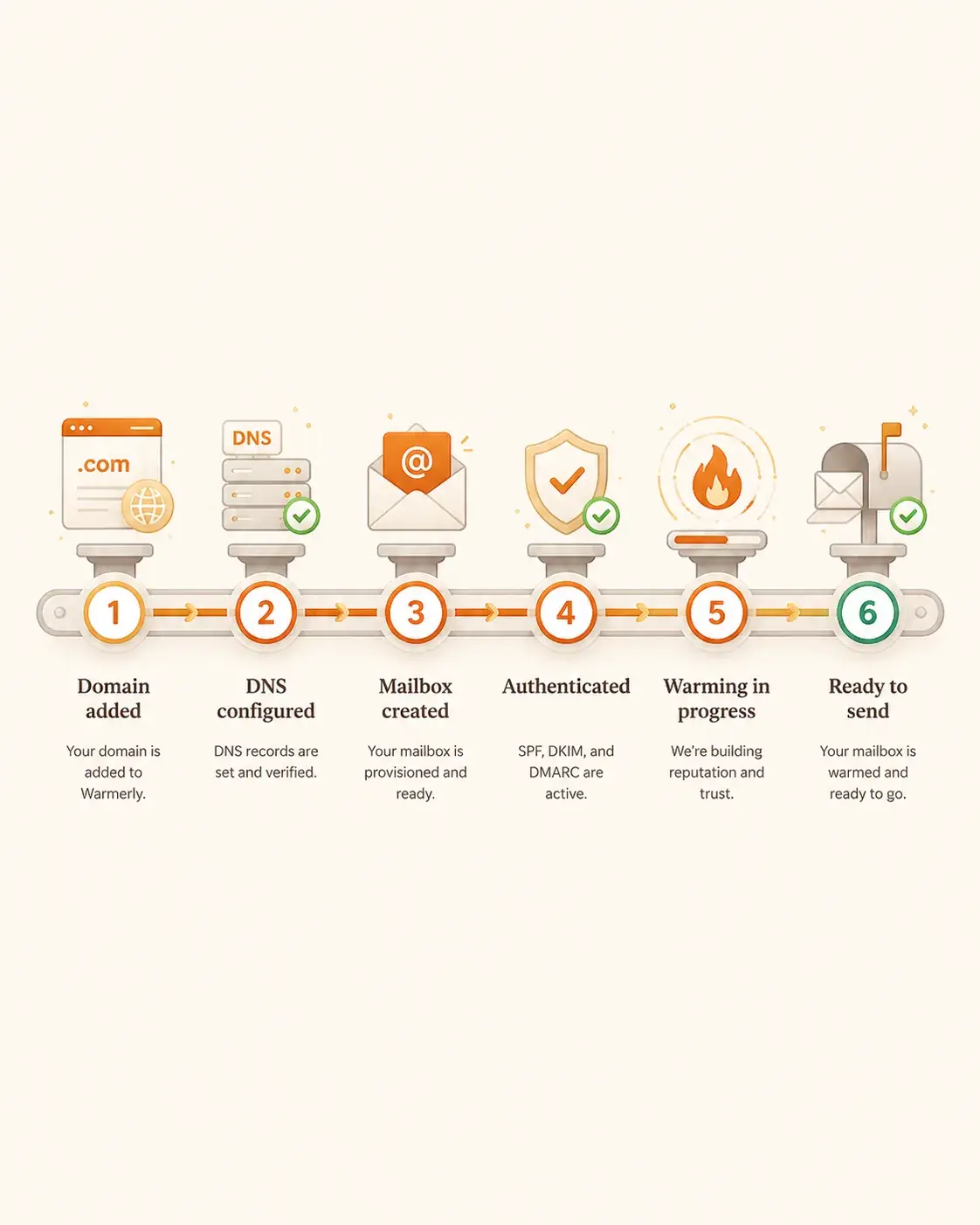
A hosted mailbox is not ready because it exists. The domain has to be added, DNS has to resolve, the mailbox has to be provisioned, and SPF, DKIM and DMARC all have to line up.
When you set up a hosted OneMail mailbox, Warmerly works through domain, DNS and mailbox setup in order and waits for each step to verify. For a mailbox you connect yourself, warmup starts straight away and Warmerly shows any SPF, DKIM or DMARC problem with a fix.
Sign in with Microsoft for Microsoft 365 or Outlook.com, requesting the two mail permissions it needs, IMAP.AccessAsUser.All and SMTP.Send (read and send mail), plus the standard sign-in details. Some personal Hotmail and Outlook.com mailboxes have SMTP switched off by Microsoft, which stops them sending. For Google Workspace or gmail.com, paste a Google app password: a credential separate from your account password that you can revoke from your Google account at any time. Any other provider connects over IMAP and SMTP. Passwords and tokens are encrypted at rest, and you can disconnect at any time.
As soon as a mailbox connects, Warmerly reads its domain's SPF, DKIM, DMARC and MX records and flags anything missing or misconfigured, with the fix. The first warmup email is scheduled straight away. Warmerly does not look up how old your domain is, so a new domain and an established one start on the same ramp: if yours is new, give it extra time before you send cold volume.
Every mailbox follows the same ramp: 4 warmup sends a day at the start, rising to 50 a day over 30 days of sending. Some providers have a lower ceiling (Gmail 40, Outlook 30), weekends send less, and a low health score or high spam placement lowers the day's volume. There are no presets to pick. You can set a lower daily limit on a mailbox, never a higher one.
Every 15 minutes Warmerly's planner picks partners for the day's warmup messages from the pool of other active mailboxes. It favours partners with fewer messages already scheduled, spreads a mailbox's sends across providers, and avoids the same partner twice within about three days, narrowing that window only when the pool runs short. Mailboxes on Warmerly's own brand domain stay out of the pool.
Warmup mail goes out inside the mailbox's local working hours, 8am to 8pm, with random jitter. The receiving mailbox waits a random 10 to 120 minutes before touching a message, opens most of them, stars some, and replies to some, quoting the original. Threads run up to four messages. If a message landed in Spam, it is moved to the inbox, marked not junk and answered. Warmerly's processor does this over IMAP on the mailboxes in the pool.
Warmerly re-checks SPF, DKIM, DMARC and MX for every connected mailbox's domain every few hours, and scores each mailbox once a day from the last seven days of warmup results: where the mail landed, how much bounced, how much was answered and how much was processed. A placement test sends a few messages from your mailbox to pool mailboxes and looks in the Inbox, Promotions, Spam and Junk folders. Until dedicated seed accounts are added, it is marked limited accuracy and never feeds the score.
A health score of 70 or more counts as healthy in the dashboard. Warmerly keeps warming in the background while your campaigns run. Campaign sending has its own daily limit per mailbox, a volume ramp that is switched on by default for young mailboxes, and a brake that slows a mailbox as its campaign bounce rate rises, with a pause if it gets too high.
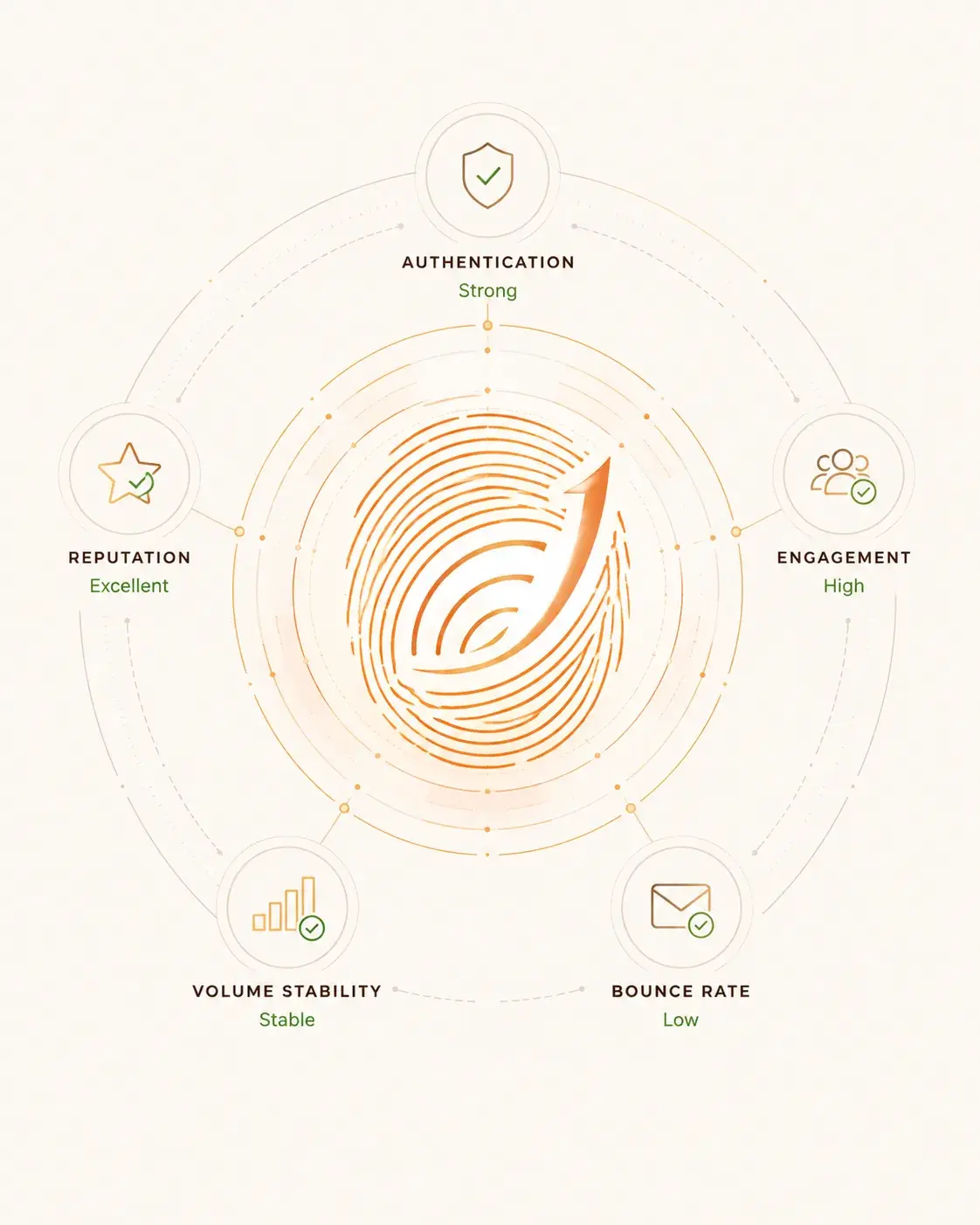
Mailbox providers do not publish a score, but they behave as if they keep one. Authentication, engagement, bounce rate and volume are the kinds of signal that move where your mail lands.
Every phase above exists to push one of those five in the right direction, and Warmerly shows authentication, placement, bounces and replies per mailbox, so a drop shows up as a specific cause rather than a vague dip in results.
Under the hood
We never send on round-number cadences. Each send time is drawn with random jitter inside the mailbox's local working hours, so the traffic does not arrive in a burst.
Warmup messages are assembled from a bank of 684 subjects, openings, bodies, closings and topics, mixed per message, so wording varies from message to message.
Replies include the prior message body quoted with proper > prefixing and a short reply above it, and the subject gets a single Re: prefix.
A spam-placed message has its junk keywords removed, gets not-junk, seen and starred flags, and is moved to the inbox before the reply goes out.
IMAP and SMTP passwords, app passwords and OAuth tokens are encrypted with AES-256-GCM before they are stored.
Three refused logins in a row pause a mailbox and tell you to reconnect it. A just-connected mailbox gets a short grace period, because a new app password can take a few minutes to activate.
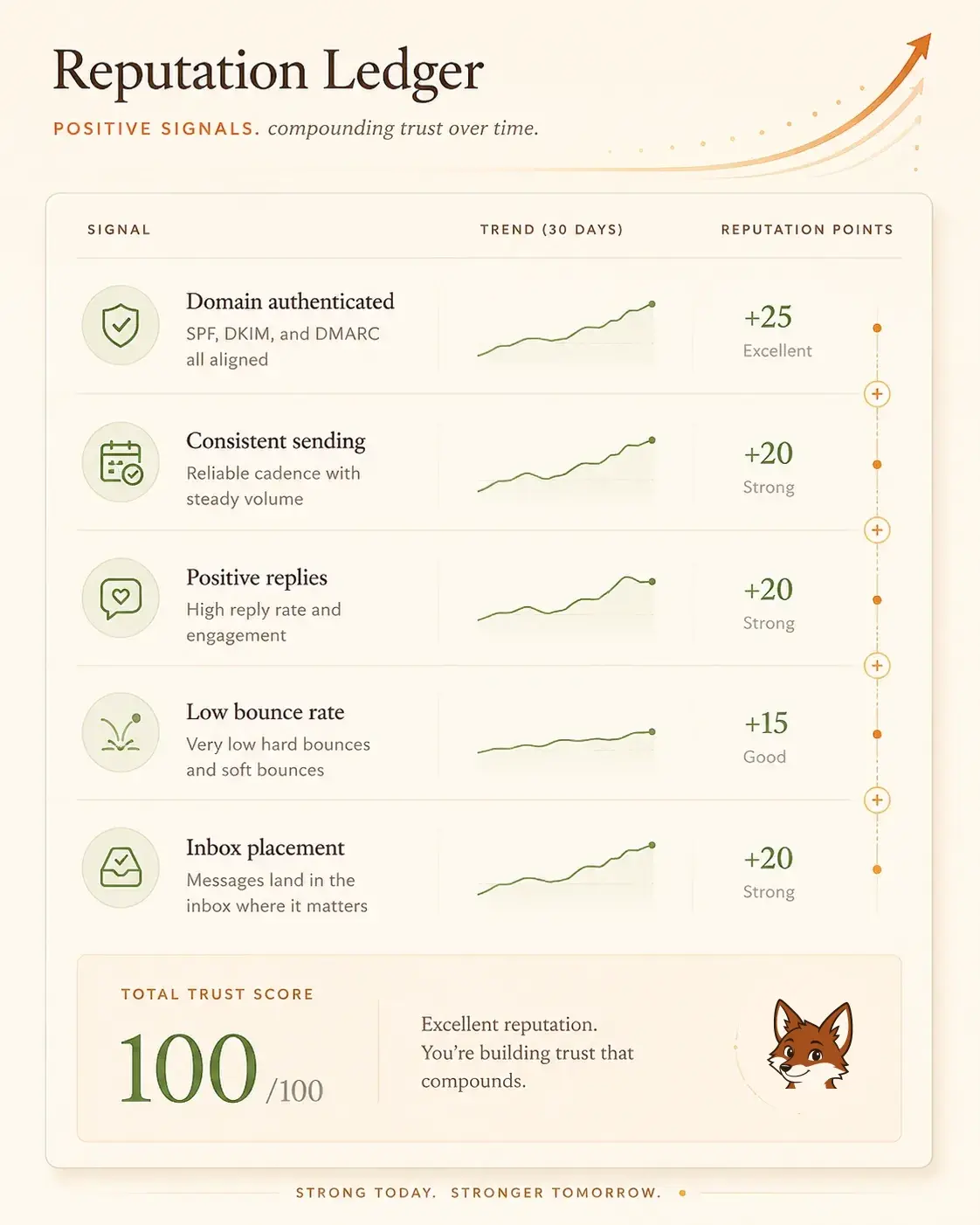
Each authenticated domain, each consistent sending day, each real reply and each bounce you avoid adds to a balance that carries forward. That is why warmup keeps running after your first campaign rather than stopping at “done”.
It is also why a bad week is not permanent: warmup keeps adding positive signals, which is how a mailbox recovers over time.
Microsoft 365 and Outlook.com use Microsoft sign-in, requesting only the two mail permissions it needs, IMAP.AccessAsUser.All and SMTP.Send (read and send mail, nothing else). Google Workspace and gmail.com use a Google app password, which is separate from your account password and can be revoked from your Google account at any time. Any other provider connects over IMAP and SMTP. Passwords and tokens are encrypted at rest, and you can disconnect at any time.
Every mailbox follows one ramp: 4 warmup sends a day at the start, rising to 50 a day over 30 days of sending. Gmail has a lower ceiling of 40 and Outlook 30, weekends send less, and a low health score or high spam placement lowers the day's volume. There are no presets to pick. You can set a lower daily limit on a mailbox, never a higher one.
It can. Partners are picked from the pool of all active mailboxes, favouring ones with fewer messages scheduled and spreading your sends across providers, and Warmerly does not exclude other mailboxes you own. It avoids the same partner twice within about three days when the pool allows.
There is no fixed gate. A health score of 70 or more counts as healthy in the dashboard, and you can launch a campaign at any time. A campaign on young mailboxes starts with a volume ramp by default, and for a brand-new mailbox or domain it is wise to keep the first batch small. Warmup keeps running while campaigns send.
A falling health score or high spam placement narrows that mailbox's daily warmup volume. If the score stays below 60 for two days, the mailbox is paused and resumes after a cooldown. Campaign sending is separate: it slows as the campaign bounce rate rises and pauses if it gets too high.
No. Warmup is not metered on any plan, including Free. Plans are limited by the number of mailboxes, not by warmup volume.
Connect a mailbox and the first warmup email goes out within minutes. The dashboard shows its health score as results come in.