WarmerlyWarmerly ahead on this row
Checked every 6 hours, with the record to paste for SPF and DMARC
One row, in depth: what each tool does, the verified numbers, and who each suits.
lemlist details read from its pricing page, home page and help centre on 21 October 2026.
Checked every 6 hours, with the record to paste for SPF and DMARC
DNS health tab with a Refresh checks button, and Deliverability Hub alerts; automatic interval not stated
Warmerly checks SPF, DKIM, DMARC and MX every 6 hours on its own and writes a plain finding with a fix, and can show the record to paste for SPF and DMARC. lemlist has a DNS health tab with a Refresh checks button, and a Deliverability Hub with alerts you configure. lemlist does not state how often it checks on its own. Last checked 21 October 2026.
Checked every 6 hours, with the record to paste for SPF and DMARC
DNS health tab with a Refresh checks button, and Deliverability Hub alerts; automatic interval not stated
SPF, DKIM, DMARC and MX
lemlist's help article does not say whether it also checks automatically. Its Deliverability Hub has alerts you configure, and its warmup pauses itself when DNS is not valid.
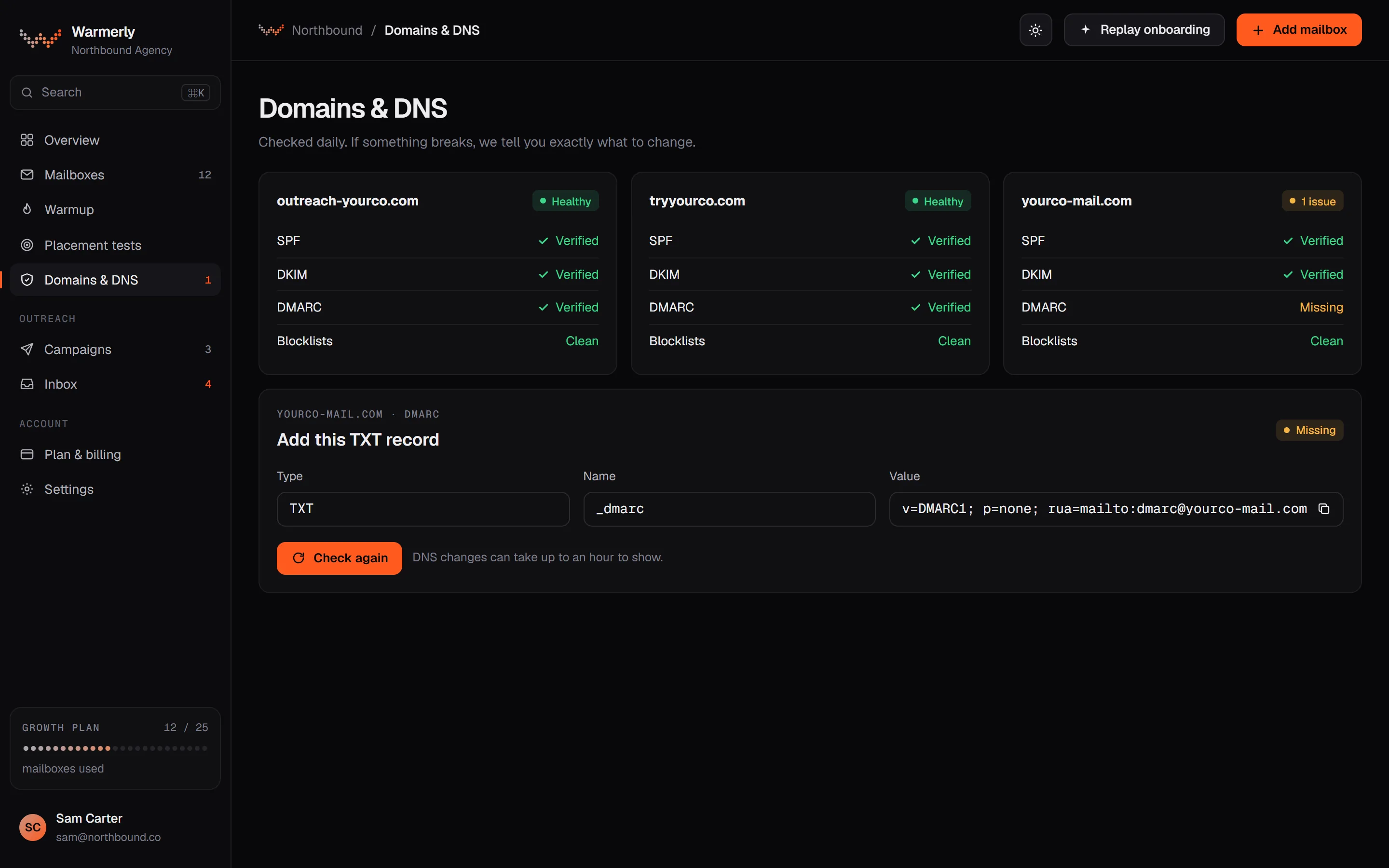
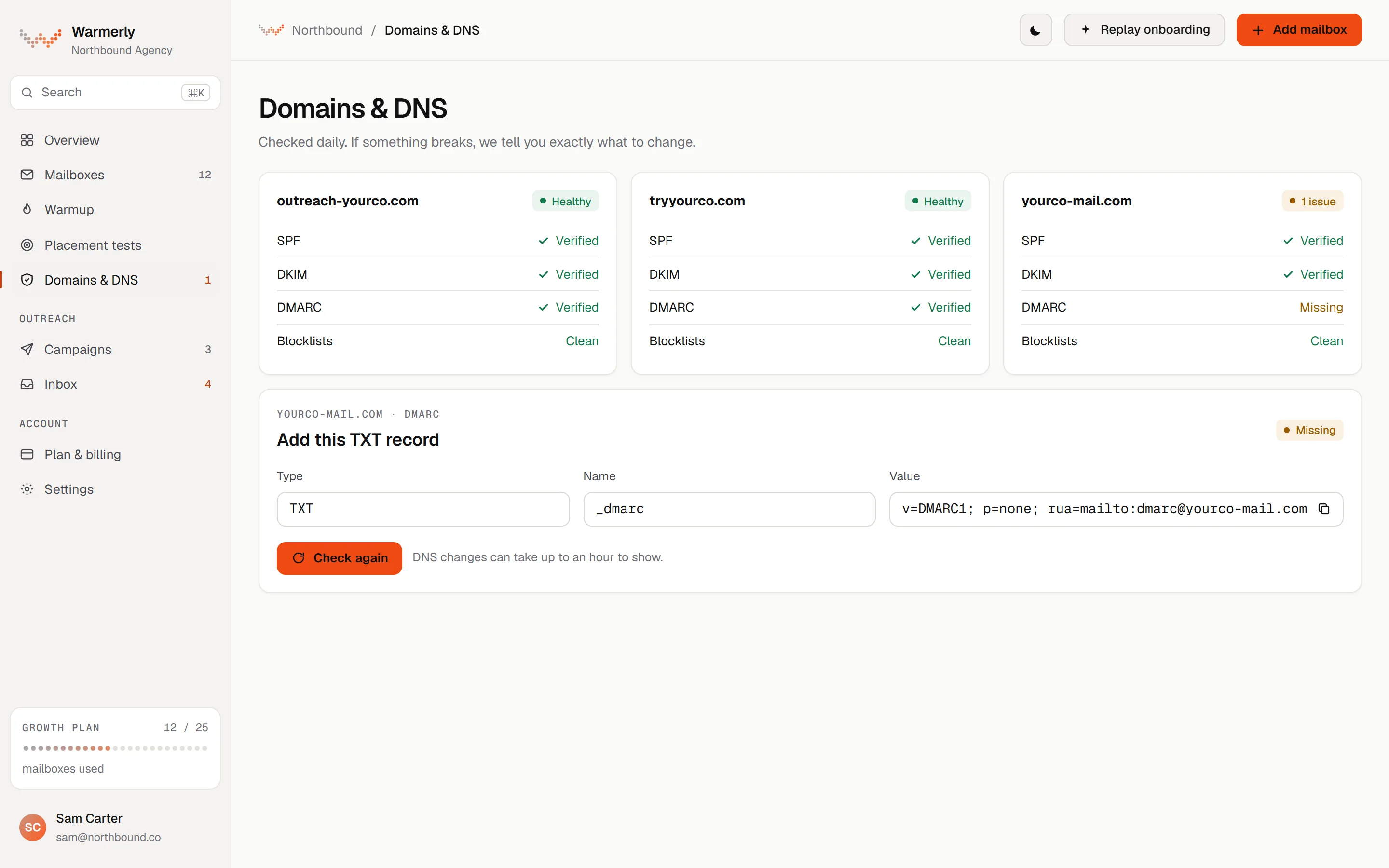
Automatic checks every 6 hours with a written fix, plus domain and IP blocklists. The wording on the card is written to avoid false alarms in both directions.
SPF is checked for its ending, the limit of 10 DNS lookups and broken terms. DKIM is checked for key length and test mode. DMARC is checked for policy and rua. MX is checked for presence.
Warmerly product, checked 21 October 2026
The records sweep runs every 6 hours across every mailbox that is not dead or paused, and the Health tab has Re-check now.
Warmerly product, checked 21 October 2026
SPF is suggested for Google and Microsoft mailboxes, merged into the record published now. DMARC is a monitor-only p=none record when none exists. For DKIM the fix points to your provider.
Warmerly product, checked 21 October 2026
A domain may publish only one SPF record, so the suggestion keeps the terms already there and adds the provider before the all term. It is not offered when the record uses redirect= or already lists the provider, and never on a provider-managed domain.
Warmerly product, checked 21 October 2026
Checked by plain DNS lookup on their own 6-hourly sweep. Domain zones include Spamhaus DBL and SURBL; IP zones include Spamhaus ZEN, SpamCop and Barracuda. A refused query is never reported as a listing.
Warmerly product, checked 21 October 2026
A check that could not run shows as unknown, not as a pass and not as a failure. A timeout on our side and a missing DKIM record look different on the card, because only one is the customer's to fix.
Warmerly product, checked 21 October 2026
Only a hard failure alerts. One hard failure shows the domain as amber and two or more as red, and advisories such as a p=none DMARC policy never make a domain red or send an alert.
Warmerly product, checked 21 October 2026
The DNS alert rules are fixed: a hard failure alerts and nothing else does. There is no threshold, period or severity for the customer to set.
Warmerly product, checked 21 October 2026
A DNS health tab you refresh, and a Deliverability Hub with configurable alerts. lemwarm also runs its own DNS check and pauses when records are invalid.
Under Settings, Account health, a DNS health tab shows SPF, DKIM and DMARC for a chosen email account, with a Refresh checks button. The article advises refreshing after any DNS change and before launch.
help.lemlist.com/en/articles/7198030-find-the-dns-health-section · read 21 October 2026
The article describes All good when SPF, DKIM and DMARC all pass, and an error state otherwise. It does not name the exact labels, give a fix per record, or say how long propagation takes beyond that it can take time.
help.lemlist.com/en/articles/7198030-find-the-dns-health-section · read 21 October 2026
The article tells you to open your DNS provider, compare the required values with what is published, correct missing, incorrect or duplicated records, wait, and click Refresh checks. If you cannot find where DNS is hosted it suggests asking your IT admin.
help.lemlist.com/en/articles/7198030-find-the-dns-health-section · read 21 October 2026
The Hub shows bounce trends, inbox and spam signals and placement results. Alerts have a type, a target, a severity, a threshold, a period and email or in-app delivery. No default thresholds are given.
help.lemlist.com/en/articles/13751256-monitor-deliverability-with-lemlist-deliverability-hub · read 21 October 2026
Each alert has an operator (above, below or equal), a threshold in percent, a period in days, and either a rolling average or consecutive days. Alert logs can be filtered by All, Active or Resolved. The article suggests starting with a Warning at a realistic threshold and tightening it later.
help.lemlist.com/en/articles/13751256-monitor-deliverability-with-lemlist-deliverability-hub · read 21 October 2026
The Hub is included in all plans and in the free trial, per the same article.
help.lemlist.com/en/articles/13751256-monitor-deliverability-with-lemlist-deliverability-hub · read 21 October 2026
The lemwarm plans article says its DNS check covers MX exchanges, SPF syntax, DMARC, email test results and a SpamAssassin score. DNS carries 40 of the 100 Warmup Score points, so broken records cap the score.
help.lemlist.com/en/articles/8178526-discovering-lemwarm-plans · read 21 October 2026
lemwarm pauses itself when MX, SPF or DMARC is not valid, per its pause guide. Codes include invalid DMARC and no MX record. For DMARC the guide warns against strict policies such as p=reject too early, and says DNS changes can take up to 72 hours to propagate.
help.lemlist.com/en/articles/12918125-why-was-lemwarm-paused-full-guide-to-all-pause-reasons-and-how-to-fix-them · read 21 October 2026
The pause guide names SpamRL and SpamCop listings, says to request delisting, warm a secondary domain meanwhile, and verify with MXToolbox or MultiRBL. Delisting reviews typically take 24 to 72 hours.
help.lemlist.com/en/articles/12918125-why-was-lemwarm-paused-full-guide-to-all-pause-reasons-and-how-to-fix-them · read 21 October 2026
We looked, and found no statement on these. That is about its published pages only, not about the product.
| Measure | Warmerly | lemlist |
|---|---|---|
| SPF, DKIM and DMARC monitoring | Checked every 6 hours, with the record to paste for SPF and DMARC | DNS health tab with a Refresh checks button, and Deliverability Hub alerts; automatic interval not stated |
| Automatic check interval | Every 6 hours | Not stated |
| Domain blocklists checked | 6 | Not stated |
| IP blocklists checked | 10 | Not stated |
| SPF lookup limit checked | 10 DNS lookups | SPF syntax only, per the lemwarm article |
| Record suggested for you | SPF and DMARC | Not stated |
| Alert thresholds you can set | None | Operator, threshold, period |
| Checks run in a day | 4 sweeps | Not stated |
Our reading of the facts above. Not a promise, and not the only reasonable reading.
Warmerly raises an alert at the next sweep, within 6 hours. In lemlist you would see it if you refreshed the tab, or if an alert you set up fired.
lemlist's alerts are more configurable. Warmerly's are fixed: a hard failure alerts, advisories never do.
A sweep every 6 hours is 4 a day and 28 a week. lemlist's pause guide says a DNS change can take up to 72 hours to propagate, which is 12 Warmerly sweeps. So after you fix a record the card may keep saying it fails for part of that time, and Re-check now is the quicker route. lemlist's equivalent is Refresh checks.
Warmerly queries 6 domain zones and 10 IP zones, 16 in all. Its card reports coverage as well as status, so 'clean on 13 lists' and 'clean on the 3 that answered while 10 refused' do not look the same: a partial answer shows amber with the count. lemlist's guide points you to MXToolbox or MultiRBL for a listing check and notes that different tools can show different results.
Most healthy domains publish a DMARC policy of p=none. Warmerly treats that as an advisory, so it does not turn the domain red or send an alert. lemlist's guide cautions against p=reject too early. Neither source here says p=none is wrong, and the choice between them is yours.
With SPF failing on a Google Workspace mailbox, Warmerly shows type, host, value and a copy button, merged with the terms already published. In lemlist you compare the required values on the DNS health screen with what your DNS holds. If your team edits DNS rarely, the pasted text saves a lookup; if you already know SPF well, it saves little.
Yes, every 6 hours for each active mailbox, and on demand. Each failure comes with an explanation and a fix. lemlist has a DNS health tab with a Refresh checks button, and says nothing about an automatic interval.
No. That is an advisory, and advisories never alert or turn a domain red. Only a hard failure alerts.
Its pause guide names SpamRL and SpamCop listings as reasons lemwarm pauses and tells you how to request delisting. We did not find a list of the blocklists it checks, or a schedule.
It pauses itself when MX, SPF or DMARC is not valid and shows a coded reason in its notifications. You fix the record, wait for propagation, which can take up to 72 hours, and restart.
In lemlist, yes: an operator, a threshold in percent, a period in days and a rolling average or consecutive days. Warmerly's alert rules are fixed.
lemlist pages were read on 21 October 2026. Plans and wording change, so check the vendor's own page before you decide. Warmerly details come from the product as it runs today.
Connect a mailbox. Warmerly runs alongside whatever you send from now, so you can compare before you move anything.
Free plan, no card. Paid plans: 7-day trial, first charge on day 8.