Warmerly
One queue of everyone who replied, across email and LinkedIn, with labels and a suggested reply.
One row, in depth: what each tool does, the verified numbers, and who each suits.
Closely details read from its pricing page, home page, product and legal pages and help centre on 21 October 2026.
One queue of everyone who replied, across email and LinkedIn, with labels and a suggested reply.
A Smart Inbox with tags, templates and teammate presence; its help overview covers LinkedIn conversations.
Both tools put replies in one inbox. Warmerly's inbox is a reply queue across email and LinkedIn with labels and a suggested reply. Closely's pricing and home pages describe a unified inbox for LinkedIn and email replies with tags, templates and assignment, while its help overview describes LinkedIn conversations only. Last checked 22 October 2026.
One queue of everyone who replied, across email and LinkedIn, with labels and a suggested reply.
A Smart Inbox with tags, templates and teammate presence; its help overview covers LinkedIn conversations.
What each inbox gives you
Closely's home page describes LinkedIn and email in one inbox, while its help overview describes LinkedIn only.
As each describes it
Email and LinkedIn
LinkedIn, and email per its home page
Warmerly's inbox has no snooze, star or notes.
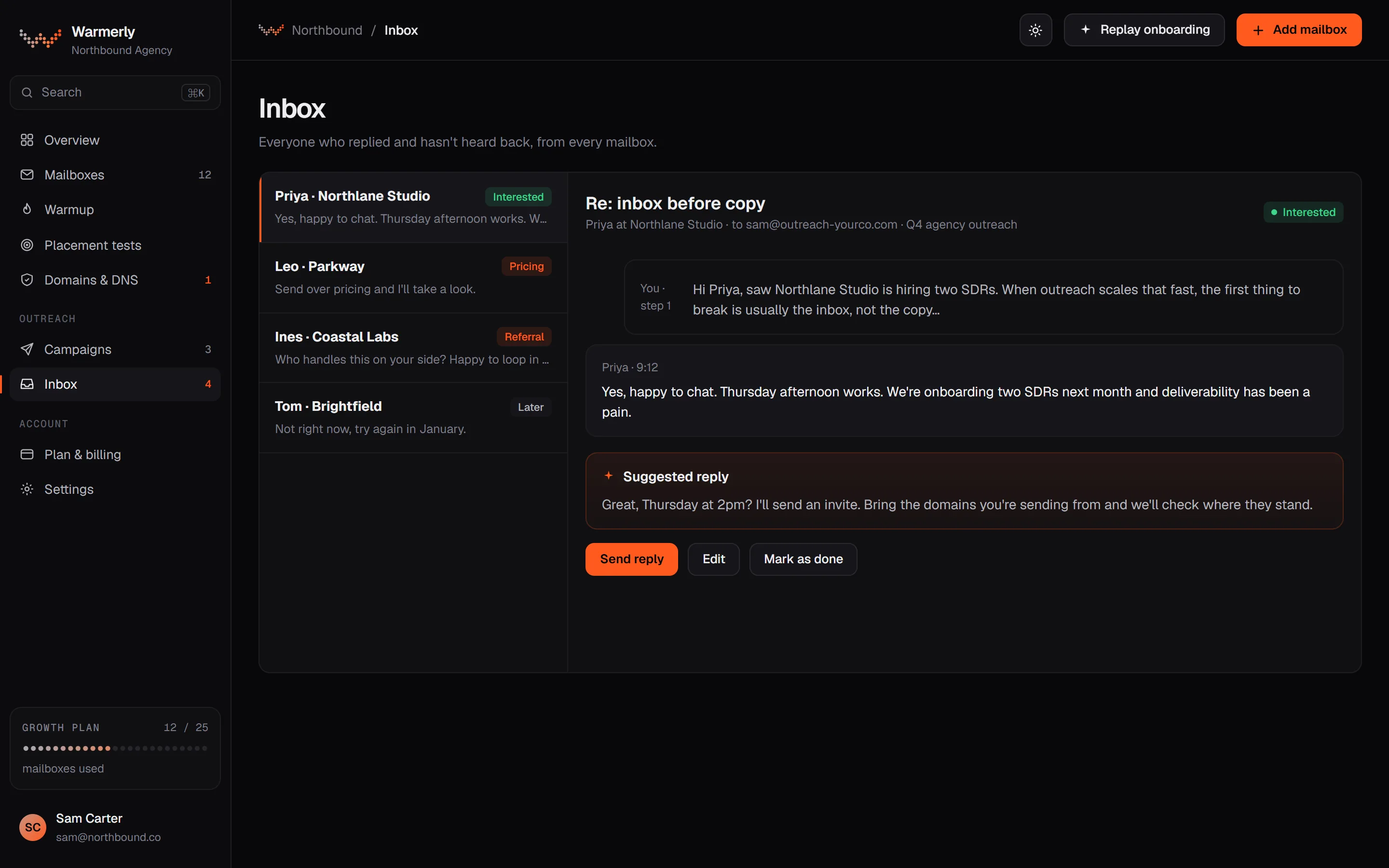
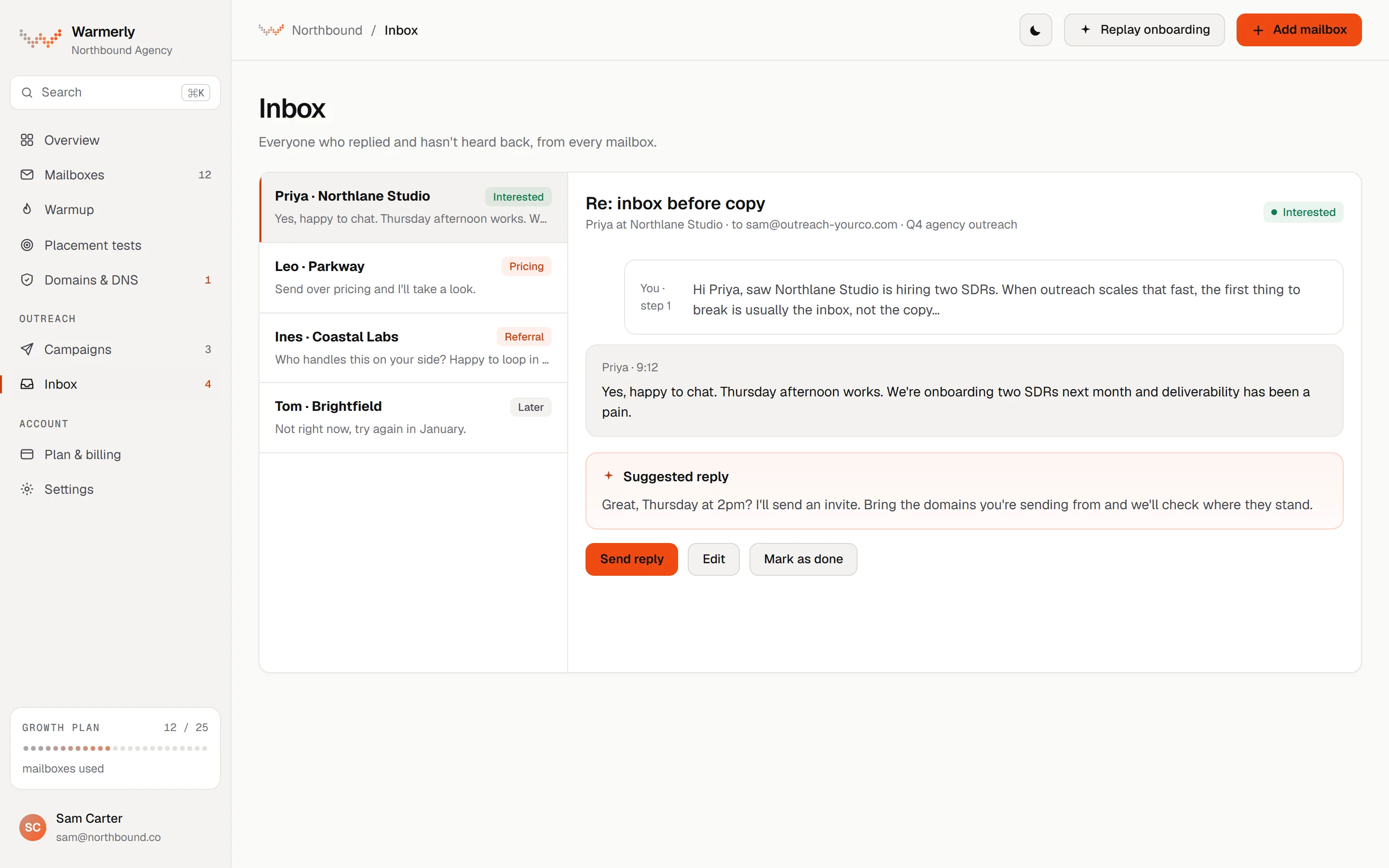
A reply queue first: a 'Needs reply' view, labels with rules and AI, email and LinkedIn in one list, mailboxes read about every five minutes, and a suggested reply for the latest inbound email. Warmup traffic is kept out of the list.
The default view is conversations where the newest message is theirs and it is either labelled a lead or not labelled at all. Other views are All and Archived, and the list can be searched by name, email, company or message text with a prefix match, so 'invo' finds 'invoice'.
Warmerly product, checked 21 October 2026
Mail is labelled lead, not relevant or spam. Free rules at ingest catch own-domain mail, no-reply senders, bulk and auto-reply headers, unsubscribe mail and the spam folder. An AI step labels campaign replies only, and your own override sticks. Warmerly does not list reply intents such as 'meeting booked' for email.
Warmerly product, checked 21 October 2026
LinkedIn replies land in the same inbox as email replies. LinkedIn campaign replies are labelled by their reply label: interested, question and referral count as leads, and not interested, stop and out of office as not relevant.
Warmerly product, checked 21 October 2026
Warmerly can draft a reply to the latest inbound email: under 120 words, plain text, signed with the sender's first name. The draft is saved for you to edit and send. The same draft function is available to AI assistants through the Warmerly MCP server.
Warmerly product, checked 21 October 2026
The inbox has no snooze, star or notes: its own test asserts that those controls are absent. We also found no tags on a conversation, no scheduled reply, and no single inbox that spans many LinkedIn accounts with role-based access.
Warmerly product, checked 21 October 2026
Every email a mailbox receives shows in the inbox except warmup network traffic, which is hidden so it cannot bury real replies. That matters because most of a mailbox's stored mail is warmup traffic: at the time the doc was written about 87% of stored rows were warmup. Automated senders such as no-reply addresses are still shown in All, filed as not relevant, and kept out of Needs reply.
Warmerly product, checked 21 October 2026
A sweep reads each connected mailbox's INBOX and Sent folder about every five minutes, incrementally, in batches of up to 50 new messages. A slow mail host can delay one mailbox, and the sweep gives up on a stuck host so the others are still read. There is also a manual refresh for one account.
Warmerly product, checked 21 October 2026
Owners, admins and members can all use the inbox, the campaigns and the mailboxes of a workspace, and roles belong to one workspace. The roles table does not limit mailbox mail to the person who connected the mailbox.
Warmerly product, checked 21 October 2026
Through the MCP server an assistant can list conversations, open one, draft a reply, send a reply and set a category. Sending goes through a separate send guard and every write is recorded in an audit log.
Warmerly product, checked 21 October 2026
A Smart Inbox on every plan, with tags, templates and teammate presence on its home page, and a help overview that describes LinkedIn conversations only, updated hourly.
DMs, InMails and email replies in one place, with assigning, tags, templates and teammate presence to prevent collision.
closelyhq.com · read 21 October 2026
Its help overview of the Inbox tab describes managing conversations on LinkedIn, with filters by account, campaign or tags, and .txt exports.
help.closelyhq.com/en/articles/5594918-inbox-overview · read 21 October 2026
Conversations update automatically every hour, and a manual refresh is allowed 30 minutes after the last one.
help.closelyhq.com/en/articles/5594918-inbox-overview · read 21 October 2026
Only the person who added a LinkedIn account can view its inbox, per its team access article, though access can be shared.
help.closelyhq.com/en/articles/8099971-team-access-management · read 21 October 2026
The help overview says conversations can be filtered by account, by campaign or by tags, with default tags and custom ones, and that a chat can be exported as a .txt file. It does not mention templates. The article is dated 31 March 2023.
help.closelyhq.com/en/articles/5594918-inbox-overview · read 22 October 2026
Its multichannel page says all replies from LinkedIn and email are synced into a single inbox, and its home page adds that conversations can be assigned, tagged and handled with templates, with teammate presence to prevent collision. Outcomes sync to HubSpot, Salesforce or Pipedrive.
closelyhq.com/multichannel-campaigns · read 22 October 2026
The home page says sequences pause automatically on replies, and a help article says a reply stops the sequence while an autoreply or bounce stops only the email steps and leaves the LinkedIn steps running.
help.closelyhq.com/en/articles/6659800-does-a-sequence-stop-automatically-after-the-first-reply-is-received · read 22 October 2026
Its team access article, dated 19 November 2025, says only the person who added a LinkedIn account can view its inbox, and that access can be shared through a separate article we have not read. Owners and Admins see all team accounts on the Accounts tab.
help.closelyhq.com/en/articles/8099971-team-access-management · read 22 October 2026
Its home page says white-label partners get in-app chat under their own brand, so a client can read replies without seeing Closely's name.
closelyhq.com · read 22 October 2026
We looked, and found no statement on these. That is about its published pages only, not about the product.
We report each version rather than pick one.
| Measure | Warmerly | Closely |
|---|---|---|
| Reply inbox | One queue of everyone who replied, across email and LinkedIn, with labels and a suggested reply. | A Smart Inbox with tags, templates and teammate presence; its help overview covers LinkedIn conversations. |
| Channels in the inbox | Email and LinkedIn | LinkedIn and email per its home page; LinkedIn per its help overview |
| Refresh | About every 5 minutes | Every hour, manual after 30 minutes |
| Tags and templates | Labels; no tags or snooze | Tags and templates |
| Mailbox or account read | About every 5 minutes | Every hour for LinkedIn conversations |
| Who sees the inbox | Owner, admin and member of the workspace | The person who added the account, unless shared |
| Export a conversation | Not found | .txt export, per its overview |
| Reply from an AI assistant | Yes, through MCP | Not found |
Our reading of the facts above. Not a promise, and not the only reasonable reading.
Tags, templates and teammate presence. Warmerly's inbox has no snooze, star or notes.
A Needs reply view is the default, with a suggested reply for the latest inbound email.
Warmerly reads a mailbox about every 5 minutes and Closely updates conversations every hour, so a day has about 288 Warmerly reads against 24 Closely updates, twelve times as many. The Closely figure is from a 2023 help article about LinkedIn conversations, and Warmerly's is for email, so it is not a like for like speed test.
Closely allows a manual refresh 30 minutes after the last update, so the longest you wait for a new reply is about the hour of the automatic update. Warmerly's longest wait is about the five minute sweep, longer when one mail host is slow.
At Closely only the person who added an account sees its inbox until access is shared, so a 3 account team has 3 separate inboxes by default. At Warmerly the workspace's members all use the same inbox, with nothing to set up.
No custom tags, no snooze, no star or notes and no teammate presence marker. If three people answer replies all day, those missing pieces matter more than a suggested reply.
Its home page and pricing page say yes. Its help overview of the Inbox tab describes LinkedIn conversations only, so check with Closely.
Closely's help overview says conversations update automatically every hour and can be refreshed by hand 30 minutes after the last update. Warmerly reads each mailbox about every five minutes.
Its team access article says only the person who added a LinkedIn account can view its inbox, though access can be shared. Check the sharing article before you rely on it.
No. Warmup network traffic is hidden. Everything else a mailbox receives shows in the inbox, with automated mail filed as not relevant.
Yes, for the latest inbound email: under 120 words, plain text, saved for you to edit and send. An AI assistant can do the same through the MCP server.
Closely pages were read on 21 October 2026. Plans and wording change, so check the vendor's own page before you decide. Warmerly details come from the product as it runs today.
Connect a mailbox. Warmerly runs alongside whatever you send from now, so you can compare before you move anything.
Free plan, no card. Paid plans: 7-day trial, first charge on day 8.