WarmerlyWarmerly ahead on this row
On every mailbox: threaded conversations with quoted replies, and spam rescue.
One row, in depth: what each tool does, the verified numbers, and who each suits.
Closely details read from its pricing page, home page, product and legal pages and help centre on 21 October 2026.
On every mailbox: threaded conversations with quoted replies, and spam rescue.
Not offered. Its help article suggests warming sending accounts with another tool; its warm-up is for the LinkedIn account.
Warmerly warms every mailbox on a ramp from 4 a day to 50 a day over 30 days, and moves spam-placed warmup mail back to the inbox. Closely lists no mailbox warmup: its help article on spam tells you to warm sending accounts with another tool, and its warm-up feature is for the LinkedIn account. Last checked 22 October 2026.
On every mailbox: threaded conversations with quoted replies, and spam rescue.
Not offered. Its help article suggests warming sending accounts with another tool; its warm-up is for the LinkedIn account.
One mailbox over its first 30 days
Warmerly's ceilings are lower on Gmail (40), Outlook (30) and Zoho (25). Closely's help article suggests warming sending accounts with another tool.
What each warms
The mailbox, then the LinkedIn account
The LinkedIn account
LinkedIn warmup on Warmerly is part of the add-on and starts paused until you switch it on.
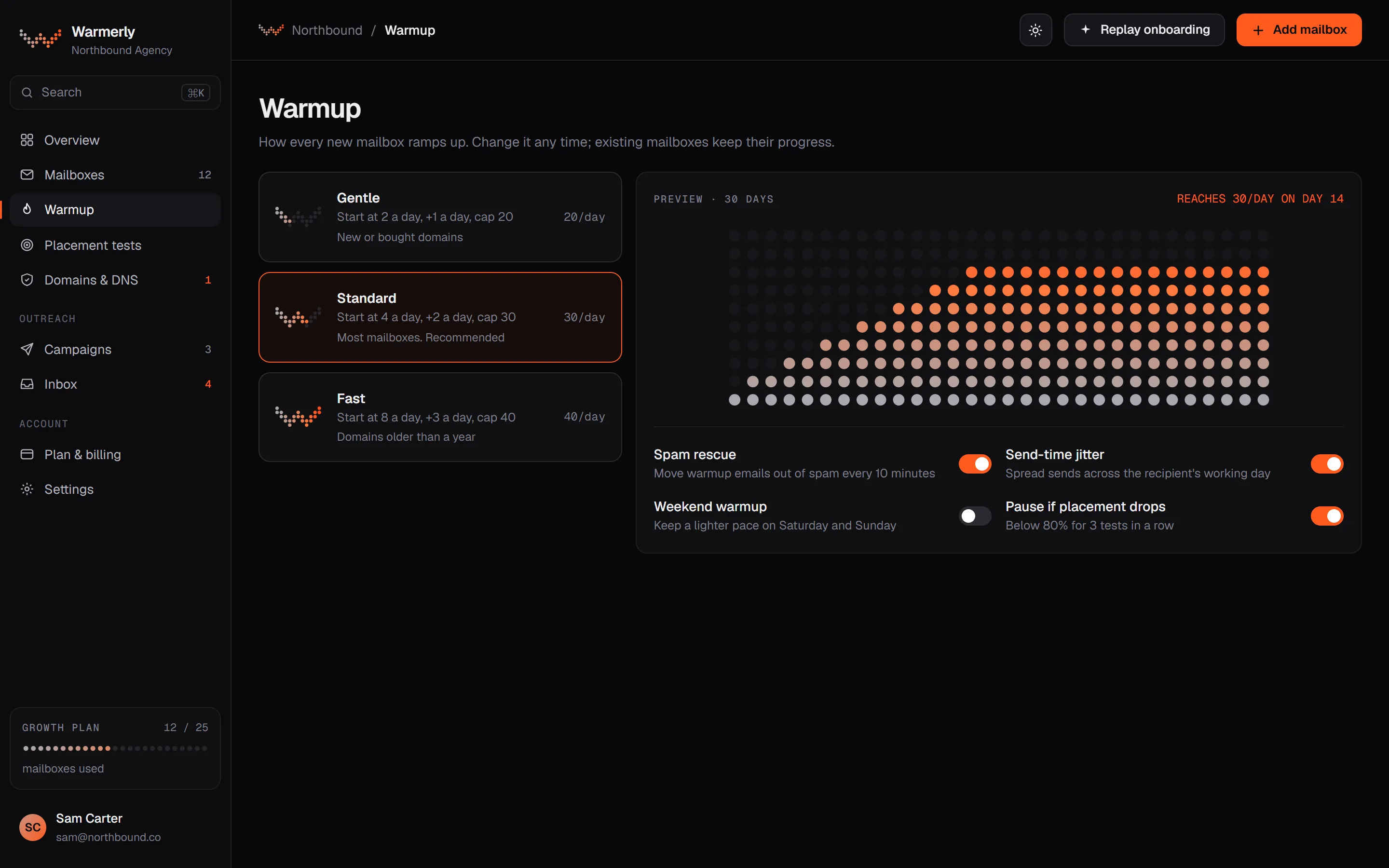
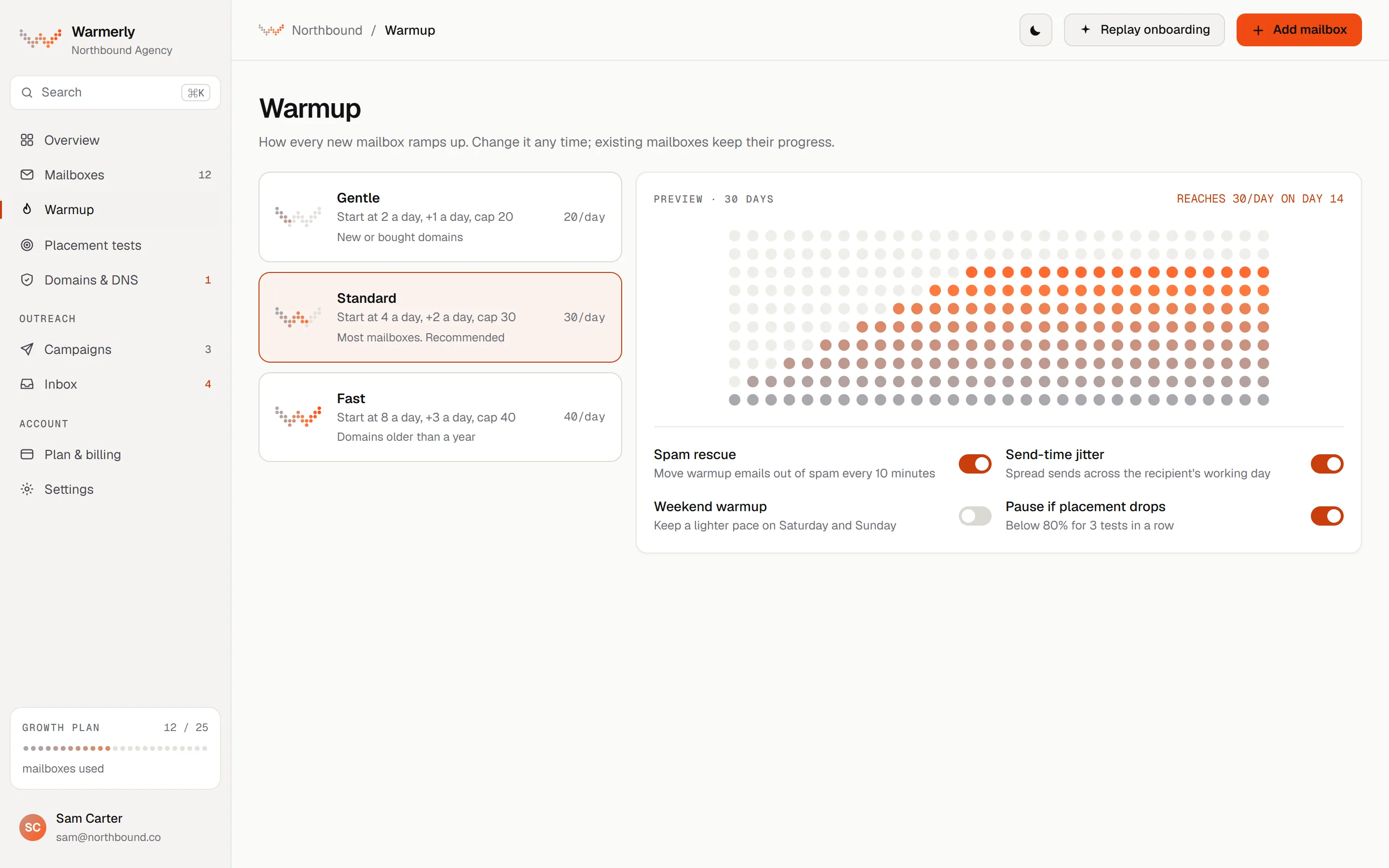
Warmerly warms each mailbox on a ramp set by Warmerly: 4 a day at day 0, 50 a day by day 30, then cut by provider cap, weekends, spam placement and health. Warmup sends are not a billing meter, but every mailbox follows the ramp.
The daily quota is interpolated between anchors: 4 a day at day 0, 8 at day 3, 15 at day 7, 25 at day 14, 35 at day 21 and 50 at day 30. It counts days the mailbox really sent, so a paused or newly enabled old mailbox cannot skip ahead. Domain age is not an input.
Warmerly product, checked 21 October 2026
The quota is the lowest of the age ramp, the provider cap and the hard ceiling of 50 a day. Provider caps are Gmail 40, Outlook 30 and Zoho 25. Worked through the ramp, a Zoho mailbox reaches its cap of 25 at day 14, an Outlook mailbox passes 30 at day 18 and a Gmail mailbox reaches 40 at day 24.
Warmerly product, checked 21 October 2026
Weekends run at 0.6 of the weekday quota, measured in the mailbox's own timezone, so a mature mailbox on the 50 ceiling plans 30 on a weekend, a mature Gmail mailbox 24, Outlook 18 and Zoho 15. A spam placement score of 20 or more multiplies the quota by 0.4 and 10 or more by 0.7. A health score below 50 multiplies it by 0.4 and below 70 by 0.75. The lower of the two reductions applies.
Warmerly product, checked 21 October 2026
The capacity calculation returns a named limiting factor for each mailbox (age, provider, hard cap, health, weekend, your own daily limit and others) and the warmup page reads it. You can set a lower daily warmup limit yourself. A free sandbox mailbox is capped at 3 a day.
Warmerly product, checked 21 October 2026
Warmup mail is real mail between mailboxes in one pool that includes other customers' mailboxes. A sender does not write to the same recipient twice within 72 hours, relaxing to 48 and then 24 if the pool runs short.
Warmerly product, checked 21 October 2026
Warmup does not warm a LinkedIn profile: LinkedIn account warmup is a separate feature of the LinkedIn add-on.
Warmerly product, checked 21 October 2026
Every warmup message that lands in spam is rescued to the inbox after its read delay, so the provider sees a message that was wanted. The same code records where each message landed, which feeds the spam placement score that slows the ramp.
Warmerly product, checked 21 October 2026
A new mailbox is marked aging and becomes active once it has 30 days on which it really sent. A mailbox connected months ago that never sent stays aging. The label is a signal to you, not a switch, because volume follows the ramp curve either way.
Warmerly product, checked 21 October 2026
Three consecutive IMAP failures pause a mailbox and ask you to reconnect. A health score under 60 for 2 days pauses it, and it resumes by itself after a 3 day cooldown.
Warmerly product, checked 21 October 2026
Campaigns do not wait for day 30, and a pre-launch check warns when sending mailboxes are still warming. A help article explains how to launch before warmup finishes.
Warmerly product, checked 21 October 2026
Pairing prefers recipients with a good record and adjusts a sender's volume using the spam history of its recent warmup mail. Hosted Warmerly mailboxes only pair with other hosted ones, and a hosted mailbox skips replying to a low reputation sender.
Warmerly product, checked 21 October 2026
Closely's warm-up is a LinkedIn feature. For email, its help centre points to other tools and to manual steps, and gives sending limits for the mailboxes you connect.
Its pricing table lists LinkedIn account warmup. The same table lists no email mailbox warmup.
closelyhq.com/pricing · read 21 October 2026
Its article on why emails go to spam says to warm up sending accounts gradually using tools such as Saleshandy's warm-up tools. It is dated 18 April 2023.
help.closelyhq.com/en/articles/7321531-here-s-why-emails-go-to-spam · read 21 October 2026
The same article lists a sudden jump in volume, for example 50 a day to 500, as a cause of spam placement, and suggests cutting to around 50 a day if you land in spam.
help.closelyhq.com/en/articles/7321531-here-s-why-emails-go-to-spam · read 21 October 2026
We found no feature that moves warmup or campaign mail out of the spam folder.
closelyhq.com · read 21 October 2026
Its spam article lists free Gmail or Outlook accounts, a domain under a year old, a sudden jump from 50 a day to 500, recipient complaints, mismatched links, trigger words, and missing SPF, DKIM or DMARC. It says the cause is usually a combination.
help.closelyhq.com/en/articles/7321531-here-s-why-emails-go-to-spam · read 22 October 2026
Set up SPF, DKIM and DMARC, cut to about 50 messages a day at most, move some sending to an older domain, warm up accounts gradually with a tool, use custom tracking domains, and check copy for trigger words. It names mail-tester.com, dnschecker.org and GMass for checks.
help.closelyhq.com/en/articles/7321531-here-s-why-emails-go-to-spam · read 22 October 2026
The default is 50 emails a day for each email account and the maximum is 200. Starting above 50 without any bulk history may look suspicious and the page says the account can be suspended for 1 to 24 hours. Up to 5,000 recipients per campaign. Written 7 October 2024.
help.closelyhq.com/en/articles/6868738-how-many-emails-i-can-send-per-day · read 22 October 2026
Its warm-up article gives 3 to 5 connection requests a day in week 1 and 8 to 11 in week 2 and was written on 26 November 2025. This is the only warm-up that its pages describe in numbers.
help.closelyhq.com/en/articles/5545819-what-is-a-warm-up-period · read 22 October 2026
Its pricing table lists OAuth Gmail and Outlook connection and custom SMTP on every plan, and a help article covers adding SMTP and IMAP accounts.
closelyhq.com/pricing · read 22 October 2026
We looked, and found no statement on these. That is about its published pages only, not about the product.
| Measure | Warmerly | Closely |
|---|---|---|
| Mailbox warmup | On every mailbox: threaded conversations with quoted replies, and spam rescue. | Not offered. Its help article suggests warming sending accounts with another tool; its warm-up is for the LinkedIn account. |
| LinkedIn account warmup | Part of the LinkedIn add-on | Every plan |
| Spam rescue | Warmup mail in spam is moved to the inbox | Not listed |
| Daily email default for a mailbox | 30 for campaigns, with a ramp for young mailboxes | 50 by default, 200 at most |
| Ramp length | 30 days, 4 to 50 a day | No email ramp stated |
| Provider ceilings in the ramp | Gmail 40, Outlook 30, Zoho 25 | Not stated |
| Weekend setting | 0.6 of the weekday quota | Not stated |
Our reading of the facts above. Not a promise, and not the only reasonable reading.
Closely does not do it. Its own help article recommends using a warm-up tool.
The two are different jobs and different providers judge them.
By the anchors, a new Gmail mailbox plans 25 warmup emails a day on day 14, 35 on day 21 and reaches its provider cap of 40 on day 24. Closely's article suggests no more than about 50 a day when you recover from spam, which is above Warmerly's ramp at every point before day 30.
On a mature Gmail mailbox Warmerly plans 24 warmup emails on a weekend, which is 0.6 of the 40 a day weekday cap. Closely states no weekend behaviour for email.
Closely's default of 50 a day would be about 12 times Warmerly's day 0 quota of 4. Its own spam article lists a domain under a year old as a risk factor and a jump from 50 to 500 as another, so a new mailbox is where its default and its advice pull apart.
If Closely sends your email steps, connect the same mailbox to Warmerly with campaigns off. Warmup runs on the ramp and the DNS checks run every six hours, while Closely keeps sending. Sends from Closely are not counted in Warmerly's ramp, so keep Closely's daily limit low while the mailbox is young.
Not as a feature we could find. Its help article on spam suggests warming sending accounts with a tool such as Saleshandy's. Its warm-up setting is for the LinkedIn account.
Yes. Connect the mailbox to Warmerly with its campaigns off, and it warms the mailbox whichever tool sends.
The ramp runs 30 days, from 4 a day to 50 a day, and a mailbox graduates after 30 days on which it really sent. Provider caps lower the ceiling to 40 on Gmail, 30 on Outlook and 25 on Zoho.
Its spam article says to cut sending to about 50 messages a day at most, check SPF, DKIM and DMARC, and warm up accounts with a warm-up tool. It dates from 18 April 2023.
Warmup mail goes between mailboxes in one pool that includes other customers' mailboxes, under the warmup network terms. A sender does not write to the same recipient twice within 72 hours unless the pool runs short.
Closely pages were read on 21 October 2026. Plans and wording change, so check the vendor's own page before you decide. Warmerly details come from the product as it runs today.
Connect a mailbox. Warmerly runs alongside whatever you send from now, so you can compare before you move anything.
Free plan, no card. Paid plans: 7-day trial, first charge on day 8.