WarmerlyWarmerly ahead on this row
Gmail, Outlook, Zoho or any SMTP and IMAP mailbox; 30 emails a day per mailbox by default, a ramp, a bounce brake and 13 kinds of pre-launch check.
One row, in depth: what each tool does, the verified numbers, and who each suits.
Closely details read from its pricing page, home page, product and legal pages and help centre on 21 October 2026.
Gmail, Outlook, Zoho or any SMTP and IMAP mailbox; 30 emails a day per mailbox by default, a ramp, a bounce brake and 13 kinds of pre-launch check.
Gmail, Outlook, SMTP and IMAP; 50 a day by default and 200 at most per account, and 5,000 recipients per campaign.
Warmerly connects Gmail, Outlook, Zoho and SMTP and IMAP, sends 30 a day by default for each mailbox and has no monthly cap. Closely connects Gmail, Outlook and SMTP and IMAP accounts, with a default of 50 emails a day for each, a maximum of 200 and 5,000 recipients per campaign. Last checked 22 October 2026.
Gmail, Outlook, Zoho or any SMTP and IMAP mailbox; 30 emails a day per mailbox by default, a ramp, a bounce brake and 13 kinds of pre-launch check.
Gmail, Outlook, SMTP and IMAP; 50 a day by default and 200 at most per account, and 5,000 recipients per campaign.
What each lists
We found no bounce brake or pre-launch checks on Closely's pages.
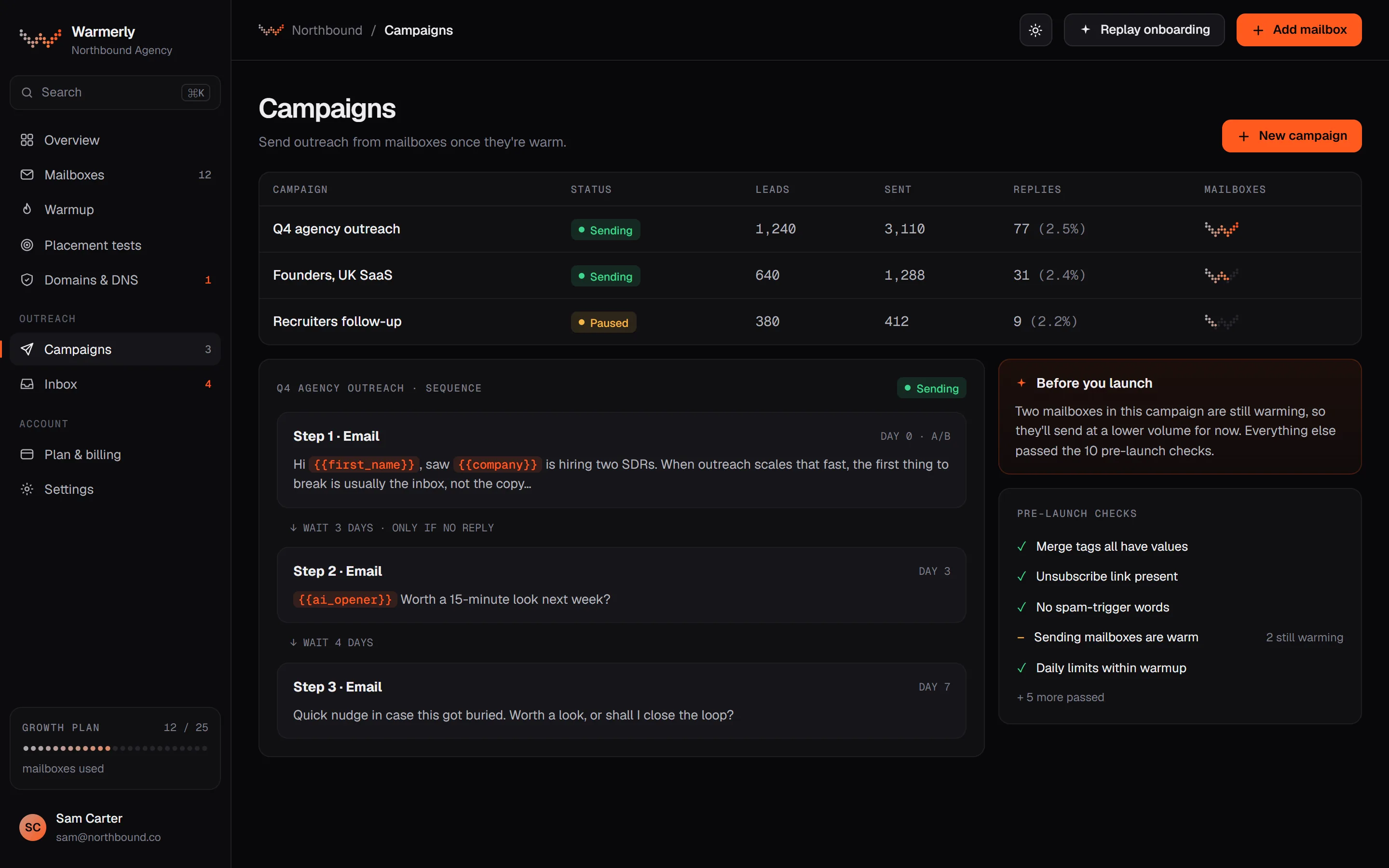
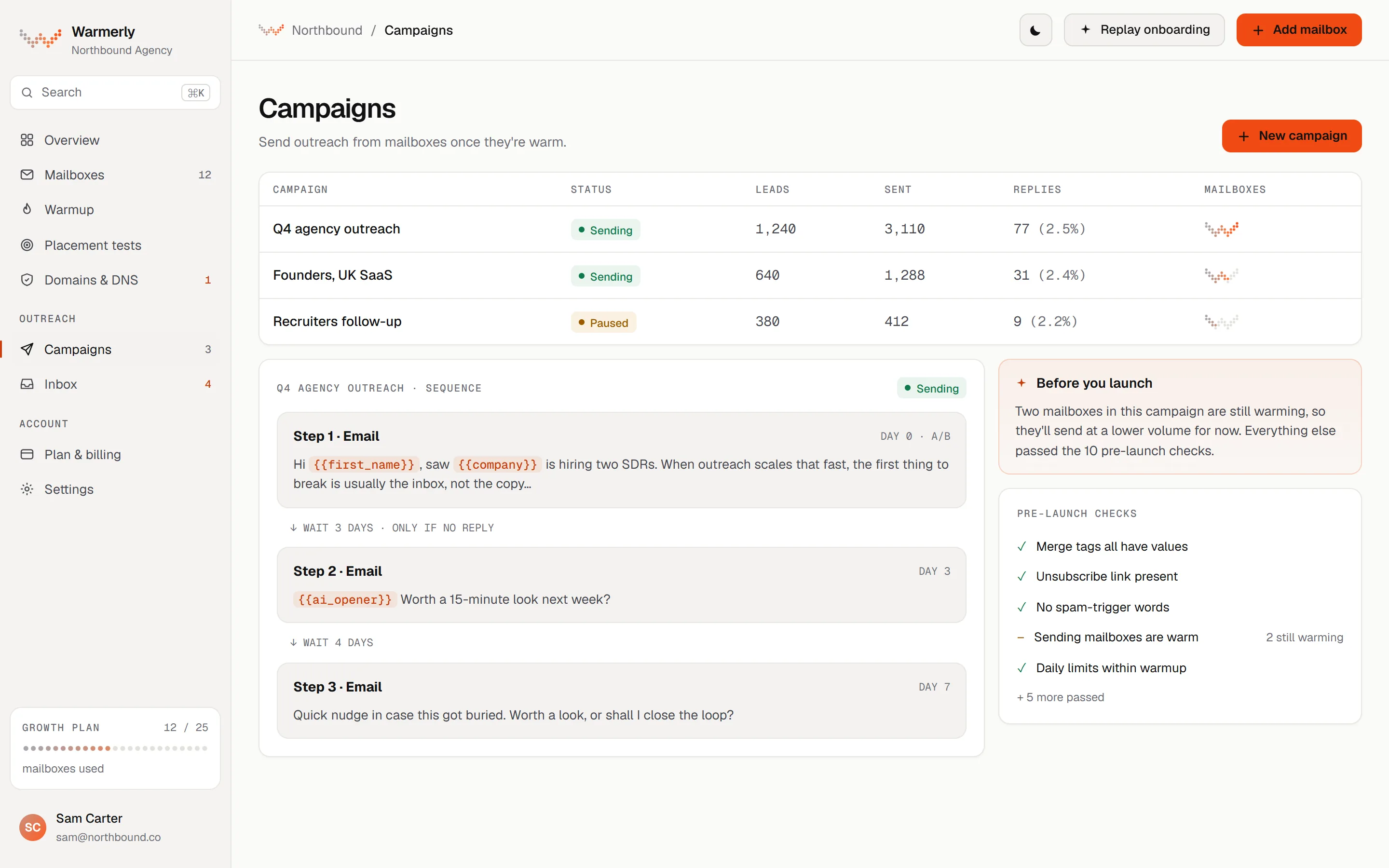
A full email campaign engine: sequence steps, scheduling, a 30 a day default per mailbox, a ramp from 3 to 15 a day, a bounce brake from 2 per cent, and 13 kinds of pre-launch check.
Each mailbox has its own daily campaign limit, 30 by default. A campaign has its own daily limit field too, also 30 by default. Sending is not metered on paid plans: what bounds volume is mailboxes times each mailbox's daily limit. The Free plan allows 100 campaign sends a month.
Warmerly product, checked 21 October 2026
A campaign can ramp each mailbox from 3 emails on sending day 1, adding 1 a day, up to 15 by default, so full volume arrives on the 13th sending day. It is switched on automatically for young mailboxes. A sending day means a day in the campaign's sending days, so weekends hold the cap flat. The ramp can only tighten a mailbox's own limit, never raise it.
Warmerly product, checked 21 October 2026
Over a rolling 7 days, below 2 per cent bounces a mailbox is untouched. From 2 per cent its daily cap is multiplied by 0.75, from 3 per cent by 0.5 and from 5 per cent by 0.25. At 7 per cent the mailbox is paused. A campaign also pauses when 30 per cent of the leads it tried were rejected outright. None of it applies under 25 sends.
Warmerly product, checked 21 October 2026
The readiness table in the pre-flight doc lists 13 kinds of check before Start: 7 that block (no usable step, plan gate, no sender, no queued leads, unknown merge tag, missing brief for an AI opener, failed AI provider probe) and 6 that warn (no postal address, thin lead research, DNS warn or fail or more than 5 senders on one domain, a free mailbox still waiting, no tracking domain for the unsubscribe link, spam-style copy). A warning needs one acknowledgement.
Warmerly product, checked 21 October 2026
An MCP server at /api/mcp lets Claude, ChatGPT, Claude Code and Cursor read and act in a workspace after an OAuth 2.1 sign-in. It is on every plan including Free and needs no API key. Reads and writes share 60 calls a minute per connection, and no tool can start or resume campaign sending.
Warmerly product, checked 21 October 2026
Leads per campaign are 500 on Free, 2,500 on Starter, 25,000 on Growth and 100,000 on Agency.
Warmerly product, checked 21 October 2026
A new campaign has Track clicks on, Track opens off and plain text off. The help page says open numbers are a rough guide because some apps block or auto-load images, and that the hidden image is one of the more reliable signs of bulk email to spam filters.
Warmerly product, checked 21 October 2026
The unsubscribe link is never rewritten as a tracked link. It lives on your custom tracking domain when you have a working one and is left out when you do not, in which case the email ends with a line asking people to reply unsubscribe.
Warmerly product, checked 21 October 2026
If a workspace is billing-locked, campaign sending, email warmup and LinkedIn warmup are suspended and resume within a few minutes of the lock clearing. Campaigns are not cancelled or reset.
Warmerly product, checked 21 October 2026
Unlimited email accounts per its pricing page, with a daily limit on each.
Each email account's daily limit is 50 by default and 200 at most. Starting above 50 with no bulk history may look suspicious, and the account could be suspended for 1 to 24 hours.
help.closelyhq.com/en/articles/6868738-how-many-emails-i-can-send-per-day · read 21 October 2026
A Closely outreach campaign has a maximum of 5,000 recipients. The article states no limit on emails in a sequence.
help.closelyhq.com/en/articles/6868738-how-many-emails-i-can-send-per-day · read 21 October 2026
Gmail or Outlook through the Accounts tab, or SMTP and IMAP with a server, port and password. IMAP is needed to log replies in campaign statistics.
help.closelyhq.com/en/articles/11172166-can-i-add-smtp-and-imap-email-accounts · read 21 October 2026
Sender name, timezone, working days and hours, daily limits, signature and, for email campaigns, a tracking domain.
help.closelyhq.com/en/articles/8329994-how-to-sync-email-account-for-multichannel-campaigns-and-email-outreach · read 21 October 2026
Its pricing page says unlimited email accounts on every plan, while its seat article says each seat connects one LinkedIn account and one email account.
closelyhq.com/pricing · read 21 October 2026
The daily limit article is dated 7 October 2024. It gives no Gmail or Outlook figures, says Microsoft is stricter, and links each provider's own guidance instead.
help.closelyhq.com/en/articles/6868738-how-many-emails-i-can-send-per-day · read 22 October 2026
Accounts, then Account settings, then Daily emails limit. The article does not define what counts as a bulk campaign or how a suspension is triggered beyond the 1 to 24 hour range.
help.closelyhq.com/en/articles/6868738-how-many-emails-i-can-send-per-day · read 22 October 2026
The SMTP form takes a from name, from email, username, password, host, port (465 for SSL or 587 for TLS) and connection type, with an optional reply-to. The IMAP section is needed to log replies, and without it the account is still added but reply statistics will not be accurate. The article is dated 22 May 2025.
help.closelyhq.com/en/articles/11172166-can-i-add-smtp-and-imap-email-accounts · read 22 October 2026
The sync article describes one route for multichannel campaigns (Accounts tab, Sync email account) and another for separate email campaigns (Email Campaigns tab, Add account). A tracking domain is listed for the second route only. It is dated 8 September 2023.
help.closelyhq.com/en/articles/8329994-how-to-sync-email-account-for-multichannel-campaigns-and-email-outreach · read 22 October 2026
We looked, and found no statement on these. That is about its published pages only, not about the product.
We report each version rather than pick one.
| Measure | Warmerly | Closely |
|---|---|---|
| Email sending and mailboxes | Gmail, Outlook, Zoho or any SMTP and IMAP mailbox; 30 emails a day per mailbox by default, a ramp, a bounce brake and 13 kinds of pre-launch check. | Gmail, Outlook, SMTP and IMAP; 50 a day by default and 200 at most per account, and 5,000 recipients per campaign. |
| Default daily limit per mailbox | 30 a day | 50 a day |
| Highest daily limit | Set by you for each mailbox | 200 a day |
| Recipients per campaign | 2,500 leads on Starter, 100,000 on Agency | 5,000 recipients |
| Mailbox types | Gmail, Outlook, Zoho, SMTP and IMAP | Gmail, Outlook, SMTP and IMAP |
| Pre-launch checks | 13 kinds, 7 that block | Not listed |
| Daily ceiling across 5 mailboxes | 150 a day at the 30 default | 250 a day at the 50 default, up to 1,000 at 200 each |
| Reply logging | Replies read over IMAP into one inbox | Needs the IMAP section, else reply statistics are inaccurate |
| Open tracking default | Off for a new campaign | Not stated |
Our reading of the facts above. Not a promise, and not the only reasonable reading.
50 a day suits an established account. A young mailbox sending 50 a day on day one is the pattern its own article warns about.
A volume ramp for young mailboxes, a bounce brake from 2 per cent and 13 kinds of pre-launch check.
Five mailboxes at Warmerly's default of 30 a day is 150 sends a day. Five email accounts at Closely's default of 50 is 250, and at its stated maximum of 200 each it is 1,000. Both figures are ceilings: neither tool says every account should run at them, and Closely's own article warns that jumping above 50 without bulk history may look suspicious.
At Closely's default of 50 a day from one account, 5,000 recipients would take 100 days for a first email alone. At 200 a day it takes 25. Spread over 5 accounts at 50 each it takes 20. These are sums on its stated limits, with no follow-up steps counted.
If you add an SMTP and IMAP account to Closely and skip the IMAP section, the account is added but replies are not logged. Check the IMAP host before you count a campaign's replies.
Its help article sets a default of 50 for each email account and a maximum of 200, with up to 5,000 recipients in one campaign.
30 a day for each mailbox by default, with no monthly cap on paid plans. The Free plan allows 100 campaign sends a month.
Gmail and Outlook through its Accounts tab, or any mailbox over SMTP and IMAP with a server, port and password. IMAP is needed to log replies in campaign statistics.
Not on paid plans. Volume is bounded by mailboxes times each mailbox's daily limit, 30 by default. The Free plan allows 100 campaign sends a month.
Its help article says that starting above 50 with no bulk history may look suspicious and the account could be suspended for 1 to 24 hours. It gives no detail on how a suspension is triggered.
Closely pages were read on 21 October 2026. Plans and wording change, so check the vendor's own page before you decide. Warmerly details come from the product as it runs today.
Connect a mailbox. Warmerly runs alongside whatever you send from now, so you can compare before you move anything.
Free plan, no card. Paid plans: 7-day trial, first charge on day 8.