Warm up now. Book January. New year head start: 30 days free on any paid plan. Claim 30 days freeConnect your own mailbox and we add a free one on our domain, for warmup and replies. See how it works

Skip to content
Warmerly Linked Helper
Linked Helper alternative: Warmerly vs Linked Helper

The Linked Helper alternative, no desktop app.

Linked Helper is desktop software that runs LinkedIn campaigns from your own computer or a server you control. Warmerly runs LinkedIn steps and email in one sequence, hosted by us, with warmup on both. $19 a LinkedIn account. Linked Helper is cheaper per licence on Local storage.

Warmerly LinkedIn account$19/ monthOne account, charged at once, no trial. Email plans from $19.
Linked Helper Standard, Local$15/ monthOne licence, month to month. $8.25 on a 12-month term.

Linked Helper details read on linkedhelper.com,

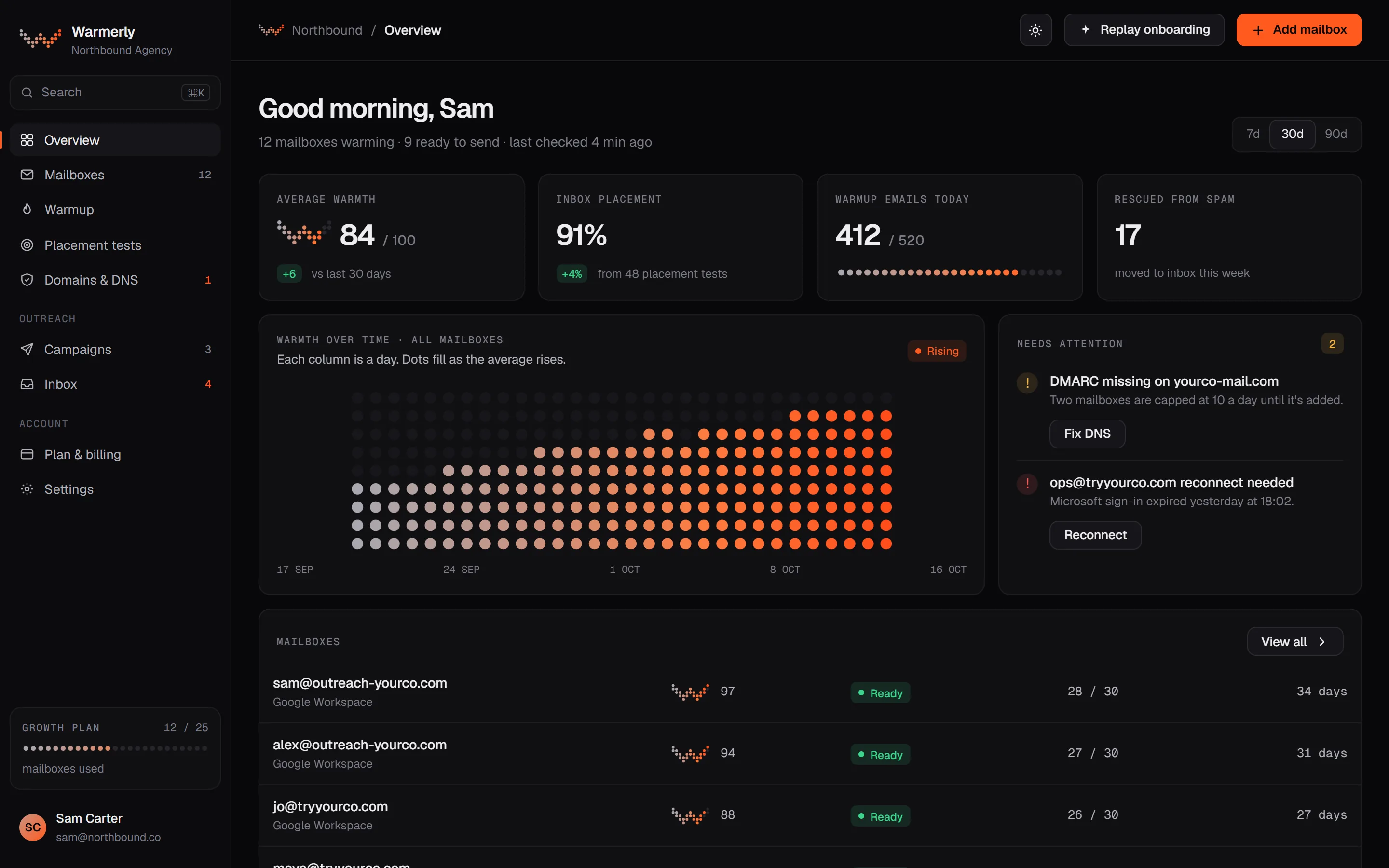
warmerly · overview
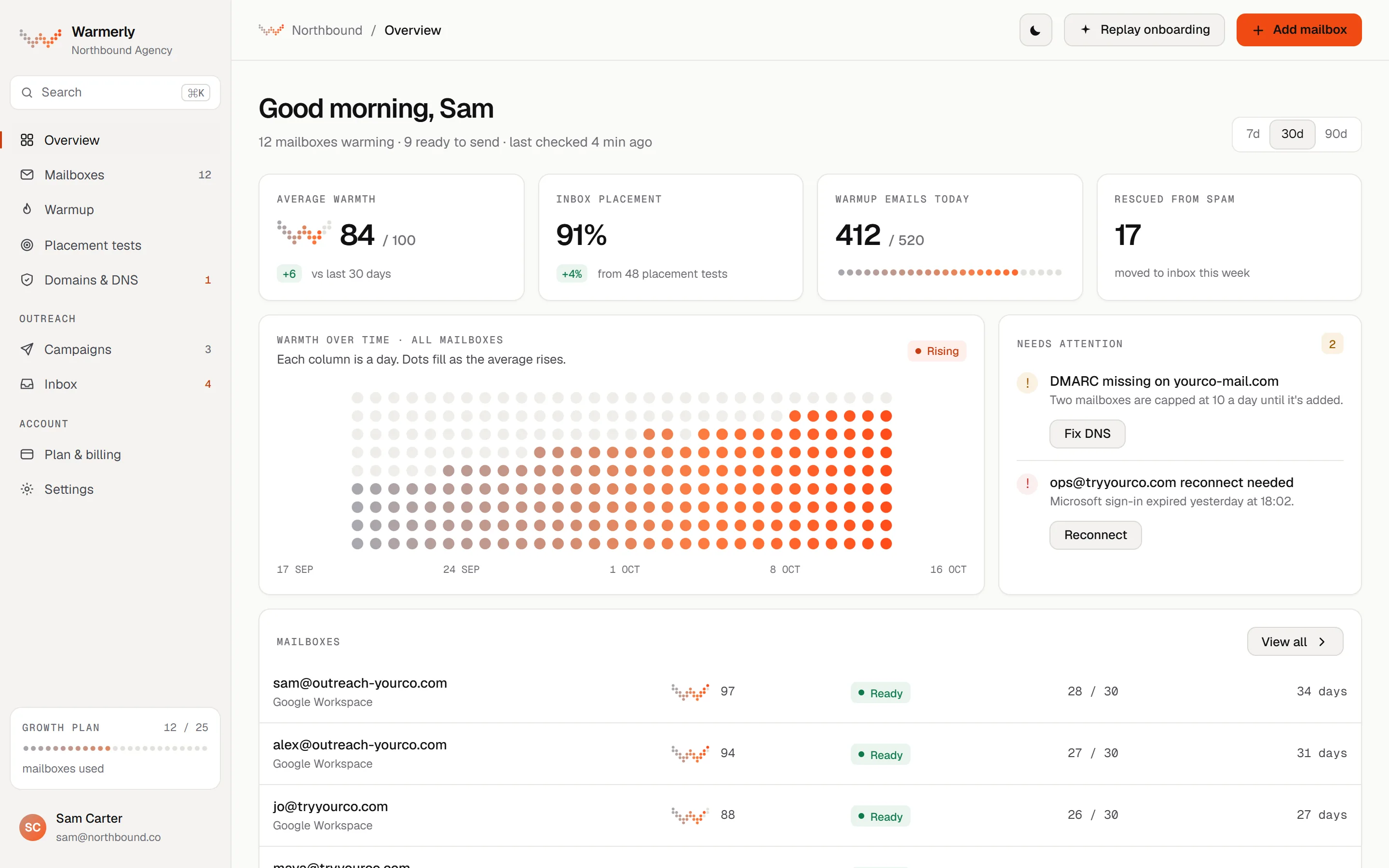
Warmerly overview screen with a warmth chart and a mailbox list, sample dataWarmerly overview screen with a warmth chart and a mailbox list, sample data
Sample data
Price

$19 against $15, and a gap that moves.

Both prices are for one LinkedIn account, month to month. Linked Helper's price falls on longer terms: its pricing page shows 11%, 33% and 45% off for 3, 6 and 12 months. Warmerly has one monthly price, a little less in a pack. On Local storage, Linked Helper is the cheaper tool. On Cloud storage it costs more than Warmerly until the 12-month term.

Warmerly LinkedInHosted by us
/ month
$1 per dot19 of 30

One connected LinkedIn account, with account warmup and sending. A pack of 3 is $49 a month and a pack of 5 is $75. Email is a separate plan, from $19 a month for 5 mailboxes.Charged at once, no free trial for LinkedIn, and LinkedIn accounts are not refunded. You can cancel and keep access to the end of the paid period.

Linked HelperStandard, Local
/ month
$1 per dot15 of 30

One licence, which is one LinkedIn account, on Standard with Local storage. Cloud storage is $29.90 month to month. On a 12-month term the page shows $8.25 for Local and $16.50 for Cloud.Read on linkedhelper.com/pricing and its feature pages on 21 October 2026. Proxies and a server (VPS) are bought separately and the page gives no price for them.

Warmerly plansLinkedIn · email
LinkedIn, 1 accountWarmup and sending · no trial$19
LinkedIn, pack of 3$16.33 an account$49
LinkedIn, pack of 5$15.00 an account$75
Email Starter5 mailboxes · no cap on sends$19
Email Growth25 mailboxes · no cap on sends$49
Email Agency100 mailboxes · client workspaces$179
Linked Helper1, 3, 6, 12 months
Standard, Local$15 · $13.33 · $10 · $8.25$15
Standard, Cloud$29.90 · $26.60 · $20 · $16.50$29.90
Pro, Local$45 · $40 · $30 · $24.75$45
Pro, Cloud$59.90 · $53.30 · $40 · $33$59.90
Volume10 or more licences: 10% off, rising to 50% at 1,000Quote

Per licence a month. Linked Helper's pages do not label which price belongs to which term; we matched them by its -11%, -33% and -45% discount labels, so the order is our reading. Its pricing page also shows $13.33 for 3 months, $40 for the 3 months, and says the term and volume discounts multiply. Read .

Warmerly

What the $19 leaves out

  • Email. The LinkedIn account is sold apart from the email plans, which start at $19 for 5 mailboxes.
  • A trial. LinkedIn is charged straight away and is not refunded.
  • Choice of address. Each account sits on a proxy chosen by Warmerly's provider, not by you.
Linked Helper

What the $15 leaves out

  • A computer or server that stays on. Campaigns pause when it is off, on both Local and Cloud.
  • Proxies and a VPS, bought separately.
  • Pro, which lifts the cap of 20 a day on several advanced actions, at $45 month to month on Local.
Side by side

A hosted app and a launcher.

What each product puts in front of you. Warmerly is a web app built around the mailbox, the LinkedIn account and the campaign they send from. Linked Helper is an installed program: a launcher, one instance per LinkedIn account, and a campaign builder.

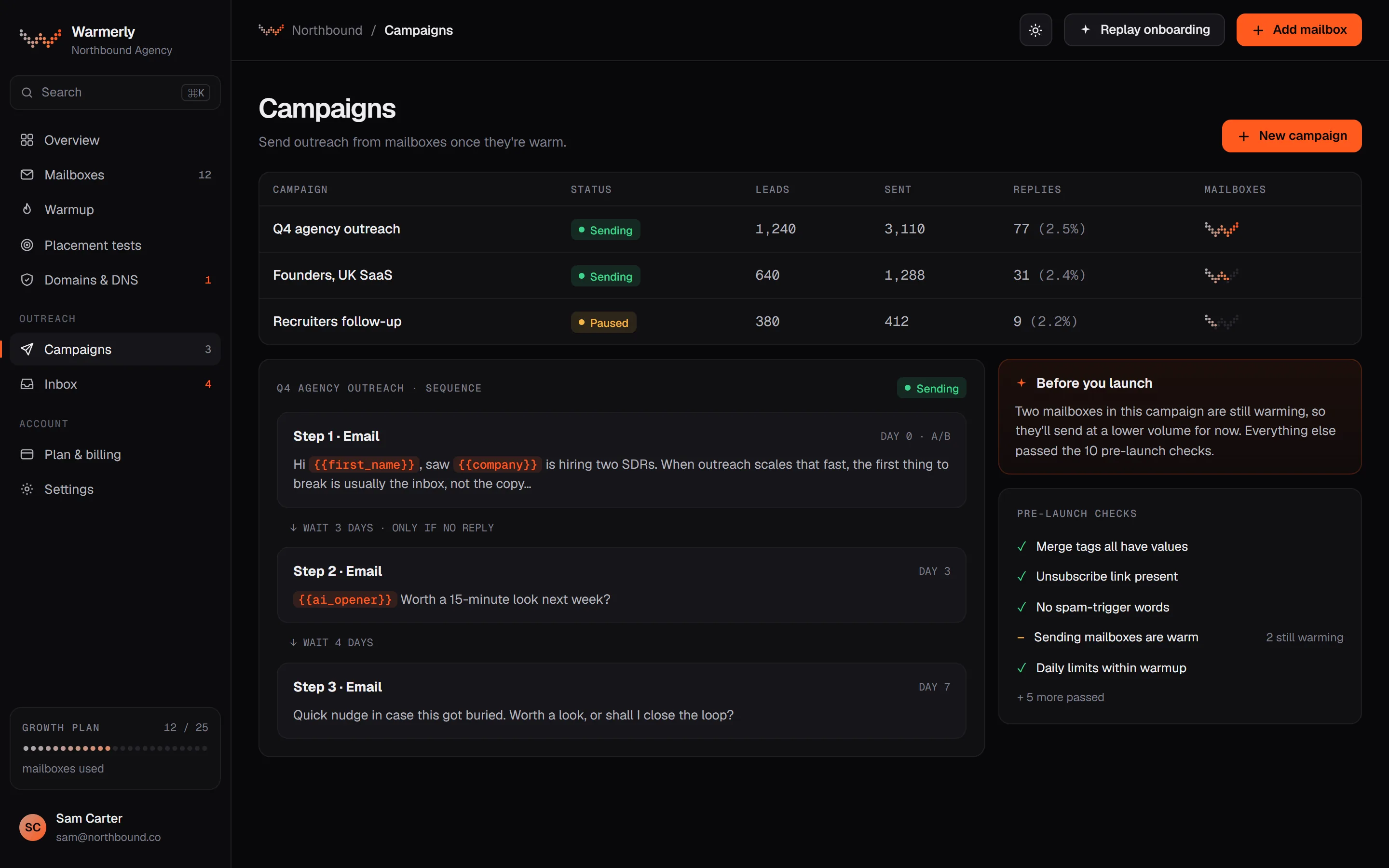
WarmerlySample data
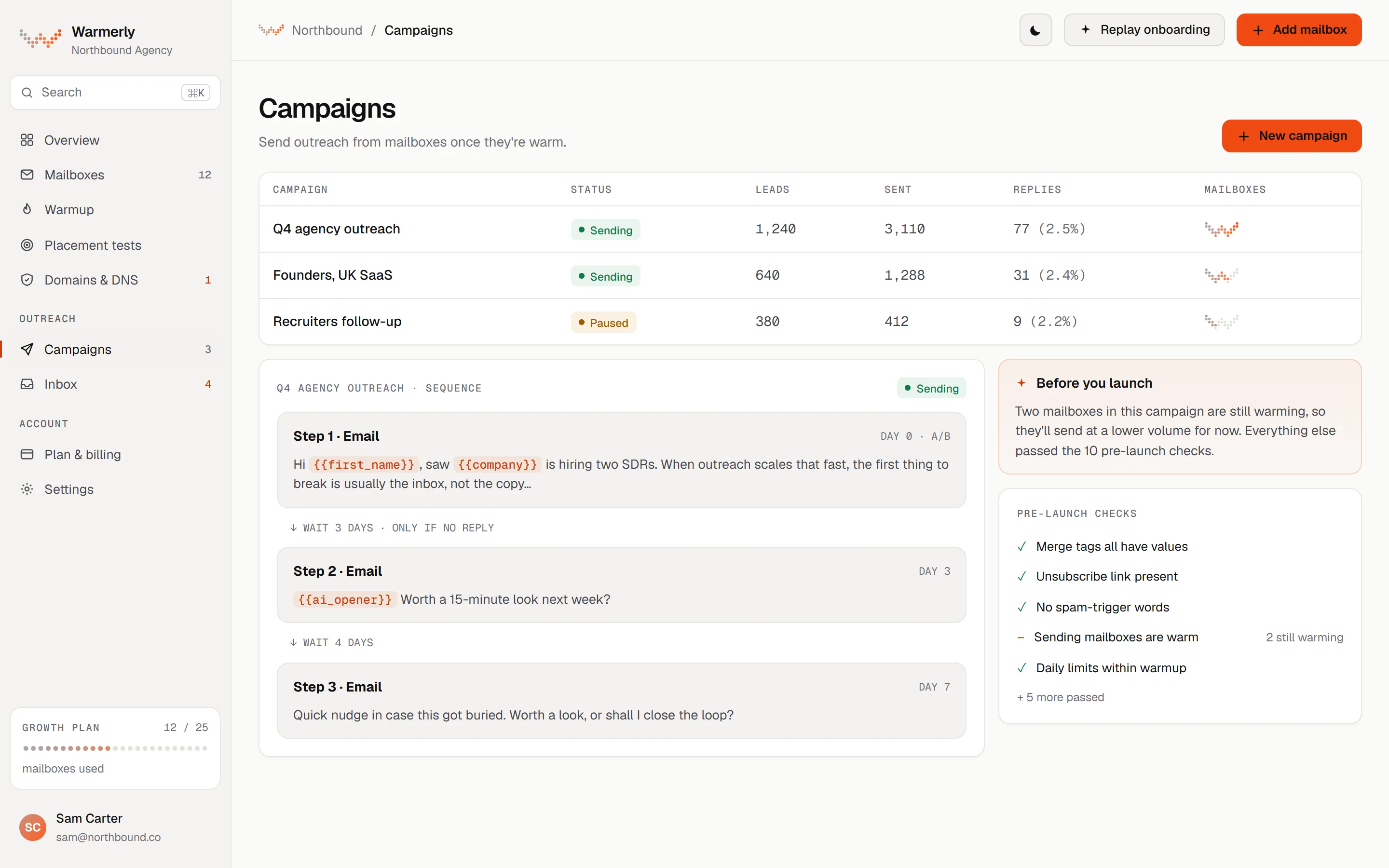
Warmerly campaigns screen: campaign list with status, leads, sent and replies, a three-step sequence and the pre-launch checks, sample dataWarmerly campaigns screen: campaign list with status, leads, sent and replies, a three-step sequence and the pre-launch checks, sample data
Campaigns. A campaign list, its sequence, and a pre-launch check. LinkedIn connection and message steps sit in the same sequence as email.Warmerly app, sample data.
Linked HelperFrom linkedhelper.com
Launcher and instances
  • Each LinkedIn account runs in its own instance
  • Its own cookies, cache and fingerprint
  • A dedicated proxy can be assigned to each
Campaign builder
  • 30+ listed actions
  • Working hours, limits and delays
  • Templates filtered by campaign goal
Launcher and builder. Described from Linked Helper's own pages. We show no product screenshots of Linked Helper because we do not hold the rights to them.Read on linkedhelper.com, 21 October 2026.
WarmerlySample data
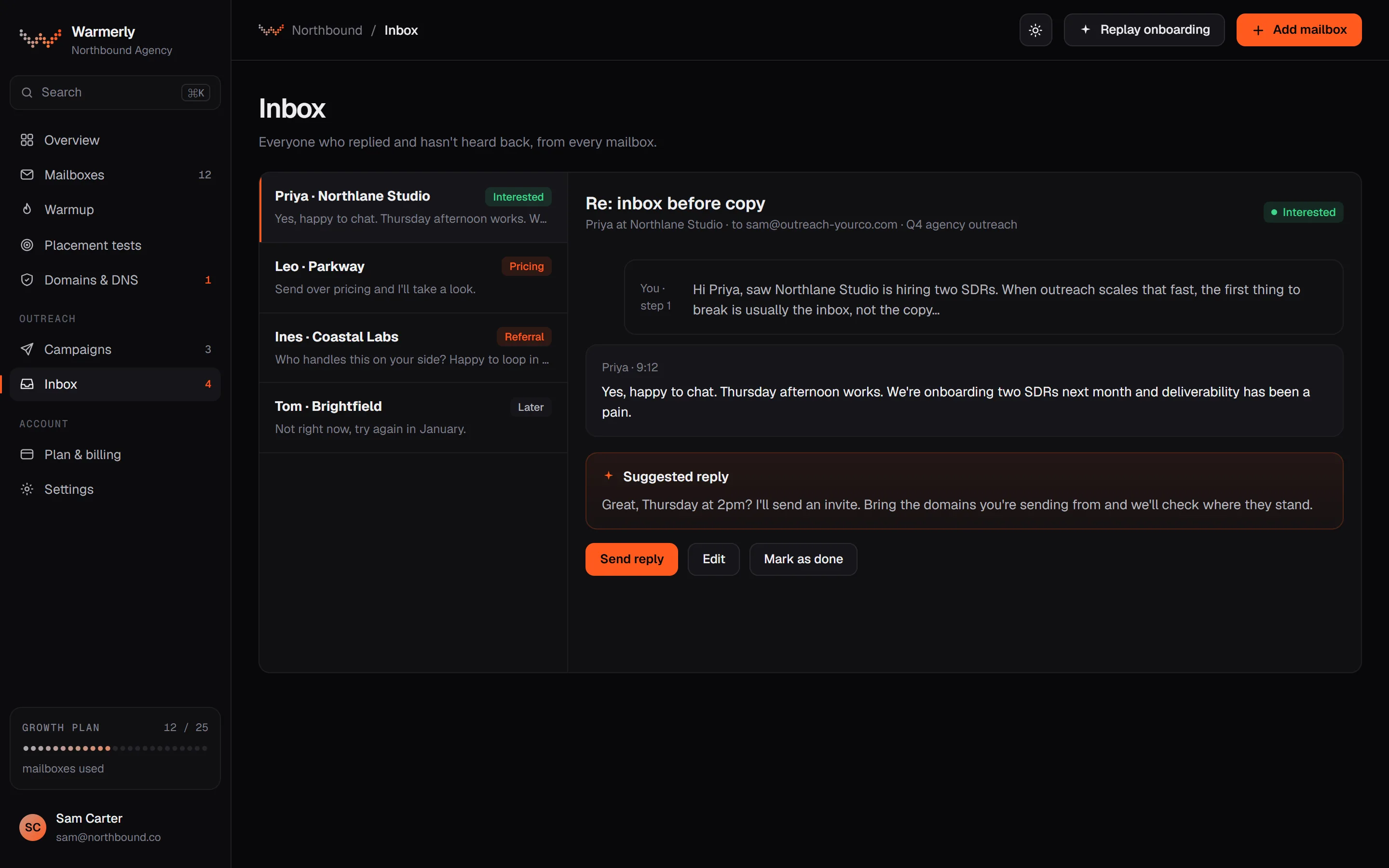
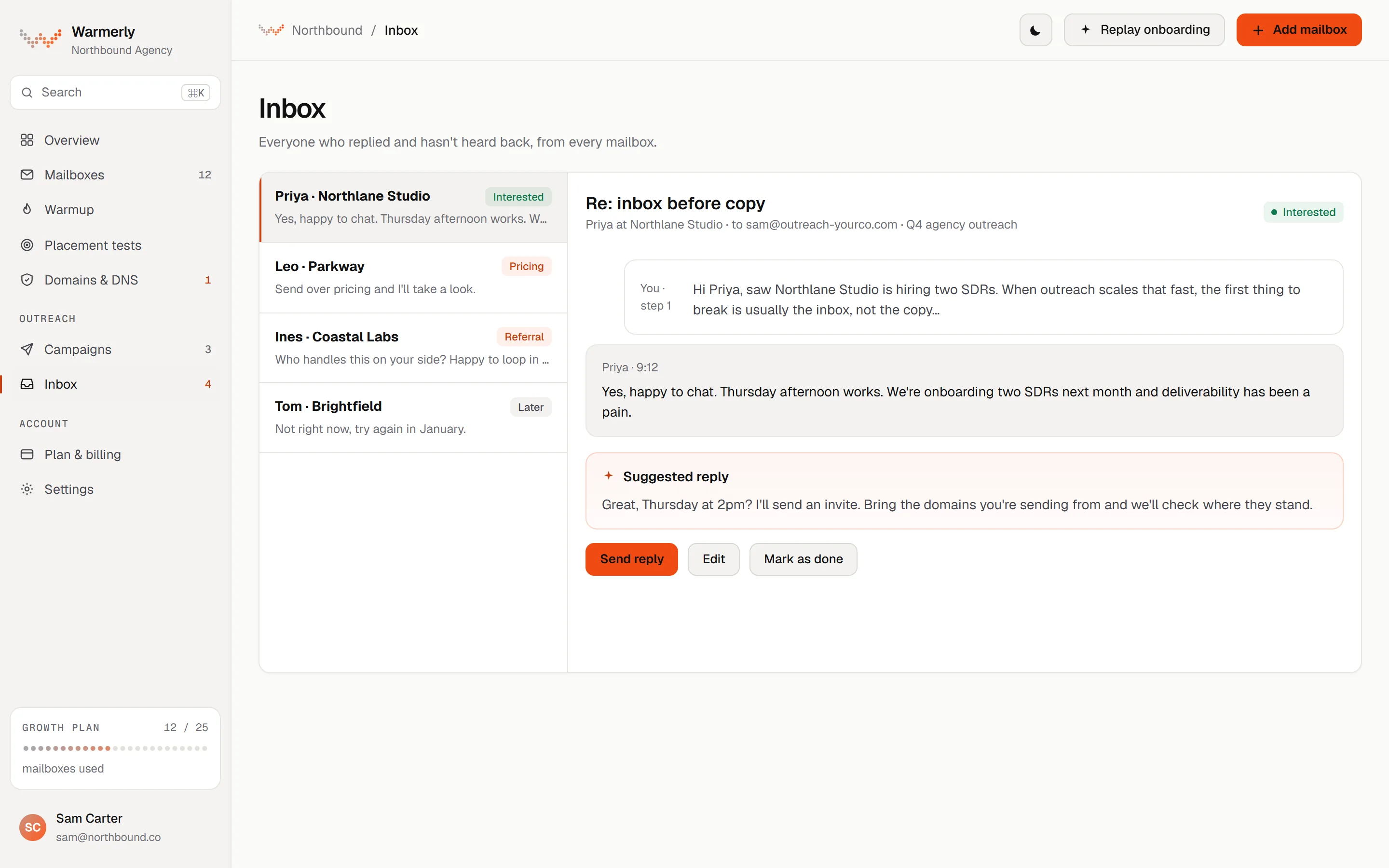
Warmerly inbox screen: everyone who replied, with the thread and a suggested reply, sample dataWarmerly inbox screen: everyone who replied, with the thread and a suggested reply, sample data
Inbox. Everyone who replied, with the thread and a suggested reply. LinkedIn replies land in the same list as email replies.Warmerly app, sample data.
Linked HelperFrom linkedhelper.com
AI Drafts queue
  • Every AI message waits here by default
  • List or Detail view, edit, regenerate, approve
  • Auto-approve is an optional toggle
Replied list and unified inbox
  • A reply moves the lead to the Replied list
  • One inbox across accounts, on the Cloud version
Drafts and replies. Described from Linked Helper's AI Messages, Replies Control and Unified Inbox pages.Read on linkedhelper.com, 21 October 2026.
Limits

Different limits, different owners.

Warmerly fixes each action's daily cap and lets you lower it. Linked Helper lets you set limits yourself, with a default total, and caps a list of advanced actions on its entry plan. LinkedIn's own limits sit over both.

A Standard LinkedIn account

Invitations a day

Warmerly10 at full ramp
Linked HelperYou set it

Warmerly starts at 5 a day and reaches 10 on day 15, with 50 a week. Linked Helper's pricing and feature pages give no invitation figure.

B All actions together

A day, at full ramp

Warmerly127, our sum
Linked Helper150 default

Warmerly: 10 invitations, 50 messages, 40 profile views, 20 reactions, 5 comments and 2 posts. Linked Helper: 150 actions in a rolling 24 hours, per its safety kit.

C Entry plan

Advanced actions a day

WarmerlySame on every plan
Linked Helper20 on Standard

Linked Helper Pro removes that cap, though it says LinkedIn may still impose its own. Warmerly's caps depend on whether the LinkedIn account is standard or premium, not on your plan.

Your numbers

Pick your accounts. See both bills.

Set how many LinkedIn accounts you run and how long a term you would take on Linked Helper. The sums use only the list prices on this page, and leave out proxies, a server and email.

LinkedIn accounts 1
Linked Helper storage Local

Warmerly: $19 for 1 account, $49 for a pack of 3, $75 for a pack of 5, each a monthly subscription. Linked Helper: Standard, per licence a month, as listed for 1, 3, 6 and 12 months; the volume discount starts at 10 licences, so it does not apply here. Its longer terms are paid upfront. Both read . Plans and prices change, so check both sites.

Warmerly1 account
$19/ month
$19.00per account a month

Charged at once, no trial. Warmup and sending, hosted by Warmerly.

Linked HelperStandard, Local
$15/ month
$15.00per licence a month

Month to month. Runs while your computer or server is on.

Features

Line by line, losses included.

Where Linked Helper has more, the cell says so. Where it does not publish something, we say that rather than guess. Every row opens a page with the detail and the sources.

Warmerly and Linked Helper compared on price, where it runs, LinkedIn actions, limits, email and teams
FeatureWarmerlyLinked Helper
What it is built forLinkedIn and email outreach in one sequence, with warmup on bothLinkedIn automation as desktop software, with data enrichment and a built-in CRM
Starting price (per LinkedIn account a month)$19$15 on Standard, Local, month to month ($8.25 on a 12-month term)
What the price coversOne LinkedIn account with warmup and sending; email is a separate planOne licence (one LinkedIn account), Standard or Pro, Local or Cloud; proxies and a server are extra
Free trialNone for LinkedIn; a Free email plan and a 7-day trial on paid email plans14 days of full Pro access, no card
Where it runsHosted by Warmerly, with no software to installDesktop app on your computer or a server you control; campaigns pause when it is off
LinkedIn actionsA connection step and a message step, plus warmup posts, reactions, comments and profile views30+ listed actions, including InMail, endorsements, follows and group and event invitations
Daily limits and account safety10 invitations a day and 50 a week on a standard account, ramped from 5; caps can only be loweredDefault 150 actions in a rolling 24 hours; you set limits; Standard caps advanced actions at 20 a day
IP address per accountA proxy chosen by Warmerly's provider for each account; no country choice, no own proxyYour own IP or a dedicated proxy per account, with a built-in quality check
Campaign builderLinear steps in a list editor, or a canvas with a condition step; the LinkedIn acceptance check is built inBuilder with 30+ actions, IF-THEN-ELSE, templates and several campaigns in parallel
PersonalisationMerge tags, and an AI-written LinkedIn message per prospect at 1 AI credit eachVariables, IF-THEN-ELSE, spintax, AI messages and Hyperise images
Finding emails and lead dataEmail finder, email verifier and a company database, with monthly allowances by planEmail Finder and Data Enricher with 50+ fields, paid in credits, plus optional Snov.io or Apollo.io
Email mailbox warmupYes: each mailbox ramps from 4 a day to 50Not listed on the pages we read
Cold email sending and deliverability checksCampaigns from your mailboxes, DNS checks every 6 hours and placement testsNot listed as a feature; leads can be sent on to Instantly
Reply inboxOne inbox for email and LinkedIn replies, with a Needs reply view and suggested repliesA Replied list and, on Cloud, a unified inbox across accounts with AI reply drafts
Teams and client workspacesClient workspaces on Agency, with Owner, Admin and Member rolesWorkspaces with roles, access lists, guest viewers, white label and volume discounts
Integrations and APIAn API on every plan, an MCP server on every plan, no CRM connectors found12 listed integrations including Google Sheets, plus webhooks, Zapier, Make and n8n; no API mentioned

Linked Helper details read from its pricing page, home page, feature pages, safety kit and download page on 21 October 2026. Its support centre blocked our reader, so no help article is quoted. Prices and features change, so check the vendor's site before you decide.

Linked Helper's campaigns pause when your computer is off. Warmerly's LinkedIn steps are

hosted.
Inside Warmerly

What you get beyond LinkedIn.

Four things a Warmerly account does that Linked Helper's published pages do not describe: a LinkedIn ramp, email warmup, authentication checks and one reply queue. Shown the way they work in the app.

LinkedIn ramp

Invitations climb on their own

A standard account sends 5 invitations a day on days 1 to 3, 6 on days 4 to 7, 8 on days 8 to 14 and 10 from day 15. The weekly cap climbs from 25 to 50. You can lower the caps, never raise them.Linked Helper publishes advice instead: 10 to 15 actions a day for a new or dormant account, then up by 5 to 10 every 10 to 14 days.

Days 1 to 35
Days 4 to 76
Days 8 to 148
From day 1510
Invitations a day · standard account
Email warmup

Every mailbox ramps too

Each mailbox starts at 4 warmup emails a day and reaches 50 by day 30, held down by Gmail, Outlook or Zoho caps and by its own health.Mailbox warmup is not listed on Linked Helper's pricing, home or feature pages we read.

sam@outreach-yourco.com09:14
Quick one before Thursday: are we still on for the Q3 planning notes? Happy to send a draft first.
priya@northlane.studio09:52
Yes, send the draft over. Thursday afternoon works.
> Happy to send a draft first.
Thread · sample
Authentication

SPF, DKIM and DMARC, checked

Each domain is checked every 6 hours, with a written fix when something breaks. Placement tests score a message across inbox, promotions and spam.Linked Helper's pages read do not mention SPF, DKIM or DMARC.

SPFchecking…
DKIMchecking…
DMARCchecking…
MXchecking…
DNS check · sample
Inbox

Email and LinkedIn replies, one queue

Replies from both channels land in one list with a Needs reply view and a suggested reply.Linked Helper has a Replied list and, on its Cloud version, a unified inbox across accounts with roles.

PPriya · Northlane Studio · LinkedInYes, happy to chat. Thursday afternoon?Interested
LLeo · Parkway · EmailSend over pricing and I'll take a look.Question
IInes · Coastal Labs · LinkedInNot me, but try Tom in growth.Referral
Suggested replyGreat, Thursday at 2pm. I'll send an invite.
Inbox · sample
Verdict

Our verdict.

Linked Helper is the deeper LinkedIn tool, and cheaper on Local storage. It lists more than 30 actions, a campaign builder with IF-THEN-ELSE logic, a built-in CRM, 12 listed integrations and a free 14-day trial, from $8.25 a licence on a long term. Warmerly is the narrower tool with a different shape: LinkedIn and email in one sequence, hosted by us, with warmup on both and customer data hosted in the EU. If LinkedIn is the whole job and you are happy to keep a computer or server running, Linked Helper is a strong choice. If email is part of the job, or you do not want software on a machine, look at Warmerly. You can also use both.

Pick

Warmerly if

  • You want LinkedIn and email steps in the same sequence, and email warmup and deliverability checks in the same place
  • You do not want to keep a computer or server running for campaigns to continue
  • You want replies from both channels in one inbox
  • You want USD or GBP billing and customer data hosted in the EU
  • You would rather have a cautious, fixed ramp than set every limit yourself
Pick

Linked Helper if

  • LinkedIn is your main channel and you want the longest list of actions, including InMail, endorsements and group or event invitations
  • You want to choose your own IP or proxy for each account, and set every limit
  • You want a built-in CRM, 12 listed integrations and webhooks into your own tools
  • You want the lowest price per licence and a 14-day trial that includes LinkedIn
  • You are comfortable running desktop software on your computer or a server you manage

Where each one is ahead.

Warmerly is ahead on
  • Running hosted, with no installed program (Linked Helper stops when its computer does)
  • Email: mailbox warmup, SPF, DKIM and DMARC checks, placement tests and cold email in the sequence
  • LinkedIn account warmup on a ramp that starts at 5 invitations a day
  • One inbox for email and LinkedIn replies
  • Customer data hosted in the EU (Linked Helper Cloud data is on US servers)
Linked Helper is ahead on
  • Price per LinkedIn account on Local storage, and a trial that covers LinkedIn
  • LinkedIn actions: 30+ listed, against a connection step and a message step
  • IP control: your own IP or a dedicated proxy, with a quality check
  • Campaign logic, personalisation (spintax, Hyperise images) and data enrichment
  • Teams: workspaces, roles, access lists, guests and white label
  • Integrations: HubSpot, Salesforce, Pipedrive, Google Sheets, webhooks and more
Switching

Keep it, or move over.

There are two sensible ways to use both. Keep Linked Helper on LinkedIn and add Warmerly for email, or move the LinkedIn steps across. Our advice is never to connect the same LinkedIn account to two automation tools at once.

Switching

Two channels,
one sequence.

Export leads from Linked Helper as CSV, import them to a Warmerly campaign, and let each tool do what it is built for.

leads.csvImported
Illustration: a sphere of dots warming from cold grey to ember.
01

Keep LinkedIn where it is

Leave the LinkedIn account on Linked Helper. Warmerly takes the email half: connect a mailbox, let it warm, and send from it. Linked Helper exports people to CSV, and Warmerly imports leads from CSV.

Linked HelperLinkedIn only · your machine
WarmerlyEmail warmup and sending
02

Or move LinkedIn across

Stop the account's campaigns in Linked Helper first, because one account cannot run in two places without doubling its activity. Then connect it to Warmerly. Warmup is paused until you switch it on, and caps start at day 1 of the ramp.

LinkedIn accountConnected through Warmerly
WarmupOff until you start it
03

Know what does not come with you

We found no import of Linked Helper campaigns, tags, notes or workspaces into Warmerly. Export your people and any messaging history as CSV first. Linked Helper's pages do not say what happens to Cloud data when a licence lapses, so export before you stop.

LeadsCSV, both directions
Campaigns and tagsRebuild in Warmerly
Questions

Warmerly vs Linked Helper, answered.

Is Warmerly cheaper than Linked Helper?

Not against Linked Helper's Local storage. Warmerly is $19 a month for one account, $49 for 3 and $75 for 5. Linked Helper Standard with Local storage is $15 a month per licence month to month, and $8.25 on a 12-month term. Its Cloud storage is $29.90 month to month, $26.60 on 3 months, $20 on 6 and $16.50 on 12, so Warmerly is lower for one account until the longest term, and a pack of 3 ($16.33 an account) or 5 ($15.00) is below Cloud even then (linkedhelper.com, read 21 October 2026). Linked Helper also needs a computer or server that stays on, and proxies are extra. Warmerly adds email in the same sequence, from $19 a month.

Does Linked Helper run in the cloud?

Not the automation. Its pricing page says the software runs on your computer or a VPS, and that campaigns pause when the machine is off, on both its Local and Cloud versions. Cloud only changes where the data is stored: on Linked Helper's servers in the United States, with backups and sharing. Warmerly's LinkedIn steps are hosted by Warmerly through a third-party provider, so your own computer can be off.

Does Linked Helper have a free trial?

Yes. It offers 14 days of full Pro access with no card, and campaigns pause when the trial ends. Warmerly has no trial for a LinkedIn account, which is charged at once and not refunded. Warmerly's Free email plan needs no card, and paid email plans have a 7-day trial.

Does Linked Helper warm up email mailboxes?

We found no mention of mailbox warmup, SPF, DKIM or DMARC on the Linked Helper pages we read. It describes warm-up profile visits and engagement for LinkedIn. Warmerly warms each mailbox from 4 a day to 50 by day 30 and checks DNS records every 6 hours.

Can I use Warmerly and Linked Helper together?

Yes, as long as they do not both drive the same LinkedIn account. A simple split is Linked Helper on LinkedIn and Warmerly on email, passing leads as CSV. Linked Helper can also send leads on to Instantly, and Warmerly has no connector for Linked Helper.

Which has safer LinkedIn limits?

Neither can promise LinkedIn will not act on an account. Warmerly ramps each action on a fixed curve from day 1 and lets you only lower the caps. Linked Helper sets a default of 150 actions in a rolling 24 hours, lets you set your own limits, and gives written advice for new accounts. Its own pages say no tool can guarantee an account will never be restricted.

What does Linked Helper do that Warmerly does not?

A lot on LinkedIn: more than 30 listed actions including InMail and endorsements, IF-THEN-ELSE logic, spintax, personalised images through Hyperise, a built-in CRM, your choice of proxy, white label and 12 listed integrations. Warmerly's LinkedIn side is a connection step, a message step and a warmup. Its strength is putting email and LinkedIn in one sequence.

Where is my data kept?

Warmerly hosts customer data in the EU. Linked Helper says its Cloud version stores data on its servers in the United States, and that your LinkedIn session stays on your own machine. On its Local version, data stays on your device.

Want LinkedIn without the launcher?

Start on the free email plan, connect a mailbox, and add a LinkedIn account when you are ready. Warmerly runs next to whatever you use now, so you can compare before you move anything.

Free email plan, no card. Paid plans: 7-day trial, first charge on day 8. LinkedIn accounts are charged at once.