Warmerly LinkedIn
One inbox for email and LinkedIn replies, with a Needs reply view and suggested replies
One row, in depth: what each tool does, the verified numbers, and who each suits.
Linked Helper details read from its pricing page, home page, feature pages, safety kit and download page on 21 October 2026.
One inbox for email and LinkedIn replies, with a Needs reply view and suggested replies
A Replied list and, on Cloud, a unified inbox across accounts with AI reply drafts
Warmerly puts email and LinkedIn replies in one list with a Needs reply view, labels, and a suggested reply under 120 words. Linked Helper moves anyone who replies to a Replied list, stops the sequence, and on its Cloud version offers a unified inbox across accounts with roles, filters, tags and an AI reply assistant. Linked Helper's inbox is stronger for teams running many LinkedIn accounts. Warmerly's is stronger when email and LinkedIn replies need one queue. Last checked 21 October 2026.
One inbox for email and LinkedIn replies, with a Needs reply view and suggested replies
A Replied list and, on Cloud, a unified inbox across accounts with AI reply drafts
From each side's own description
Linked Helper's Unified Inbox covers 20+ accounts with roles on its Cloud version. Warmerly's inbox is built around replies, not around many LinkedIn seats.
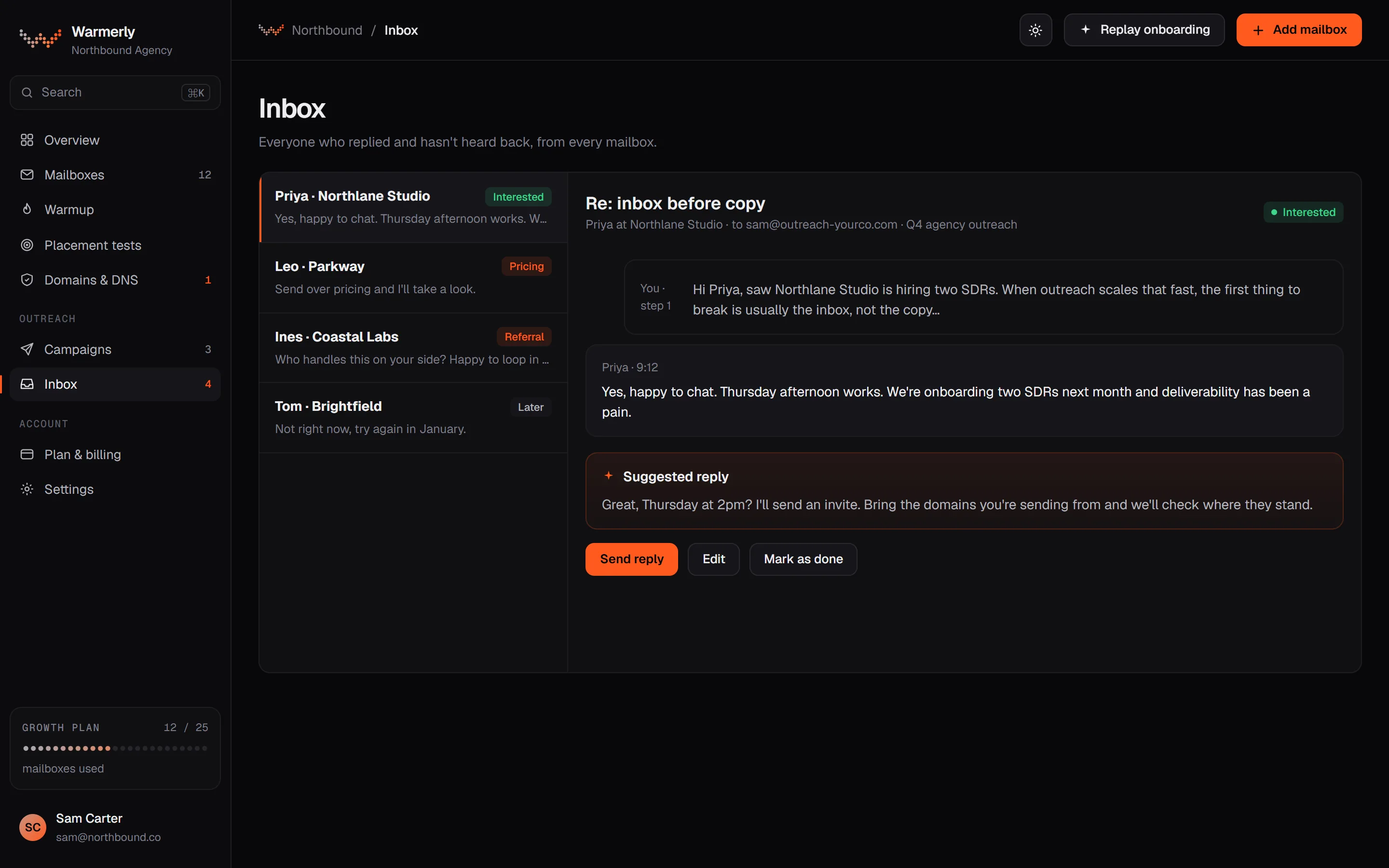
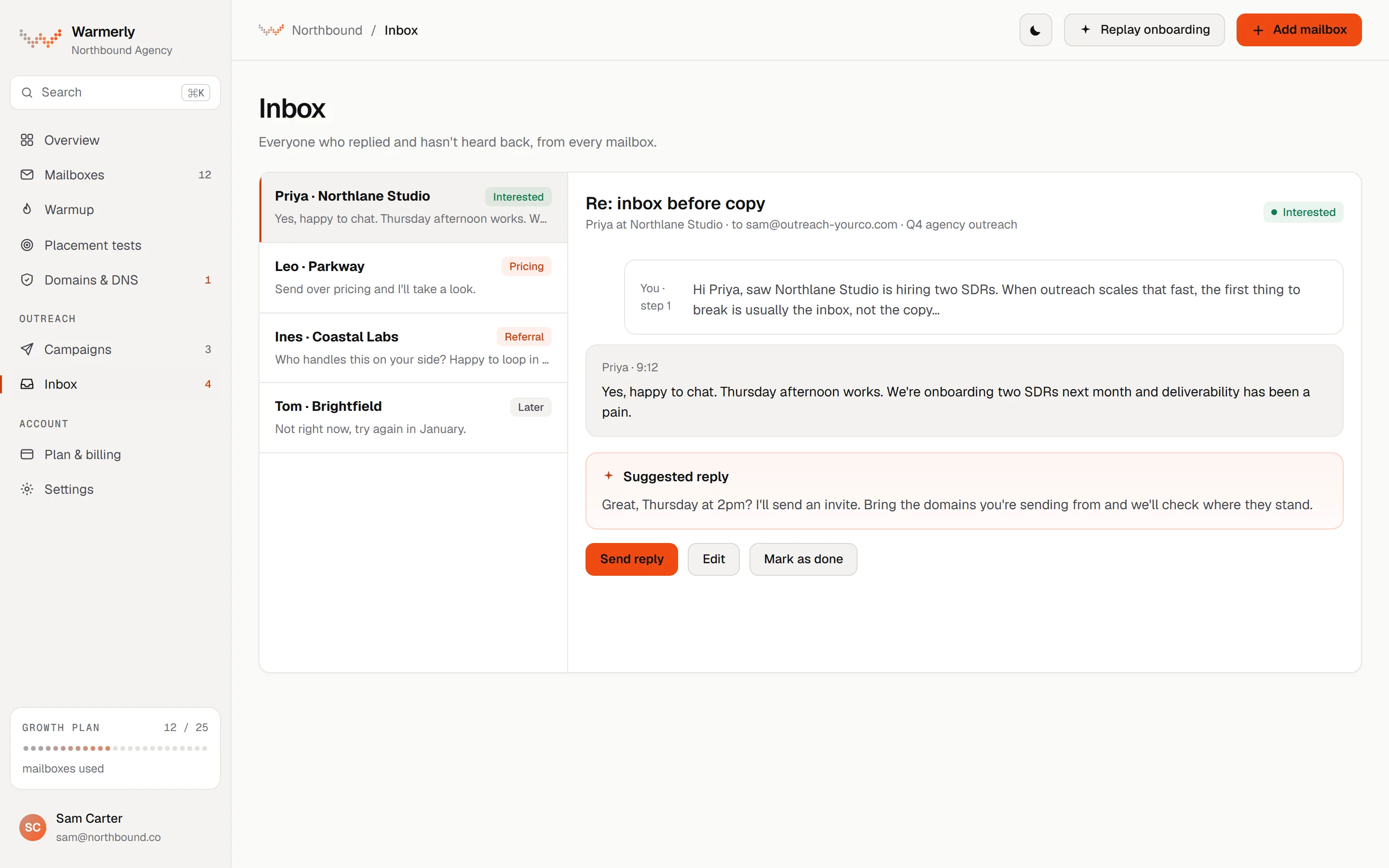
A reply queue first: a Needs reply view, labels with rules and AI, email and LinkedIn in one list, and a suggested reply for the latest inbound email.
The default view is conversations where the newest message is theirs and it is either labelled a lead or not labelled at all. Other views are All and Archived, and the list can be searched by name, email, company or message text with a prefix match, so 'invo' finds 'invoice'.
Warmerly product, checked 21 October 2026
Mail is labelled lead, not relevant or spam. Free rules at ingest catch own-domain mail, no-reply senders, bulk and auto-reply headers, unsubscribe mail and the spam folder. An AI step labels campaign replies only, and your own override sticks.
Warmerly product, checked 21 October 2026
LinkedIn replies land in the same inbox as email replies. LinkedIn campaign replies are labelled by their reply label: interested, question and referral count as leads, and not interested, stop and out of office as not relevant.
Warmerly product, checked 21 October 2026
Warmerly can draft a reply to the latest inbound email: under 120 words, plain text, signed with the sender's first name. The draft is saved for you to edit and send. The same draft function is available to AI assistants through the Warmerly MCP server.
Warmerly product, checked 21 October 2026
LinkedIn replies get a label and a suggested reply. An opt-in Autopilot can answer for you, using a booking link and the campaign's offer, with a delay of 3 to 12 minutes and a kill switch. It is off unless you turn it on.
Warmerly product, checked 21 October 2026
The inbox has no snooze, star or notes: its own test asserts that those controls are absent. We also found no tags on a conversation, no scheduled reply, and no single inbox that spans many LinkedIn accounts with role-based access.
Warmerly product, checked 21 October 2026
A Replied list and reply detection on every version, plus a unified inbox with roles and an AI reply assistant that the pages tie to its Cloud version.
After a message step, a Check for replies action looks for a real reply. The contact then moves to the Replied list and follow-ups stop. You can list polite phrases to ignore, such as 'Thanks for connecting'. The tool matches your phrases and does not interpret intent.
linkedhelper.com/features/check-replies · read 21 October 2026
The Unified Inbox brings messages from several LinkedIn accounts into one dashboard, so you do not switch profiles. The features page says 20+ accounts. You can read and reply to manual conversations there and schedule drafted follow-ups.
linkedhelper.com/features/unified-inbox · read 21 October 2026
Filter by account, campaign or tag, sort by status and tag hot leads. A profile panel shows tags, company details and the history of automated actions beside each chat. Regular and Sales Navigator messages appear in one history, synced through Cloud DB.
linkedhelper.com/features/unified-inbox · read 21 October 2026
Owners, Admins and Members have reply rights that match their role, Access Lists keep client conversations separate, and clients can be Guests who follow conversations without sending. An admin 'Viewing as' mode lets managers monitor team inboxes.
linkedhelper.com/features/unified-inbox · read 21 October 2026
It reads the chat history and drafts a reply in one click, with preset goal strategies or a custom prompt. The Check for replies page says AI Messages can draft a reply in the chat but you send it yourself.
linkedhelper.com/features/unified-inbox · read 21 October 2026
Replied contacts can go to a CRM through an integration or a webhook, and with a setting on, later replies update the CRM record even after the sequence stopped. Scrape Messaging History pulls chat history for a lead.
linkedhelper.com/features/check-replies · read 21 October 2026
Checking replies can mark LinkedIn messages as read. A 'Leave responses unread' setting keeps them unread until you open the thread.
linkedhelper.com/features/check-replies · read 21 October 2026
We looked, and found no statement on these. That is about its published pages only, not about the product.
We report each version rather than pick one.
| Measure | Warmerly LinkedIn | Linked Helper |
|---|---|---|
| Reply inbox | One inbox for email and LinkedIn replies, with a Needs reply view and suggested replies | A Replied list and, on Cloud, a unified inbox across accounts with AI reply drafts |
| Channels in the inbox | Email and LinkedIn | |
| Accounts in one inbox | Mailboxes yes, many LinkedIn accounts not found | 20+ accounts, on Cloud |
| Suggested reply length | Under 120 words | Not stated |
| Tags on a conversation | None found | Custom tags and filters |
| Roles with different reply rights | Owner, Admin, Member | Owner, Admin, Member and Guest, plus Access Lists |
| Reply check interval | Reply stops the sequence | Every 3 hours by default per its agencies page |
Our reading of the facts above. Not a promise, and not the only reasonable reading.
If a prospect replies by email to a LinkedIn note, Warmerly shows both in one list. Linked Helper's inbox shows LinkedIn only, so email replies live elsewhere.
A team that runs 20 LinkedIn accounts needs one place to read them. Linked Helper's Unified Inbox is built for that. Warmerly's is built around replies, not around many LinkedIn seats.
Warmerly's has no notes or tags. Linked Helper's has tags and a profile panel but pushes serious pipeline work to a CRM through integrations.
Both offer AI drafts. Warmerly's Autopilot can send for you if you switch it on, and Linked Helper's pages describe drafts only. We would read replies before sending either.
'Thanks for connecting' is not a reply you want to stop a sequence for. Linked Helper lets you list those phrases. Warmerly labels replies and stops on genuine ones, without a phrase list we could find.
We found no email replies in its inbox. Its Unified Inbox and Replied list are about LinkedIn conversations.
An opt-in Autopilot can answer LinkedIn replies using your booking link and offer, after a 3 to 12 minute delay, with a kill switch. Email drafts are saved for you to edit and send.
Its pages are unclear. Headlines suggest one inbox for many accounts, while a later section says the standard inbox covers one account and cross-account sync needs Cloud.
A Guest with the Viewer role can follow conversations without sending messages or changing campaign settings.
Linked Helper pages were read on 21 October 2026. Plans and wording change, so check the vendor's own page before you decide. Warmerly details come from the product as it runs today.
Connect a mailbox. Warmerly runs alongside whatever you send from now, so you can compare before you move anything.
Free plan, no card. Paid plans: 7-day trial, first charge on day 8.