Warmerly
Email, LinkedIn and WhatsApp replies in one list; checks every 5 minutes; drafted reply; no assignment or notes
One row, in depth: what each tool does, the verified numbers, and who each suits.
Mystrika details read from Internet Archive copies of its own pages (home page 11 October 2026, product and use-case pages 10 July 2026, help centre and tools pages from 2024 to 2026), because mystrika.com refused automated reads on 22 October 2026.
Email, LinkedIn and WhatsApp replies in one list; checks every 5 minutes; drafted reply; no assignment or notes
Unibox from Growth: replies across every sender and campaign; forwarding and looping from Dominate; email only
Warmerly's inbox also holds LinkedIn and WhatsApp conversations, syncs every 5 minutes, files mail into three categories and drafts an email reply under 120 words. Both give you one place for replies from many mailboxes. Mystrika's Unibox is on Growth and above, replies stay tied to the sending account and campaign, and forwarding and looping arrive on Dominate. We found no LinkedIn or WhatsApp reply handling, assignment or notes on either side's pages. Last checked 22 October 2026.
Email, LinkedIn and WhatsApp replies in one list; checks every 5 minutes; drafted reply; no assignment or notes
Unibox from Growth: replies across every sender and campaign; forwarding and looping from Dominate; email only
Warmerly states a 5-minute sweep. Mystrika's pages state no interval. A tick means the pages say so; a question mark means we found nothing.
Thirty minutes of sweeps, one mark per sweep
What the inbox holds
The same thirty minutes, no sweep stated
What the inbox holds
| Tool | What it shows |
|---|---|
| Warmerly | One inbox for email, LinkedIn and WhatsApp, synced every 5 minutes, with three categories and a drafted reply under 120 words. No assignment, notes or snooze found. |
| Mystrika | Unibox from Growth, replies tied to sending account and campaign, forwarding and looping from Dominate, sentiment-aware workflow. Email only on its pages; no interval, assignment or notes stated. |
Each mark on Warmerly's axis is one sweep for new mail. A reply can take a little longer to appear if the provider is slow.
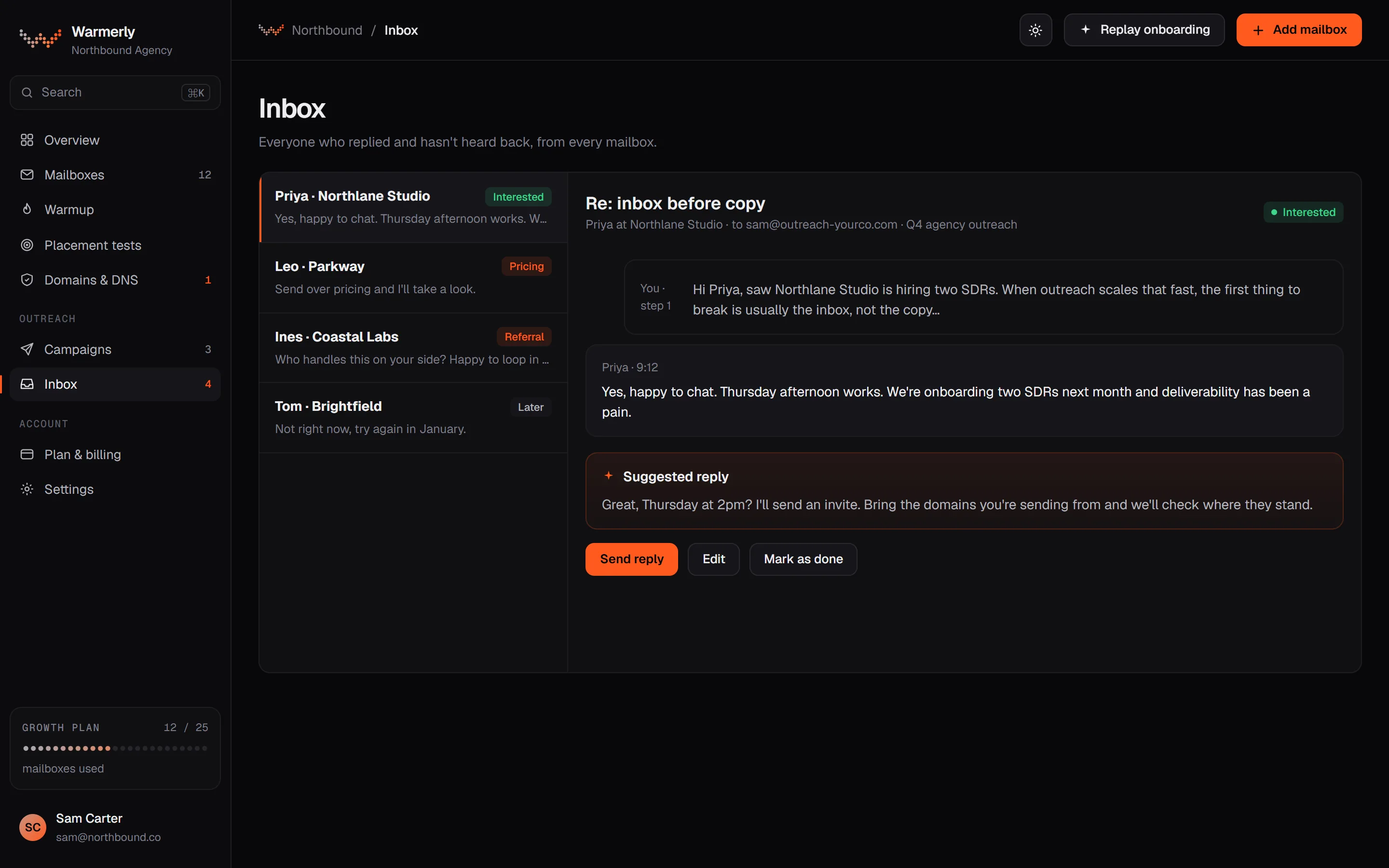
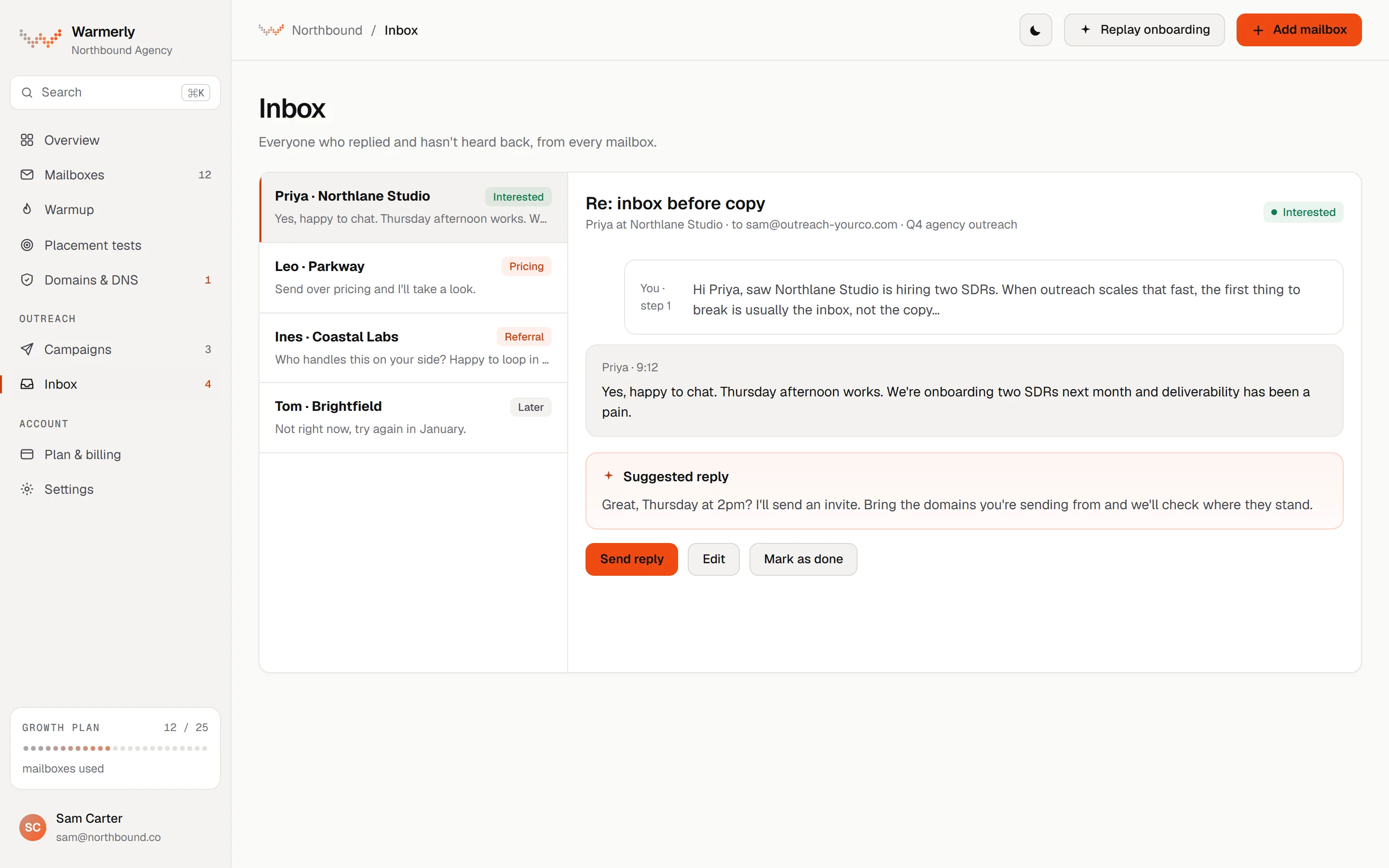
One list of conversations from every mailbox plus LinkedIn and WhatsApp, with a Needs reply view, search, filters, a category on each conversation you can change, a drafted reply and keyboard navigation. Sync runs every 5 minutes. There is no snooze, star, notes or assignment.
The Inbox gathers mail from every mailbox in the workspace, and LinkedIn and WhatsApp conversations, into one list with the newest first. The default view is Needs reply, which shows conversations whose newest message is from the other person and that are classed as a lead. All shows every conversation.
Warmerly product, checked 22 October 2026
Search matches a contact's name, email, phone or company and the words in their messages, and partial words work. Filters cover project, account, channel (All, Email, LinkedIn, WhatsApp), category (All, Interested, Not relevant, Spam) and unread only. Conversations can be archived one by one or in bulk, and brought back from View archived.
Warmerly product, checked 22 October 2026
A sweep runs every 5 minutes inside the cron worker and reads the Inbox and Sent folders of every active mailbox, incrementally by message number, 50 messages at a time. A Refresh button fetches new mail now. Mail you send from your own email app appears too, because the Sent folder is read.
Warmerly product, checked 22 October 2026
Each conversation is Lead (shown as Interested), Not relevant or Spam, and you can change a badge by hand. Rules decide first: the spam folder, bounces, mail with an unsubscribe header, out-of-office subjects and Warmerly's own emails. An AI check then runs on the Inbox folder only, for replies from a lead in one of your campaigns and for other mail that arrived within three days. It reads the sender, the subject and the first 400 characters. Anything else stays unclassified.
Warmerly product, checked 22 October 2026
By default a genuine reply stops that lead's sequence, and so does an automatic reply. Both settings can be turned off. A clear opt-out written in a reply's subject or first line suppresses the lead; a sentence that merely contains the word unsubscribe does not.
Warmerly product, checked 22 October 2026
Warmerly can draft an email reply for you to edit. It is plain text under 120 words and signs with the sender's name. We found no AI credit charged on the email draft path. LinkedIn suggested replies cost 1 AI credit each, refunded if unused, and are a separate feature.
Warmerly product, checked 22 October 2026
J and K, or the down and up arrows, move through the queue. The conversation opens beside the list. Every conversation carries the campaign and the sending mailbox it came from.
Warmerly product, checked 22 October 2026
The inbox has no snooze, star or notes and no conversation tags. We found no won or lost status and no assignment of a reply to a team member. Warmup mail, automatic senders such as no-reply and mailer-daemon, and LinkedIn notification emails are hidden from every view.
Warmerly product, checked 22 October 2026
Unibox is on Growth ($30 a month) and above, and Dominate adds Unibox forwarding and looping. Its July 2026 product page describes one dashboard for replies from every sender and campaign, replies tied to their sending account, sentiment-aware prioritising and a webhook and API hand-off. We found no LinkedIn or WhatsApp replies and no assignment or notes.
The plan list shows Unibox (Unified Inbox) under Growth, and Dominate and Rampage include everything from Growth. The tooltip beside it reads 'Manage all Campaign reply from one place'. The Free Forever list does not mention Unibox.
web.archive.org/web/20261011203858/https://mystrika.com · read 2026-10-22 (Internet Archive copy of 2026-10-11)
Dominate, at $85 a month ($70 billed annually), lists Unibox forwarding and looping. The page does not explain what looping does.
web.archive.org/web/20261011203858/https://mystrika.com · read 2026-10-22 (Internet Archive copy of 2026-10-11)
The Unified Inbox page says replies from every sender and campaign are reviewed in one dashboard, that campaigns can rotate across several inboxes and replies are still centralised, and that each reply keeps its campaign, sequence and prospect context.
web.archive.org/web/20260710212759/https://mystrika.com/products/unified-inbox · read 2026-10-22 (Internet Archive copy of 2026-07-10)
Its FAQ says you can respond from the correct sender because replies stay tied to their sending account and campaign context. It also says the Unibox does not replace your mailbox: it gives the outreach team a campaign-focused view and the underlying accounts still exist.
web.archive.org/web/20260710212759/https://mystrika.com/products/unified-inbox · read 2026-10-22 (Internet Archive copy of 2026-07-10)
The page lists a sentiment-aware workflow, described as prioritising the replies most likely to become pipeline, and a CRM-ready hand-off through webhooks and the API. The home page puts AI personalization and sentiment on Dominate, which is the same plan as API and webhooks.
web.archive.org/web/20260710212759/https://mystrika.com/products/unified-inbox · read 2026-10-22 (Internet Archive copy of 2026-07-10)
The sequencer page lists reply detection, described as stopping follow-ups when prospects respond.
web.archive.org/web/20260710194556/https://mystrika.com/products/cold-email-sequencer · read 2026-10-22 (Internet Archive copy of 2026-07-10)
Rampage, at $300 a month ($210 billed annually), lists a campaign activity stream, an out of office system and a goodbye system next to its Unibox. The page does not describe them.
web.archive.org/web/20261011203858/https://mystrika.com · read 2026-10-22 (Internet Archive copy of 2026-10-11)
A November 2024 page on its lifetime offer described the Unibox as managing all your emails and replies from a universal inbox, with reply, forward, CC and more, working across all sending email ids. It listed no plan limits.
web.archive.org/web/20241127064236/https://mystrika.com/lifetime · read 2026-10-22 (Internet Archive copy of 2024-11-27)
We looked, and found no statement on these. That is about its published pages only, not about the product.
We report each version rather than pick one.
| Measure | Warmerly | Mystrika |
|---|---|---|
| Reply inbox | Email, LinkedIn and WhatsApp replies in one list; checks every 5 minutes; drafted reply; no assignment or notes | Unibox from Growth: replies across every sender and campaign; forwarding and looping from Dominate; email only |
| Channels in the inbox | Email, LinkedIn and WhatsApp | Email replies; no other channel found |
| Plan that includes it | No plan restriction found, Free included | Growth ($30) and above |
| New-mail check | Every 5 minutes | Not stated |
| Categories | 3: Lead, Not relevant, Spam, editable by hand | Sentiment-aware, labels not listed |
| Drafted reply | Under 120 words, plain text, for you to edit | Not stated |
| Forwarding and looping | Not offered | Dominate ($85) and above |
| Assignment, notes, snooze | None found | None found |
Our reading of the facts above. Not a promise, and not the only reasonable reading.
Both answer the same question: with several mailboxes sending, where do the replies go? Warmerly answers with one queue that includes LinkedIn and WhatsApp. Mystrika answers with an email queue that keeps each reply's campaign and sender, plus forwarding on a higher plan.
Neither side's pages show assignment, notes or a won and lost mark. If three people share one inbox and need to hand a conversation over, you will need a note in your own CRM. Mystrika's webhooks and API sit on Dominate, and Warmerly's API sits on Agency, so the hand-off route costs more on both.
Warmerly states a 5-minute sweep. Mystrika states none. Send a test reply from a personal address to a connected mailbox and time how long each tool takes to show it. A fast sweep matters most for the replies where being first wins the meeting.
Warmerly hides warmup mail, no-reply and mailer-daemon senders, and LinkedIn notification emails, and its Needs reply view shows only conversations classed as a lead. A conversation classed wrongly can be moved by clicking its badge. Mystrika does not say what its Unibox hides, so test with an out-of-office reply and a bounce.
Warmerly's drafted reply is plain text you edit and send yourself, and a reply stops the sequence for that person. Read each draft against what the person wrote before sending.
On Mystrika the Unibox needs a paid plan, from $30 a month, and forwarding needs $85. On Warmerly we found no plan restriction on the inbox, so it is there on Free, which allows one mailbox.
Yes. Its plan list shows Unibox (Unified Inbox) on Growth and above, and its product page says replies from every sender and campaign appear in one dashboard. Dominate adds forwarding and looping. We read these in Internet Archive copies of its pages dated 11 October and 10 July 2026.
Yes, and we found no plan restriction on it. It gathers mail from every connected mailbox plus LinkedIn and WhatsApp conversations into one list, with a Needs reply view, search, filters, and a drafted email reply under 120 words. It checks for new mail every 5 minutes.
We found no assignment, notes or snooze on Warmerly, and none on Mystrika's pages. If handing over matters to you, test it in a trial before you commit.
On Warmerly, by default a genuine reply stops that lead's sequence, and so does an automatic reply; both settings can be turned off. Mystrika's sequencer page lists reply detection that stops follow-ups when a prospect responds.
Mystrika pages were read on 22 October 2026. Plans and wording change, so check the vendor's own page before you decide. Warmerly details come from the product as it runs today.
Connect a mailbox. Warmerly runs alongside whatever you send from now, so you can compare before you move anything.
Free plan, no card. Paid plans: 7-day trial, first charge on day 8.