WarmerlyWarmerly ahead on this row
Cold email sequences from Gmail, Outlook, Zoho or SMTP, with a reply inbox for email and LinkedIn. No connect by email.
One row, in depth: what each tool does, the verified numbers, and who each suits.
Octopus CRM details read from its home page, FAQ, feature pages, blog, terms, privacy policy and Chrome Web Store listing on 21 October 2026.
Cold email sequences from Gmail, Outlook, Zoho or SMTP, with a reply inbox for email and LinkedIn. No connect by email.
No email sequences listed. Connect by Email sends connection requests by email to pass LinkedIn's weekly limit.
Warmerly is a cold email tool first: it sends sequences from Gmail, Outlook, Zoho or SMTP mailboxes, with a daily limit for each mailbox, a volume ramp, a bounce brake and pre-launch checks, and replies from email and LinkedIn land in one inbox. Octopus CRM has one email feature on its pages, Connect by Email, which it says sends connection requests by email so you can pass LinkedIn's weekly invite limit, and it describes no email sequences, mailbox connections or sending limits. Warmerly has no connect-by-email feature. Last checked 21 October 2026.
Cold email sequences from Gmail, Outlook, Zoho or SMTP, with a reply inbox for email and LinkedIn. No connect by email.
No email sequences listed. Connect by Email sends connection requests by email to pass LinkedIn's weekly limit.
Warmerly's campaign ramp, from 3 a day, up 1 a day, to 15
A sending day is a day in the campaign's sending days, so weekends hold the cap flat. A bounce rate of 7% pauses the mailbox.
Each side's only email route
Octopus CRM's pages do not say which address the connection email comes from or how the recipient's address is found.
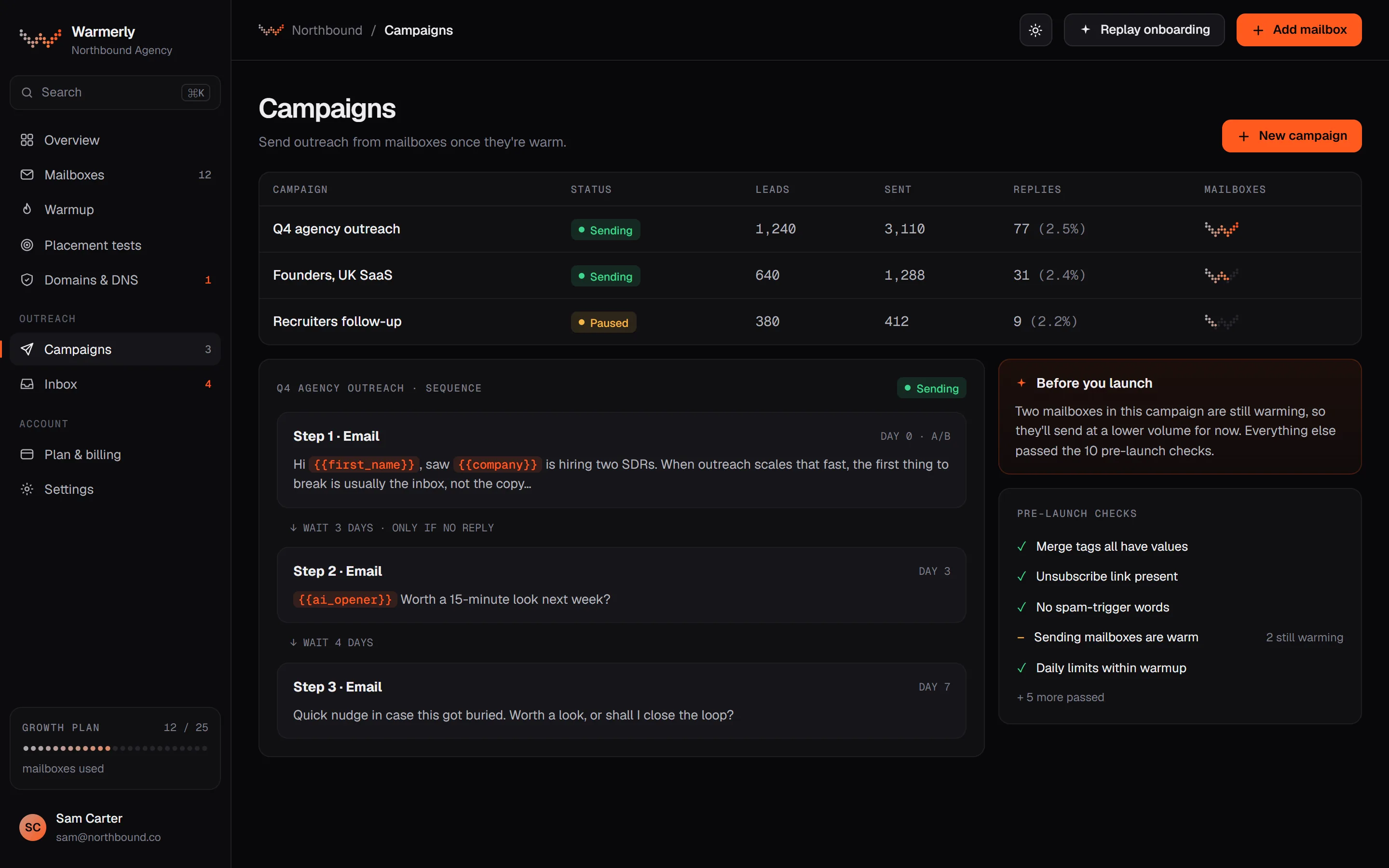
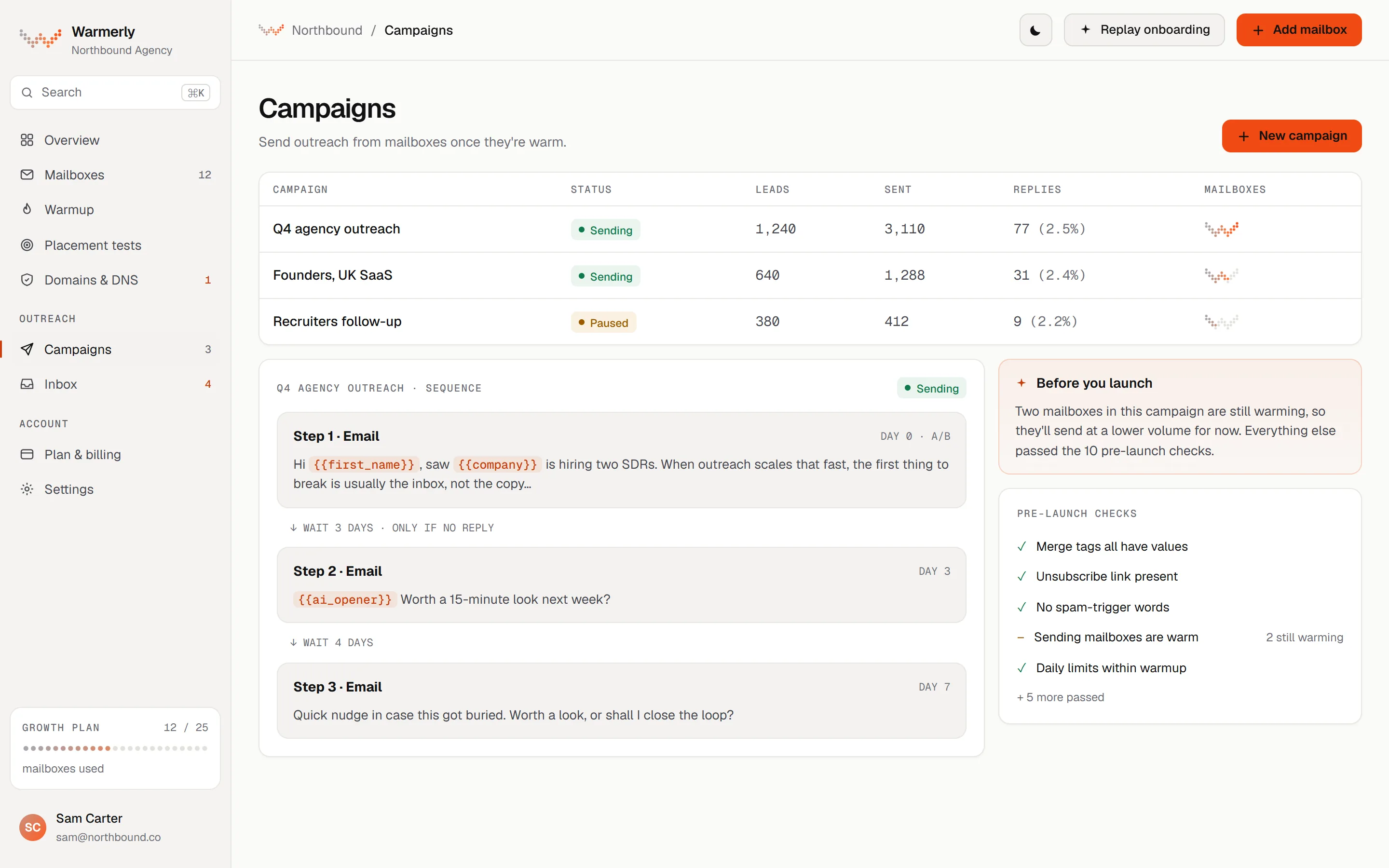
A full email campaign engine: sequence steps, scheduling, a 30 a day default for each mailbox, a ramp from 3 to 15 a day, a bounce brake from 2 per cent, and 13 kinds of pre-launch check.
Each mailbox has its own daily campaign limit, 30 by default, and a campaign has its own daily limit field, also 30 by default. Sending is not metered on paid plans. The Free plan allows 100 campaign sends a month.
Warmerly product, checked 21 October 2026
A campaign can ramp each mailbox from 3 emails on sending day 1, adding 1 a day, up to 15 by default, so full volume arrives on the 13th sending day. It is switched on automatically for young mailboxes, and it can only tighten a mailbox's limit, never raise it.
Warmerly product, checked 21 October 2026
Over a rolling 7 days, below 2 per cent bounces a mailbox is untouched. From 2 per cent its daily cap is multiplied by 0.75, from 3 per cent by 0.5 and from 5 per cent by 0.25. At 7 per cent the mailbox is paused. None of it applies under 25 sends.
Warmerly product, checked 21 October 2026
The readiness table lists 13 kinds of check before Start: 7 that block (such as no usable step, no sender, no queued leads, an unknown merge tag) and 6 that warn (such as no postal address, a DNS warning, a free mailbox still waiting, spam-style copy). A warning needs one acknowledgement.
Warmerly product, checked 21 October 2026
A genuine reply stops the lead's sequence by default, and unsubscribes go on a workspace-wide suppression list. The inbox's default view is Needs reply, and a suggested reply under 120 words can be drafted for the latest inbound email.
Warmerly product, checked 21 October 2026
Warmerly does not send LinkedIn connection requests by email, and we found nothing like it. It does not bypass a LinkedIn limit. LinkedIn steps and email steps sit in one sequence, but email carries its own deliverability rules.
Warmerly product, checked 21 October 2026
Connect by Email is the only email feature described. It is presented as a way round LinkedIn's weekly invitation limit, not as an email channel.
The home page says Octopus CRM lets you bypass LinkedIn's weekly invite limit and send a higher volume of connection requests per week by email, without any risk to your LinkedIn account. It appears under the heading Connect by Email.
octopuscrm.io · read 21 October 2026
The FAQ calls one of the most effective strategies sending 100 regular connection requests a week and, once you reach the weekly limit, switching to sending connection requests by email.
octopuscrm.io · read 21 October 2026
The same offer is repeated on the auto connect, lead generation, prospecting, sales solutions and auto invite pages, each with the same wording. The tutorial page lists a video titled Bypass Weekly Invite Limit on LinkedIn.
octopuscrm.io/tutorial · read 21 October 2026
The page titled LinkedIn Mailer describes automated messages and follow-ups to prospects on LinkedIn, not email. It names the First name, Last name, Company and Position variables and says to watch your response rate.
octopuscrm.io/linkedin-mailer · read 21 October 2026
The claim of no risk to your LinkedIn account is the vendor's statement. We found no page that explains how the email is sent, from which address, or how it relates to LinkedIn's own rules.
octopuscrm.io · read 21 October 2026
We looked, and found no statement on these. That is about its published pages only, not about the product.
We report each version rather than pick one.
| Measure | Warmerly | Octopus CRM |
|---|---|---|
| Email outreach and connect by email | Cold email sequences from Gmail, Outlook, Zoho or SMTP, with a reply inbox for email and LinkedIn. No connect by email. | No email sequences listed. Connect by Email sends connection requests by email to pass LinkedIn's weekly limit. |
| Email sequences | Yes, with email, wait, LinkedIn and condition steps | Not found |
| Mailbox types | Gmail, Outlook, Zoho, SMTP and IMAP | Not stated |
| Daily limit for each mailbox | 30 a day by default | Not stated |
| Volume ramp | 3 a day, up 1 a day to 15 | Not found |
| Bounce brake | Cap x0.75 from 2%, paused at 7% | Not found |
| Connection requests by email | Not offered | Yes, as Connect by Email |
Our reading of the facts above. Not a promise, and not the only reasonable reading.
Octopus CRM's is a way to invite people to connect when LinkedIn will not let you send more. Warmerly's is a channel of its own, with its own sender reputation to protect.
If the email comes from your own mailbox, its reputation is yours, and the mailbox needs warming. If it comes from Octopus CRM, you would want to know from whom. The pages do not say.
This is a plain explanation, not a finding about Octopus CRM: email to people who have not asked to hear from you is covered by laws such as PECR in the UK and CAN-SPAM in the US. Warmerly's pre-launch checks warn when a campaign has no postal address.
Warmerly's LinkedIn caps are lower than the 100 a week Octopus CRM quotes. A tool that sends more is not automatically safer, and a limit that is passed by another route is still LinkedIn's limit.
Its pages describe one email feature, Connect by Email, which sends connection requests by email. They describe no email sequences, mailbox connections or sending limits.
No. It is the one email feature Octopus CRM lists that Warmerly does not offer.
30 a day by default. The volume ramp starts at 3 a day and rises 1 a day to 15.
The sending cap is multiplied by 0.75 from a 2% bounce rate, and sending is paused at 7%.
Octopus CRM pages were read on 21 October 2026. Plans and wording change, so check the vendor's own page before you decide. Warmerly details come from the product as it runs today.
Connect a mailbox. Warmerly runs alongside whatever you send from now, so you can compare before you move anything.
Free plan, no card. Paid plans: 7-day trial, first charge on day 8.