WarmerlyWarmerly ahead on this row
On every mailbox: threaded conversations with quoted replies, and spam rescue.
One row, in depth: what each tool does, the verified numbers, and who each suits.
Meet Alfred details read from its pricing page, home page, security page and help centre on 21 October 2026.
On every mailbox: threaded conversations with quoted replies, and spam rescue.
Not listed on its pricing page or in its email help articles.
Warmerly warms every mailbox with real threaded mail between mailboxes, over a 30-day ramp, and rescues warmup mail from spam. Meet Alfred's pricing page and email help articles list no mailbox warmup. Its LinkedIn side has human-paced delays and smart limits, which concern LinkedIn, not an email mailbox. Last checked 22 October 2026.
On every mailbox: threaded conversations with quoted replies, and spam rescue.
Not listed on its pricing page or in its email help articles.
Warmerly's ramp. Meet Alfred lists no warmup, so no line is drawn for it.
No Meet Alfred line is drawn because its pages describe no ramp. The advice to start below 100 a day is guidance, not a warmup.
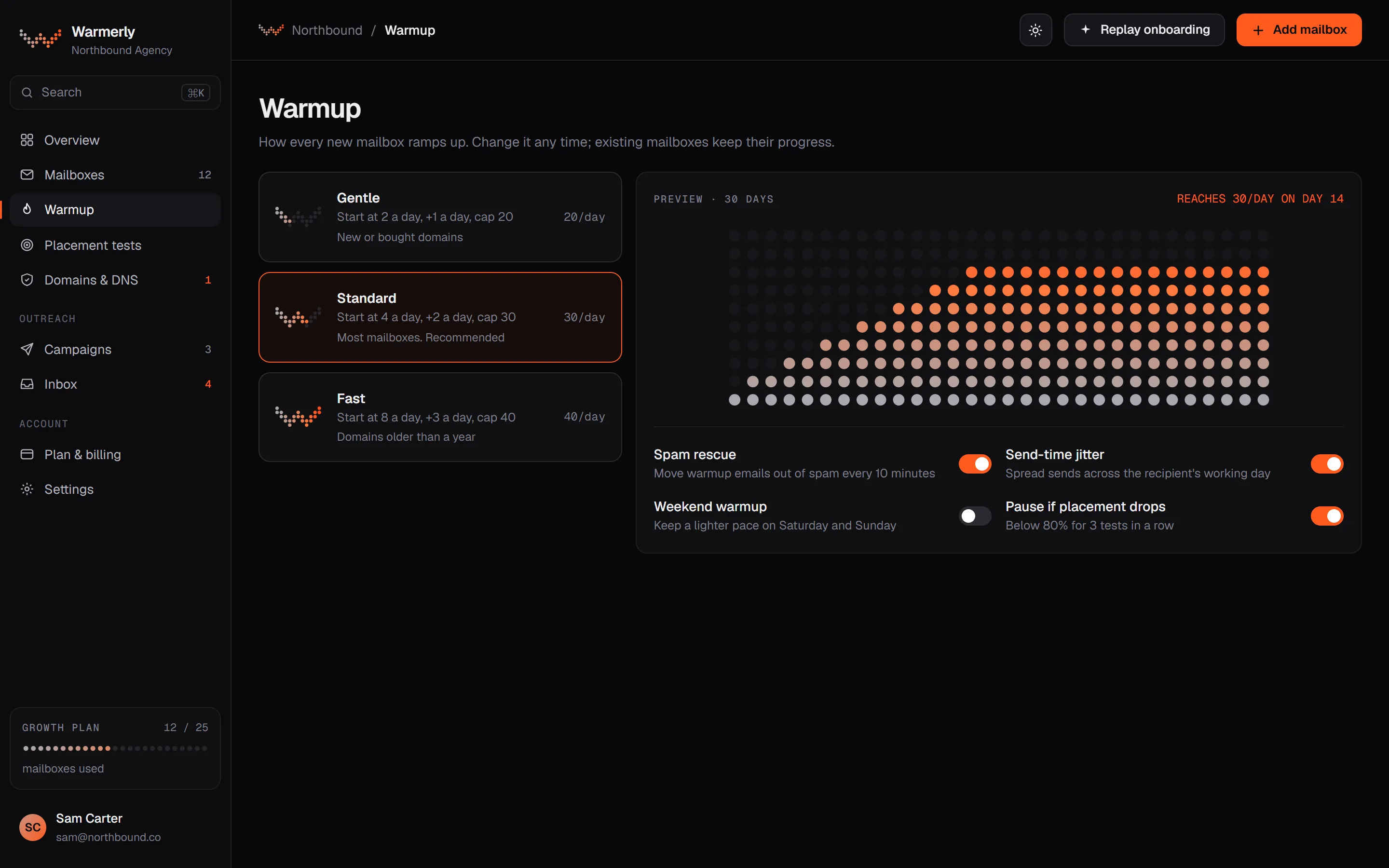
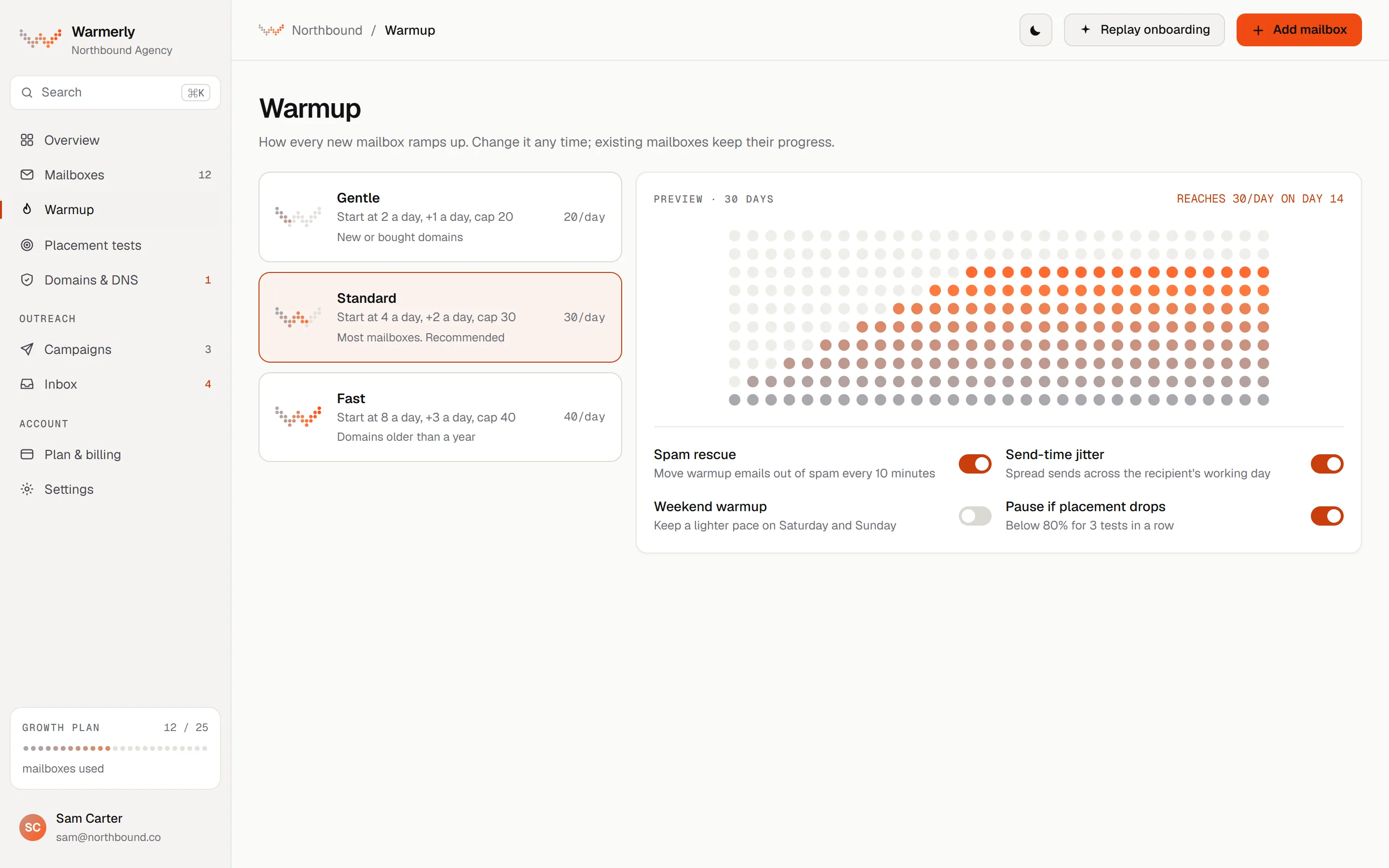
Warmerly's warmup is the first thing a connected mailbox does, and it keeps running underneath campaigns.
The daily warmup quota is interpolated between anchors: 4 a day at day 0, 8 at day 3, 15 at day 7, 25 at day 14, 35 at day 21 and 50 at day 30. It counts days the mailbox really sent.
Warmerly product, checked 21 October 2026
The quota is the lowest of the age ramp, the provider cap and the hard ceiling of 50 a day. Provider caps are Gmail 40, Outlook 30 and Zoho 25.
Warmerly product, checked 21 October 2026
A warmup mail is opened after a delay of 10 to 120 minutes, and the recipient replies with a default probability of 0.3, stopping at thread depth 3. Mail that lands in spam is read, moved to the inbox and answered.
Warmerly product, checked 21 October 2026
Warmup mail is real mail between mailboxes in one pool that includes other customers' mailboxes. A sender does not write to the same recipient twice within 72 hours, relaxing to 48 and then 24 if the pool runs short.
Warmerly product, checked 21 October 2026
Warmup does not warm a LinkedIn profile: LinkedIn account warmup is a separate feature of the LinkedIn add-on. Warmup improves the signals a provider sees but does not guarantee inbox placement.
Warmerly product, checked 21 October 2026
When a warmup message sits in a recipient's spam folder, the recipient removes the junk flags, adds not-junk flags, marks it seen and starred, and moves it to the inbox. On Gmail, moving it out of Spam is the 'Not spam' signal.
Warmerly product, checked 21 October 2026
Rescue is unconditional. It used to be about 75 percent of messages and was changed because a message left in spam keeps teaching the filter that the sender is junk.
Warmerly product, checked 21 October 2026
Rescue applies to warmup mail between Warmerly mailboxes. Campaign mail to real prospects is never touched.
Warmerly product, checked 21 October 2026
The planner multiplies each mailbox's daily quota by a random factor of up to 1.15 and spreads sends through the day at random times, so the pattern is not a flat line.
Warmerly product, checked 21 October 2026
A new mailbox is marked 'aging' and becomes 'active' after 30 days on which it really sent, not 30 calendar days. A mailbox connected months ago that never sent stays aging.
Warmerly product, checked 21 October 2026
Mailboxes on Warmerly's own domain neither send nor receive warmup mail, to keep warmup traffic away from the brand's reputation.
Warmerly product, checked 21 October 2026
The recipient for each warmup mail is chosen by weighting the load already planned for them, how many mails the sender has already sent to that provider today, and the recipient's own quota.
Warmerly product, checked 21 October 2026
Meet Alfred's pages describe pacing and tracking for email, and no warmup network.
The email automation page lists multi-sequence campaigns with dynamic variables, smart delays, aliases and signatures, and tracking of opens, clicks and conversions. It does not mention warmup or deliverability features.
meetalfred.com/features/email-automation · read 21 October 2026
The article gives guidance to start below 100 emails a day for the first few weeks and says nothing else on warmup.
help.meetalfred.com/en/articles/4276734-create-automated-email-campaigns · read 21 October 2026
The email connection article says SMTP can enhance email deliverability and gives no detail on how.
help.meetalfred.com/en/articles/4276322-connect-your-email-to-meet-alfred · read 21 October 2026
The home page says every campaign runs with smart delays and randomised, human-like activity patterns. That sentence is about campaigns on LinkedIn.
meetalfred.com · read 21 October 2026
The campaign article lists opens, clicks and conversions, bounced emails, bounce rate, follow-ups sent and opened, replies and reply rate as tracked metrics. These measure a campaign, not a mailbox's standing.
help.meetalfred.com/en/articles/4276734-create-automated-email-campaigns · read 22 October 2026
Up to 5 files of 10MB each can go on an email, and a signature can be added. HTML signatures are not currently available.
help.meetalfred.com/en/articles/4276734-create-automated-email-campaigns · read 22 October 2026
The connection article says SMTP lets you customise sender information and reply-to addresses and may help deliverability. It does not say how.
help.meetalfred.com/en/articles/4276322-connect-your-email-to-meet-alfred · read 22 October 2026
The email article says emails are delivered during working hours and that you can adjust the delay between steps. It gives neither the hours nor any delay values.
help.meetalfred.com/en/articles/4276734-create-automated-email-campaigns · read 22 October 2026
The home page lists 16 features under What's Included. None is named as warmup, inbox placement or DNS checking.
meetalfred.com · read 22 October 2026
The help pages say support is available 24/7 through a chat bubble. The home page says average response time is under 3 minutes, a company claim we have not tested.
meetalfred.com · read 22 October 2026
We looked, and found no statement on these. That is about its published pages only, not about the product.
We report each version rather than pick one.
| Measure | Warmerly | Meet Alfred |
|---|---|---|
| Email warmup and deliverability | On every mailbox: threaded conversations with quoted replies, and spam rescue. | Not listed on its pricing page or in its email help articles. |
| Warmup on a connected mailbox | Yes, 4 a day on day 0 to 50 on day 30 | Not listed |
| Provider caps in the ramp | Gmail 40, Outlook 30, Zoho 25 | Not applicable |
| Spam rescue | Yes, mail in spam is moved to the inbox | Not listed |
| Advice for a new mailbox | The ramp does it | Start below 100 a day |
| Spam rescue share | Every spam-placed warmup message | Not listed |
| Day to full ramp | 30 days | Not listed |
| Daily variation | Up to 1.15 times the quota | Not stated |
| Days to graduate | 30 days of real sending | Not applicable |
| Email attachments | Not found | 5 per email, 10MB each |
| Delivery times | Warmup spread through the day | Working hours, not defined |
Our reading of the facts above. Not a promise, and not the only reasonable reading.
Pacing controls how fast you send. Warmup builds the signals that a provider uses to decide whether to trust what you send. They are different jobs.
You can keep sending from Meet Alfred and let Warmerly warm and check the same mailbox. Mailbox reputation lives with Gmail and Microsoft, not with either tool.
If email is core for you, ask it whether it plans warmup. It may exist outside the pages we read.
A new mailbox that goes straight to a few hundred a day looks different to Gmail than one that has grown for a month. Meet Alfred's own advice, below 100 a day for the first few weeks, points the same way, though it gives no way to build to it.
Meet Alfred shows bounced emails and a bounce rate on the campaign. Watch them from day one whichever tool you pick, because a rising bounce rate hurts a new mailbox quickly.
Warmup builds reputation on a mailbox. A campaign tool uses that reputation. Doing both in one product is convenient but not required.
We found no warmup on its pricing page, home page, email feature page or email help articles. It may exist elsewhere.
No. Human-paced delays spread actions out. Warmup builds the mailbox's reputation before volume.
No. Warmup improves the signals a provider sees. Placement also depends on your content, your list and your domain.
The ramp runs 30 days, from 4 a day to 50 a day at most, lower on Outlook and Zoho. A mailbox graduates after 30 days of real sending.
Meet Alfred pages were read on 21 October 2026. Plans and wording change, so check the vendor's own page before you decide. Warmerly details come from the product as it runs today.
Connect a mailbox. Warmerly runs alongside whatever you send from now, so you can compare before you move anything.
Free plan, no card. Paid plans: 7-day trial, first charge on day 8.