Warmerly
One inbox for email and LinkedIn replies, with an AI-drafted reply
One row, in depth: what each tool does, the verified numbers, and who each suits.
Mailshake details read from its pricing page, home page, feature pages and help centre on 21 October 2026.
One inbox for email and LinkedIn replies, with an AI-drafted reply
Lead Catcher: anyone who replies becomes a lead you mark won, lost or ignored; unified inbox on Email Outreach and up
Both collect replies in one place. Warmerly syncs connected mailboxes every five minutes, matches a reply to its campaign email, sorts it as lead, not relevant or spam, and shows email, LinkedIn and WhatsApp conversations together. Mailshake's Lead Catcher turns replies into a queue where you mark leads won, lost or ignored, and its pricing page lists a unified inbox from Email Outreach upwards. Mailshake is ahead on lead statuses and a next-lead queue. Warmerly is ahead on channels and on having a reply inbox on its entry plan. Last checked 22 October 2026.
One inbox for email and LinkedIn replies, with an AI-drafted reply
Lead Catcher: anyone who replies becomes a lead you mark won, lost or ignored; unified inbox on Email Outreach and up
Warmerly puts replies in one inbox. Mailshake turns each reply into a lead with a status.
| Tool | Steps |
|---|---|
| Warmerly | Sync: Every five minutes; Match: By the mail's reply headers; Stop: A genuine reply stops the sequence; Inbox: Email and LinkedIn replies together |
| Mailshake | Reply: Anyone who replies is a lead; View: Correspondence, clicks and opens; Mark: Won, lost or ignored; Next: Moves to the next lead |
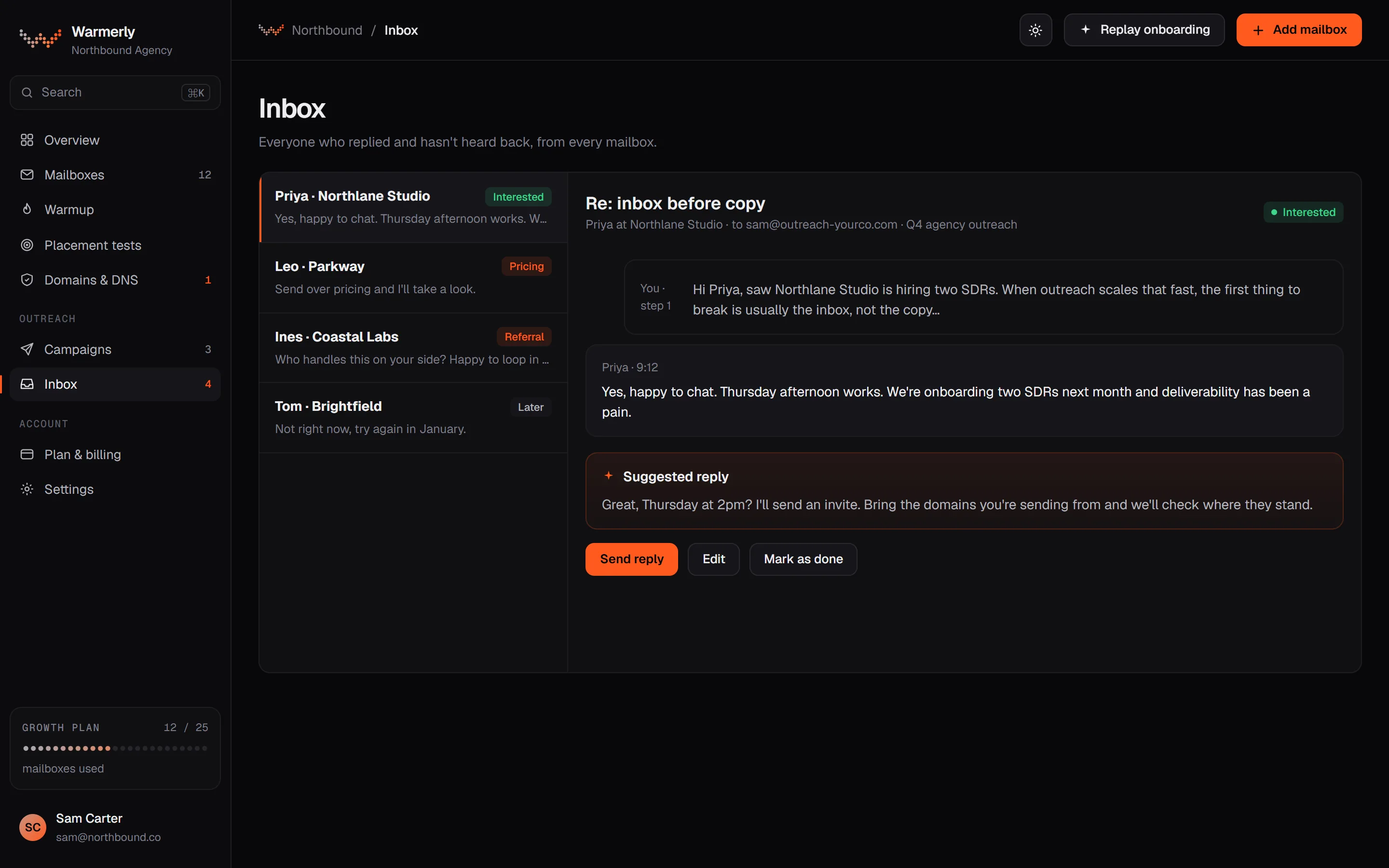
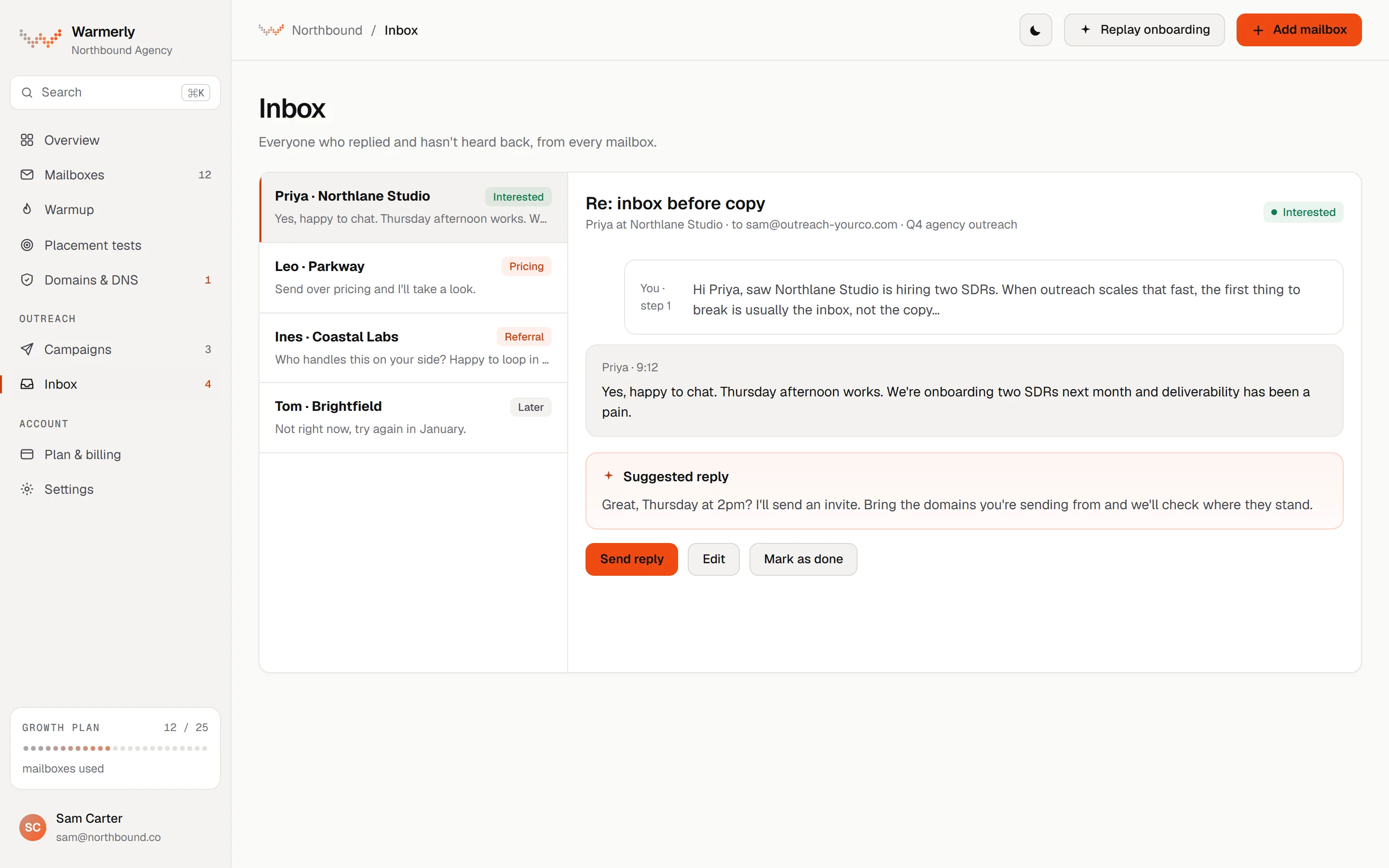
One inbox for the replies from every connected mailbox, with LinkedIn and WhatsApp alongside, sorted into categories and with a drafted reply you edit before sending.
Connected mailboxes are synced for new mail every five minutes. A reply is matched to the campaign email through the mail's reply headers, and bounces and automatic replies are classified separately.
Warmerly product, checked 21 October 2026
By default a genuine reply stops the lead's sequence, and so does an automatic reply. Both settings can be turned off.
Warmerly product, checked 21 October 2026
Replies land in one Warmerly inbox, together with LinkedIn replies.
Warmerly product, checked 21 October 2026
Inbox mail is sorted into lead, not relevant or spam, and Warmerly can draft a reply with AI for you to edit.
Warmerly product, checked 21 October 2026
We found no won, lost or ignored statuses and no next-lead queue like Lead Catcher's in the inbox.
Warmerly product, checked 21 October 2026
The inbox opens on Needs reply, which lists conversations whose newest message is from the other person and that are classed as a lead. All shows every conversation, and the list is ordered by newest activity.
Warmerly product, checked 21 October 2026
Search matches a contact's name, email, phone and company and the words in their messages, including partial words. Filters cover project, account, channel (email, LinkedIn, WhatsApp), category and unread only. Conversations can be archived singly or in bulk.
Warmerly product, checked 21 October 2026
Simple rules run first: spam folder, bounces, unsubscribe headers and out-of-office subjects. An AI check then reads the sender, subject and first 400 characters of a campaign lead's reply. You can click the badge to mark any conversation as Lead, Not Relevant or Spam, and your choice is kept.
Warmerly product, checked 21 October 2026
Replies go out from the mailbox the thread started with, and you cannot change it for that thread. Your signature and the quoted message are added. Compose starts a new email from any connected account, with Cc available.
Warmerly product, checked 21 October 2026
On a conversation classed as a lead, Draft with AI writes a short plain-text reply in your name from the sender's name, the subject, the first 800 characters of their message and the campaign context. You read and edit it before sending, and nothing is sent for you.
Warmerly product, checked 21 October 2026
When new replies are classed as leads you get one email with a button to the inbox, at most once in 24 hours, listing everything found since the last one. It can be switched off under email preferences.
Warmerly product, checked 21 October 2026
Warmup mail is never shown, automatic senders such as mailer-daemon and no-reply are hidden, images in received emails are blocked, and a mailbox that needs reconnecting stops syncing. A reply from a different address than the one you emailed is not graded by the AI, so you may need to mark it yourself.
Warmerly product, checked 21 October 2026
A lead queue with won, lost and ignored statuses and team assignment, a unified inbox listed from the middle plan, and lead temperature, tasks and an account view on the top plan.
A lead is anyone who replies, though you can change that or turn someone into a lead by hand. Mailshake moves you to the next lead after you mark one won, lost or ignored, or assign it to a teammate.
mailshake.com/features/lead-catcher · read 21 October 2026
The page says your full correspondence and the recipient's clicks and opens are visible in the same view, and replies reopen a lead.
mailshake.com/features/lead-catcher · read 21 October 2026
Unified inbox is listed on Email Outreach and Sales Engagement. Starter does not list it.
mailshake.com/pricing · read 21 October 2026
The follow-ups page says sequences stop when the recipient takes a specified action, with replying as the example.
mailshake.com/features/follow-ups · read 21 October 2026
From Lead Catcher you can reply or start a new conversation with a new subject line, with recipient fields such as job or company at your fingertips, and anyone on your team can respond.
mailshake.com/features/lead-catcher · read 22 October 2026
The page says won leads are included in campaign exports.
mailshake.com/features/lead-catcher · read 22 October 2026
The top plan lists lead temperature, account level view and organisation, custom tasks and phone scripts. Email Outreach lists a prospects view and a browser extension. Neither page explains how lead temperature is calculated.
mailshake.com/pricing · read 22 October 2026
The follow-ups page says you can add tasks to a sequence to reach prospects by phone and social media, and mark them completed to continue the automated sequence.
mailshake.com/features/follow-ups · read 22 October 2026
The follow-ups page says emails can be triggered when a recipient clicks a link, and with Zapier when they book a meeting, submit a form or when a lead's status changes in Salesforce.
mailshake.com/features/follow-ups · read 22 October 2026
We looked, and found no statement on these. That is about its published pages only, not about the product.
We report each version rather than pick one.
| Measure | Warmerly | Mailshake |
|---|---|---|
| Reply inbox | One inbox for email and LinkedIn replies, with an AI-drafted reply | Lead Catcher: anyone who replies becomes a lead you mark won, lost or ignored; unified inbox on Email Outreach and up |
| Reply handling | One inbox, email and LinkedIn | Lead Catcher queue |
| Statuses | Lead, not relevant or spam, with a drafted reply | Won, lost or ignored |
| Sync | Every five minutes | Not stated |
| On the entry plan | Yes, every plan | Unified inbox not listed on Starter |
| New-lead alert emails | At most 1 in 24 hours, can be switched off | Not stated |
| Channels in the reply view | Email, LinkedIn and WhatsApp | Email, with phone and social tasks in sequences |
| Syncs a day | 288, one every 5 minutes | Not stated |
| Lead statuses | 3 categories you can override, no won or lost | 3 outcomes: won, lost, ignored, plus assign |
Our reading of the facts above. Not a promise, and not the only reasonable reading.
If a lead queue with won, lost and ignored fits how you work, Mailshake's design matches that.
If replies arrive on both email and LinkedIn, Warmerly keeps them together.
Warmerly's sweep runs every 5 minutes, which is 12 an hour and 288 a day. The sync documentation puts a worst-case sweep at about 7 minutes, the 5-minute budget plus one 2-minute deadline, so a reply is normally seen in the inbox within minutes. The Refresh button fetches mail immediately. Mailshake does not state its interval.
In Mailshake, marking each of 40 leads as won, lost or ignored moves you to the next lead automatically, so the queue empties as you decide. In Warmerly, 40 conversations in Needs reply stay there until you answer or change their category, and you select several at once to archive or mark read.
A prospect replies from a colleague's address. Warmerly's AI does not grade a reply from an address you did not email, so it may stay Unclassified until you mark it as a Lead. Mailshake's page says a lead is anyone who replies and that you can turn someone into a lead by hand.
Warmerly has a Stop on reply switch, on by default, and a separate Stop on auto-reply switch, also on by default. Turn off the second and out-of-office replies are noted without ending the sequence. Mailshake's page gives replying as one example of an action that can stop a sequence.
Its pricing page lists a unified inbox on Email Outreach and Sales Engagement, and Lead Catcher collects everyone who replies.
Connected mailboxes are synced every five minutes.
Yes. You write in the box under the conversation, choose email, LinkedIn or WhatsApp if the person has more than one, and send. Email replies come from the mailbox the thread started with.
No. We found only Lead, Not Relevant and Spam categories, which you can change by hand. If you need won and lost outcomes, Mailshake's Lead Catcher has them.
Its Lead Catcher page is not tied to a plan. The pricing page lists the unified inbox on Email Outreach and Sales Engagement only, so ask Mailshake what Starter includes.
Mailshake pages were read on 21 October 2026. Plans and wording change, so check the vendor's own page before you decide. Warmerly details come from the product as it runs today.
Connect a mailbox. Warmerly runs alongside whatever you send from now, so you can compare before you move anything.
Free plan, no card. Paid plans: 7-day trial, first charge on day 8.