Warmerly
Not a plan limit: each mailbox follows its own ramp, to 50 a day by day 30, with Gmail held to 40.
One row, in depth: what each tool does, the verified numbers, and who each suits.
TrulyInbox details read from its pricing page, home, features, how-it-works, network, why-trulyinbox and agencies pages, V2 blog post, refund policy, terms, privacy policy, API docs and help centre on 21 October 2026.
Not a plan limit: each mailbox follows its own ramp, to 50 a day by day 30, with Gmail held to 40.
A daily pool by plan, 200 on Starter, 1,000 on Growth and 3,000 on Scale, shared by all accounts; up to 100 a day per account.
Warmerly gives each mailbox its own quota, from 4 a day on day 0 to 50 a day by day 30, held to 40 on Gmail. TrulyInbox sets a daily total for the whole plan, from 200 on Starter to 3,000 on Scale, shared by every account, with a ceiling of 100 a day for any one account. Neither publishes a table of what volume your campaigns need. Last checked 21 October 2026.
Not a plan limit: each mailbox follows its own ramp, to 50 a day by day 30, with Gmail held to 40.
A daily pool by plan, 200 on Starter, 1,000 on Growth and 3,000 on Scale, shared by all accounts; up to 100 a day per account.
Warmerly's ramp against TrulyInbox's account ceiling
Straight lines join Warmerly's anchor points. Gmail is held to 40 a day and Outlook to 30. The dashed line is a stated ceiling, not a ramp.
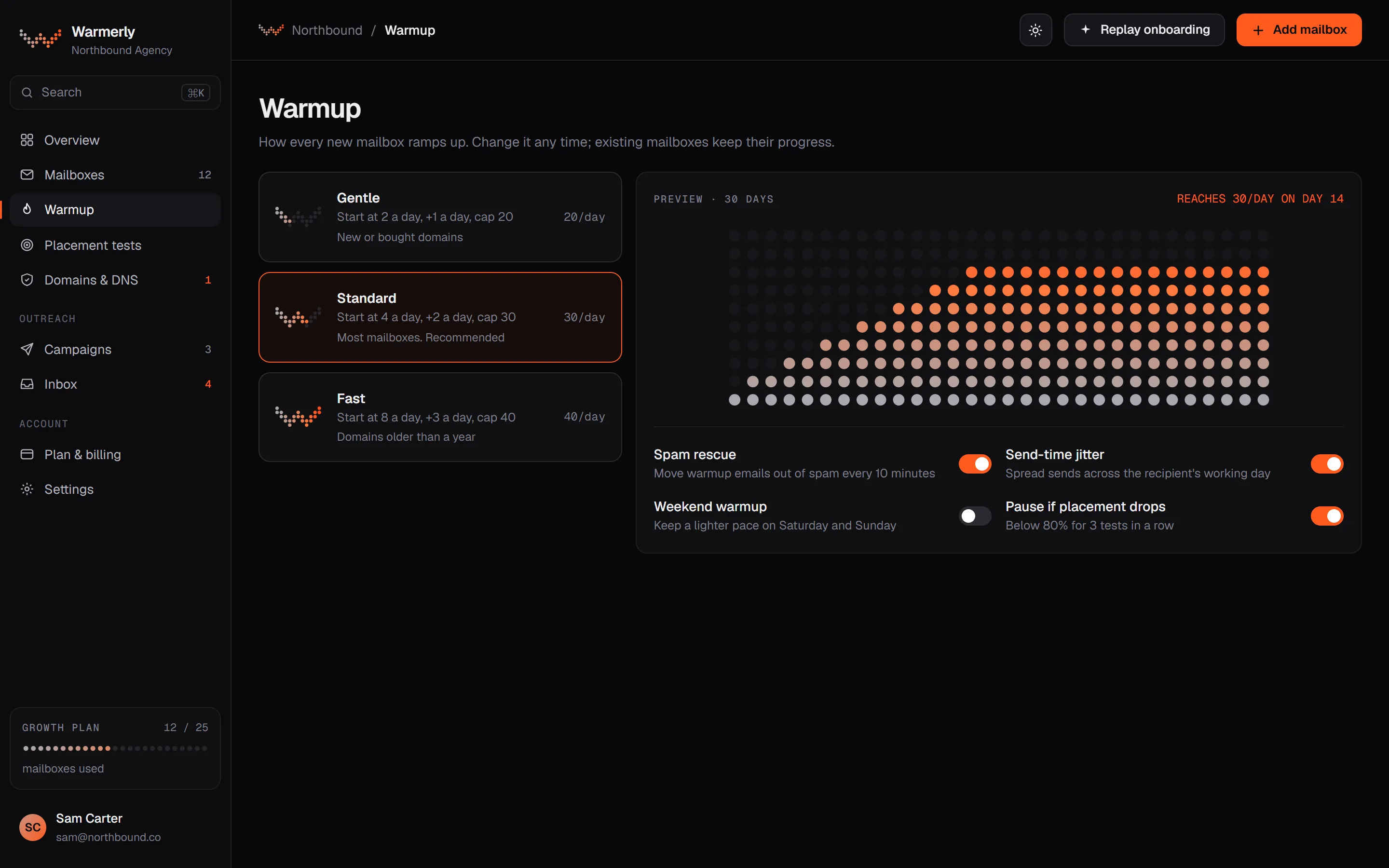
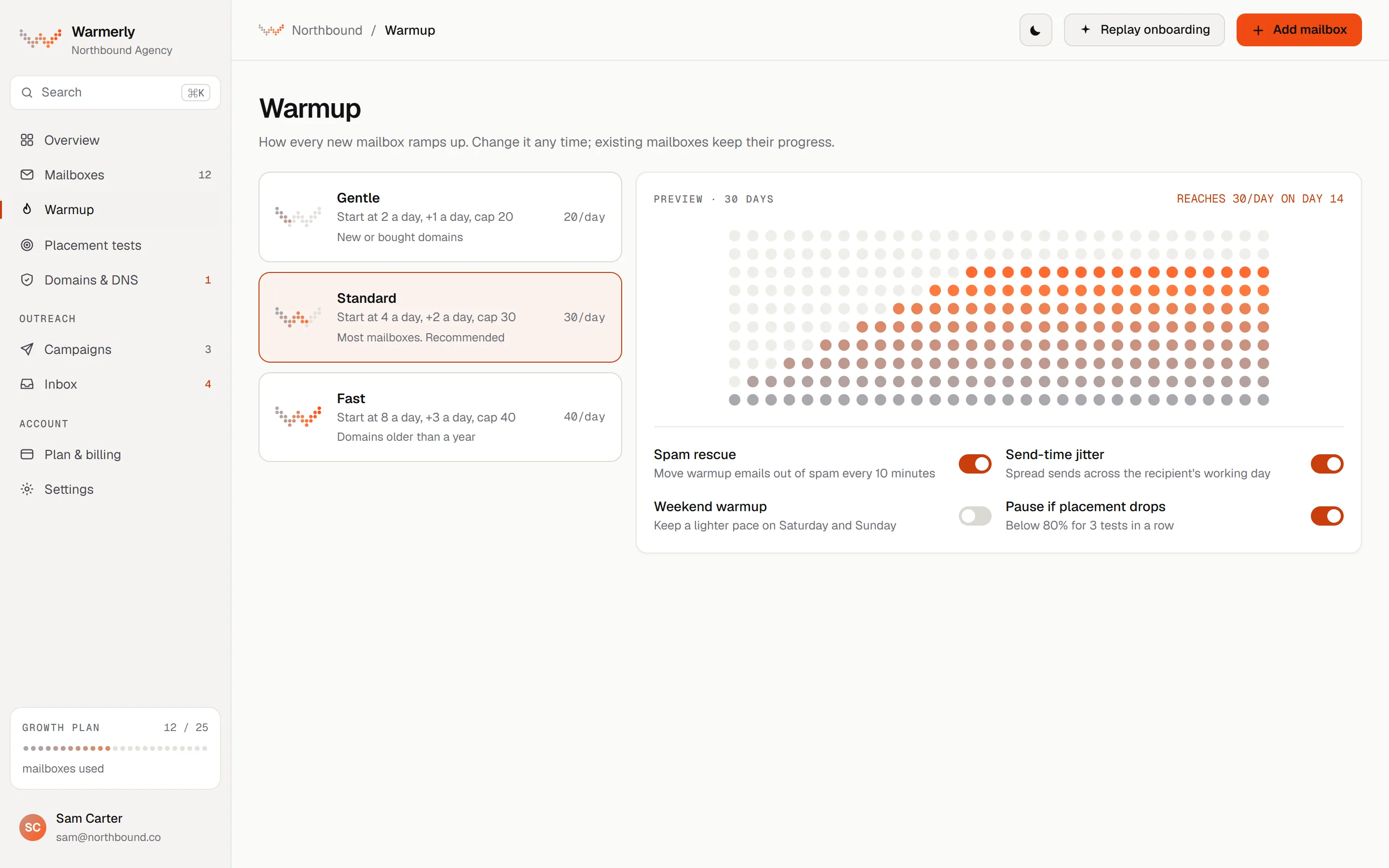
A per-mailbox quota worked out each day from the mailbox's age, provider and health, and never above 50.
The quota is interpolated between 4 a day at day 0, 8 at day 3, 15 at day 7, 25 at day 14, 35 at day 21 and 50 at day 30. It counts days on which the mailbox really sent, so a paused or newly enabled old mailbox cannot skip ahead.
Warmerly product, checked 21 October 2026
Whatever the ramp says, the quota is held to 40 a day on Gmail, 30 on Outlook, 25 on Zoho and 50 on other providers.
Warmerly product, checked 21 October 2026
Weekends run at 0.6 of the weekday quota. A low health score or spam placement cuts the quota further, to 0.75, 0.7 or 0.4 of normal, and a mailbox whose sends are refused gets one probe send a day.
Warmerly product, checked 21 October 2026
Each day's plan is varied by up to 15 per cent either way, so a mailbox does not send an identical number every day.
Warmerly product, checked 21 October 2026
The mailbox's warmup page names the factor that limits today's quota, such as age, provider, weekend or health. You can set a lower daily limit on each mailbox yourself.
Warmerly product, checked 21 October 2026
Replies are planned separately and added to the first-send quota. Warmup sends are not metered by the month, but the pool limits who a mailbox can write to: a sender does not write to the same recipient twice within 72 hours.
Warmerly product, checked 21 October 2026
A shared daily total by plan, an account ceiling in the help centre, and a user-set daily limit, with no ramp curve published.
The pricing page lists 10 a day on Free, 200 on Starter, 1,000 on Growth, 3,000 on Scale and 5,000 on Scale Plus, adjustable to 10,000 and 20,000. The FAQ says the unit is emails sent and received across all accounts.
trulyinbox.com/pricing · read 21 October 2026
Each connected account can send up to 100 warmup emails a day, rising step by step towards that cap. The plan's total cap applies across all accounts combined.
support.trulyinbox.com/en/articles/12928483-managing-warmup-sending-volume · read 21 October 2026
When the total is reached, TrulyInbox prioritises the accounts added most recently. The first account you added is the first to be reduced and then paused, then the next oldest.
support.trulyinbox.com/en/articles/12928483-managing-warmup-sending-volume · read 21 October 2026
In the recipient-pool article, the user sets a daily sending limit, each recipient gets one email at a time, and the system moves round-robin to the next account. No default or range is stated.
support.trulyinbox.com/en/articles/9219810-how-your-email-recipients-will-get-picked-from-warmup-pool · read 21 October 2026
How it works says weeks 1 to 2 build trust and weeks 3 to 4 grow reputation, and that warmup volume ramps up gradually. It gives no figure for any day.
trulyinbox.com/how-it-works · read 21 October 2026
Its mailbox calculator treats 30 to 50 cold emails a day per mailbox as standard and says new mailboxes should begin at 10 to 20 a day. After a soft-bounce pause it advises a limit of 5 a day for 1 to 2 weeks.
trulyinbox.com/free-tools/mailbox-calculator/; https://support.trulyinbox.com/en/articles/12928539-why-are-my-emails-getting-stopped · read 21 October 2026
We looked, and found no statement on these. That is about its published pages only, not about the product.
We report each version rather than pick one.
| Measure | Warmerly | TrulyInbox |
|---|---|---|
| Daily warmup volume | Not a plan limit: each mailbox follows its own ramp, to 50 a day by day 30, with Gmail held to 40. | A daily pool by plan, 200 on Starter, 1,000 on Growth and 3,000 on Scale, shared by all accounts; up to 100 a day per account. |
| Quota for one mailbox on day 0 | 4 a day | Not stated |
| Quota for one mailbox by day 30 | 50 a day | Up to 100 a day |
| Gmail ceiling | 40 a day | Not stated by provider |
| Total for the cheapest paid plan | Per mailbox | 200 a day |
| Total for the 3,000 a day tier | Per mailbox | 3,000 a day |
| Weekend rate | 0.6 of a weekday | Custom days and hours |
| Free plan | Per mailbox, same ramp | 10 a day |
Our reading of the facts above. Not a promise, and not the only reasonable reading.
50 a day is Warmerly's highest quota for a single mailbox, reached on day 30. 100 a day is TrulyInbox's highest for a single account. A higher ceiling does not mean a better outcome, only more headroom.
4 a day on day 0 and 15 a day on day 7 is gentle. If you need a mailbox ready sooner, the ramp will feel slow, and TrulyInbox's pages give no schedule to compare.
Starter's 200 a day divided among 10 accounts is 20 each, and among 3 it is about 67, counting sent and received. Growth's 1,000 among 15 is about 67. These are even splits, and its help says the newest accounts are favoured.
TrulyInbox's own calculator treats 30 to 50 cold emails a day per mailbox as the standard and says warmup counts towards volume in its common-mistakes list. Warmerly's campaign limit defaults to 30 a day per mailbox, with a volume ramp for young mailboxes.
Both publish volumes, and neither publishes a table of warmup volume needed for a given outreach volume. We would treat any single number as a starting point to watch, not a guarantee.
The plan sets a daily total shared across accounts: 10 on Free, 200 on Starter, 1,000 on Growth, 3,000 on Scale and 5,000 on Scale Plus. Each account can send up to 100 a day within that total.
Each mailbox has a quota that rises from 4 a day on day 0 to 50 by day 30, held to 40 on Gmail, 30 on Outlook and 25 on Zoho, with weekends at 0.6 and health able to cut it.
At TrulyInbox, yes: its FAQ defines daily warmup emails as sent and received. At Warmerly the quota counts first sends, with replies planned on top.
TrulyInbox lets you set a daily limit and, on higher tiers, custom schedules. Warmerly lets you set a lower daily limit on each mailbox, and the ramp does the rest.
When the plan's total is reached, the oldest-added account is reduced and paused first, and the newest keeps sending until it hits 100 or the total is reached.
TrulyInbox pages were read on 21 October 2026. Plans and wording change, so check the vendor's own page before you decide. Warmerly details come from the product as it runs today.
Connect a mailbox. Warmerly runs alongside whatever you send from now, so you can compare before you move anything.
Free plan, no card. Paid plans: 7-day trial, first charge on day 8.