Warmerly
Warmup between real mailboxes with threaded replies, a ramp from 4 to 50 a day, and spam-placed warmup mail moved to the inbox.
One row, in depth: what each tool does, the verified numbers, and who each suits.
Folderly details read from its pricing page, overview, home page, product sites, terms, privacy policy and help centre on 21 October 2026.
Warmup between real mailboxes with threaded replies, a ramp from 4 to 50 a day, and spam-placed warmup mail moved to the inbox.
Calls its approach mailbox engagement and says it differs from a standard warm-up; no volume, ramp or network size is published.
Both send real mail from your mailbox to build engagement. Warmerly publishes how: warmup between real mailboxes, threaded replies, a ramp from 4 to 50 a day, and spam-placed warmup mail moved to the inbox. Folderly calls its approach mailbox engagement and says it differs from a standard warm-up, but its public pages give no volume, ramp or network size. Last checked 22 October 2026.
Warmup between real mailboxes with threaded replies, a ramp from 4 to 50 a day, and spam-placed warmup mail moved to the inbox.
Calls its approach mailbox engagement and says it differs from a standard warm-up; no volume, ramp or network size is published.
Warmup emails a day, per mailbox, over the first 30 days
Straight lines join Warmerly's published anchor points. Gmail is held to 40 a day and Outlook to 30. Folderly has no line because its pages give no figures.
As each describes it
Folderly says its approach differs from a standard warm-up. Its comparison table is an image, so its text cannot be read.
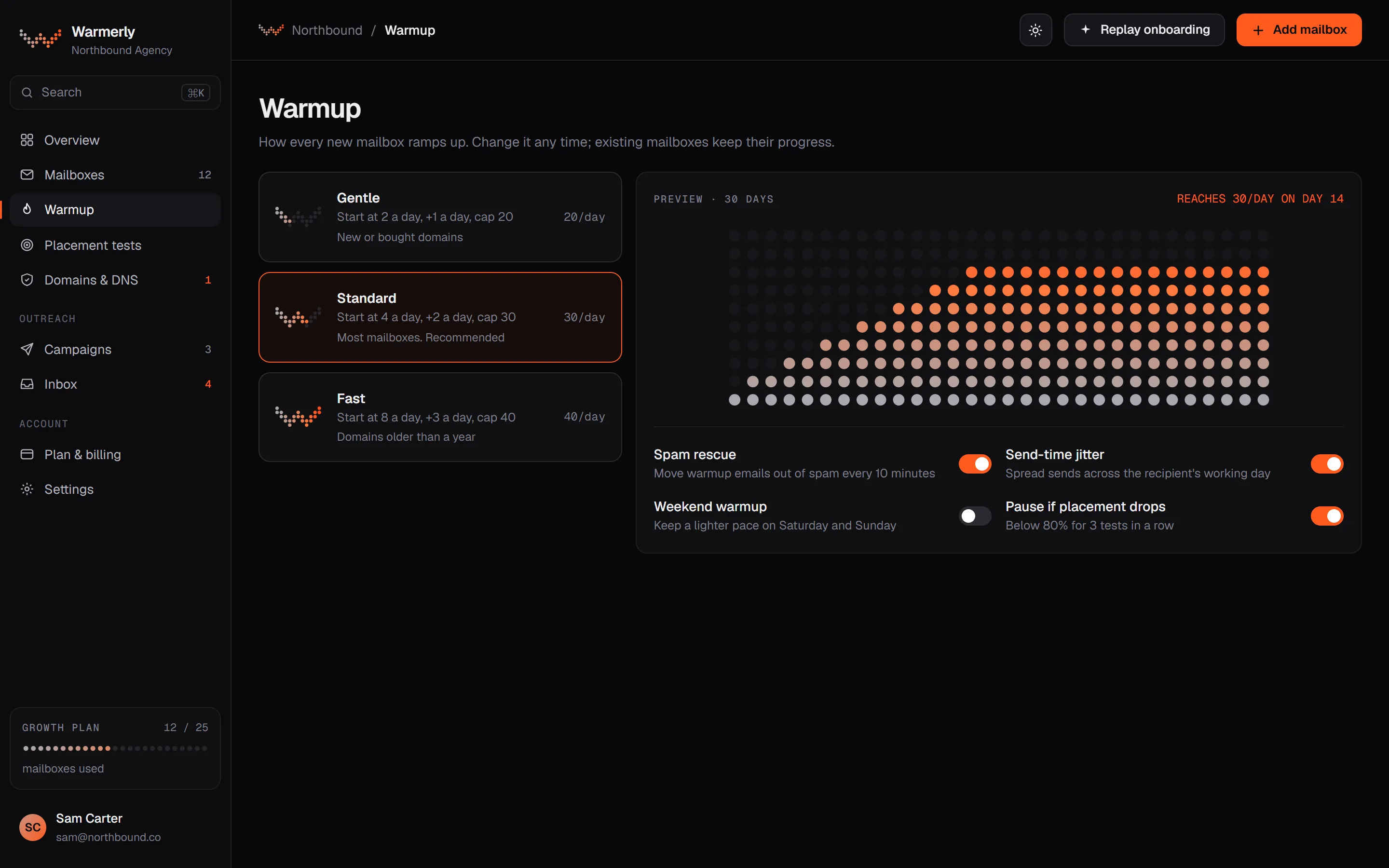
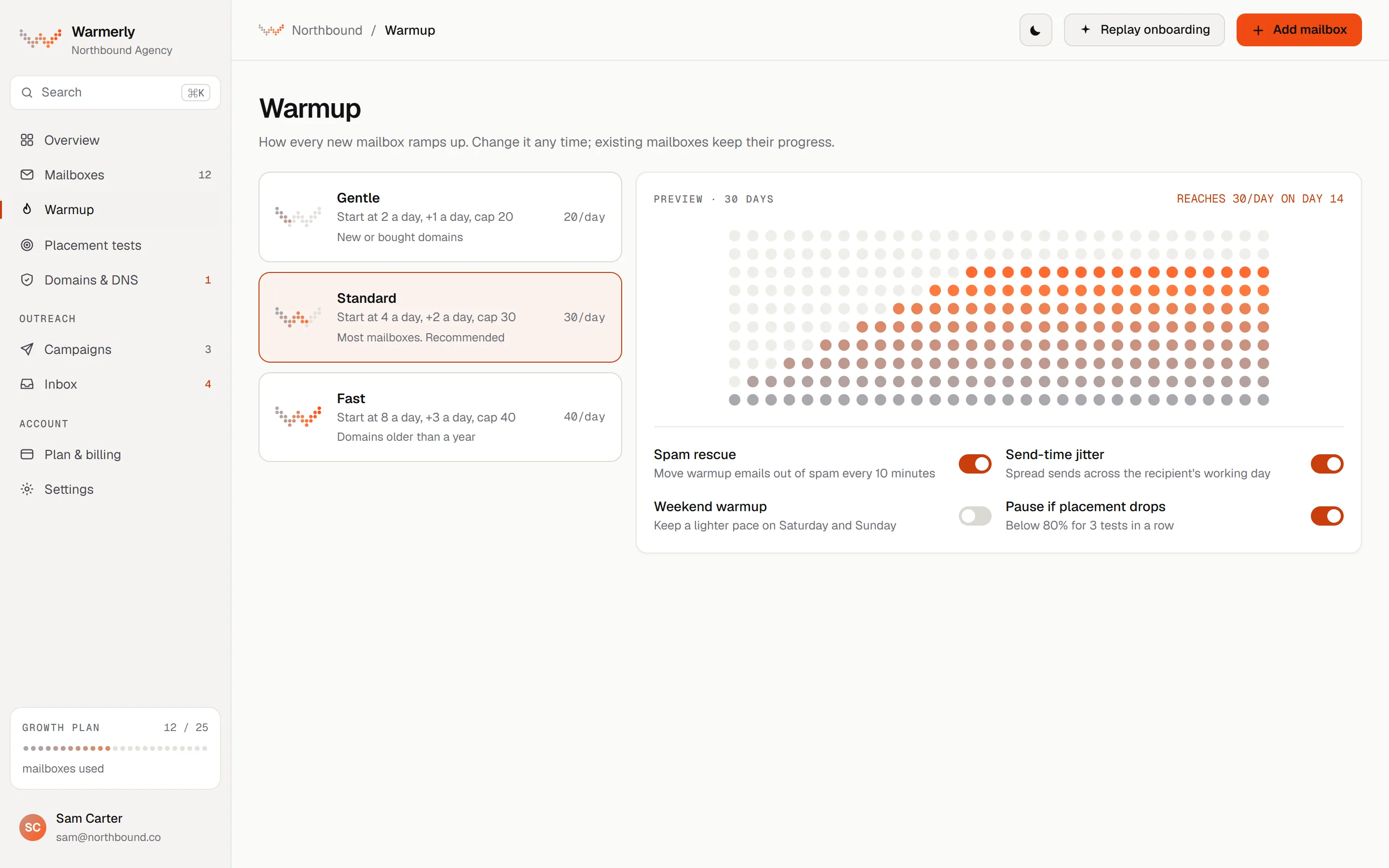
A published ramp, real threads, spam rescue and a separate system from campaigns.
Warmup mail goes between real mailboxes in one pool, including other customers' mailboxes. The recipient opens, replies and quotes the earlier message, up to a thread depth of 3.
Warmerly product, checked 21 October 2026
The daily quota moves between 4 a day at day 0, 8 at day 3, 15 at day 7, 25 at day 14, 35 at day 21 and 50 at day 30, held to 40 on Gmail, 30 on Outlook and 25 on Zoho.
Warmerly product, checked 21 October 2026
Any warmup message found in a recipient's spam or junk folder is marked read and moved to the inbox after 10 to 120 minutes. Campaign mail to real prospects is never touched.
Warmerly product, checked 21 October 2026
We do not publish a network size.
Warmerly product, checked 21 October 2026
Partners are other mailboxes in warmup, picked by how busy they are, the mix of providers and each partner's own volume. Warmerly tries not to pick the same partner twice within 72 hours.
Warmerly product, checked 21 October 2026
The Positive engagement check counts warmup replies inside the network over 7 days. The campaign Reply rate counts real leads. One does not predict the other.
Warmerly product, checked 21 October 2026
A campaign on mailboxes with under 14 days of warmup starts with a volume ramp of 3 emails per mailbox on day one, and warmup keeps raising its volume to about day 30.
Warmerly product, checked 21 October 2026
Mailbox engagement described in outline, with limits and filters covered in help articles and no ramp or network size.
Its help centre says emails from Folderly senders exist to enhance the positive engagement of your mailbox, domain and IP.
help.folderly.com/en/articles/6255046-what-to-do-with-emails-that-come-from-folderly · read 21 October 2026
The overview page asks how Folderly differs from a standard email warm-up service and answers with a comparison table made of images, so its text cannot be read.
folderly.com/overview · read 21 October 2026
Its comparison table lists Reply on emails among its capabilities. It does not explain how.
folderly.com/overview · read 21 October 2026
The help centre says responses from its senders that you may see in your inbox archive automatically within an hour. You can add a Gmail or Outlook filter.
help.folderly.com/en/articles/6255046-what-to-do-with-emails-that-come-from-folderly · read 21 October 2026
The Folderly Score combines Best Practices, Spam Triggers and a Deliverability Score. The formula and weights are not published.
help.folderly.com/en/articles/8939154-the-folderly-score-explained · read 21 October 2026
The home page lists products such as Folderly AI, Inbox Insights, Pulse, Lens, Mirror and Flash. It does not mention warmup or engagement as a feature.
folderly.com · read 22 October 2026
After a Gmail sending limit, Folderly's help centre says to stop campaigns, deactivate Folderly, wait 48 hours, reactivate with a limit of 50 messages a day, then restart campaigns at 20 a day and raise gradually. The article is dated 7 May 2024.
help.folderly.com/en/articles/9263538-understanding-and-overcoming-gmail-sending-limits · read 22 October 2026
A help article says you can pick a limit for a mailbox under Mailbox Settings and save it. The article does not name the options, a default or a range.
help.folderly.com/en/articles/8255573-how-to-change-the-limit-on-the-mailbox · read 22 October 2026
We looked, and found no statement on these. That is about its published pages only, not about the product.
We report each version rather than pick one.
| Measure | Warmerly | Folderly |
|---|---|---|
| Warmup and mailbox engagement | Warmup between real mailboxes with threaded replies, a ramp from 4 to 50 a day, and spam-placed warmup mail moved to the inbox. | Calls its approach mailbox engagement and says it differs from a standard warm-up; no volume, ramp or network size is published. |
| Starting volume | 4 a day on day 0 | Not stated |
| Daily volume by day 30 | 50 a day | Not stated |
| Provider caps | Gmail 40, Outlook 30 | Not stated |
| New mailbox volume in campaigns | 3 per mailbox on day one on a volume ramp | Not stated |
| Default daily limit per mailbox | 30 a day for campaigns | Not stated |
| Zoho daily ceiling | 25 a day | Not stated |
| Restart after a Gmail limit | Daily limit set per mailbox, 30 by default | 50 a day on reactivation, then 20 a day for campaigns |
Our reading of the facts above. Not a promise, and not the only reasonable reading.
Folderly's public pages give no volume or ramp. Ask for them before you compare it with a warmup tool.
Both send mail you may see in your inbox. Folderly says its responses archive within an hour; Warmerly moves spam-placed warmup mail to the inbox.
On Warmerly the mailbox starts warmup at about 4 a day, reaches 8 by day 3 and 15 by day 7, held to 40 a day on Gmail. You can launch a campaign on day one at 3 emails a day.
Ask for the daily volume, how long engagement runs, which providers its senders use and whether replies are moved out of spam. None of these is on its public pages.
It describes mailbox engagement and says it differs from a standard warm-up. Its public pages do not give a volume, ramp or network size (read 21 October 2026). Warmerly publishes its ramp: 4 a day on day 0 to 50 a day by day 30.
We found no statement on spam rescue on its pages. Warmerly moves every spam-placed warmup mail to the inbox after 10 to 120 minutes.
We found no figure on its pages. The only numbers are in advice for restarting after a Gmail limit: 50 messages a day on reactivation and 20 a day for campaigns (read 22 October 2026).
Yes. With under 14 days of warmup a campaign starts with a volume ramp of 3 emails per mailbox on day one, and warmup continues to about day 30.
No. A mailbox in warmup exchanges mail with other mailboxes in the network. Prospects are only emailed by campaigns.
Folderly pages were read on 21 October 2026. Plans and wording change, so check the vendor's own page before you decide. Warmerly details come from the product as it runs today.
Connect a mailbox. Warmerly runs alongside whatever you send from now, so you can compare before you move anything.
Free plan, no card. Paid plans: 7-day trial, first charge on day 8.