Warmerly
One queue of everyone who replied, across email and LinkedIn, with a suggested reply.
One row, in depth: what each tool does, the verified numbers, and who each suits.
Dux-Soup details read from its pricing page, home page, integrations and feature pages and help centre on 22 October 2026.
One queue of everyone who replied, across email and LinkedIn, with a suggested reply.
A response inbox for LinkedIn, Sales Navigator and Recruiter messages, checked every 20 minutes, with optional AI qualification of replies; teams can sync members' messages into one inbox.
Warmerly keeps one queue of everyone who replied across email and LinkedIn, with labels and a suggested reply. Dux-Soup has a unified response inbox for LinkedIn, Sales Navigator and Recruiter messages, and a shared inbox for teams and agencies. Last checked 22 October 2026.
One queue of everyone who replied, across email and LinkedIn, with a suggested reply.
A response inbox for LinkedIn, Sales Navigator and Recruiter messages, checked every 20 minutes, with optional AI qualification of replies; teams can sync members' messages into one inbox.
From each side's own description
Warmerly's suggested reply is under 120 words and is for the latest inbound email. Dux-Soup can also send responses to Slack or Microsoft Teams.
The channels
Email and LinkedIn in one list
LinkedIn, Sales Navigator and Recruiter
Dux-Soup's pages list no email replies. Neither list shows notes or stars.
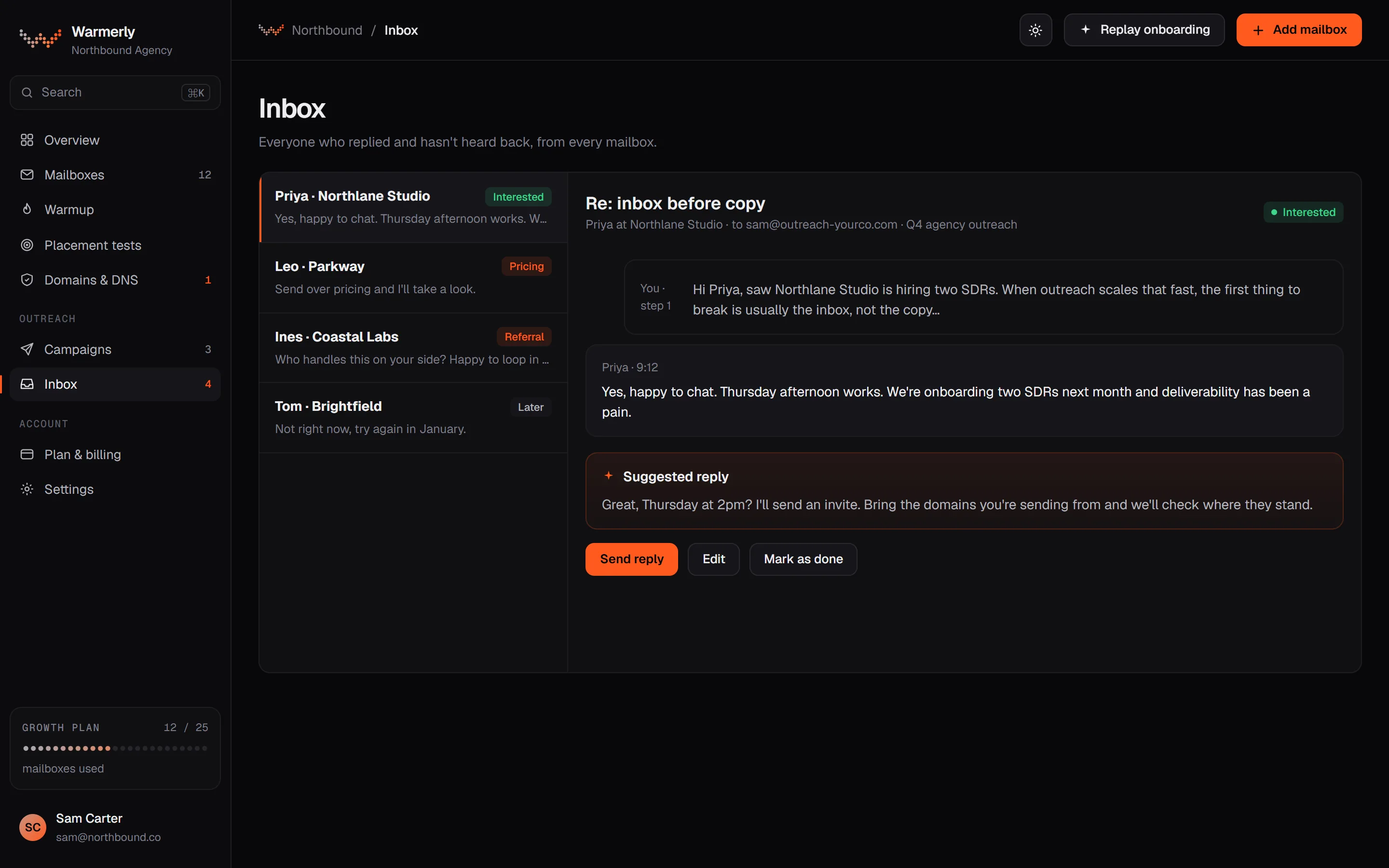
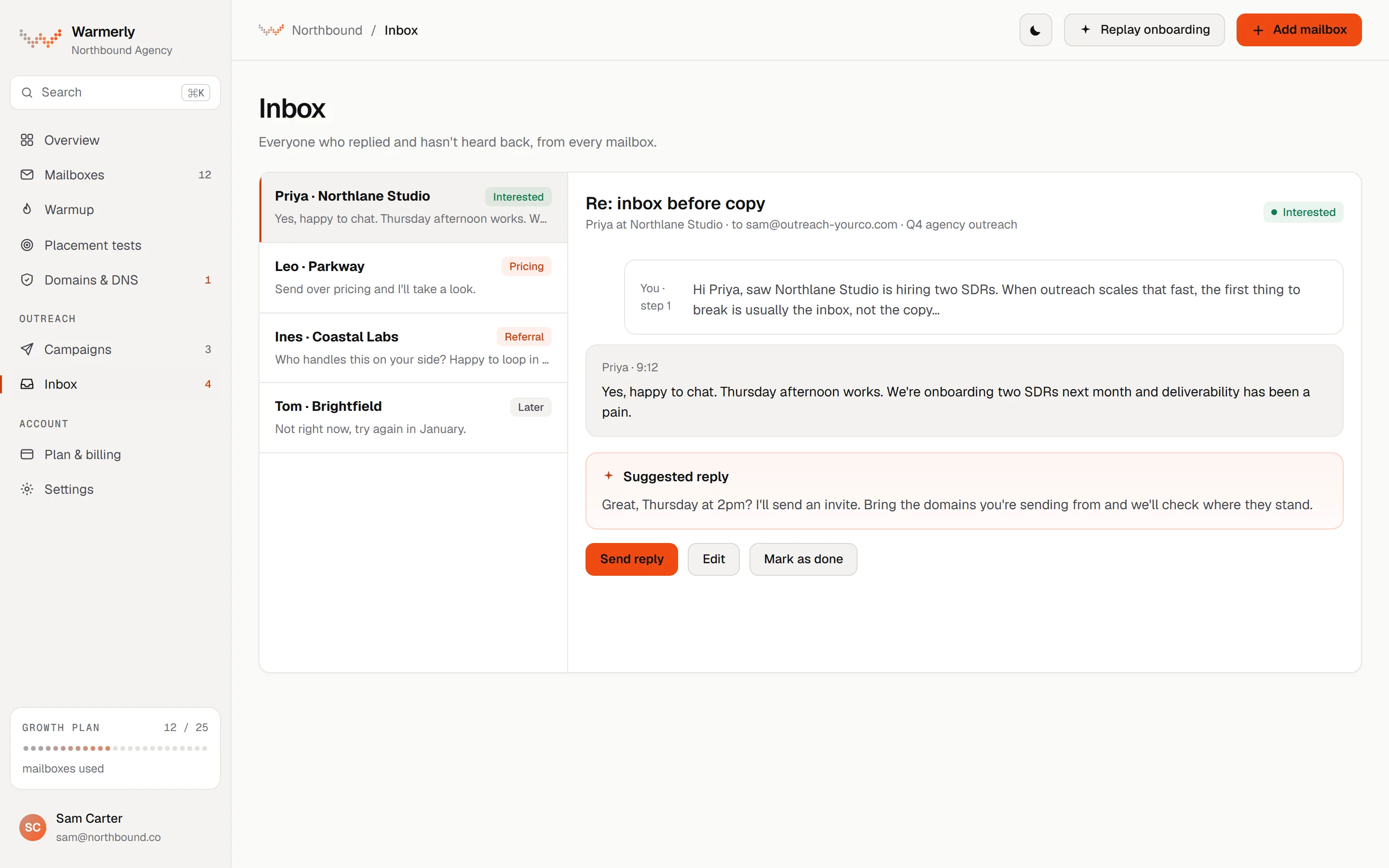
A reply queue first: a 'Needs reply' view, labels with rules and AI, email and LinkedIn in one list, and a suggested reply for the latest inbound email.
The default view is conversations where the newest message is theirs and it is either labelled a lead or not labelled at all. Other views are All and Archived, and the list can be searched by name, email, company or message text with a prefix match, so 'invo' finds 'invoice'.
Warmerly product, checked 22 October 2026
Mail is labelled lead, not relevant or spam. Free rules at ingest catch own-domain mail, no-reply senders, bulk and auto-reply headers, unsubscribe mail and the spam folder. An AI step labels campaign replies only, and your own override sticks. Warmerly does not list reply intents such as 'meeting booked' for email.
Warmerly product, checked 22 October 2026
LinkedIn replies land in the same inbox as email replies. LinkedIn campaign replies are labelled by their reply label: interested, question and referral count as leads, and not interested, stop and out of office as not relevant.
Warmerly product, checked 22 October 2026
Warmerly can draft a reply to the latest inbound email: under 120 words, plain text, signed with the sender's first name. The draft is saved for you to edit and send. The same draft function is available to AI assistants through the Warmerly MCP server.
Warmerly product, checked 22 October 2026
The inbox has no snooze, star or notes: its own test asserts that those controls are absent. We also found no tags on a conversation, no scheduled reply, and no single inbox that spans many LinkedIn accounts with role-based access.
Warmerly product, checked 22 October 2026
Connected mailboxes are read roughly every five minutes, and a Refresh button fetches sooner. LinkedIn replies are polled every 3 minutes.
Warmerly product, checked 22 October 2026
A one-minute job labels new LinkedIn replies to campaigns and writes suggested replies, and an opt-in Autopilot can send replies after a delay of 3 to 12 minutes.
Warmerly product, checked 22 October 2026
Dux-Soup's inbox is a LinkedIn inbox, wider across LinkedIn products and shared across a team. It checks the LinkedIn inboxes every 20 minutes and can use AI to read replies.
Its home page says replies from LinkedIn, Sales Navigator and Recruiter arrive in one place.
dux-soup.com · read 22 October 2026
Its team page says it syncs every teammate's LinkedIn, Sales Navigator and Recruiter messages into one inbox.
dux-soup.com/solutions/i-am/team · read 22 October 2026
Its agency page says you can manage client accounts, campaigns, messages and activity from a single agency dashboard and shared inbox.
dux-soup.com/solutions/i-am/agency · read 22 October 2026
Its integrations page says campaign responses can be sent to a Slack or Microsoft Teams channel.
dux-soup.com/integrations · read 22 October 2026
Reply detection stops a drip campaign when the prospect answers.
dux-soup.com/product/features/drip-campaigns · read 22 October 2026
Its API article lists a Messaging and Activity API that retrieves LinkedIn conversation history and recent automation activity.
support.dux-soup.com/article/227-the-dux-soup-api · read 22 October 2026
Its inbox page says Message Bridge checks the regular LinkedIn, Sales Navigator and Recruiter inboxes automatically every 20 minutes. It does not say whether that is the longest delay.
dux-soup.com/product/features/inbox-replies · read 22 October 2026
A reply stops the sequence and the prospect lands in the Responded stage of Funnel Flow, where you can reply without opening LinkedIn.
dux-soup.com/product/features/inbox-replies · read 22 October 2026
With ChatGPT, Claude or Gemini connected, the page says AI reads the reply and decides whether to continue or qualify the prospect out. An image description mentions hot, nurture or not a fit.
dux-soup.com/product/features/inbox-replies · read 22 October 2026
You can unenrol prospects, switch campaigns or move them through the pipeline by hand from the same panel.
dux-soup.com/product/features/inbox-replies · read 22 October 2026
Its team page says replies appear in Teams within seconds, and you can reply, qualify, enrol, switch campaigns or blacklist from there.
dux-soup.com/solutions/i-am/team · read 22 October 2026
We looked, and found no statement on these. That is about its published pages only, not about the product.
| Measure | Warmerly | Dux-Soup |
|---|---|---|
| Reply inbox | One queue of everyone who replied, across email and LinkedIn, with a suggested reply. | A response inbox for LinkedIn, Sales Navigator and Recruiter messages, checked every 20 minutes, with optional AI qualification of replies; teams can sync members' messages into one inbox. |
| Channels in one list | Email and LinkedIn | LinkedIn, Sales Navigator and Recruiter |
| Shared team inbox | Not found across LinkedIn accounts | Yes, for teams and agencies |
| AI reply drafts | Under 120 words each | AI reads and qualifies a reply; drafts not described |
| Notes and stars | None; the inbox has no notes or snooze | Not stated |
| Replies to chat tools | Not found | Slack and Microsoft Teams |
| How often new replies arrive | About every 5 minutes for email, 3 minutes for LinkedIn | Every 20 minutes for the LinkedIn inboxes, per its inbox page |
| AI on replies | A suggested reply, under 120 words, for you to edit | AI can read a reply and qualify it; drafting not described |
| Qualification words | Lead, not relevant, spam | In, out, continue; hot, nurture, not a fit in an image description |
Our reading of the facts above. Not a promise, and not the only reasonable reading.
Warmerly's list holds both. Dux-Soup's holds LinkedIn products only.
It spans every teammate's LinkedIn accounts.
Check before you rely on one for a CRM-style workflow.
On Warmerly an email reply is picked up within about 5 minutes, and a LinkedIn reply within about 3. On Dux-Soup the bridge checks every 20 minutes, so the same reply may wait up to 20 minutes before the sequence stops, if that is the longest delay (the page does not say).
Warmerly's Needs reply view lists conversations where the newest message is theirs and is a lead or not yet labelled, with a short suggested reply. Dux-Soup would move each into Responded, where AI or you qualify them.
A team on Dux-Soup can sync members' LinkedIn messages into one inbox and act from Slack or Teams. We found no single inbox across many LinkedIn accounts with role-based access in Warmerly.
Warmerly's free rules catch no-reply senders, bulk mail, auto-replies and unsubscribe requests at ingest, so they do not appear as leads. Dux-Soup's pages do not describe that for LinkedIn.
Yes. Its home page describes a unified response inbox for LinkedIn, Sales Navigator and Recruiter, and its team page a shared inbox across teammates.
Yes, one list for email and LinkedIn replies with a Needs reply view, labels and a suggested reply for the latest inbound email.
Its pages describe AI reading a reply and qualifying it. They do not say it writes a draft reply for you.
It supports workspace members and roles, but not one inbox spanning many LinkedIn accounts.
About every five minutes for email, and every three minutes for LinkedIn.
Dux-Soup pages were read on 22 October 2026. Plans and wording change, so check the vendor's own page before you decide. Warmerly details come from the product as it runs today.
Connect a mailbox. Warmerly runs alongside whatever you send from now, so you can compare before you move anything.
Free plan, no card. Paid plans: 7-day trial, first charge on day 8.