Warmerly
One queue of everyone who replied, across email and LinkedIn, with labels and a suggested reply.
One row, in depth: what each tool does, the verified numbers, and who each suits.
Skylead details read from its pricing page, terms, privacy policy and feature pages on 21 October 2026.
One queue of everyone who replied, across email and LinkedIn, with labels and a suggested reply.
A Smart Inbox for LinkedIn and email, with saved responses and custom labels; AI SDR is an add-on.
Both put LinkedIn and email replies in one inbox with labels. Skylead adds saved responses and an AI SDR add-on that can reply for you. Warmerly adds a Needs reply view and a suggested reply under 120 words. Neither is clearly ahead on what is published. Last checked 21 October 2026.
One queue of everyone who replied, across email and LinkedIn, with labels and a suggested reply.
A Smart Inbox for LinkedIn and email, with saved responses and custom labels; AI SDR is an add-on.
What each shows you next
Warmerly's suggested reply is a draft you edit and send. Skylead's AI SDR can send replies by itself in automatic mode, or after review in semi-automatic mode.
In one line
A queue of who needs a reply
A Smart Inbox with saved replies
We found no notes or stars on either side, and Skylead's pages do not describe filters or search.
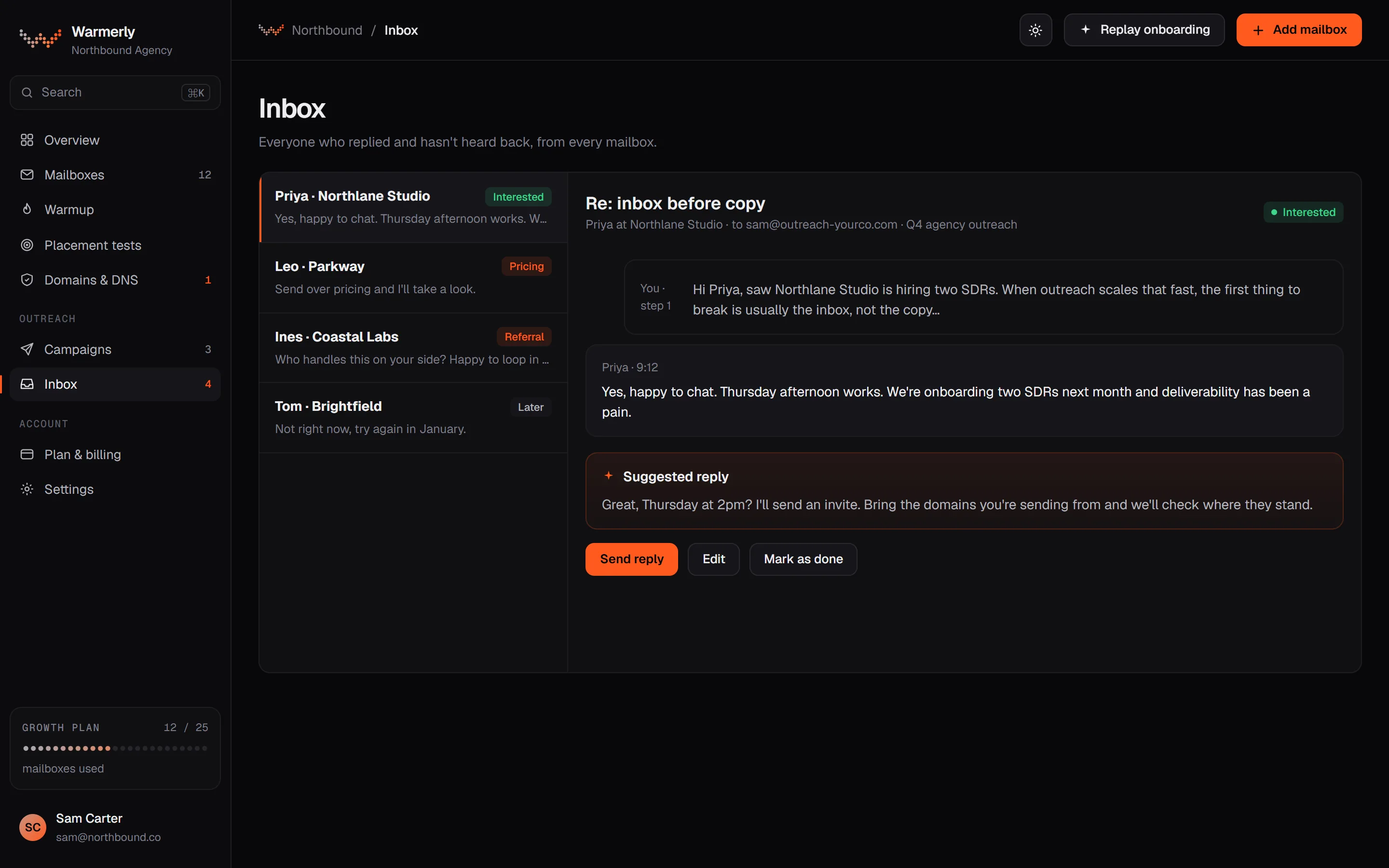
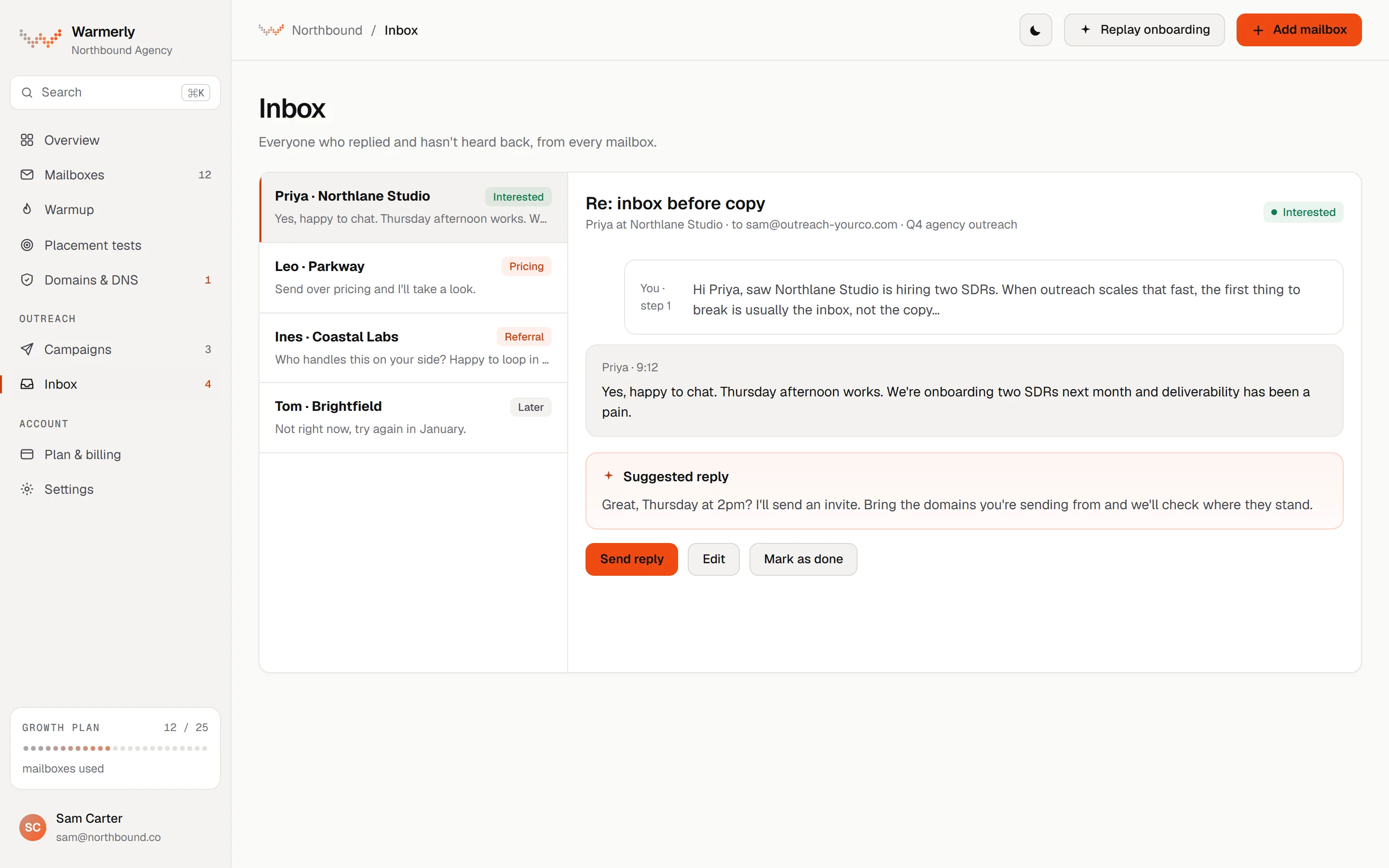
A reply queue first: a 'Needs reply' view, labels with rules and AI, email and LinkedIn in one list, and a suggested reply for the latest inbound email.
The default view is conversations where the newest message is theirs and it is either labelled a lead or not labelled at all. Other views are All and Archived, and the list can be searched by name, email, company or message text with a prefix match, so 'invo' finds 'invoice'.
Warmerly product, checked 21 October 2026
Mail is labelled lead, not relevant or spam. Free rules at ingest catch own-domain mail, no-reply senders, bulk and auto-reply headers, unsubscribe mail and the spam folder. An AI step labels campaign replies only, and your own override sticks. Warmerly does not list reply intents such as 'meeting booked' for email.
Warmerly product, checked 21 October 2026
LinkedIn replies land in the same inbox as email replies. LinkedIn campaign replies are labelled by their reply label: interested, question and referral count as leads, and not interested, stop and out of office as not relevant.
Warmerly product, checked 21 October 2026
Warmerly can draft a reply to the latest inbound email: under 120 words, plain text, signed with the sender's first name. The draft is saved for you to edit and send. The same draft function is available to AI assistants through the Warmerly MCP server.
Warmerly product, checked 21 October 2026
The inbox has no snooze, star or notes: its own test asserts that those controls are absent. We also found no tags on a conversation, no scheduled reply and no saved-reply library. For email, nothing replies on its own. For LinkedIn there is an opt-in Autopilot, off by default, which sends only when its safety rules all hold. Skylead's AI SDR is a separate add-on with automatic and semi-automatic modes.
Warmerly product, checked 21 October 2026
A Smart Inbox for LinkedIn and email, with saved replies and labels, and an AI SDR add-on.
Its pricing table describes all LinkedIn messages and emails in one place, the option to save responses for faster replies, and custom labels for easier management.
skylead.io/pricing · read 21 October 2026
The email outreach page repeats the Smart Inbox, with saved response templates and labels for leads. It does not use the word unibox.
skylead.io/email-outreach · read 21 October 2026
The AI SDR is an add-on. In automatic mode it sends replies instantly. In semi-automatic mode you review each suggested response before it goes out.
skylead.io/ai-sdr · read 21 October 2026
On Agency, a unibox brings all client conversations into one place, with filters by team or seat.
skylead.io/agencies · read 21 October 2026
We looked, and found no statement on these. That is about its published pages only, not about the product.
We report each version rather than pick one.
| Measure | Warmerly | Skylead |
|---|---|---|
| Reply inbox | One queue of everyone who replied, across email and LinkedIn, with labels and a suggested reply. | A Smart Inbox for LinkedIn and email, with saved responses and custom labels; AI SDR is an add-on. |
| Channels in one inbox | Email and LinkedIn | LinkedIn and email |
| Suggested reply | Under 120 words, saved as a draft you edit and send | AI SDR add-on, automatic or semi-automatic |
| Labels | Lead, not relevant and spam, plus LinkedIn reply labels | Custom labels |
| Notes and stars | Not offered | Not stated |
Our reading of the facts above. Not a promise, and not the only reasonable reading.
For email, Warmerly's suggested reply is a draft you edit and send. For LinkedIn it has an opt-in Autopilot that is off by default. Skylead's AI SDR has an automatic mode that sends without a review, and a semi-automatic mode that does not.
Saved replies and custom labels are listed. Warmerly has labels and a drafted reply, with no saved-reply library found.
An automatic reply goes out in your name. Check the mode before switching it on.
Yes. LinkedIn and email replies share one inbox, with custom labels and saved responses.
Yes, under 120 words, saved as a draft you edit and send. Skylead's AI SDR add-on can reply automatically or semi-automatically.
Lead, not relevant and spam for email, plus LinkedIn reply labels.
Neither is clearly ahead on what is published.
Skylead pages were read on 21 October 2026. Plans and wording change, so check the vendor's own page before you decide. Warmerly details come from the product as it runs today.
Connect a mailbox. Warmerly runs alongside whatever you send from now, so you can compare before you move anything.
Free plan, no card. Paid plans: 7-day trial, first charge on day 8.