WarmerlyWarmerly ahead on this row
Checked every six hours per domain, with MX and 16 blocklists, and the exact record to add when one is missing.
One row, in depth: what each tool does, the verified numbers, and who each suits.
Dripify details read from its pricing page, FAQ, features pages and help centre on 21 October 2026.
Checked every six hours per domain, with MX and 16 blocklists, and the exact record to add when one is missing.
A Domain setup screen for corporate addresses, checked when you connect and when you press Recheck, with fix steps.
Both have a check. Dripify's help centre describes a Domain setup screen for corporate email addresses that shows SPF, DKIM and DMARC status, offers a Fix now button, and rechecks when you connect a mailbox or press Recheck, with the button available again after 1 hour. Warmerly sweeps every 6 hours, adds MX and 16 blocklists, and judges each record on quality. Last checked 21 October 2026.
Checked every six hours per domain, with MX and 16 blocklists, and the exact record to add when one is missing.
A Domain setup screen for corporate addresses, checked when you connect and when you press Recheck, with fix steps.
SPF, DKIM, DMARC and MX
Dripify's Recheck is available again after 1 hour and covers corporate addresses. Its article lists no MX check. Warmerly also checks 6 domain blocklists and 10 IP blocklists on the same schedule.
What each shows you next
Neither tool edits your DNS. Dripify's help article says it cannot modify your DNS records. DNS changes can take up to 48 hours to apply.
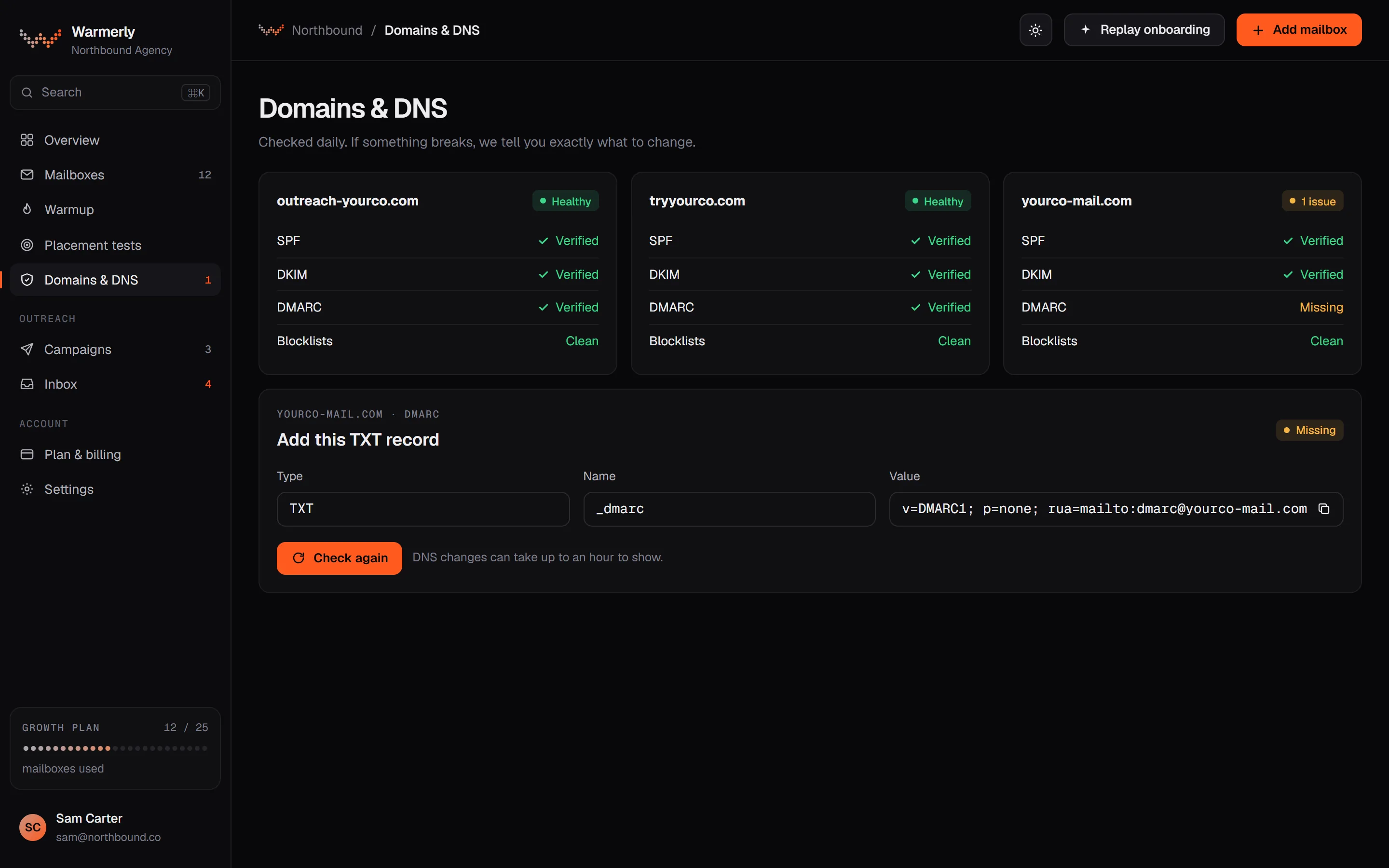
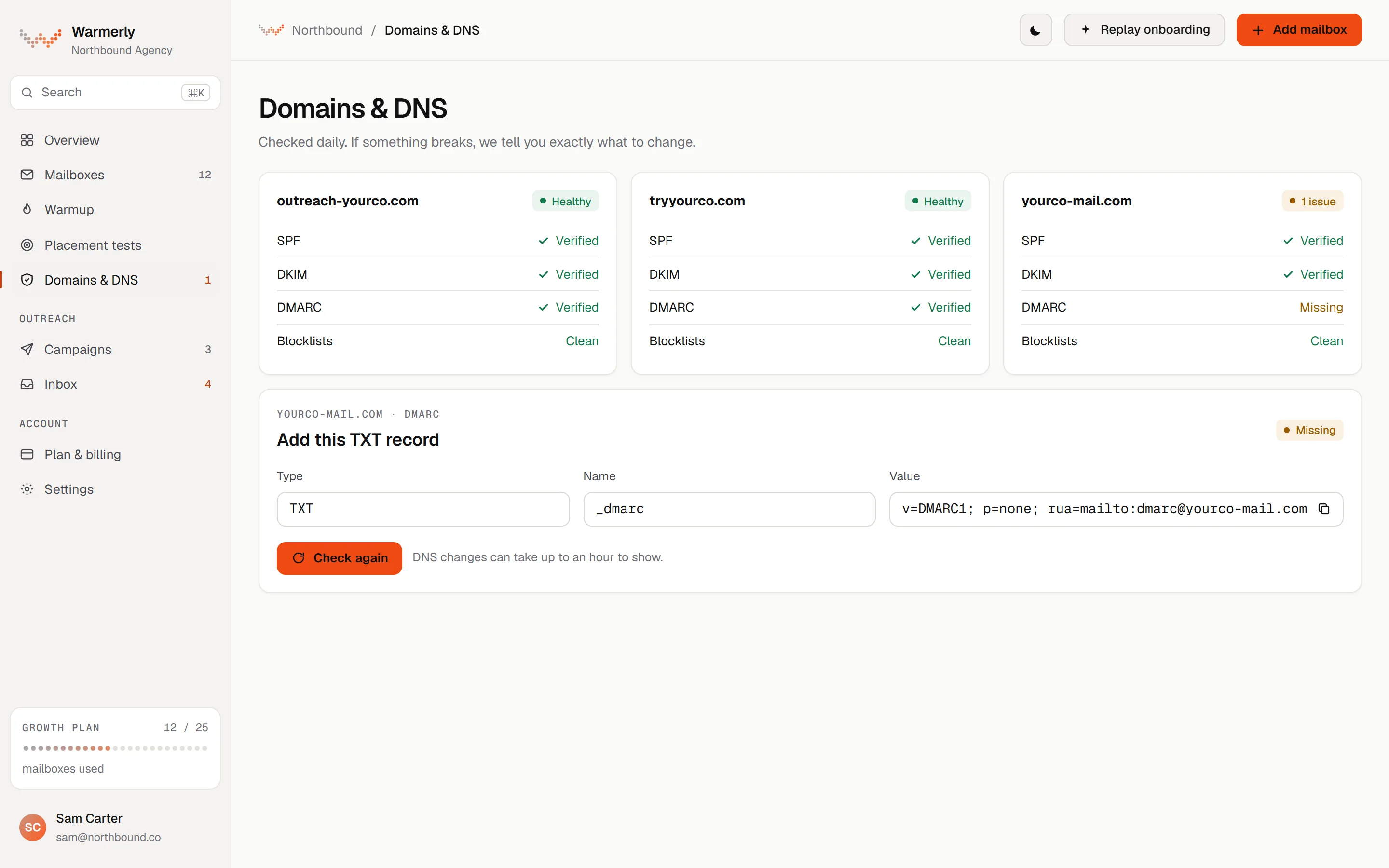
A records sweep every 6 hours across each mailbox that is not dead or paused. SPF, DKIM, DMARC and MX are each judged on quality, not just presence, and each finding comes with a fix.
SPF is checked for its ending (-all, ~all, ?all or +all), for the limit of 10 DNS lookups counted through include and redirect, and for broken terms. DKIM is checked for key length (a 1024-bit key or shorter is flagged) and for the t=y test-mode flag. DMARC is checked for p=, sp=, pct= and whether rua= is set. MX is checked for presence.
Warmerly product, checked 21 October 2026
The records sweep runs every 6 hours by default across every mailbox that is not dead or paused. The mailbox's Health tab has a Re-check now option. Blocklist checks run on their own 6-hourly sweep.
Warmerly product, checked 21 October 2026
Each finding has a title, an explanation and a fix. For example, SPF needing more than 10 lookups is explained as receivers treating the record as a permanent error. DKIM in test mode says to remove t=y once signing is confirmed. Advisories such as p=none are shown but never red.
Warmerly product, checked 21 October 2026
Warmerly queries 6 domain lists (Spamhaus DBL, SURBL, URIBL, NordSpam DBL, Spam Eating Monkey URI, s5h) and 10 IP lists (Spamhaus ZEN, SpamCop, Barracuda, PSBL, Mailspike, NordSpam, Spam Eating Monkey, Lashback UBL, DroneBL, GBUdb Truncate) by plain DNS lookup. A refused query is never reported as a listing, and several well known zones are left out on purpose (SORBS, UCEPROTECT and Invaluement).
Warmerly product, checked 21 October 2026
The pre-launch checklist warns when a sending mailbox's DNS check came back warn or fail, or when more than 5 senders share one domain. It is a warning you can acknowledge, not a block. Free DMARC report monitoring is available for up to 10 domains per workspace.
Warmerly product, checked 21 October 2026
Dripify shows SPF, DKIM and DMARC status per connected corporate address, with fix steps, and checks when you connect a mailbox or press Recheck.
Domain setup shows the status of SPF, DKIM and DMARC in one place. It applies to corporate addresses only, because personal Gmail and Outlook addresses are managed by the provider.
help.dripify.com/en/articles/16941605-domain-setup · read 21 October 2026
Each record shows All good or Failed. A Fix now button opens your domain provider or copies a message for your IT team. The article gives example SPF values for Google Workspace and Microsoft 365 and explains the three DMARC policies.
help.dripify.com/en/articles/16941605-domain-setup · read 21 October 2026
The article says Dripify can identify DNS configuration issues but cannot modify your DNS records.
help.dripify.com/en/articles/16941605-domain-setup · read 21 October 2026
It checks when you connect an email account and when you click Recheck, which becomes available again after 1 hour. DNS changes can take up to 48 hours to apply. The article describes no continuous monitoring.
help.dripify.com/en/articles/16941605-domain-setup · read 21 October 2026
The pricing and home pages list none of this. We found it in the help centre.
dripify.com/pricing · read 21 October 2026
We looked, and found no statement on these. That is about its published pages only, not about the product.
We report each version rather than pick one.
| Measure | Warmerly | Dripify |
|---|---|---|
| SPF, DKIM and DMARC checks | Checked every six hours per domain, with MX and 16 blocklists, and the exact record to add when one is missing. | A Domain setup screen for corporate addresses, checked when you connect and when you press Recheck, with fix steps. |
| Records checked | SPF, DKIM, DMARC and MX | SPF, DKIM and DMARC |
| How often | Every 6 hours, or Re-check now | On connect and on Recheck, once an hour at most |
| Blocklists | 6 domain and 10 IP lists | Not found |
| SPF lookup limit flagged | More than 10 lookups | Not stated |
| Who changes the record | You do, with the record shown in some cases | You do, with a message for your IT team |
Our reading of the facts above. Not a promise, and not the only reasonable reading.
Neither edits your DNS. Both show what is wrong and leave the change to you.
Warmerly checks every 6 hours and judges quality. Dripify checks when you ask or connect.
It is in the help centre, not on its pricing page.
Yes, per its Domain setup help article, for corporate addresses, on connect and on Recheck. It lists nothing on its pricing page.
It rechecks when you connect a mailbox or press Recheck, and the button is available again after 1 hour.
Its Domain setup screen offers a Fix now button.
It adds MX and 16 blocklists, and judges each record on quality, on a sweep every 6 hours.
Dripify pages were read on 21 October 2026. Plans and wording change, so check the vendor's own page before you decide. Warmerly details come from the product as it runs today.
Connect a mailbox. Warmerly runs alongside whatever you send from now, so you can compare before you move anything.
Free plan, no card. Paid plans: 7-day trial, first charge on day 8.