










Deliverability, Domain Reputation, Troubleshooting
Why Is My Domain Reputation Low? Causes and Fixes
If Google Postmaster Tools or your warmup dashboard is showing a low domain reputation, something in your sending history has flagged your domain as a risk. Here is how to find the cause and fix it.

9 min read
Summarize with AI
In this article
- What domain reputation actually means
- The most common causes of low domain reputation
- How to diagnose which cause applies to you
- How to recover a low domain reputation
- How long does reputation recovery take?
- Common mistakes that extend recovery time
- Where Warmerly fits in the recovery process
- Frequently asked questions
You checked Google Postmaster Tools, ran a deliverability test, or opened your warmup dashboard and saw the same word: Low. Your domain reputation is low. Now your emails are landing in spam, your open rates have collapsed, and you are not sure what caused it or where to start.
This post is the diagnostic. It covers the seven most common causes of a low domain reputation, how to confirm which one applies to you, and what to do about each. The fixes are not complicated, but they take time and they require you to stop sending aggressively until the domain recovers.
What domain reputation actually means
Every domain that sends email is assigned a reputation score by the major inbox providers: Gmail, Outlook, Yahoo. This score is not a single public number. It is a private assessment each provider maintains based on signals from their own users and sending data they observe from your domain.
Google makes its version partially visible through Postmaster Tools, where domain reputation shows as High, Medium, Low, or Bad. Microsoft has similar internal scoring visible through SNDS (Smart Network Data Services). Most other providers do not surface it directly, but they use it.
When reputation is Low or Bad, the provider filters a high percentage of your outbound mail into spam or rejects it entirely. Fixing copy, subject lines, or timing will not help. The filter is applied before any of that matters.
The most common causes of low domain reputation
1. High spam complaint rate
This is the single most common cause. When recipients mark your email as spam, that complaint is reported to the sending provider. Google's threshold for action is around 0.10% complaint rate. Above 0.30% and your reputation can enter Low territory within days.
Spam complaints happen when you email people who did not expect to hear from you, when your unsubscribe link is missing or broken, when your email looks like a mass blast rather than a personal message, or when you have continued to email people who previously complained. One campaign to a poorly-scraped list can tank a domain that was fine for months.
2. High bounce rate
Sending to invalid addresses generates hard bounces. Gmail and Outlook treat a high hard-bounce rate as evidence that you bought or scraped a list rather than building one organically. Above 2% hard bounce rate and your reputation starts to slip. Above 5% and you are in serious trouble.
Common bounce-rate causes: unverified lists, old lists with stale addresses, purchased contact databases, role addresses (info@, hello@, contact@), and catch-all domains where no-reply testing returns false negatives.
3. A sudden volume spike
If you went from sending 20 emails per day to 500 emails per day in a short period, Gmail will flag the behaviour. It looks exactly like what a compromised account or spammer does. Even if the content is legitimate, the volume curve pattern is a strong negative signal.
Reputation damage from volume spikes is especially fast for domains under 90 days old. A new domain should not exceed 50 sends per day before completing a full warmup cycle.
4. Missing or broken email authentication
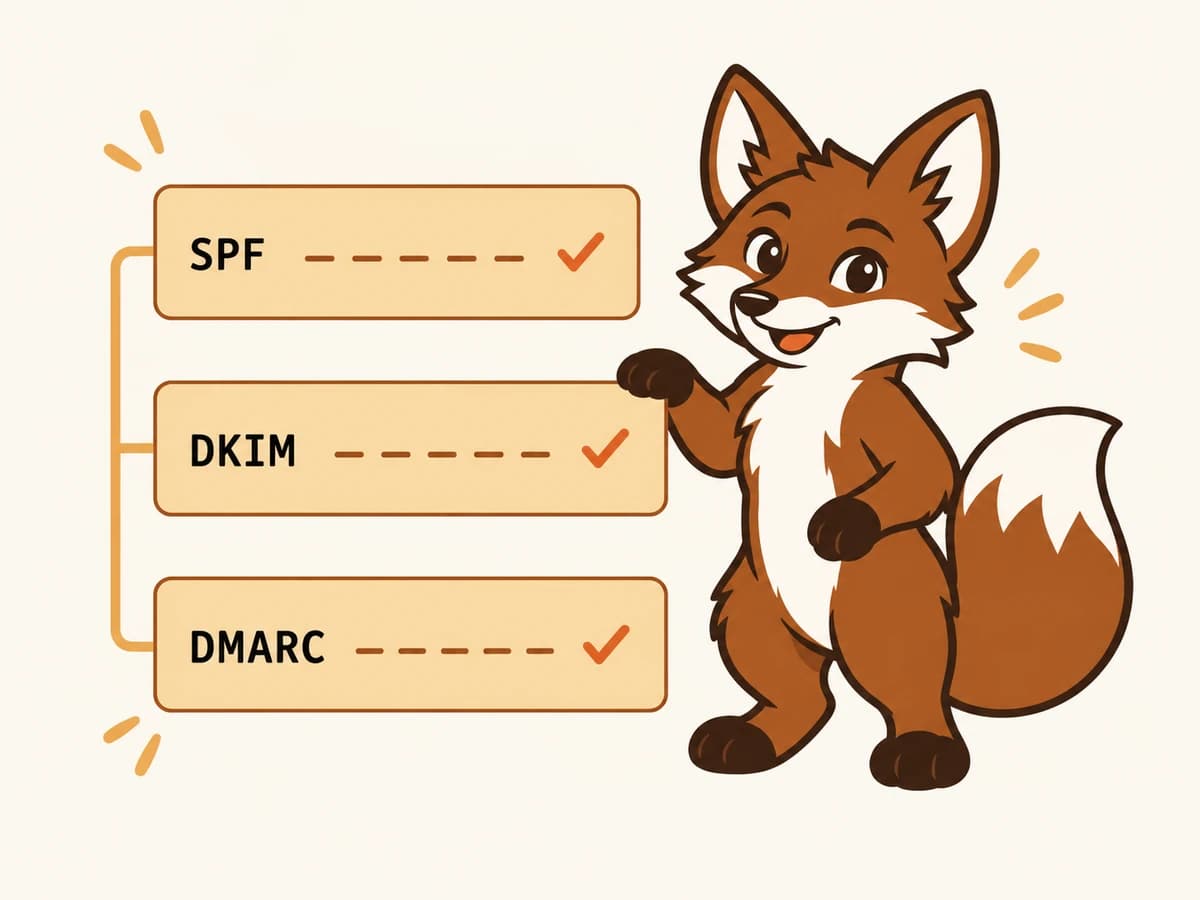
SPF, DKIM, and DMARC are the authentication stack that tells receiving servers your domain is who it says it is. Without them, or with misconfigured records, your emails are easier to spoof and harder for providers to trust.
A DMARC record set to p=reject with a DKIM or SPF alignment failure will cause your own legitimate mail to be rejected. A missing DMARC record signals to Gmail that you have not set up basic sender authentication. Either scenario can contribute to low domain reputation over time.
5. Domain age
New domains have no sending history and start with a neutral or slightly negative reputation by default. Inbox providers are cautious about unfamiliar domains. If you registered a domain last week and started sending cold email immediately, Low reputation is the expected result.
Domain age is not something you can accelerate, but you can build positive sending history through a proper warmup process before starting real campaigns.
6. Previously reported spam or blacklisting
If your domain has been listed on an email blacklist (Spamhaus, Barracuda, MXToolbox, Sorbs), even a successful removal may leave residual reputation damage. The blacklisting itself is often a symptom of one of the causes above, but it can add a second layer of damage on top of the original problem.
Check whether your domain appears on any major blacklists using a tool like MXToolbox's blacklist checker. If you find listings, follow the removal process for each list and document the steps in case the issue recurs.
7. Shared IP or hosting reputation
If you are sending through a shared email service and other senders on the same IP pool have poor reputations, that can pull your domain reputation down even if your own sending behaviour is clean. This is less common with modern ESP infrastructure, but it does happen, particularly with budget shared hosting providers or new ESP accounts on shared IP pools.
How to diagnose which cause applies to you
- Open Google Postmaster Tools (postmaster.google.com). Check Domain Reputation and the spam-rate graph. If spam rate is above 0.10%, complaints are your primary issue. If spam rate is low but reputation is Low, volume or authentication is more likely.
- Check your authentication records. Run your domain through MXToolbox or a DNS lookup tool. Confirm SPF, DKIM, and DMARC are all present, aligned, and passing.
- Check the blacklist databases. Use MXToolbox's blacklist checker with your domain and your sending IP. Note any listings.
- Review your sending history. Look at the date your reputation dropped and compare it to your campaign send dates. A reputation drop the day after a large campaign send is almost always caused by that campaign.
- Check your bounce rate in your sending tool. If it is above 2%, list quality is likely a contributing factor.
- Check your domain's registration date. If the domain is under 90 days old and has no warmup history, age and lack of history are the cause.
How to recover a low domain reputation
Recovery requires two things: removing the cause and rebuilding positive sending history. You cannot do only one. Fixing authentication without rebuilding history leaves you with a clean technical setup and no positive signals. Rebuilding history without fixing the root cause just prolongs the damage.
Step 1: Stop cold sending immediately
Every cold email you send from a damaged domain adds more negative signal. Stop all campaigns from the affected domain until the recovery process is complete. This is the hardest step for most senders, but continuing to send while trying to recover is like bailing a boat with the hole still open.
Step 2: Fix the root cause
- If complaints caused it: audit your list, remove everyone who has previously complained, add a working one-click unsubscribe, and evaluate whether your targeting is appropriate.
- If bounces caused it: verify your list before any future send. Remove role addresses, catch-all detections, and any contact older than 12 months without a recent engagement.
- If volume caused it: plan a gradual ramp from a much lower baseline when you restart. No more than 25% growth per week.
- If authentication caused it: fix SPF, DKIM, and DMARC before doing anything else. Nothing else will help until these are correct.
- If blacklisting caused it: complete removal from each blacklist you appear on and document the reason each one listed you.
Step 3: Run a warmup cycle
Once the root cause is fixed, run a dedicated warmup cycle on the affected domain. This means connecting it to a warmup tool and letting it rebuild positive sending history through peer-to-peer engagement: real replies, inbox rescues, stars, and labels. This process takes time. For a badly damaged domain, expect four to six weeks before inbox placement returns to usable levels.
Warmerly runs this process automatically. Connect your mailbox, set the warmup intensity, and the platform manages the peer interactions that rebuild your reputation signals. You can track your domain reputation score, inbox placement rate, and spam recovery rate in the dashboard throughout the process.
Step 4: Reintroduce cold email gradually
Once your Postmaster Tools domain reputation returns to Medium and your warmup inbox placement is consistently above 90%, you can restart cold sending at low volume. Start at no more than 20 to 30 emails per day per mailbox and increase slowly over two to three weeks. Monitor Postmaster Tools daily during the restart period.
How long does reputation recovery take?
It depends on how low the reputation dropped and how long it was in a degraded state. A domain that was Low for one week and has a clear fix can recover in two to three weeks of clean sending. A domain that was Bad for a month with a high complaint rate may take six to eight weeks, or may not fully recover to High reputation.
For severely damaged domains, some senders choose to register a new domain rather than wait for recovery. If you go this route, warm the new domain fully before sending anything cold. Do not repeat the behaviour that damaged the original domain.
Common mistakes that extend recovery time
- Continuing to send cold email during recovery. This is the most common mistake and the one that turns a four-week recovery into a four-month one.
- Fixing authentication but not running warmup. Authentication is necessary but not sufficient. Positive sending history also needs to be rebuilt.
- Restarting at the same send volume that caused the problem. Start low, go slow.
- Checking Postmaster Tools once and assuming you know the full picture. Reputation can lag by 24 to 72 hours. Check daily for at least two weeks after restart.
- Skipping list verification for the next campaign. The cause of most reputation damage is list quality. If you send to the same kind of list that caused the problem, you will damage the domain again.
- Assuming the reputation improved just because spam rate dropped. Spam rate and domain reputation are related but not the same. A drop in spam rate is a good sign, but domain reputation can remain Low for days or weeks after the spam rate normalises.
Where Warmerly fits in the recovery process
Warmerly is built for exactly this situation. The platform connects your mailbox to a peer network of real, aged mailboxes and runs the engagement signals (replies, inbox rescues, stars, labels) that Gmail and Outlook use to evaluate sender reputation. It runs in the background while you sort out the other parts of the fix.
The dashboard shows your domain reputation trend, inbox placement rate across Gmail and Outlook, spam recovery rate, and authentication status in one place. This makes it easy to track whether the recovery process is working and when it is safe to restart sending.
If you are starting the recovery process today, the single most useful first step is to connect your mailbox to Warmerly, let it run for 48 hours, and check what the health dashboard shows. You will have a clearer picture of your starting point than any external tool will give you.
Frequently asked questions
How do I check my domain reputation?
The most direct way is Google Postmaster Tools (postmaster.google.com), which shows your Gmail domain reputation as High, Medium, Low, or Bad. For Microsoft, register your sending IP in SNDS (Smart Network Data Services). For a broader view, use MXToolbox to check blacklist status and run your domain through an inbox placement test to see where your messages are actually landing.
Can a low domain reputation be fully recovered?
In most cases, yes. A domain that dropped to Low due to a single campaign with high bounce or complaint rates can typically recover to Medium or High within four to eight weeks of clean sending and active warmup. Domains that spent months at Bad reputation or were listed on major blacklists repeatedly may recover more slowly or plateau at Medium.
Does email warmup fix low domain reputation?
Warmup rebuilds the positive sending history that supports a healthy reputation, but it is not a substitute for fixing the root cause. If your domain reputation is low because of a high spam complaint rate, warmup alone will not fix it. You need to stop the complaints, fix the cause, and then run warmup to rebuild the positive signals.
How long should I stop sending cold email while recovering reputation?
At minimum, stop cold sending until your Postmaster Tools domain reputation returns to Medium and your warmup inbox placement is consistently above 90%. For most domains that means two to four weeks. Starting cold sends before that will extend the recovery period.
Should I start a new domain instead of recovering an old one?
If your domain has been at Bad reputation for more than 60 days, has been listed on Spamhaus, or you are under time pressure for a campaign, starting a new domain and warming it properly from day one may be faster than recovering the old one. If you do start a new domain, make sure the same practices that damaged the first one are fixed before you use the new one for cold email.
What spam complaint rate is considered dangerous?
Google's published threshold is 0.10% for action and 0.30% for serious filtering. In practice, even consistent rates above 0.08% can start moving domain reputation in the wrong direction over time. Aim to keep your complaint rate below 0.05% by targeting precisely and making it easy for recipients to unsubscribe.